Overview
You can now preview a customer's previous order details before copying it into a new order in Order entry.
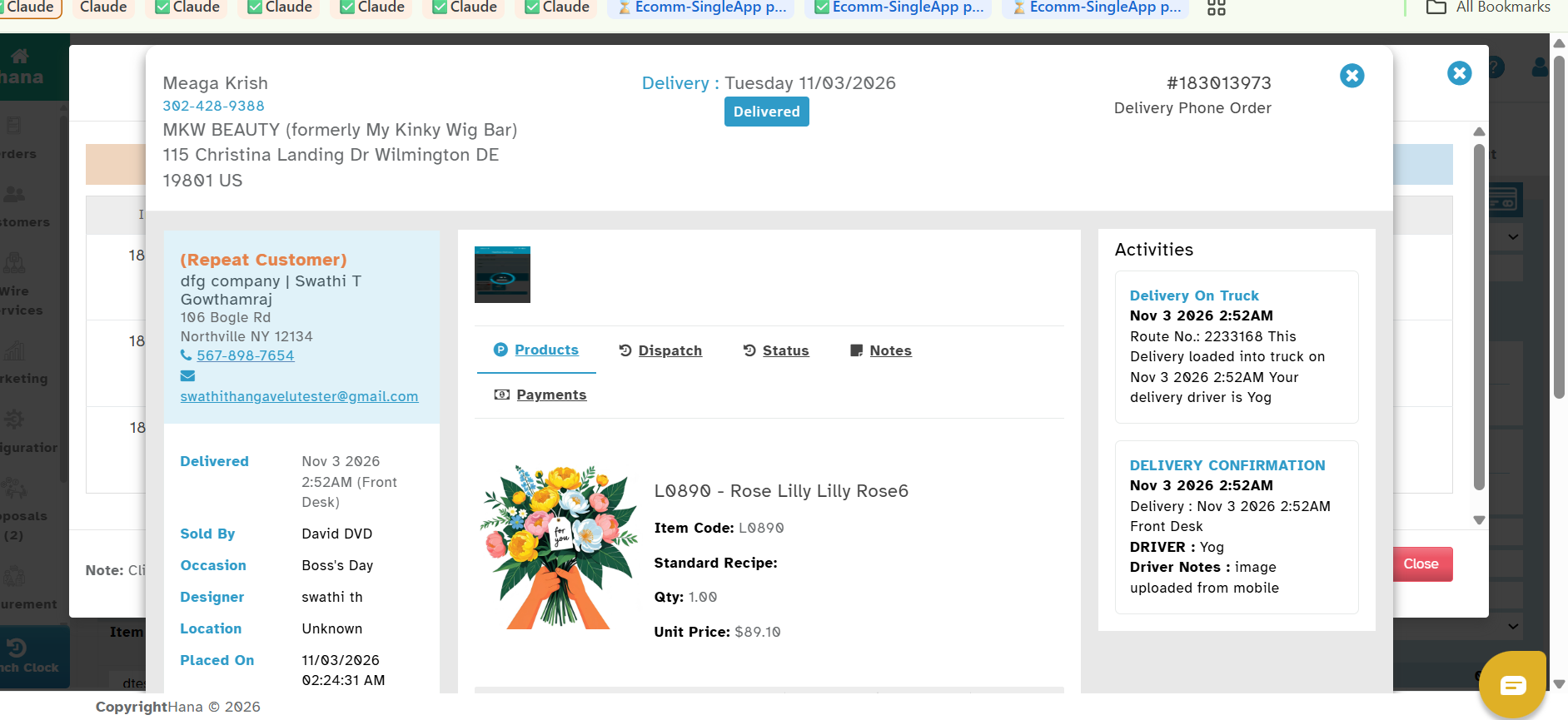
With this enhancement, you can view the complete order summary before deciding which previous order to copy.
you quickly identify the correct arrangement and reduces the chances of selecting the wrong order.
Navigation
Open POS → Order Entry.
Search for and select the customer.
Open the Previous Orders History option to view the customer's previous orders.
How to Preview a Previous Order
1. In the Previous Orders History page, locate the order you want to review.
2. Click the Eye icon under the Invoice Number.
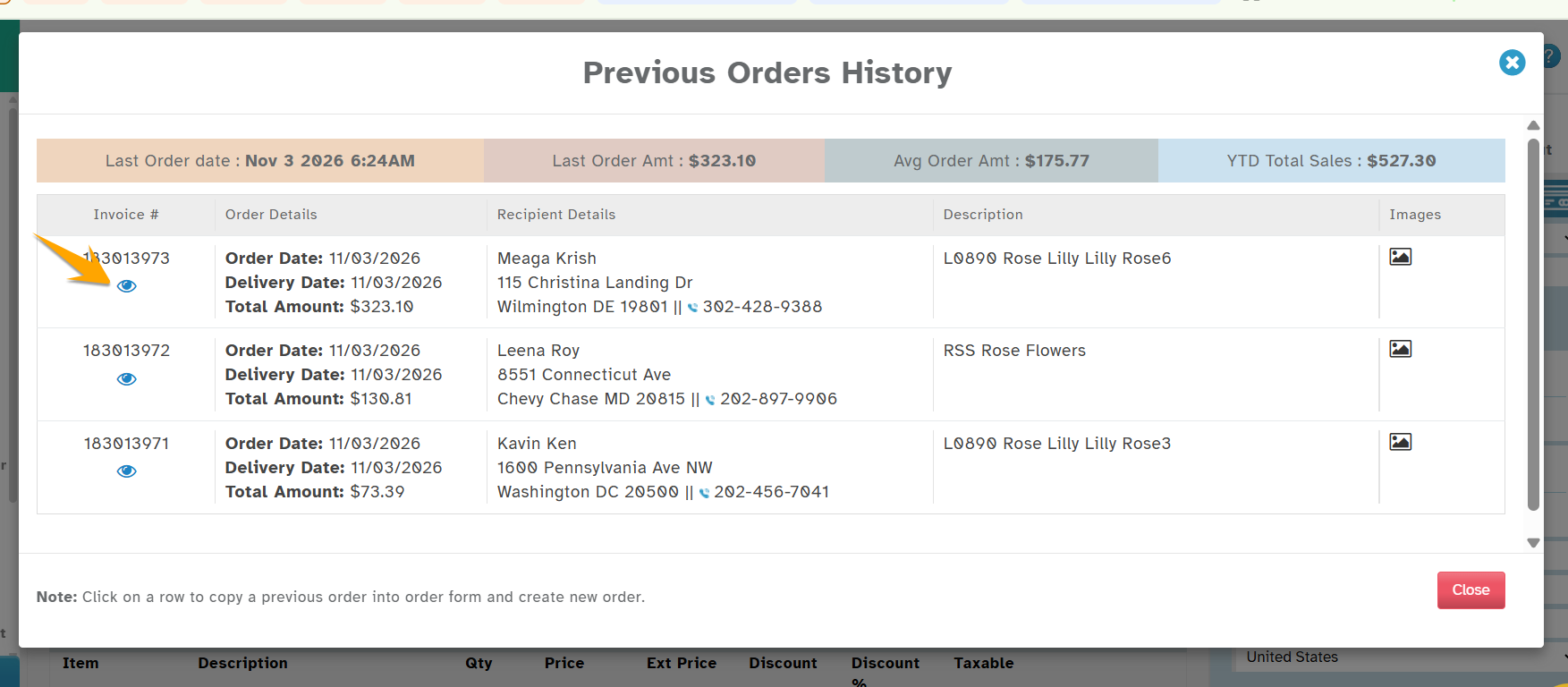
3. The Order Summary page will display the complete details of the selected order.
4. Review the order information, including items, arrangements, quantities, and other available details.
5. Close the preview once you have finished reviewing the order.
Key Benefits
Preview complete order details before copying a previous order.
Easily identify the correct arrangement, even when an order contains multiple items.
Reduce incorrect order selections and repetitive order entry.
Save time when handling repeat customer orders.
This enhancement makes handling repeat customer orders easier, faster, and more convenient.
Was this article helpful?
That’s Great!
Thank you for your feedback
Sorry! We couldn't be helpful
Thank you for your feedback
Feedback sent
We appreciate your effort and will try to fix the article