What’s New
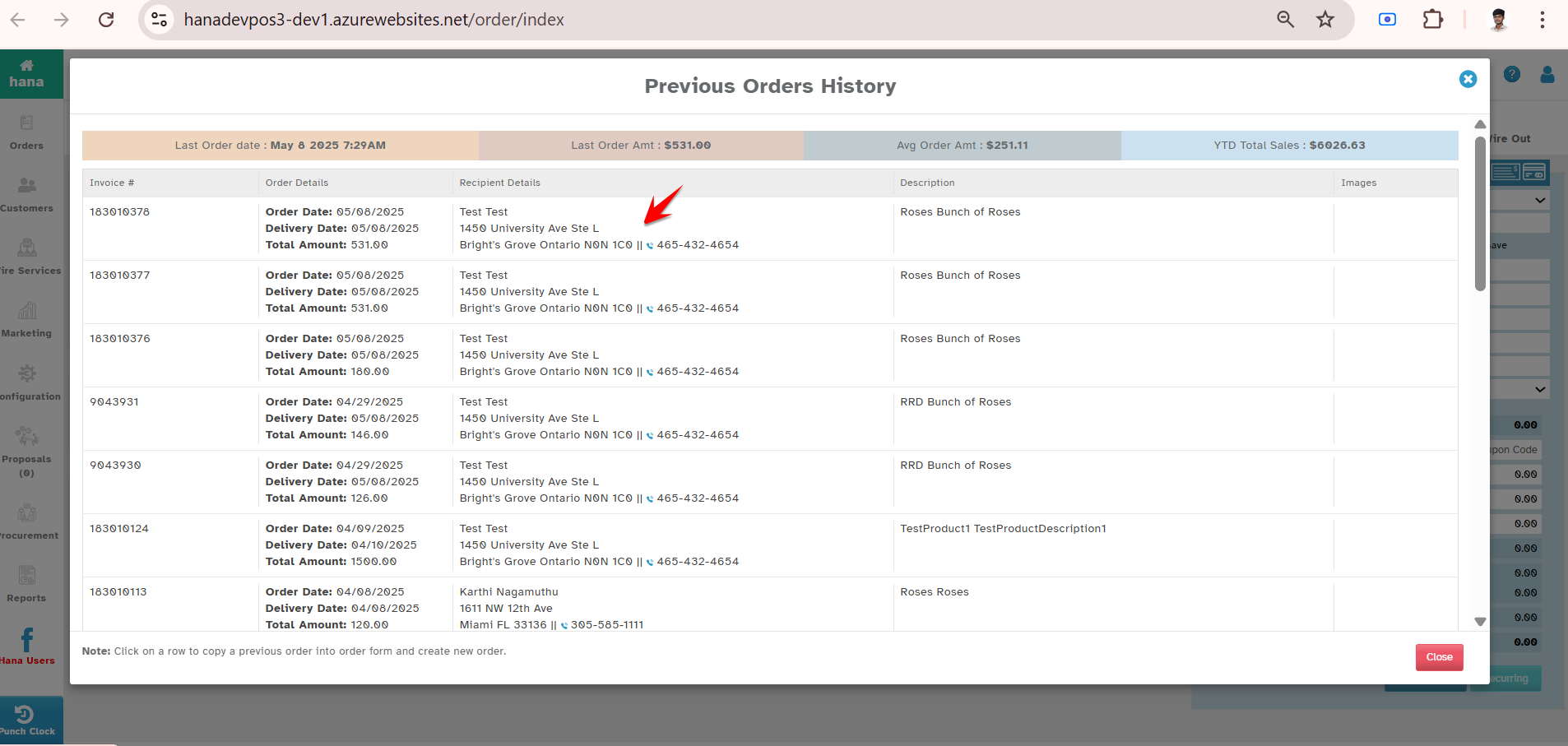
You can now see the Recipient Address directly in the Previous Orders History screen — under the Recipient Details column.
Navigation:
New Order -> Order Entry -> Previous Orders History
View Recipient Address
See the Recipient's Address under “Recipient Details” column.
Why It Helps
No more opening each past order to check delivery addresses.
Saves time.
Especially helpful for repeat customers with multiple recipients or delivery locations.
Was this article helpful?
That’s Great!
Thank you for your feedback
Sorry! We couldn't be helpful
Thank you for your feedback
Feedback sent
We appreciate your effort and will try to fix the article