What’s New?
We’ve made an improvement to help you quickly see who designed each order. Now, if a Designer is assugned to an order, it will show up on the Order screen!
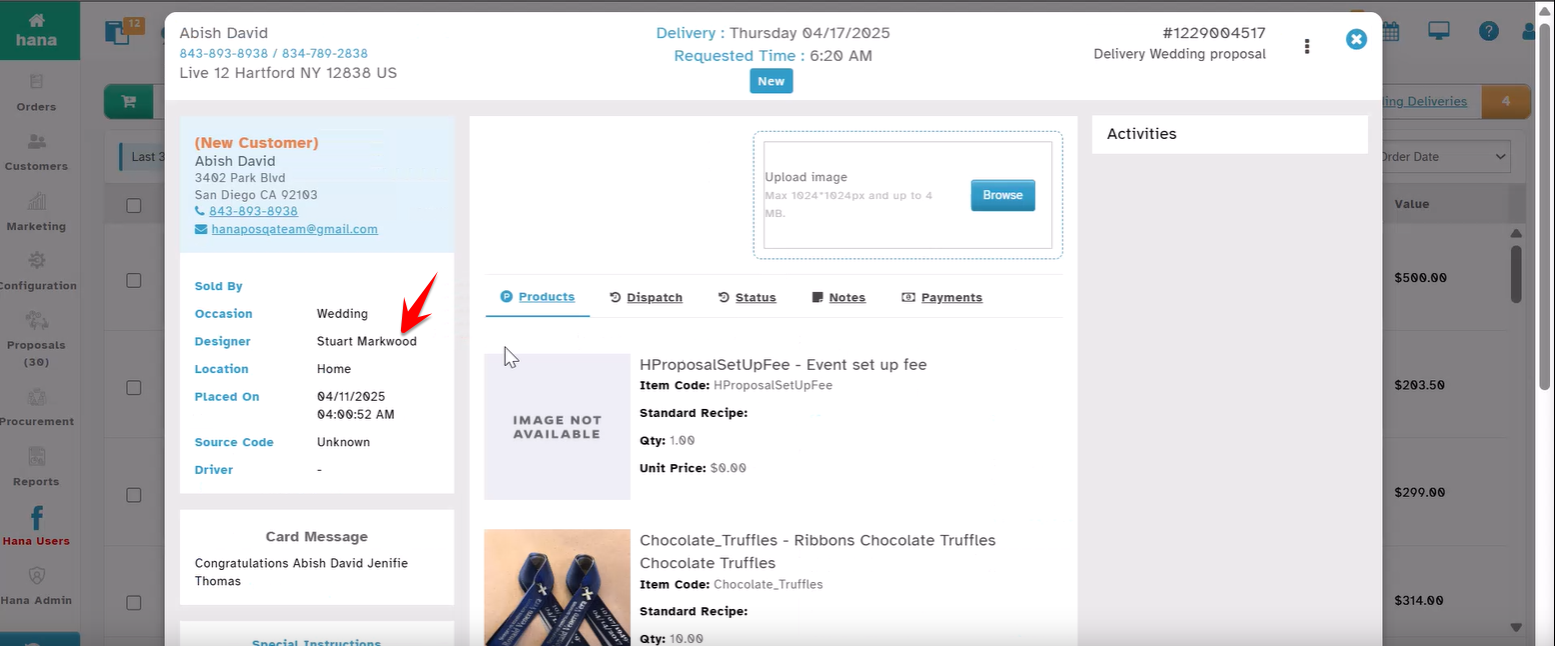
Step 1: Displays In Order Summary screen
Go to the Orders screen.
Open any order.
Look just below the “Occasion” field (top left side of the screen).
If a Designer was assigned, you’ll now see:
Step 2: Displays In All Orders Screen
Also can see in the All Orders list Status Column
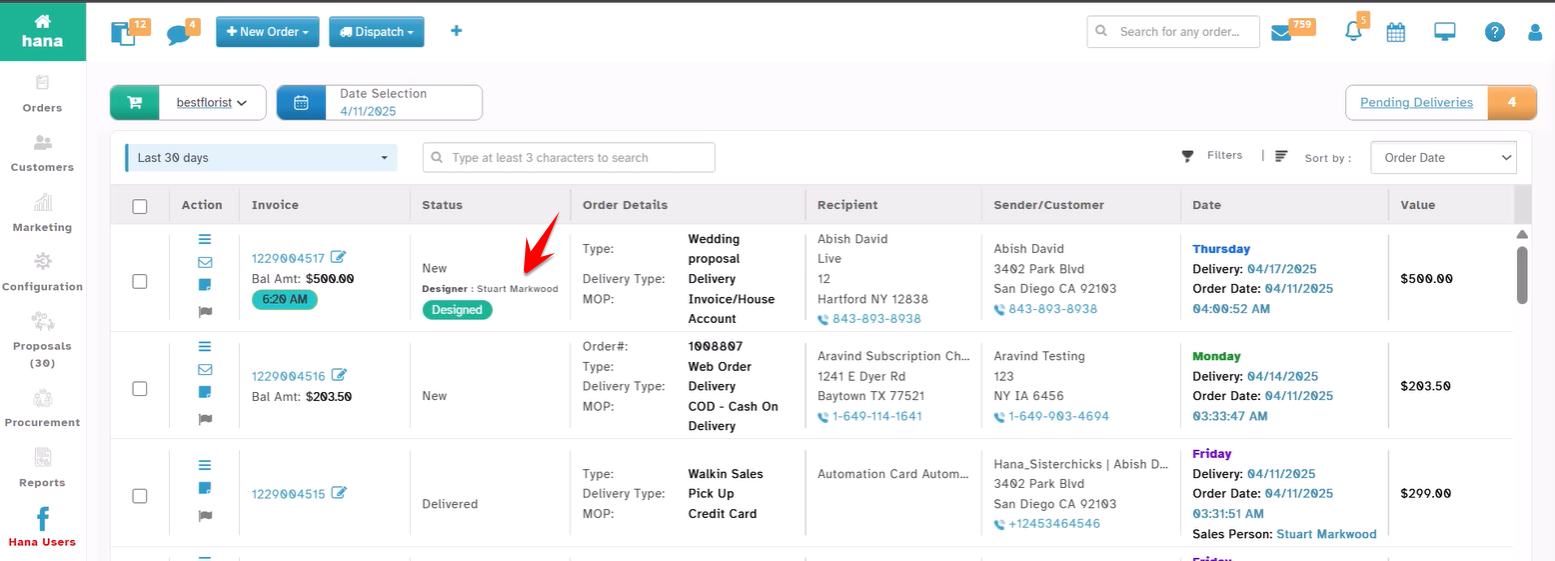
Step 3: Smart Display Logic
You will see the Designer’s Name only if the designer is assigned for the respective order.
If no Designer is assigned, this line won’t appear. We’ve made sure it stays neat—no blank fields.
Why This Helps:
Quickly know who worked on a design.
Makes your order screen even more informative!
Was this article helpful?
That’s Great!
Thank you for your feedback
Sorry! We couldn't be helpful
Thank you for your feedback
Feedback sent
We appreciate your effort and will try to fix the article