Step1: Gift Card Type Selection
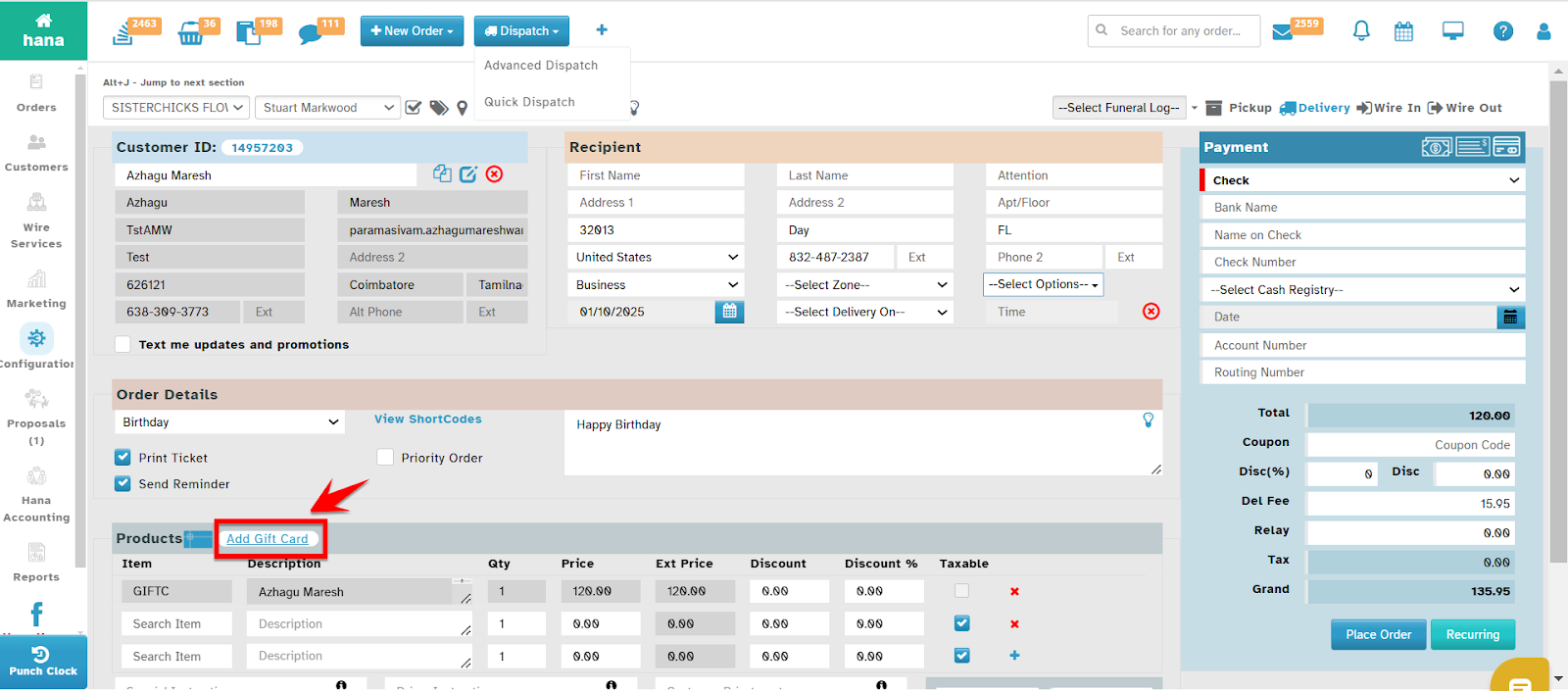
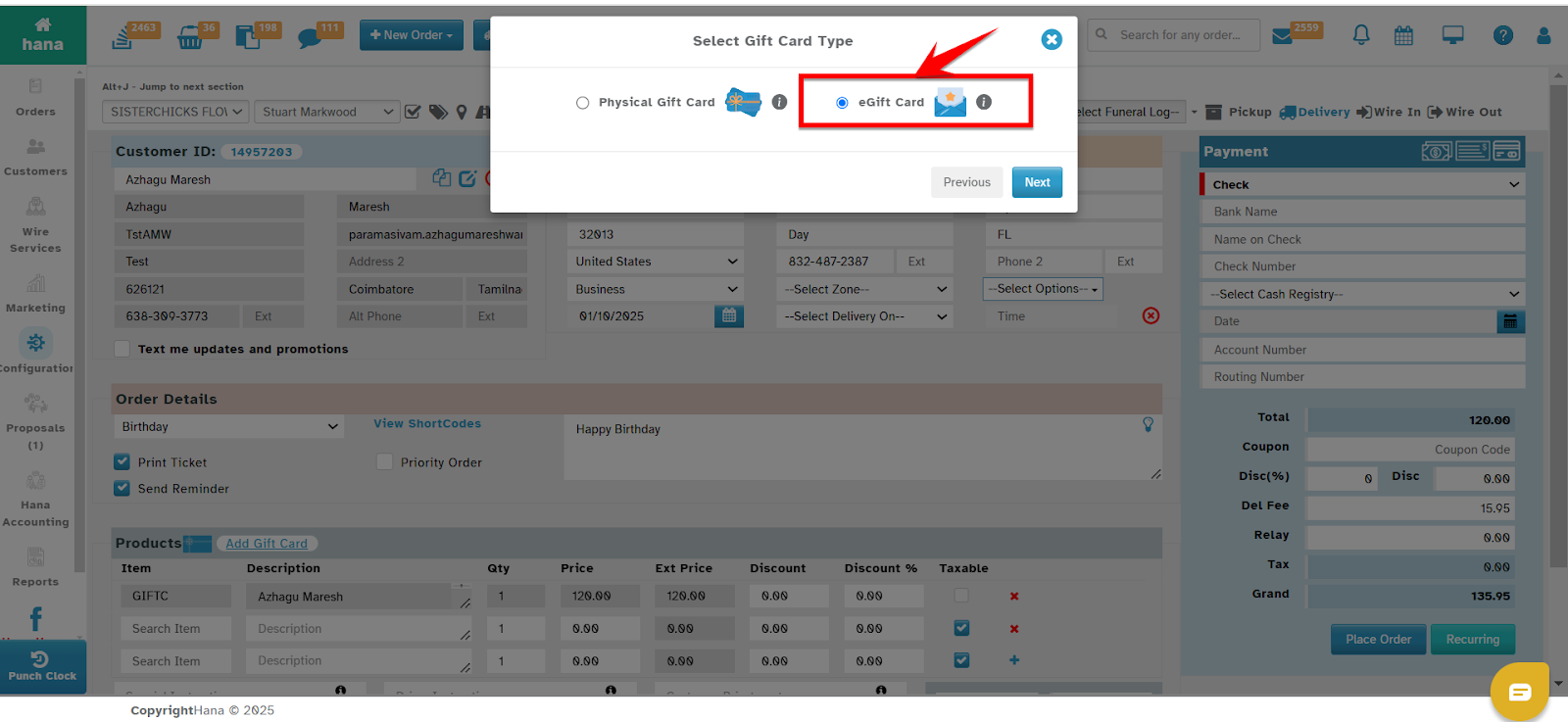
eGift cards are part of the existing gift card sale process. The florist selects the type of gift card (Physical or eGift) while completing the gift card sale.
Click the "Add Gift Card" button on the "New Order - Order entry / Cash & Carry" page.
Choose between a Physical or eGift card, then proceed to the next step
Step 2: Enter Gift Card Details
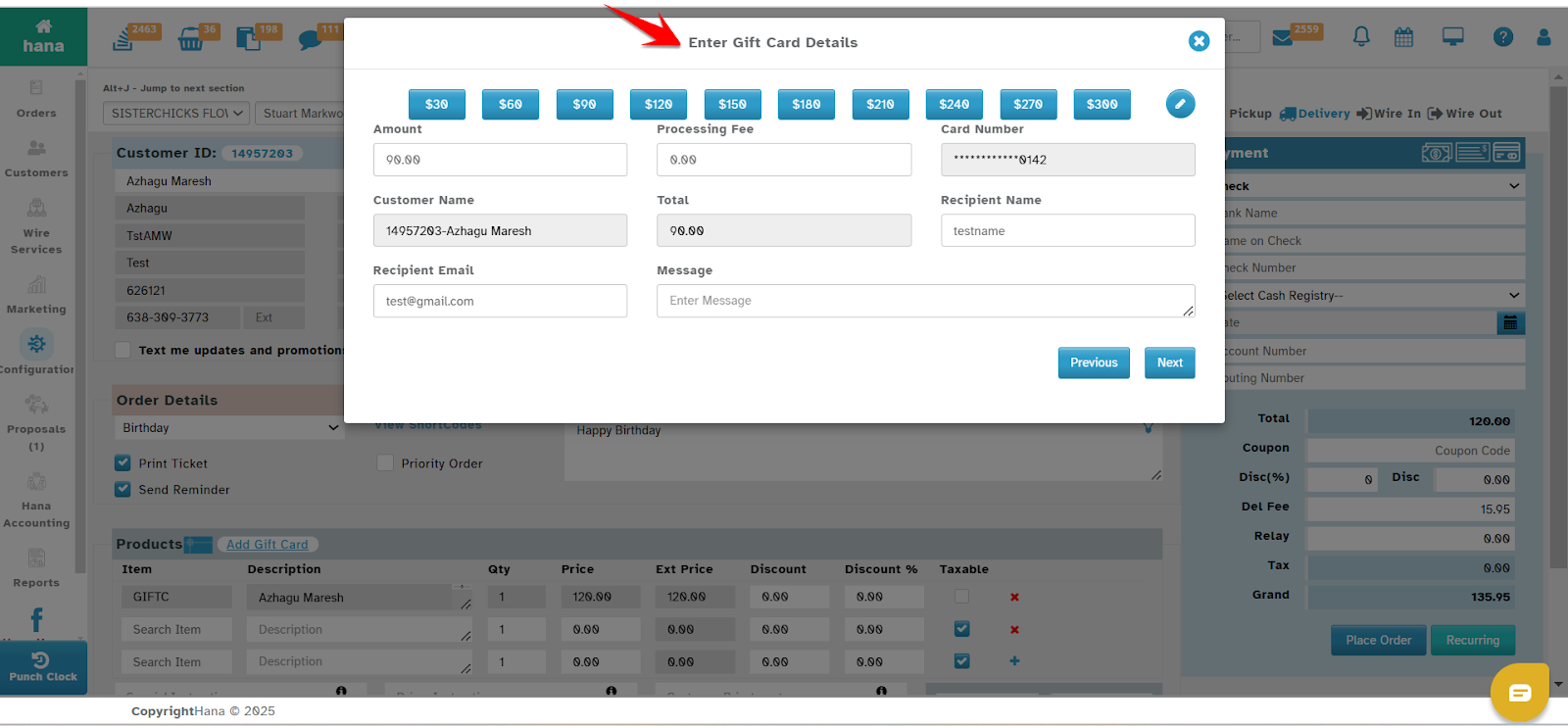
After selecting the eGift card type, the florist enters the necessary details, including the customer and recipient's name, the gift card amount, and the recipient's email.
After selecting the gift card type, click "Next" to go to the Enter Gift Card Details page.
Fill in the required fields (amount, recipient info), then click "Next" to continue to the design selection page.
Step 3. Gift Card Design Selection
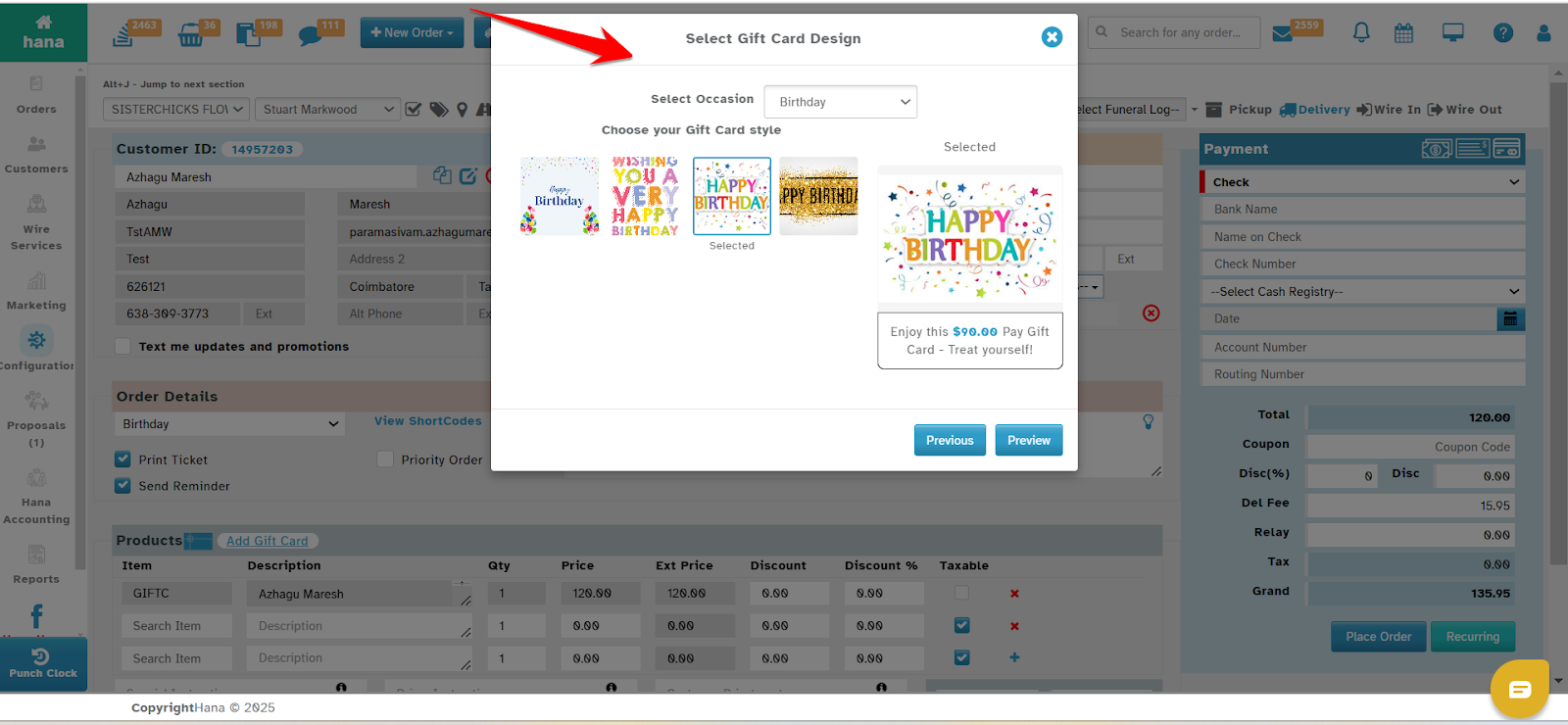
Florists select an occasion and choose a design for the eGift card. They can preview the design and make a selection"
After entering the gift card details, click "Next" to proceed to the Gift Card Design Selection page.
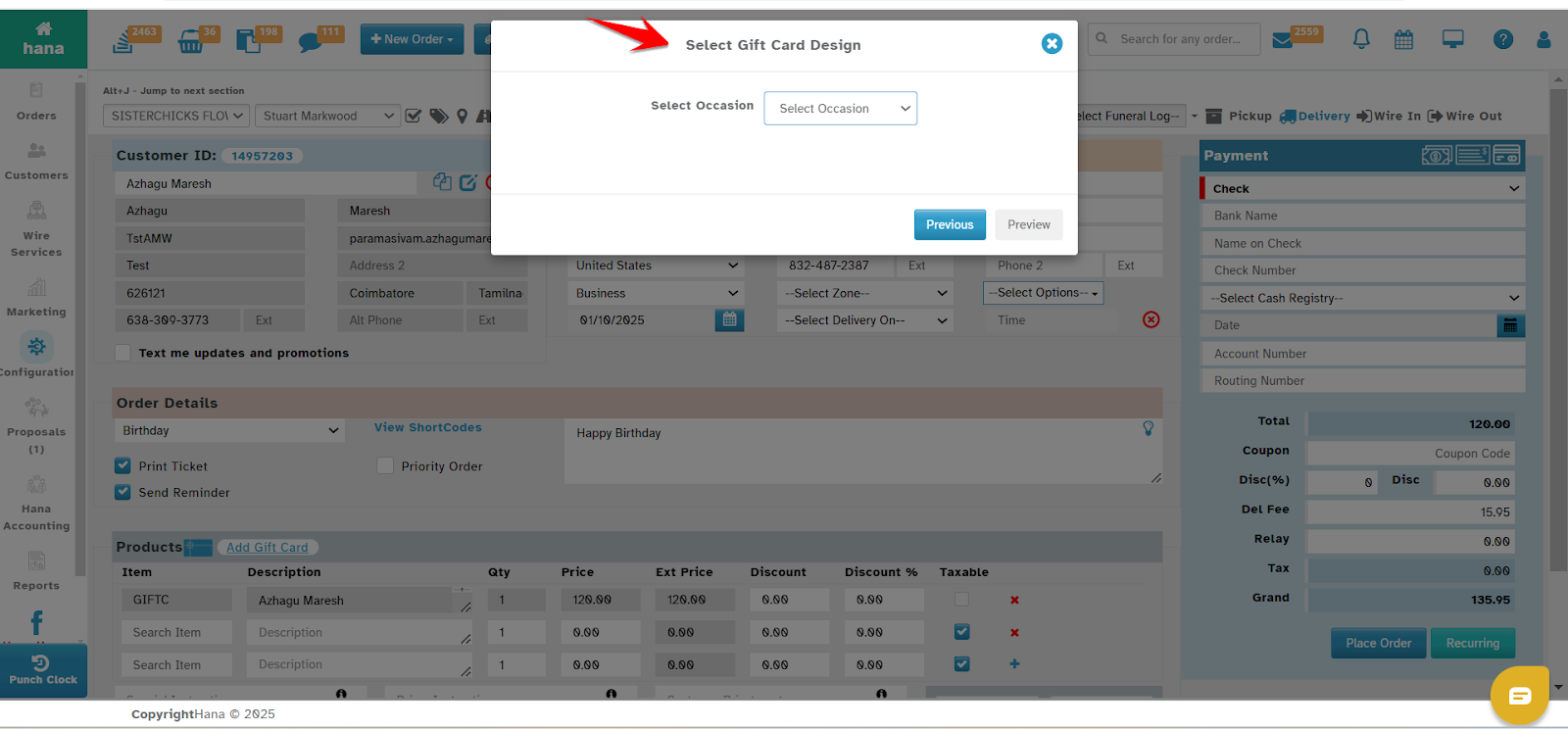
Choose an occasion, select a design template, and preview the template. After selection, move to the preview page.
Step 4: Navigate to Gift Card Sale Preview Page
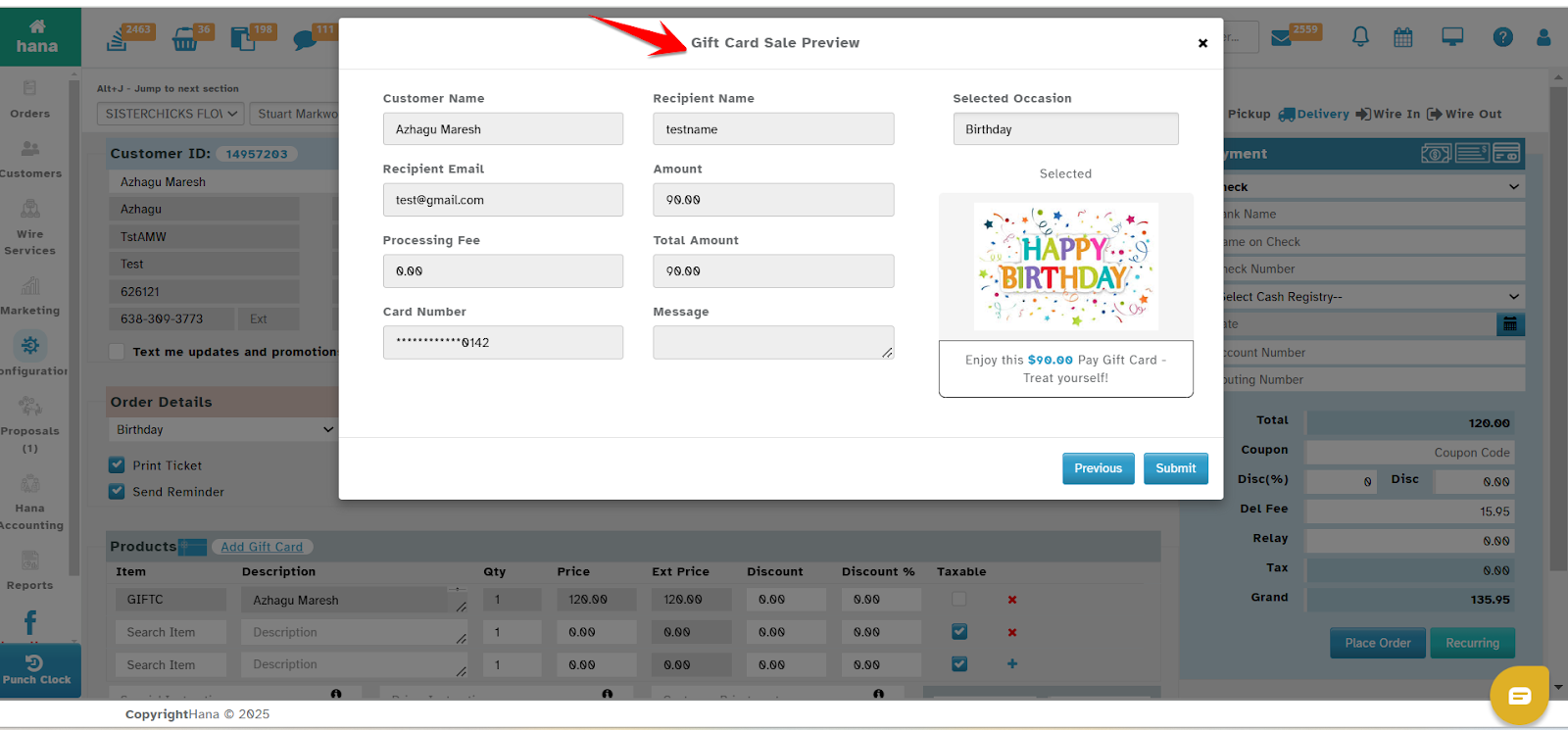
Florists preview the entered details and confirm everything before finalizing the sale.
Click the "Preview" button after selecting the design
Review all gift card details; make any necessary edits, or proceed to finalize the sale.
Step 5: Gift Card Sale Preview & Submission of eGift Card
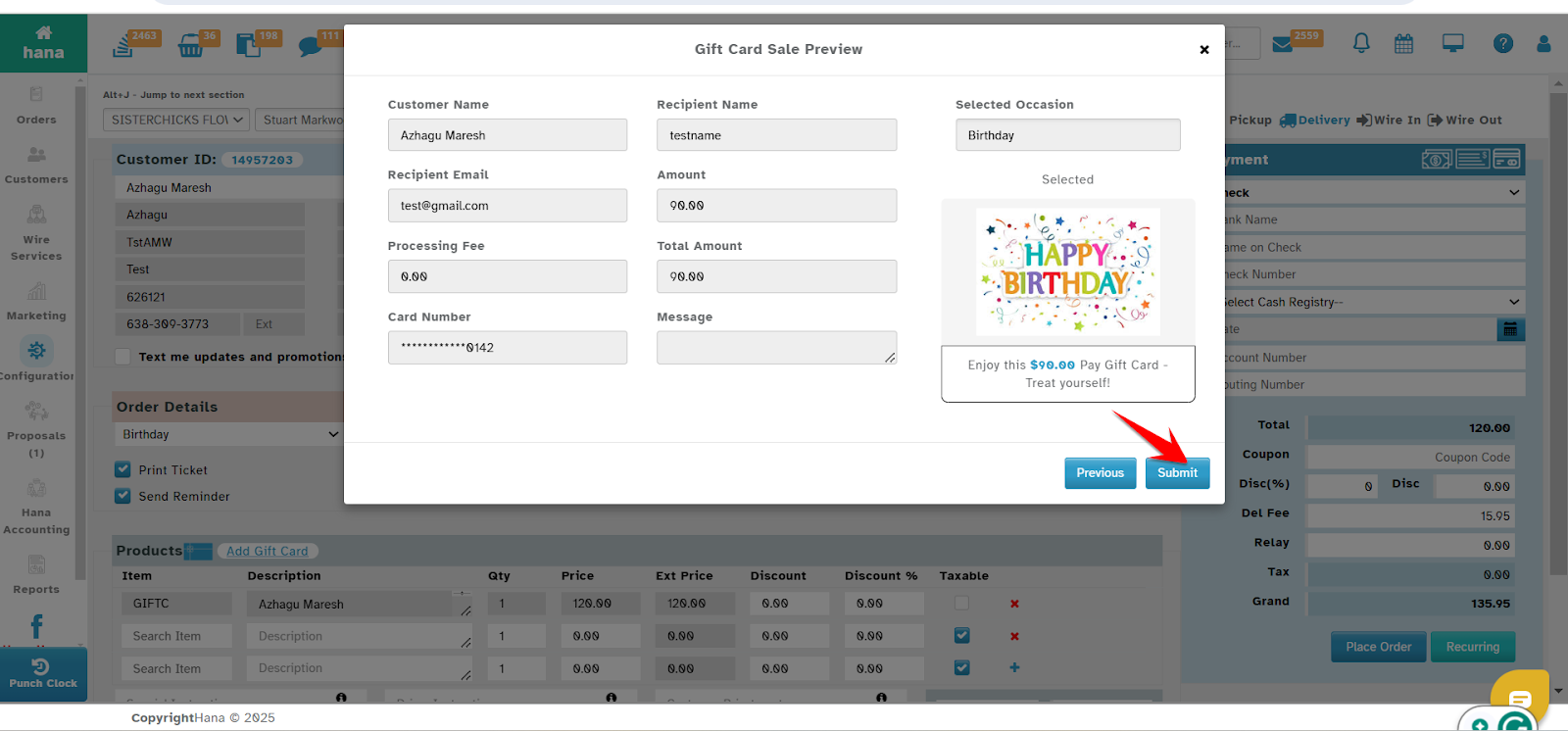
The florist confirms all details and submits the eGift card, which will be sent to the recipient's email.
This page appears after clicking "Preview" from the design selection page.
Review and confirm the entered details, then click "Submit" to complete the eGift card sale. HANA POS will send the e-gift card to your recipient’s email, similar to how Amazon delivers gift cards.
Was this article helpful?
That’s Great!
Thank you for your feedback
Sorry! We couldn't be helpful
Thank you for your feedback
Feedback sent
We appreciate your effort and will try to fix the article