What's New?
Hana POS now shows the minimum order value required by FSN florists before placing the order.
Navigation:
New Order -> Order Entry -> Create order & Wire Out -> Wire Out Info -> Choose Florist -> Select Florist Pop-up
View the Minimum Order Value Note
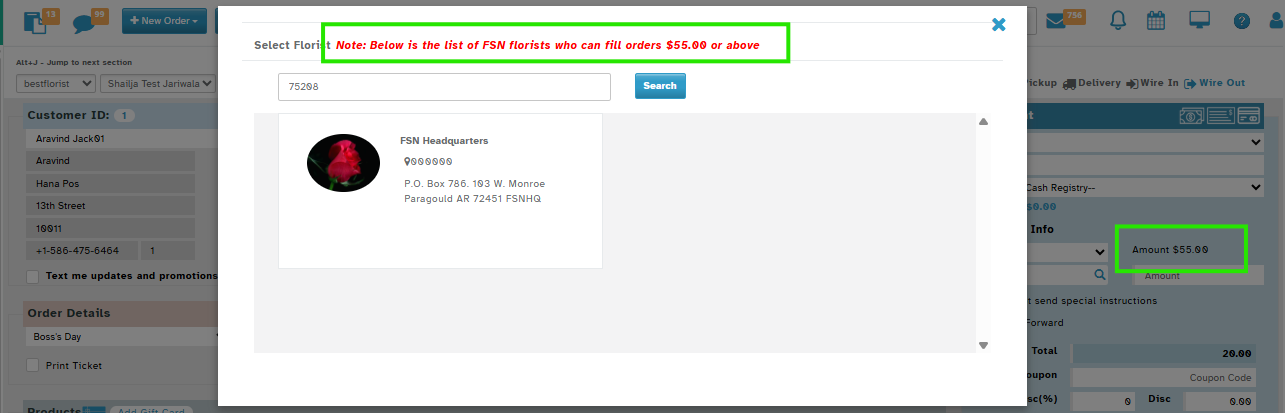
In the “Select Florist” Pop-up:
You will now see a note at the top: "Note: Below is the list of FSN florists who can fill orders $xx.xx or above"
Why This Helps
Saves time: No need to check minimums manually
Reduces errors: Avoids underpriced orders
Was this article helpful?
That’s Great!
Thank you for your feedback
Sorry! We couldn't be helpful
Thank you for your feedback
Feedback sent
We appreciate your effort and will try to fix the article