What’s New?
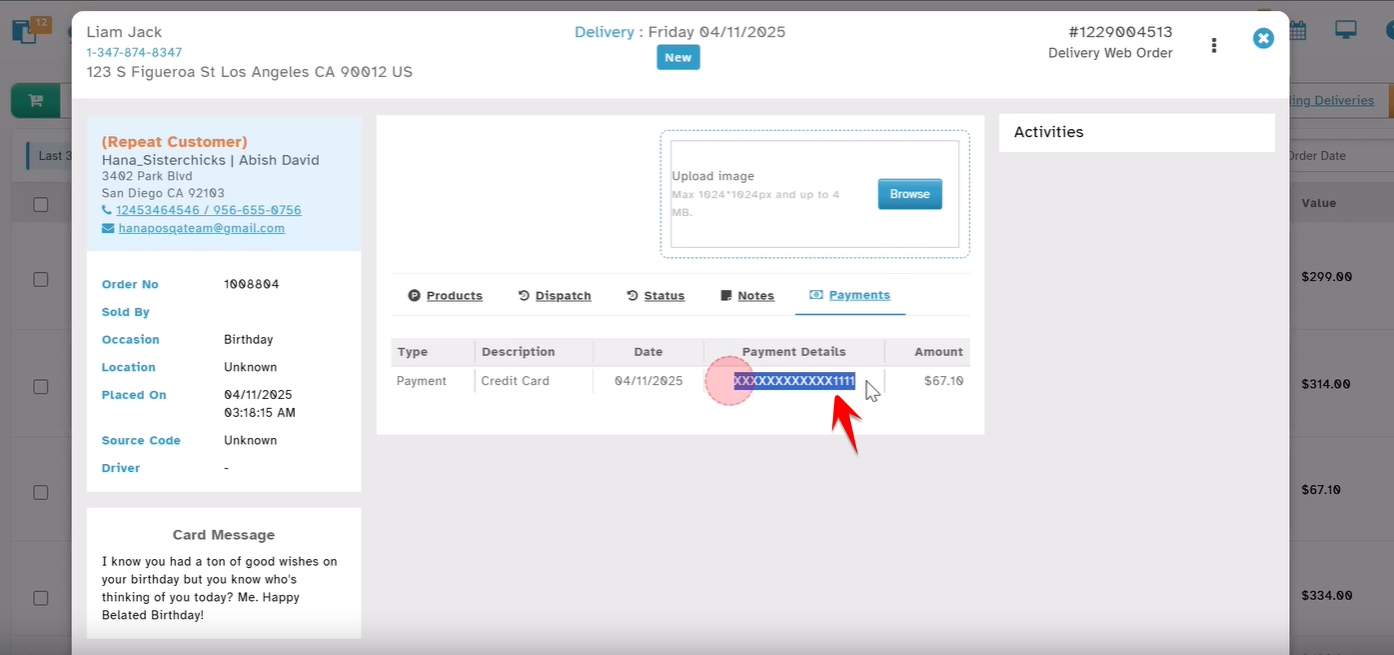
You can now see the last 4 digits of the Credit Card number or the Check number used for a payment—right from the Payments tab in the Order screen.
This helps florists quickly verify how the order was paid.
Displays In:
Open any Order.
Click on the Payments tab on the right-hand side.
You'll now see the last 4 digits of the Credit Card number (e.g.,
XXXXXXXXXXXX1111) or the Check Number depending on how the payment was made.
What’s Displayed?
| Payment Type | What You’ll See |
|---|---|
| Credit Card | Last 4 digits of the card (e.g. XXXXXXXXXXXX1111 ) |
| Check | Full check number (if available) |
| Other Methods | Will not show card/cheque details |
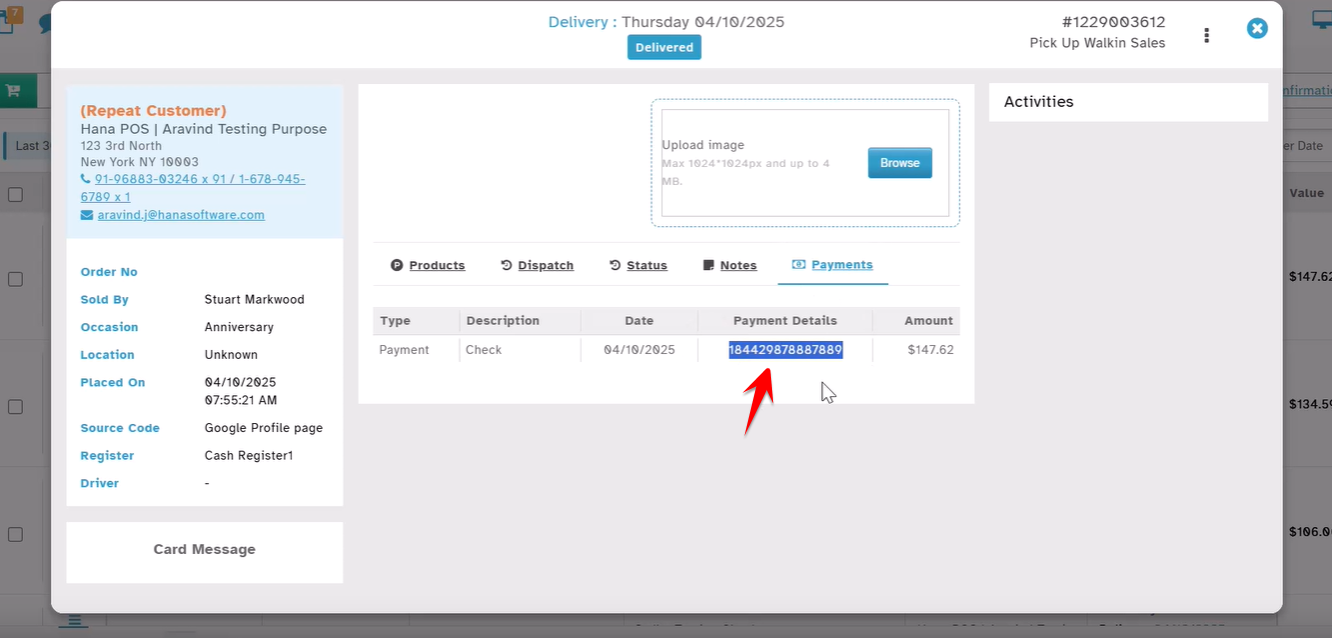
This enhancement helps you easily track and confirm payment methods.
Was this article helpful?
That’s Great!
Thank you for your feedback
Sorry! We couldn't be helpful
Thank you for your feedback
Feedback sent
We appreciate your effort and will try to fix the article