What’s New?
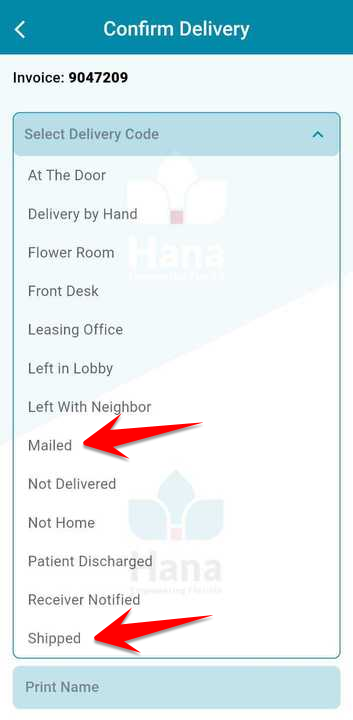
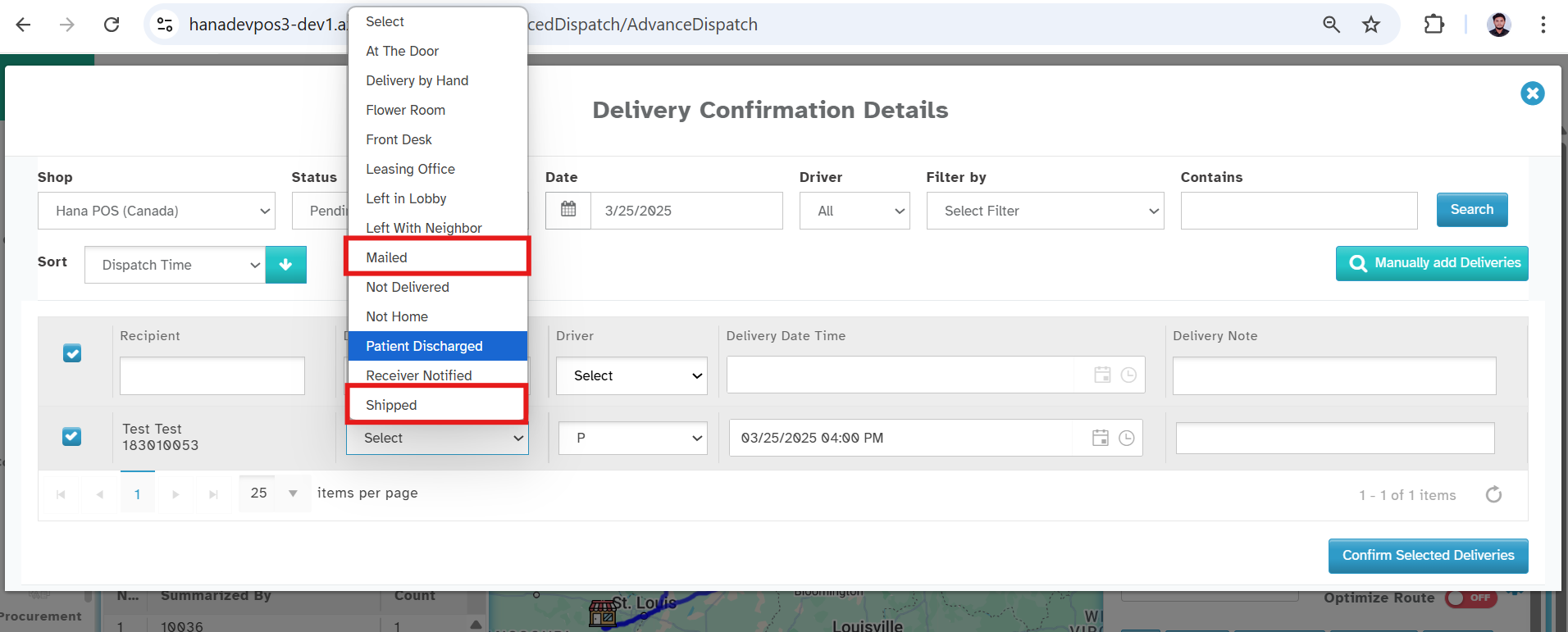
You can now select “Mailed” or “Shipped” as delivery codes during delivery confirmation — on both the Web and Mobile App .
Navigation:
Web: Orders -> Confirmations -> Delivery Code
Mobile App: Dispatch -> Trips -> Deliveries -> Confirm Delivery → Delivery Code
How it Works
Step 1: Select Delivery Code
While confirming delivery, simply choose Mailed or Shipped from the Delivery Code.
Step 2: View in POS
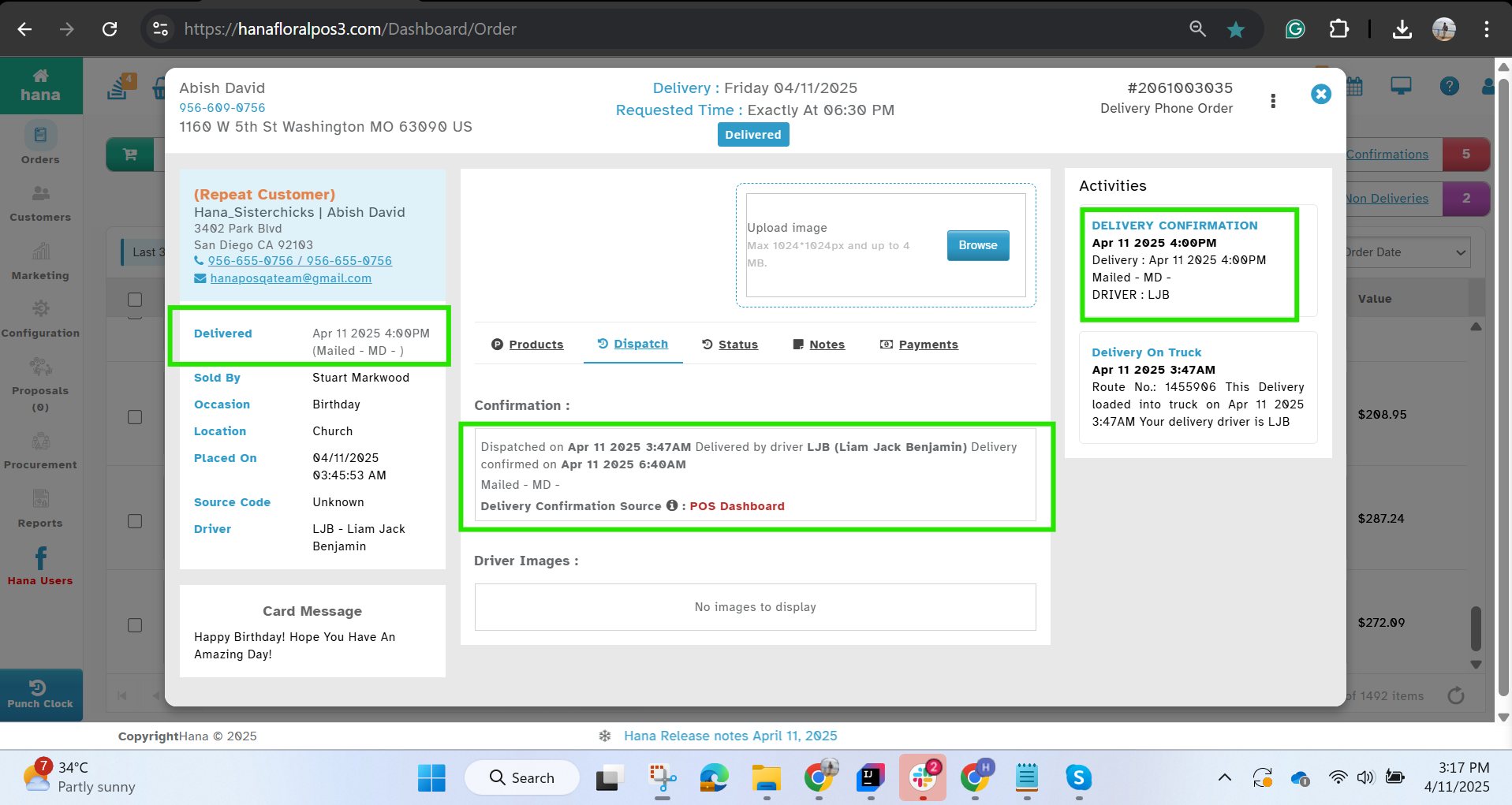
On the order Summary -> Dispatch tab
Under Confirmation & Activities, the selected delivery code (e.g., “Shipped / Mailed”) is now displayed.
Was this article helpful?
That’s Great!
Thank you for your feedback
Sorry! We couldn't be helpful
Thank you for your feedback
Feedback sent
We appreciate your effort and will try to fix the article