Whats New?
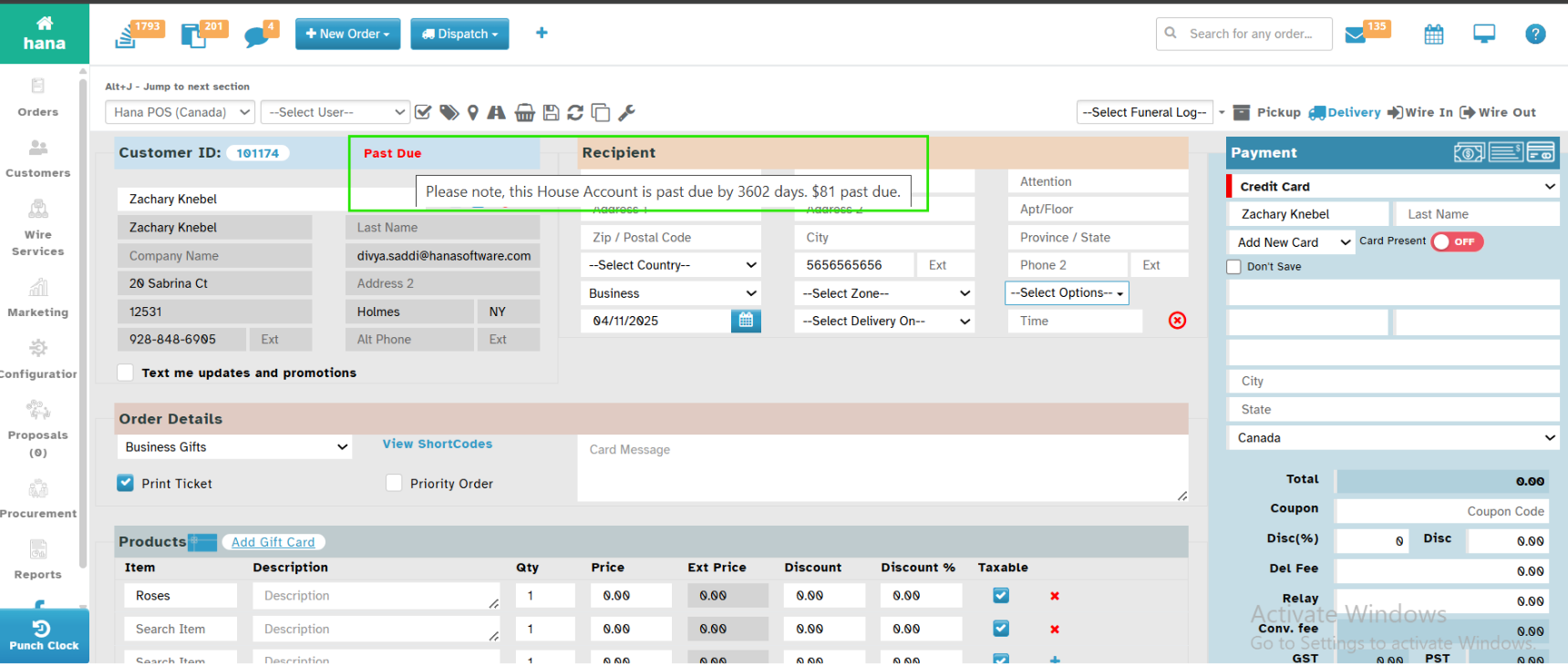
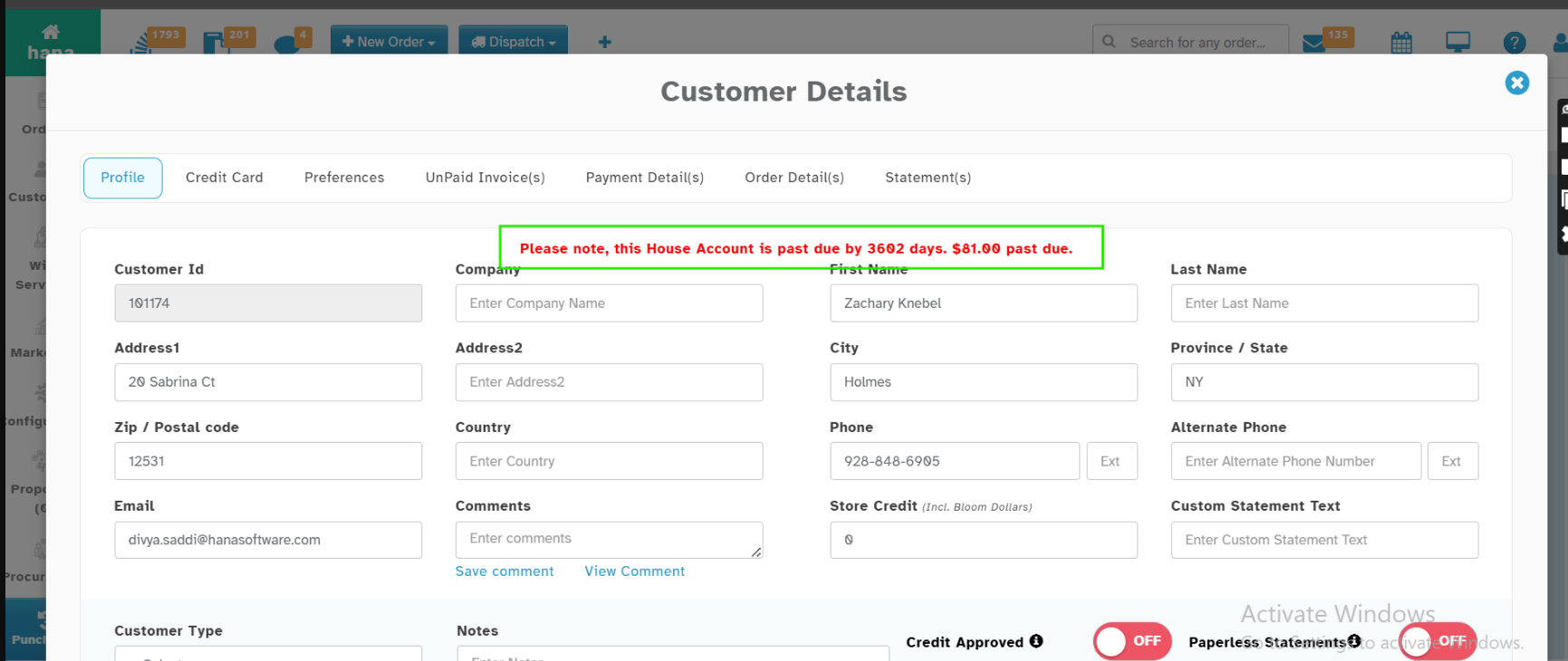
When a Customer is having an Past Due to be paid for more than 90 days, the Warning message will be displayed for in the Phone Orders Page when the Customer is Selected. The Same warning message will be displayed in Customer Management when you view the Customer.
Navigation:
Dashboard -> New Orders -> Select Customer with Past Dues
Why this Helps?
When a Customer is having an Past Due, displaying the warning message will help the florist to collect the Past due along with the new order.
In Phone Orders:
In Customer Management:
Was this article helpful?
That’s Great!
Thank you for your feedback
Sorry! We couldn't be helpful
Thank you for your feedback
Feedback sent
We appreciate your effort and will try to fix the article