What’s New
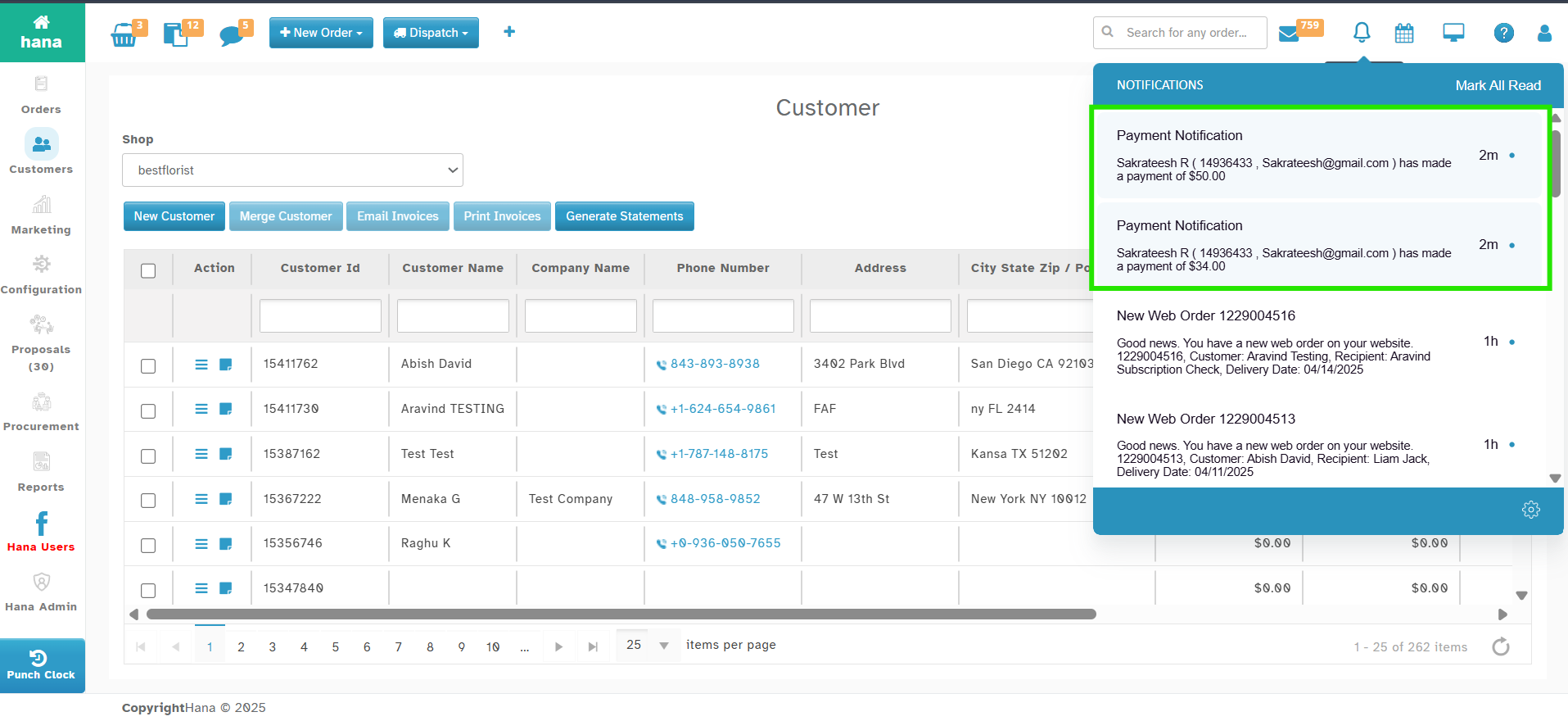
You’ll now receive a notification when a customer makes a payment through the portal.
Navigation:
Click on Notification Icon (Bell Icon) on Top right
How It Works
When your customer pays through the portal, you’ll get an instant notification. (a message appears under notification).
The notification message shows:
Customer Name
Customer ID and Email
Amount Paid
Was this article helpful?
That’s Great!
Thank you for your feedback
Sorry! We couldn't be helpful
Thank you for your feedback
Feedback sent
We appreciate your effort and will try to fix the article