The "Wire-Out" option is used when a customer places an order with you but you're unable to deliver it—perhaps due to distance or other constraints. If you're a member of a wire service such as 1800/Bloomnet/BMT, FTD, or FSN-Flower Shop Network, you can use this service to forward the order to another florist within the network. The wire service facilitates the order, ensuring it is fulfilled by a mutual member. At the end of the month, the transaction is reflected in your wire service statement, and you receive a percentage for wiring out the order.
Steps to Create a New Wire-Out Order
Step 1: Access the Order Entry Page
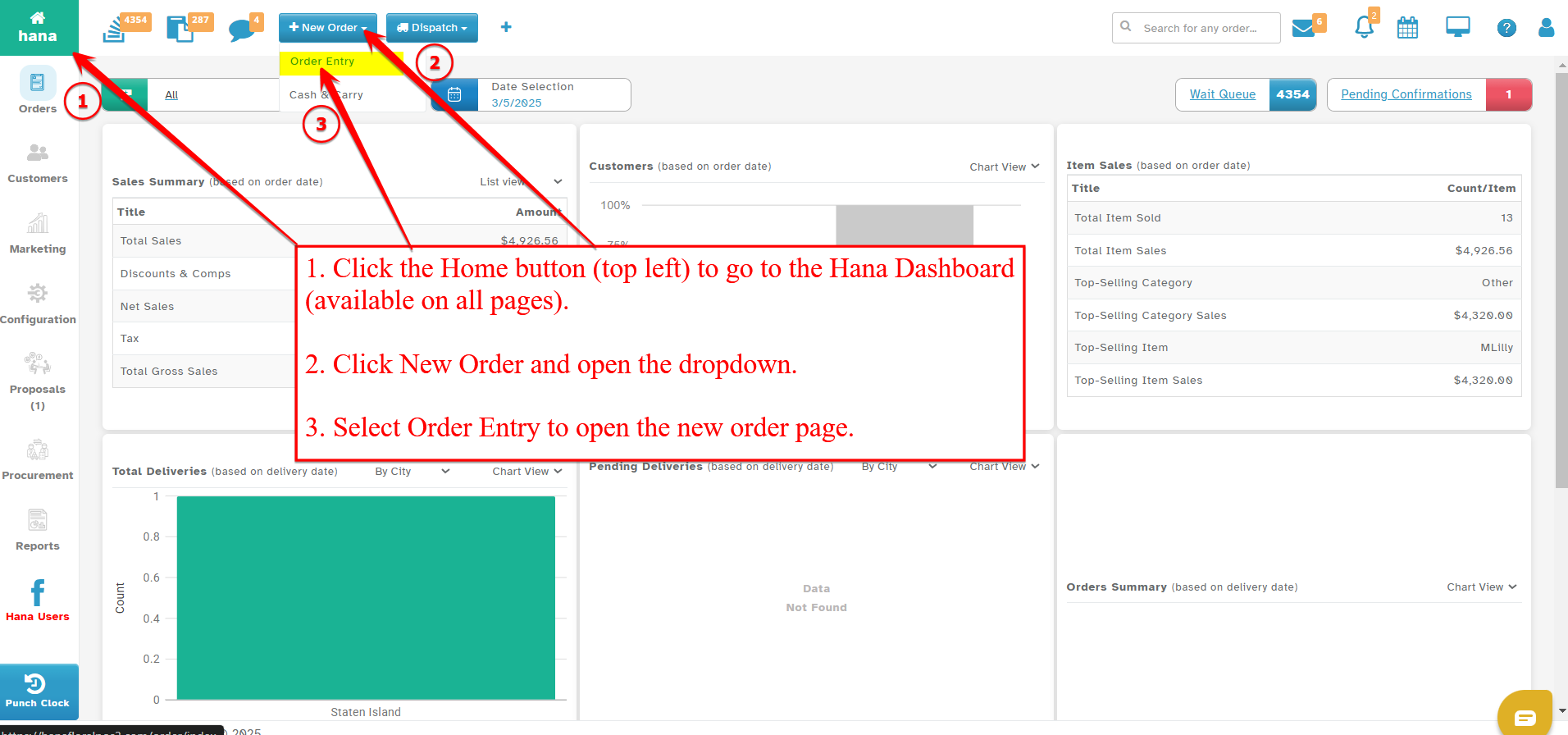
On the Dashboard, click New Order and select Order Entry from the dropdown list.
This feature is accessible from all pages within Hana POS, allowing for quick order creation.
The Create New Order page will now be displayed.
Step 2: Select Wire-Out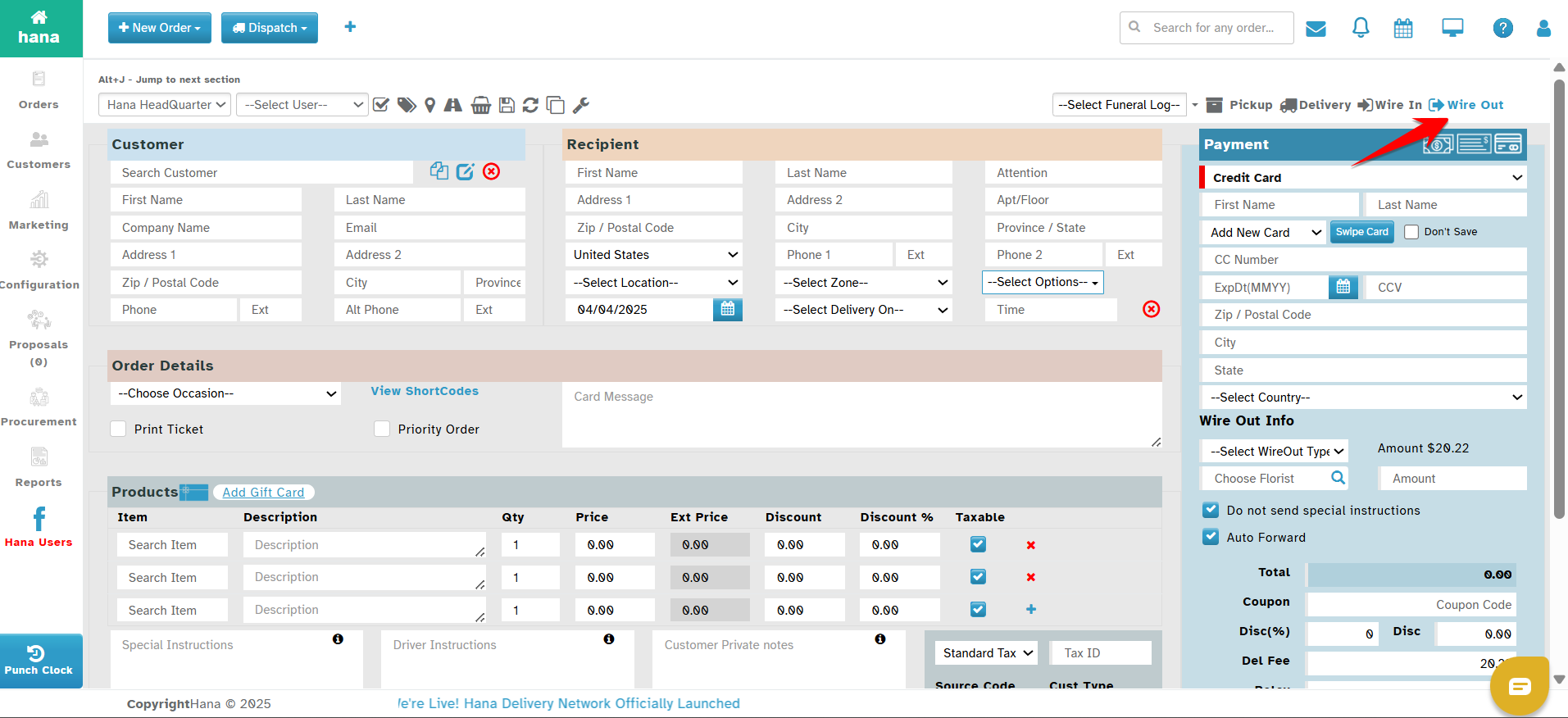
Step 2: Enter Order Details
Fill in the required order details as needed. (For more details, refer to How to Create a New Order (Delivery Order)?)
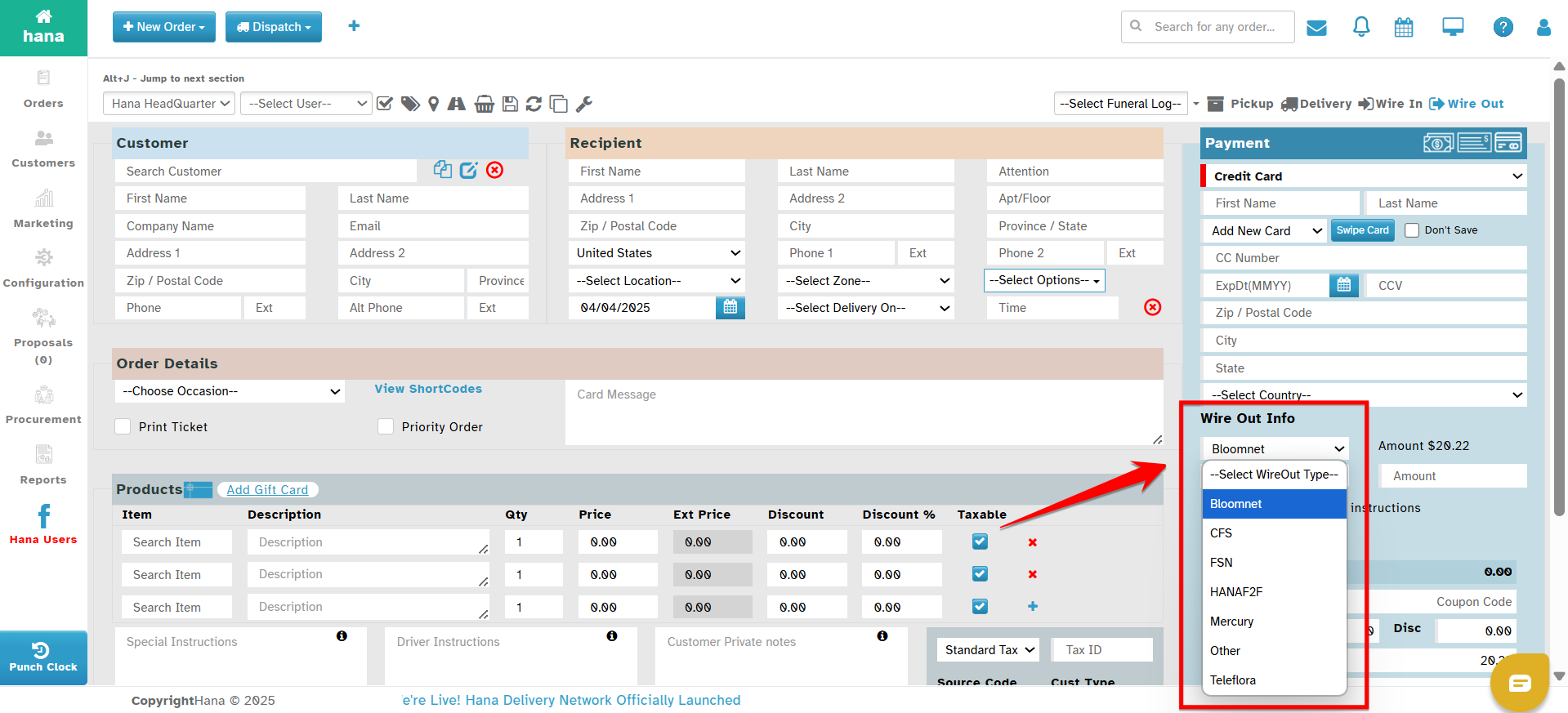
Step 3: Select Wire-Out Type
Choose the appropriate wire-out service type from the Select Wire-Out Type dropdown list.
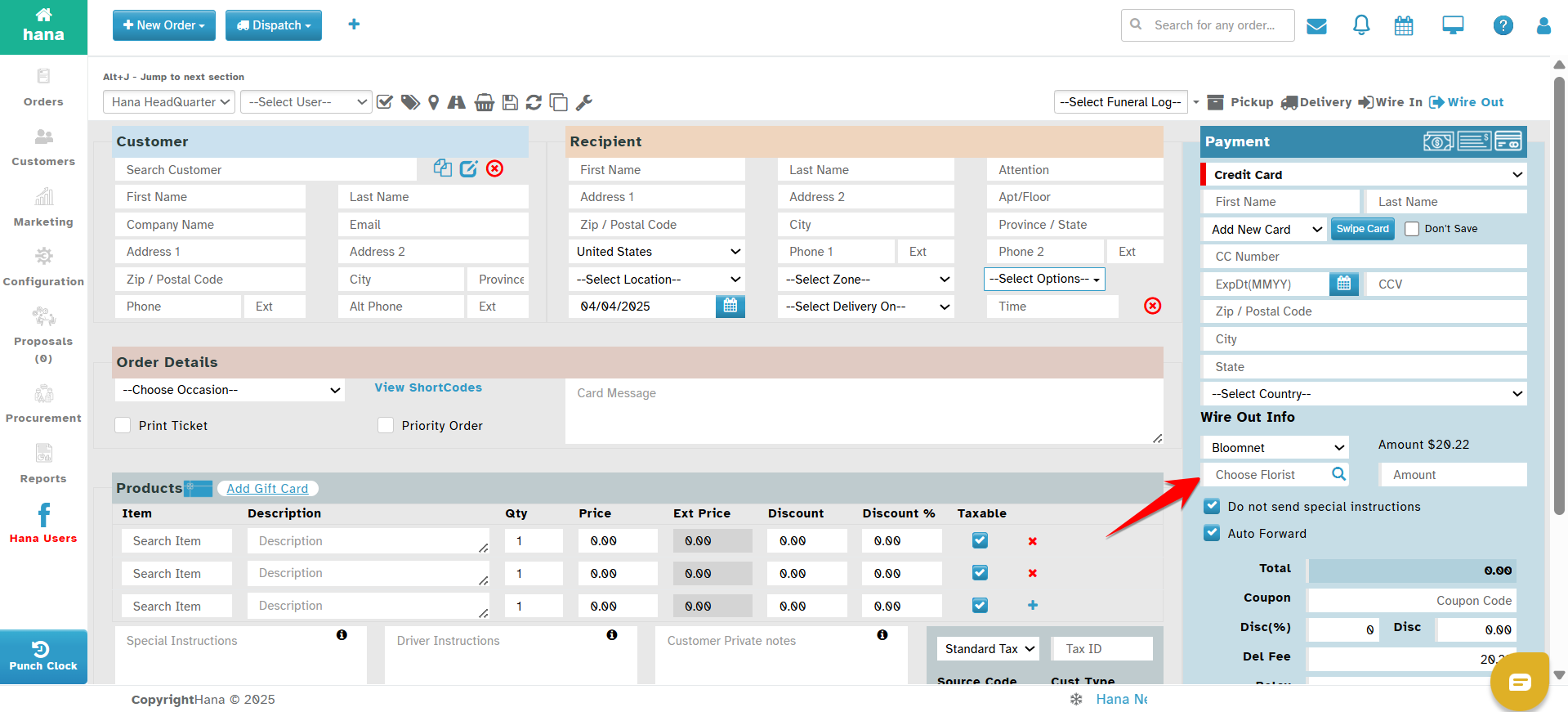
Step 4: Select a Local Florist
Click the search icon in the Choose Florist field.
A dialog displaying a list of local florists in the recipient’s zip code will appear.
Click on the florist you wish to select.
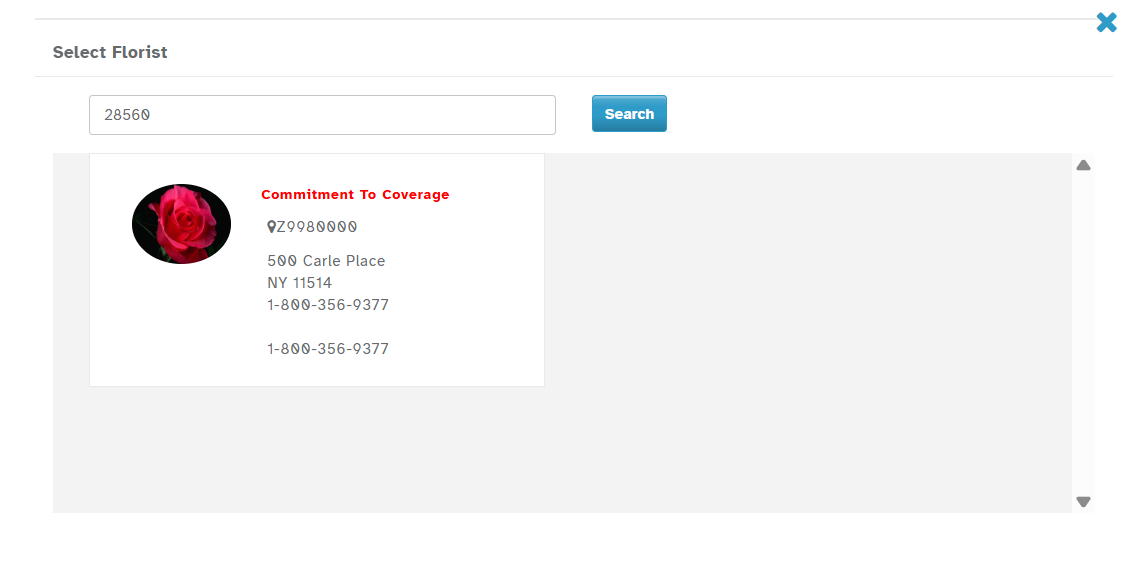
Note: If you know the shop code, you can enter it directly to search for the specific shop you want to wire the order to.
Step 5: Enter Order Payment Details
Enter the total price of the order in the Amount field. You may enter the suggested amount.
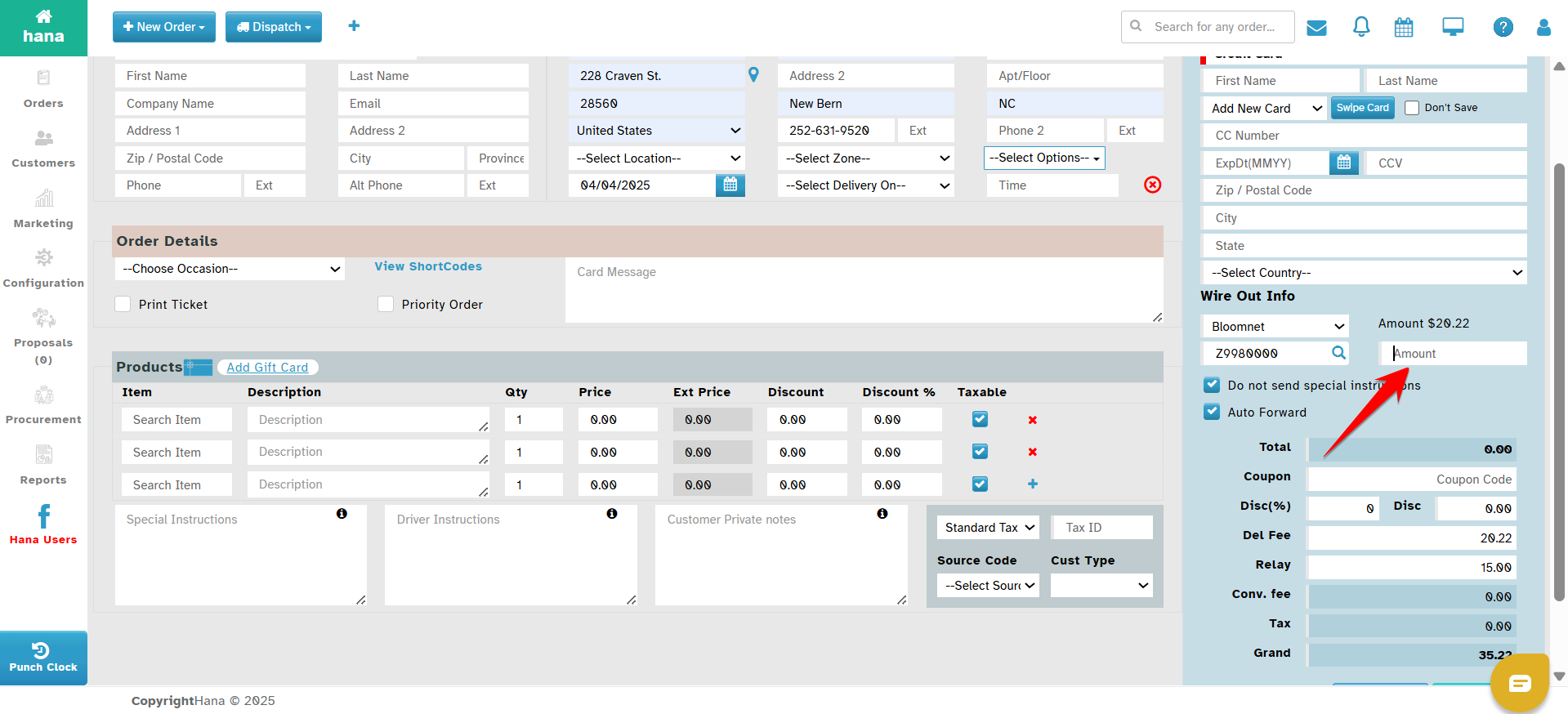
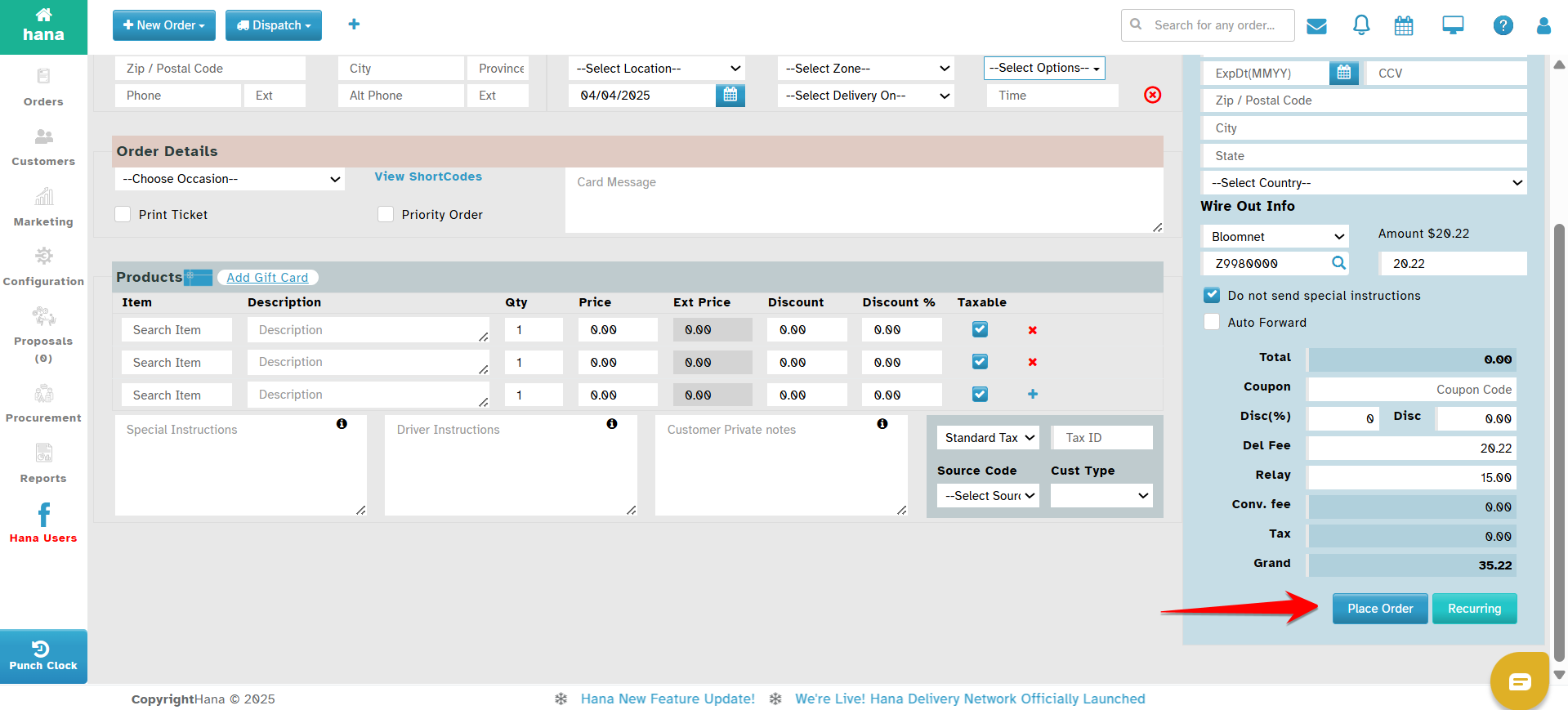
Final Step: Place the Order
Click Place Order to proceed.
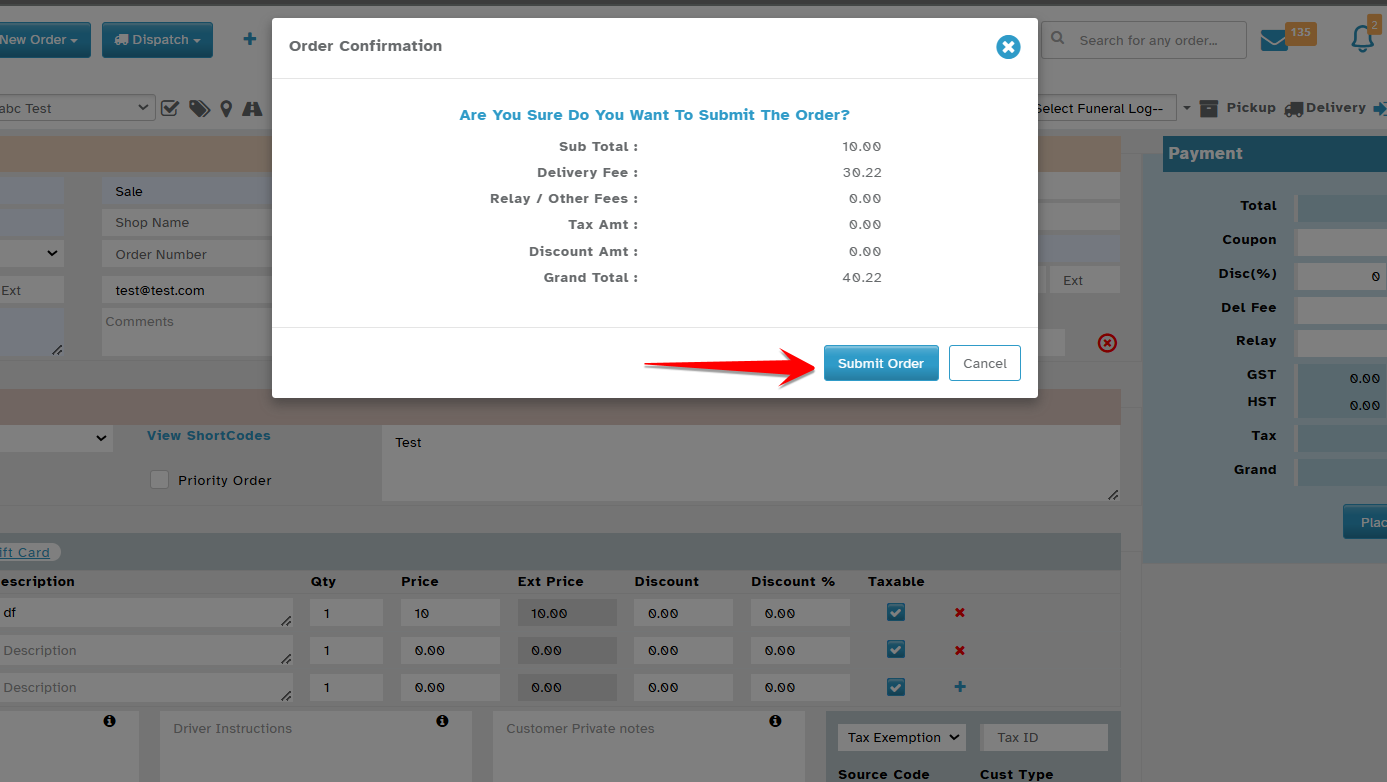
Confirm the order by clicking Submit in the Order Confirmation dialog.
Was this article helpful?
That’s Great!
Thank you for your feedback
Sorry! We couldn't be helpful
Thank you for your feedback
Feedback sent
We appreciate your effort and will try to fix the article