The "Wire-In" option on the Order Entry page is used when you receive a phone order from another florist. This happens when a florist, a mutual member of a wire service such as 1800/BMT/Bloomnet, FTD, or FSN-Flower Shop Network, calls you directly to place an order instead of processing it through an online wire transfer.
Please note that the florists are responsible for reporting these phone wire-in orders to the respective wire services (and getting paid for them), and the Hana system is not able to report these orders to wire services.
The following section provides step-by-step guidance on how to enter wire-in order details under the wire-in Info section.
Steps to Add Wire-In Info
Step 1: Access the Wire-In Order Entry Page
On the Dashboard, click New Order and select Order Entry from the dropdown list.
This feature is accessible from all pages within Hana POS, allowing for quick order creation.
The Create New Order page will now be displayed.
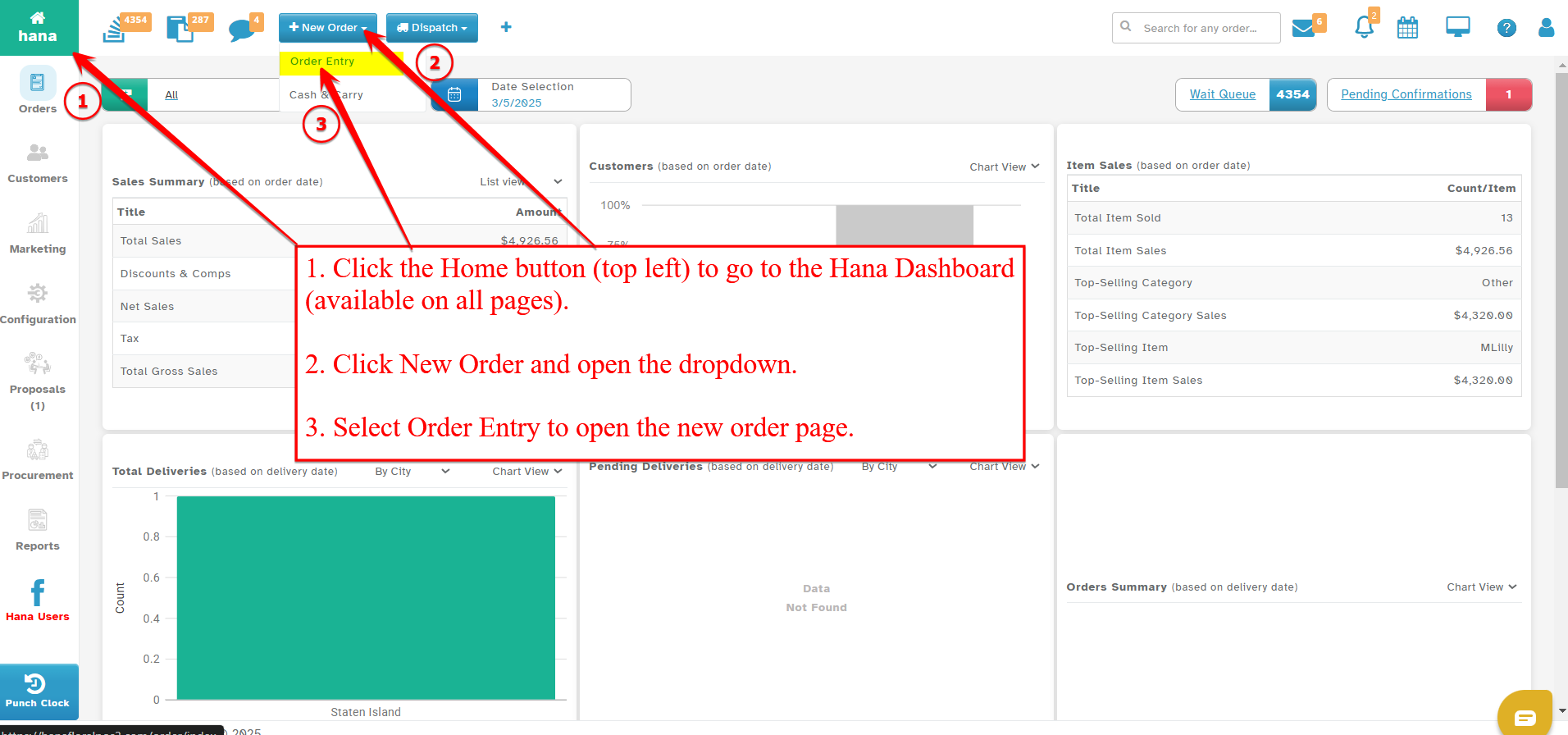
Navigate to the Wire-In Order Entry page.
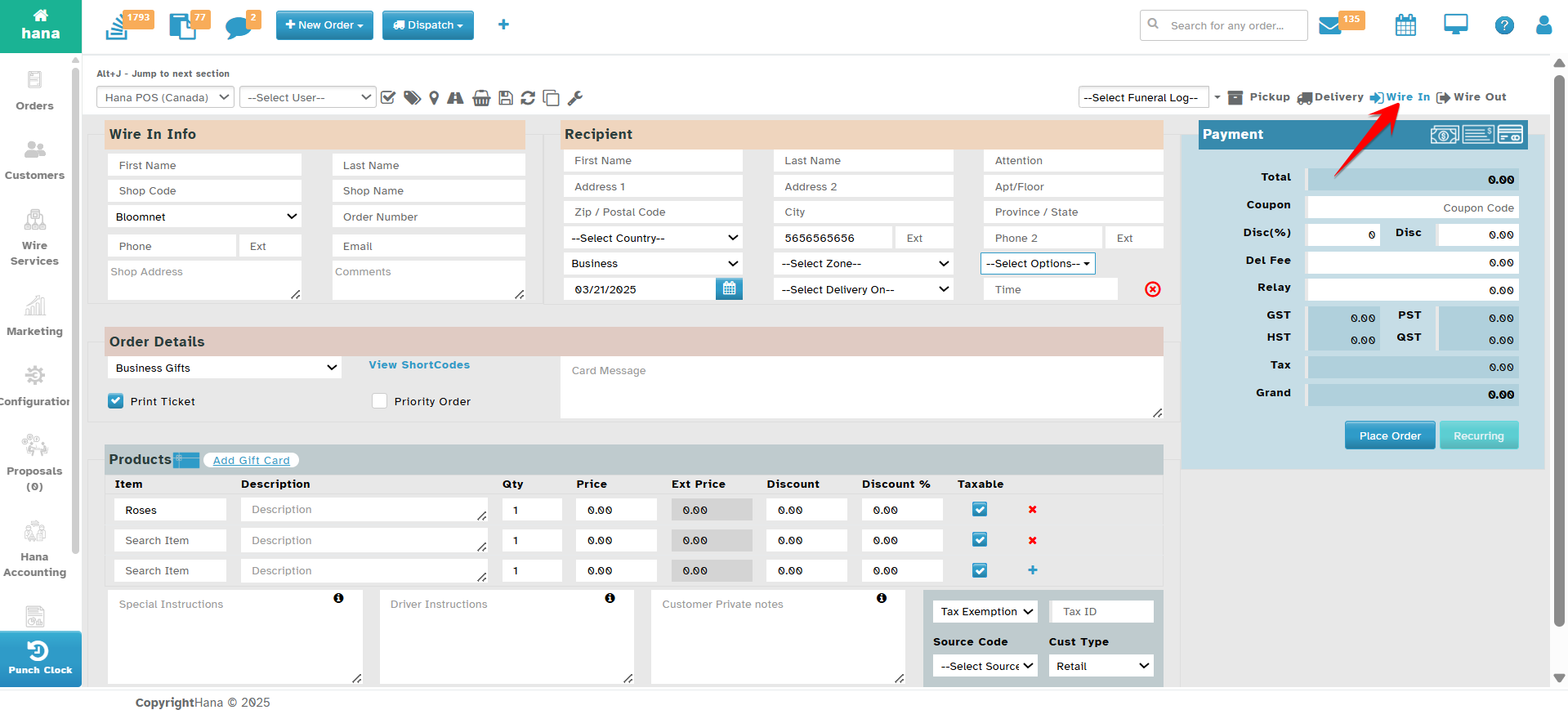
Step 2: Enter Wire-In Shop Details
Enter the basic contact details of the wire-in shop:
First Name
Last Name
Phone Number
Input the Wire-In Shop Code in the designated field.
Select the Wire-In Type from the Select Wire-In Type dropdown list.
Provide the Wire-In Shop Address in the Shop Address field.
Enter the Wire-In Shop Name in the Shop Name field.
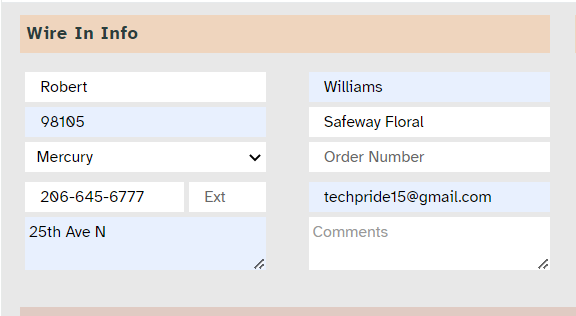
Step 3: Enter Order and Additional Information
Input the Order Number in the respective field.
Provide the Wire-In Email Address in the Email field.
Add any additional comments or descriptions in the Description field.
Note: Once you enter the wire-in information, it is automatically saved for future use, eliminating the need for repeated entries.
Was this article helpful?
That’s Great!
Thank you for your feedback
Sorry! We couldn't be helpful
Thank you for your feedback
Feedback sent
We appreciate your effort and will try to fix the article