What's New
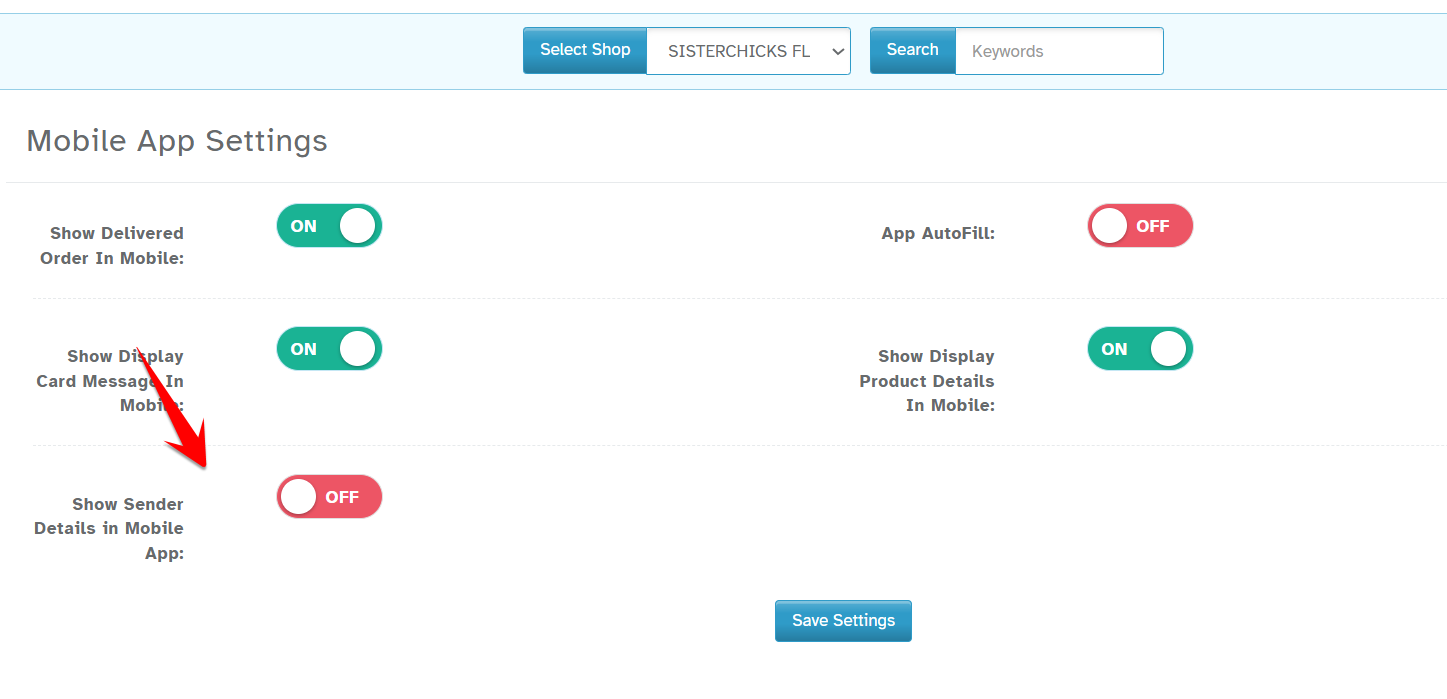
You can now choose to show or hide the sender’s name and phone number in the Driver App using a setting.
Navigation:
Dashboard -> Configuration -> Settings -> Mobile App Settings ->Show Sender Details in Mobile App
How it Works:
Turn the settings ON to show sender’s name and phone number in the Driver App.
Turn it OFF to hide the details.
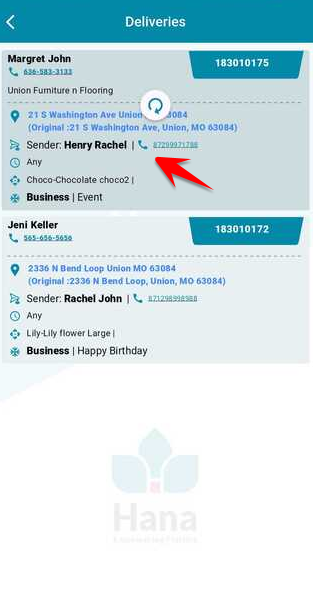
Drivers will see sender details in the Deliveries section when the setting is ON.
Was this article helpful?
That’s Great!
Thank you for your feedback
Sorry! We couldn't be helpful
Thank you for your feedback
Feedback sent
We appreciate your effort and will try to fix the article