City-Based Delivery Fees allow you to define delivery charges based on the city name in the delivery address. This setup is helpful if you serve broader areas where ZIP codes may overlap or where delivery pricing is determined more by city limits than postal codes.
When to Use City-Based Delivery Fees
Use this configuration when:
You want to charge specific delivery fees for different cities.
You serve smaller towns or rural regions where ZIP codes may cover multiple locations.
You want a simple way to manage delivery fees without using distance or ZIP-based logic.
How to Access and Set City-Based Delivery Fees
Follow these steps to set up city-based fees:
Step 1: From your Hana dashboard, click on Configuration from the left-hand menu.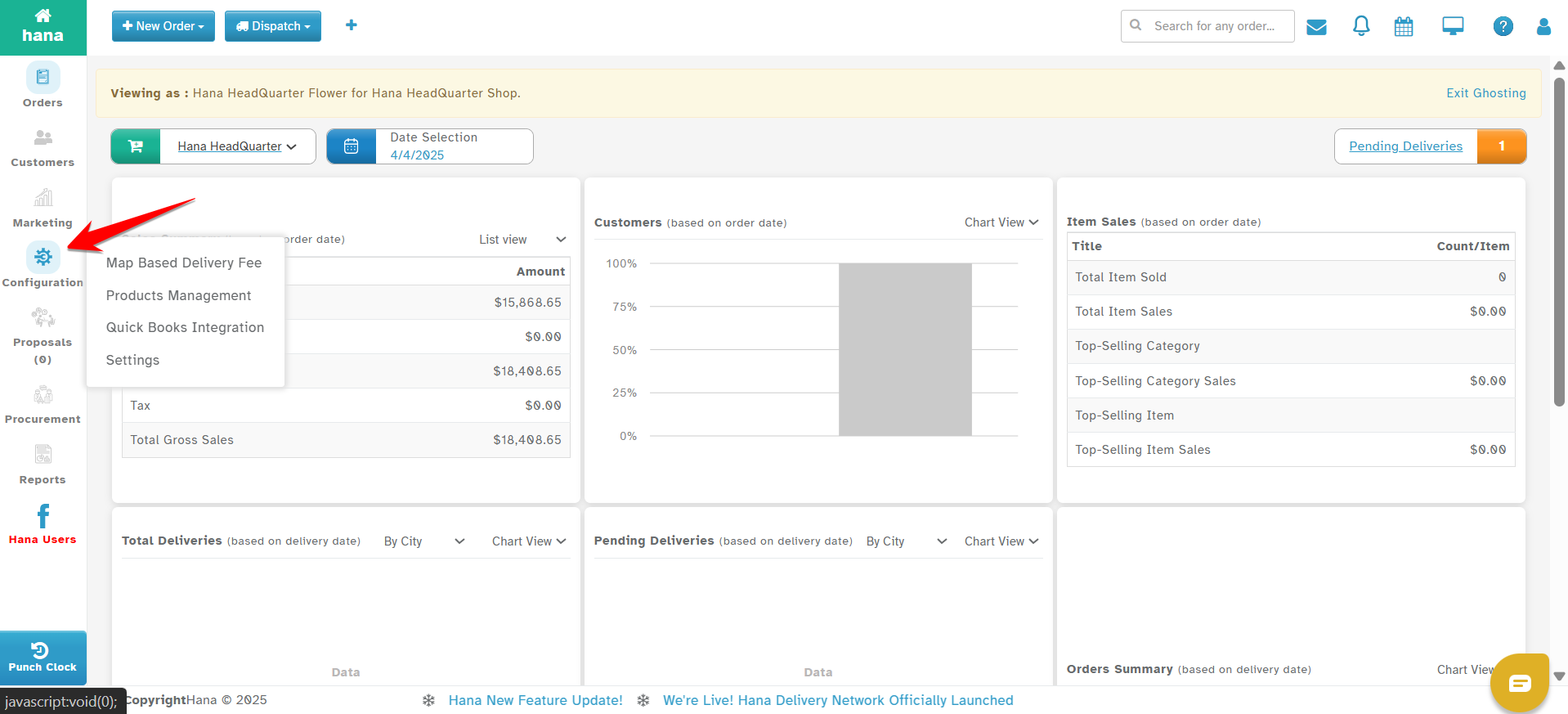
Step 2: Under Configuration, click on Settings.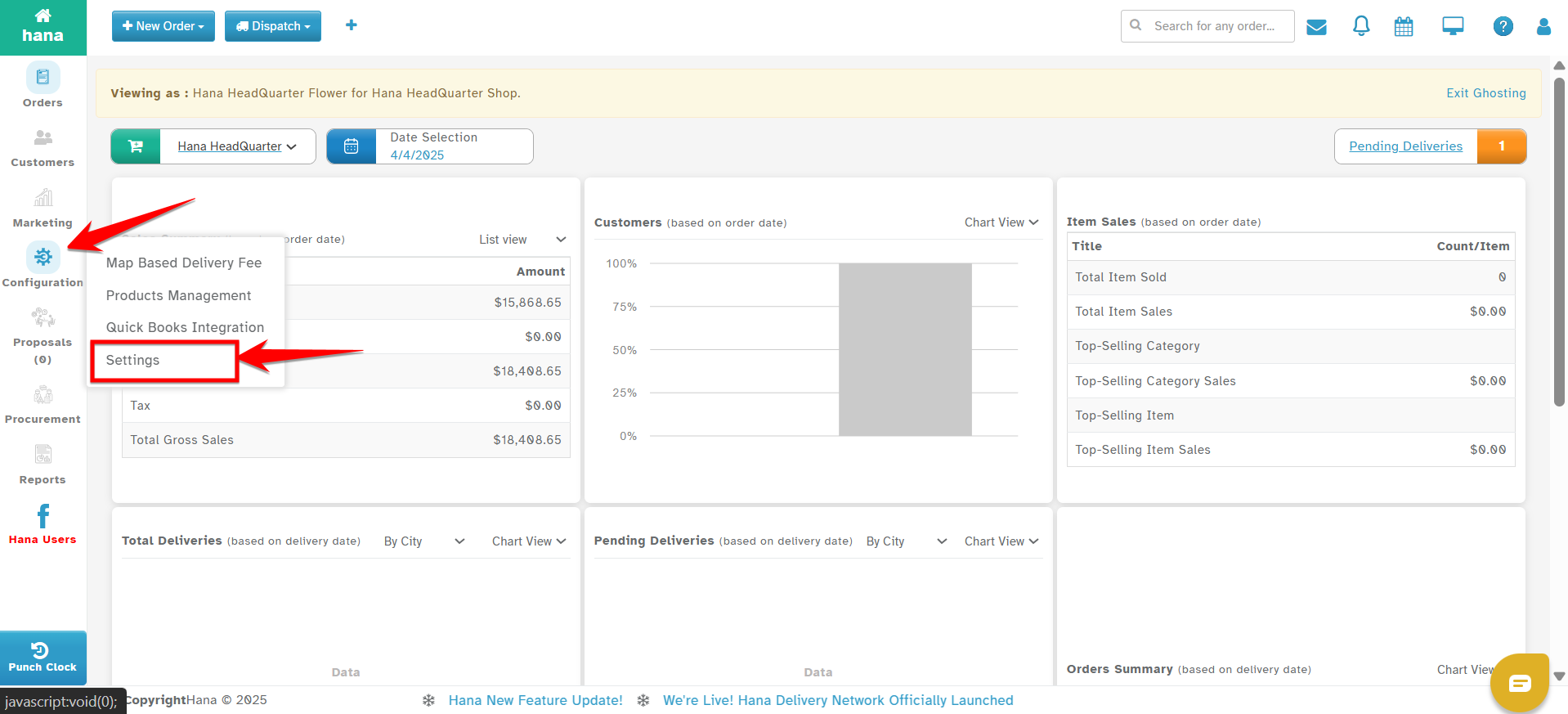
Step 3: In the Settings menu, go to Dispatch.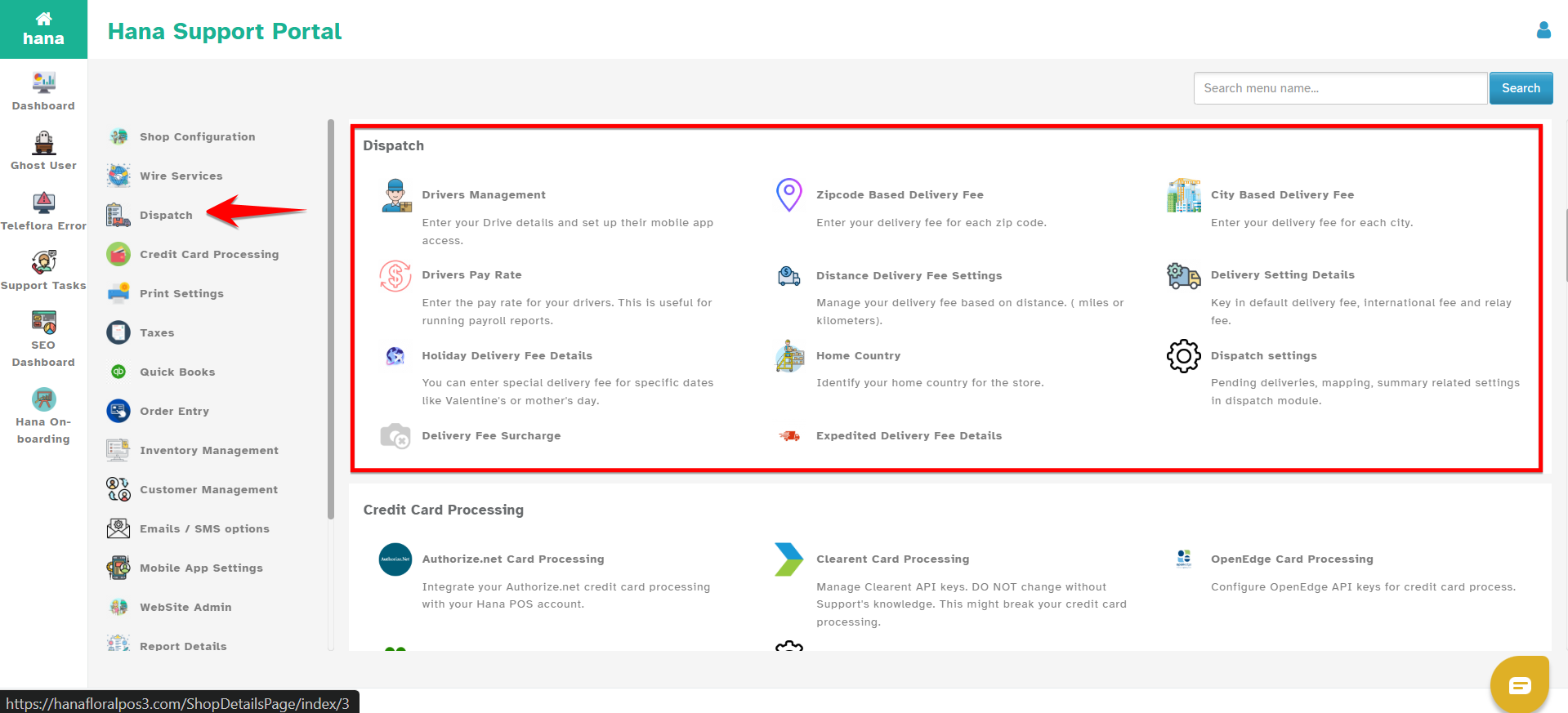
Step 4: Click on City-Based Delivery Fees.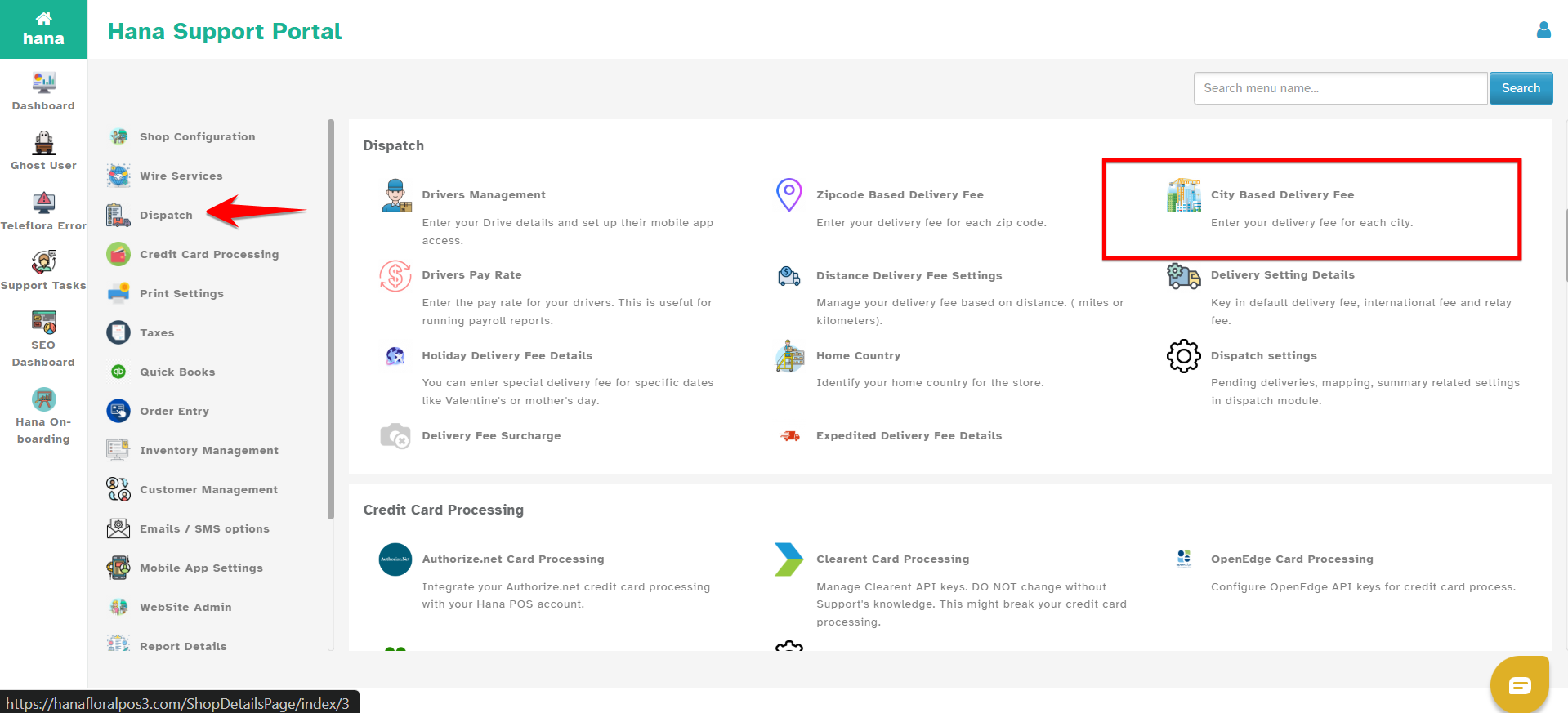
Step 5: Click on Add New to create a new city-based delivery rule.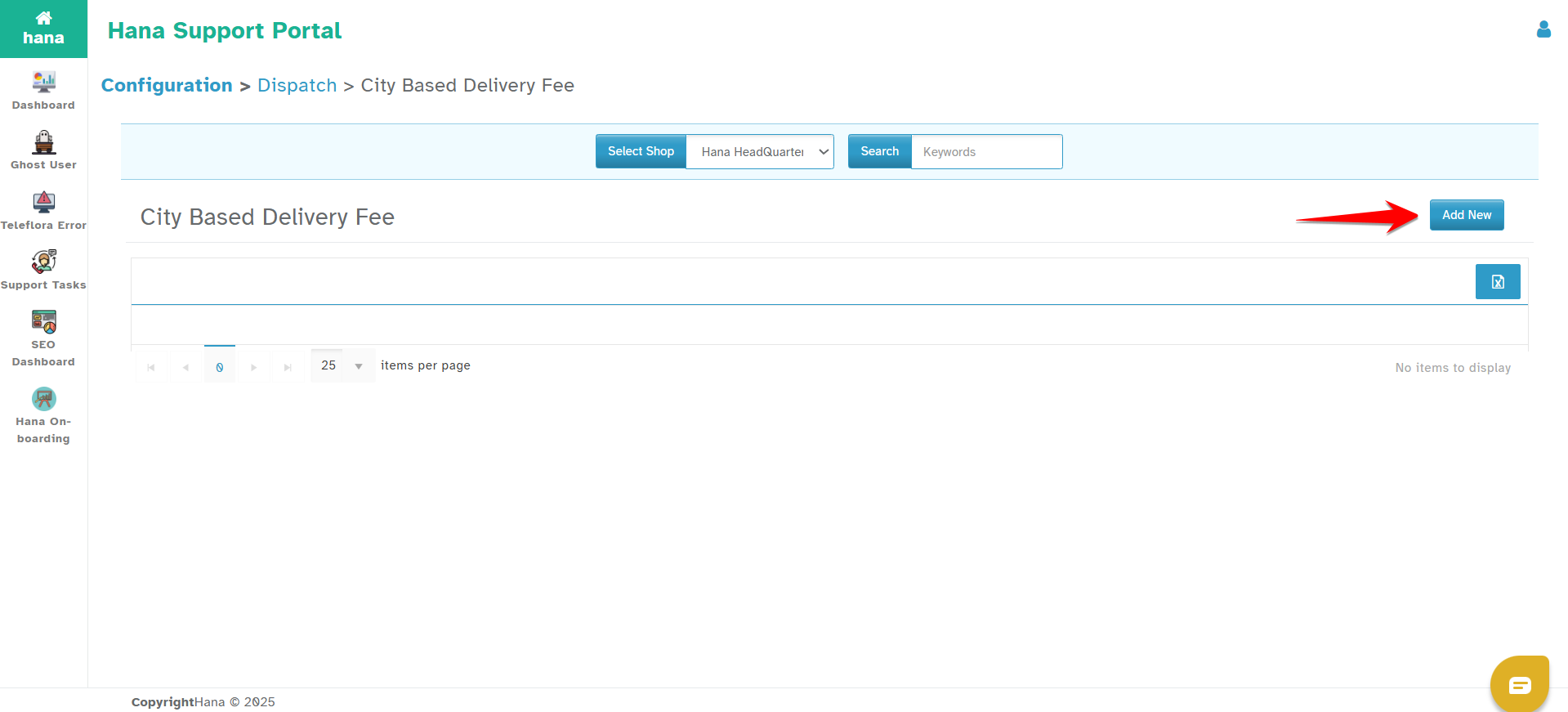
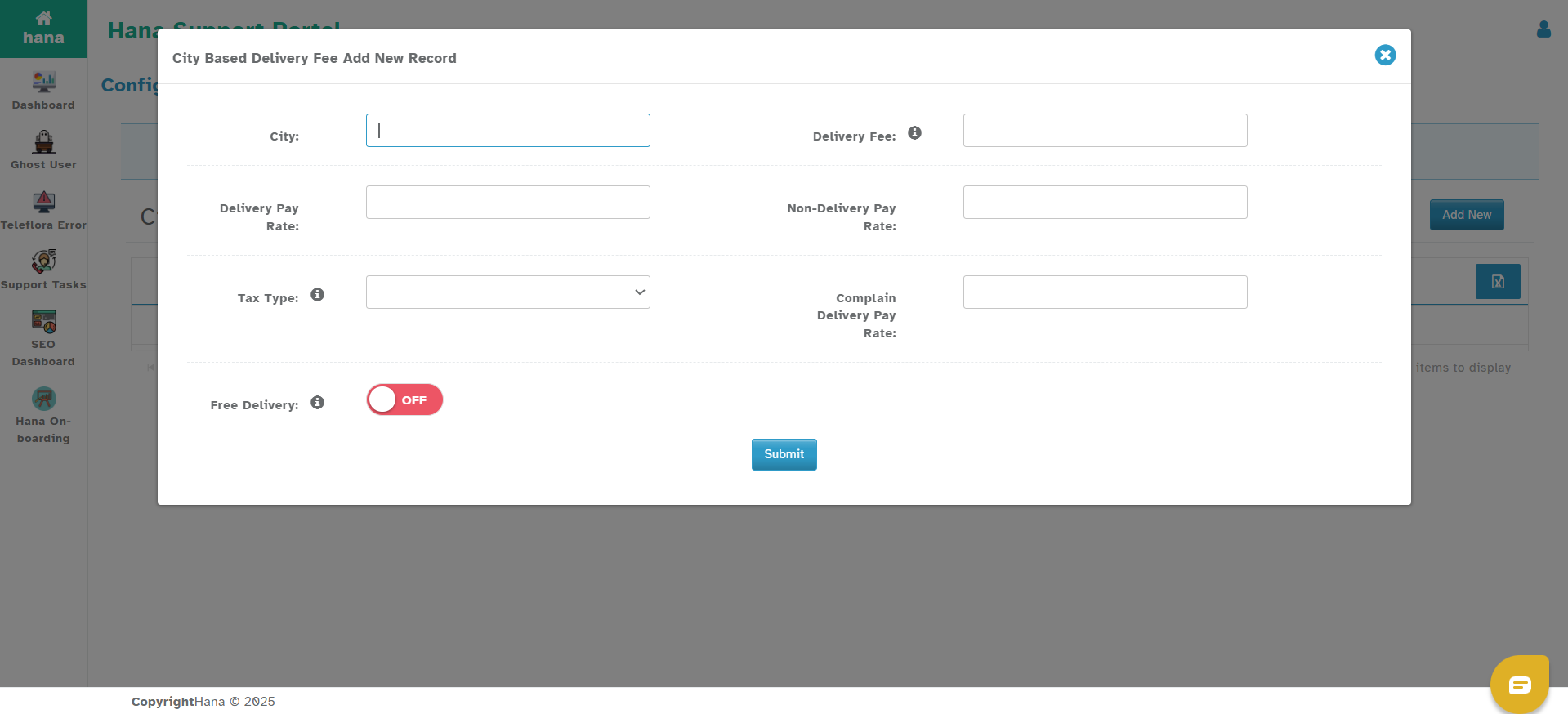
You will see the following fields:
City – Type the name of the city where this rule will apply. Ensure the name matches the delivery address format.
Delivery Fee – Enter the amount to be charged for deliveries to this city.
Tax Type – Select a specific tax type, if applicable.
Delivery Pay Rate – Fee to pay the driver for a successful delivery in this city.
Non-Delivery Pay Rate – Compensation for attempted but unsuccessful deliveries.
Compliant Delivery Pay Rate – Compensation for deliveries that had complaints but were completed.
Step 6: Click on Submit
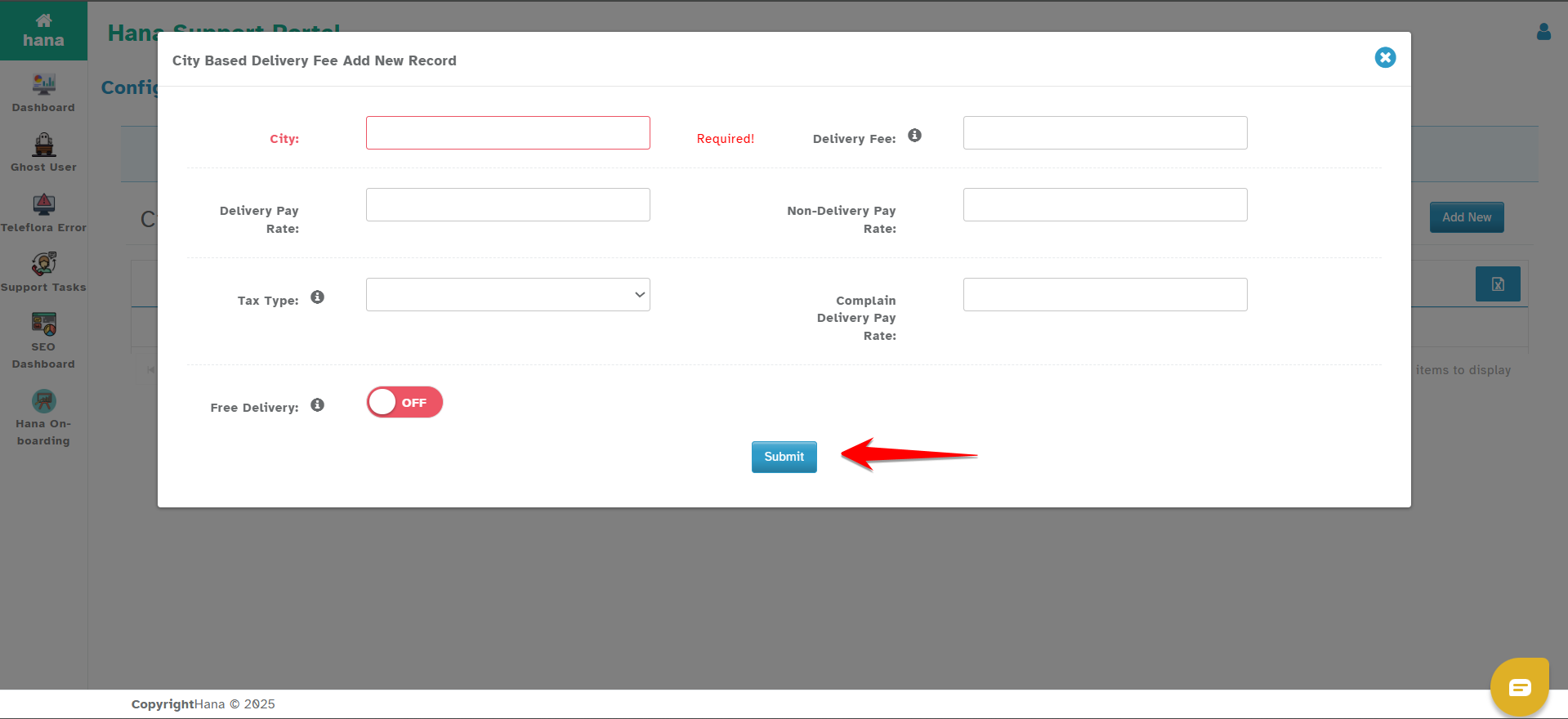
Free Delivery Option for Website Orders
If you'd like to offer free delivery for website orders to this city:
Enter a regular delivery fee.
Enable the Free Delivery toggle.
Website orders will be charged $0 for delivery, while POS orders will follow the set fee.
How It Works
The system will first look for a match under ZIP Code-Based delivery fees.
If not found, it will then check Distance-Based settings (if enabled).
After that, it checks City-Based rules.
If no match is found in any of these, Default Delivery Fees will apply.
Was this article helpful?
That’s Great!
Thank you for your feedback
Sorry! We couldn't be helpful
Thank you for your feedback
Feedback sent
We appreciate your effort and will try to fix the article