What’s New?
A new "Billing Address" section has been added to customer profiles. This address will be used specifically for sending statements .
Navigation:
Dashboard → Customers → Add Customer / Edit Customer
How It Works?
Default Behaviour: The billing address will auto-populate with the customer’s main address.
Custom Billing Address: If the billing address is different from the main address, it can be updated manually in this section.
Customer Portal: Customers can also view and update their Billing Address in the Customer Portal if changes are needed.
Why this Helps?
- Ensures statements are sent to the correct address.
- Supports businesses with separate billing and delivery locations.
- Gives customers flexibility and control over their billing information.
In POS Application - Customer Details Page 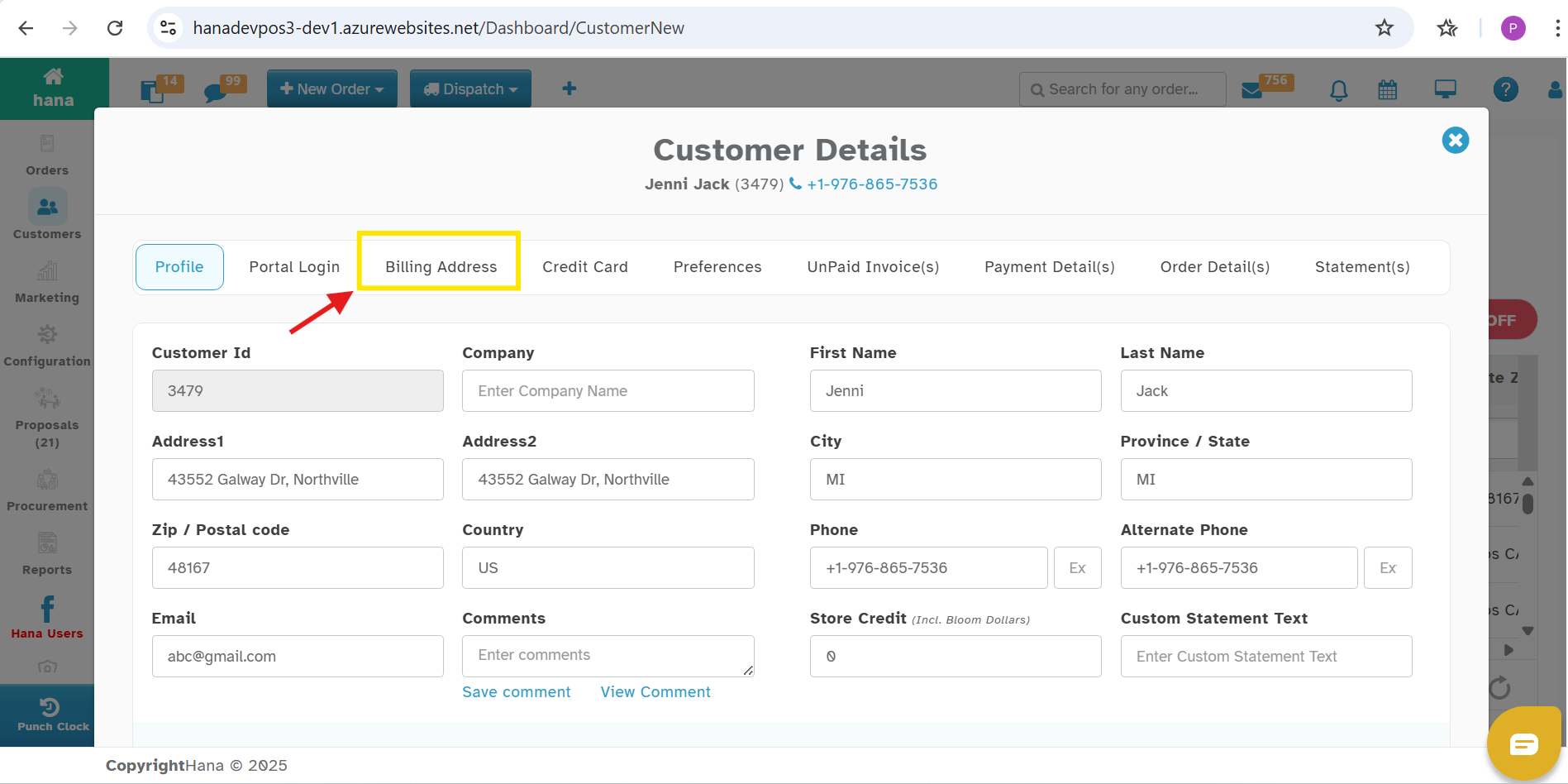
In Customer Portal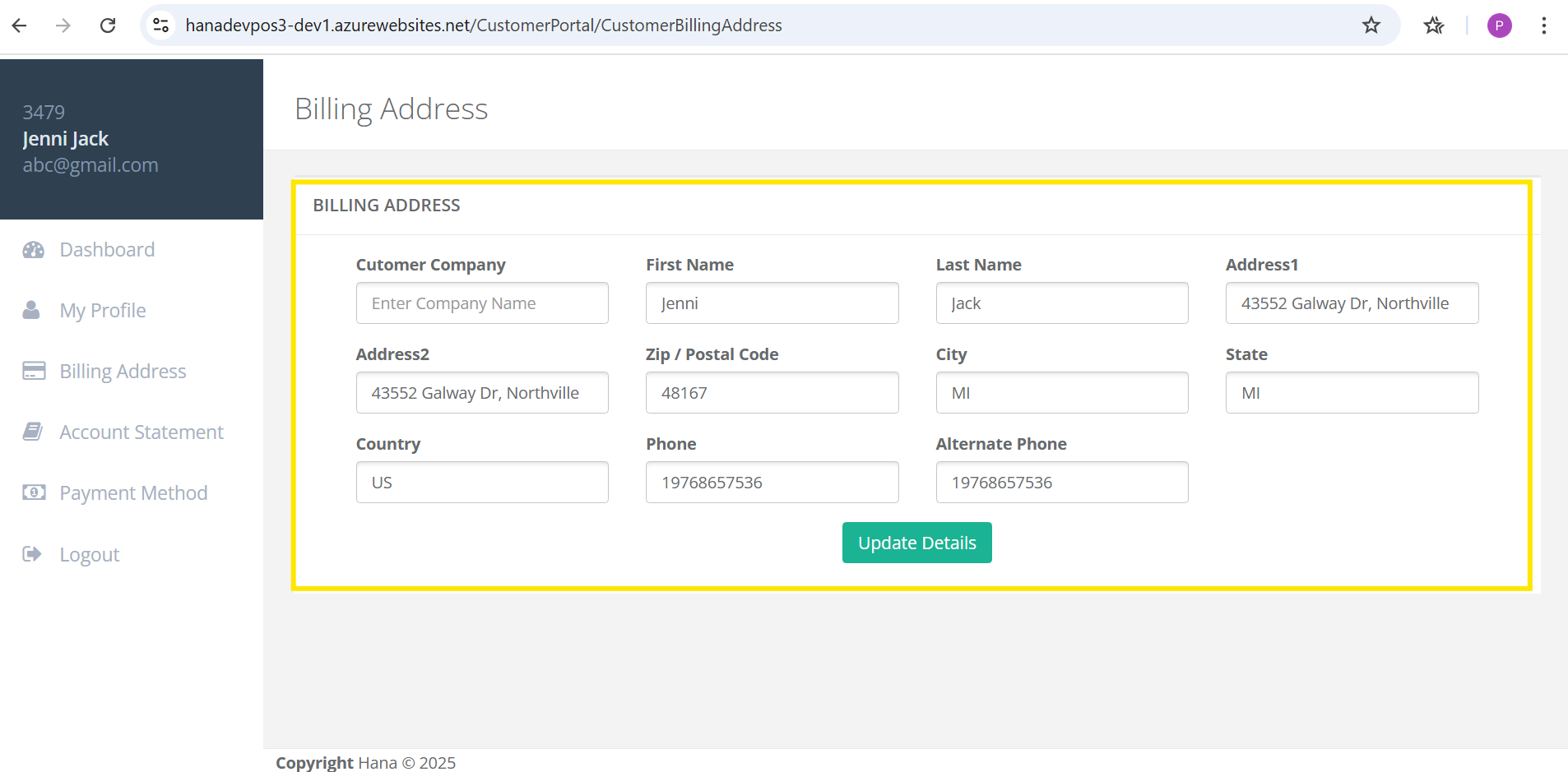
Was this article helpful?
That’s Great!
Thank you for your feedback
Sorry! We couldn't be helpful
Thank you for your feedback
Feedback sent
We appreciate your effort and will try to fix the article