TABLE OF CONTENTS
- What’s New?
- How It Works: Say Thank You with a Smile!
- Why This is Awesome
We’re excited to introduce a new feature that helps you showcase real customer experiences on your website – Recipient Reviews via QR Code.
What’s New?
When a customer sends flowers to someone, the recipient can now scan a QR code printed on the super ticket to leave a review. These reviews are then displayed directly on your website, helping you build credibility and attract more customers.
How It Works: Say Thank You with a Smile!
When someone receives flowers, we make it easy for them to express their gratitude using a QR code printed on their flower card.
1. Enable QR Code printing on Super Ticket
Navigation: Configuration → Settings → Print Settings
Enable the “Print QR code” toggle in Print Settings to start printing QR codes on your super tickets.
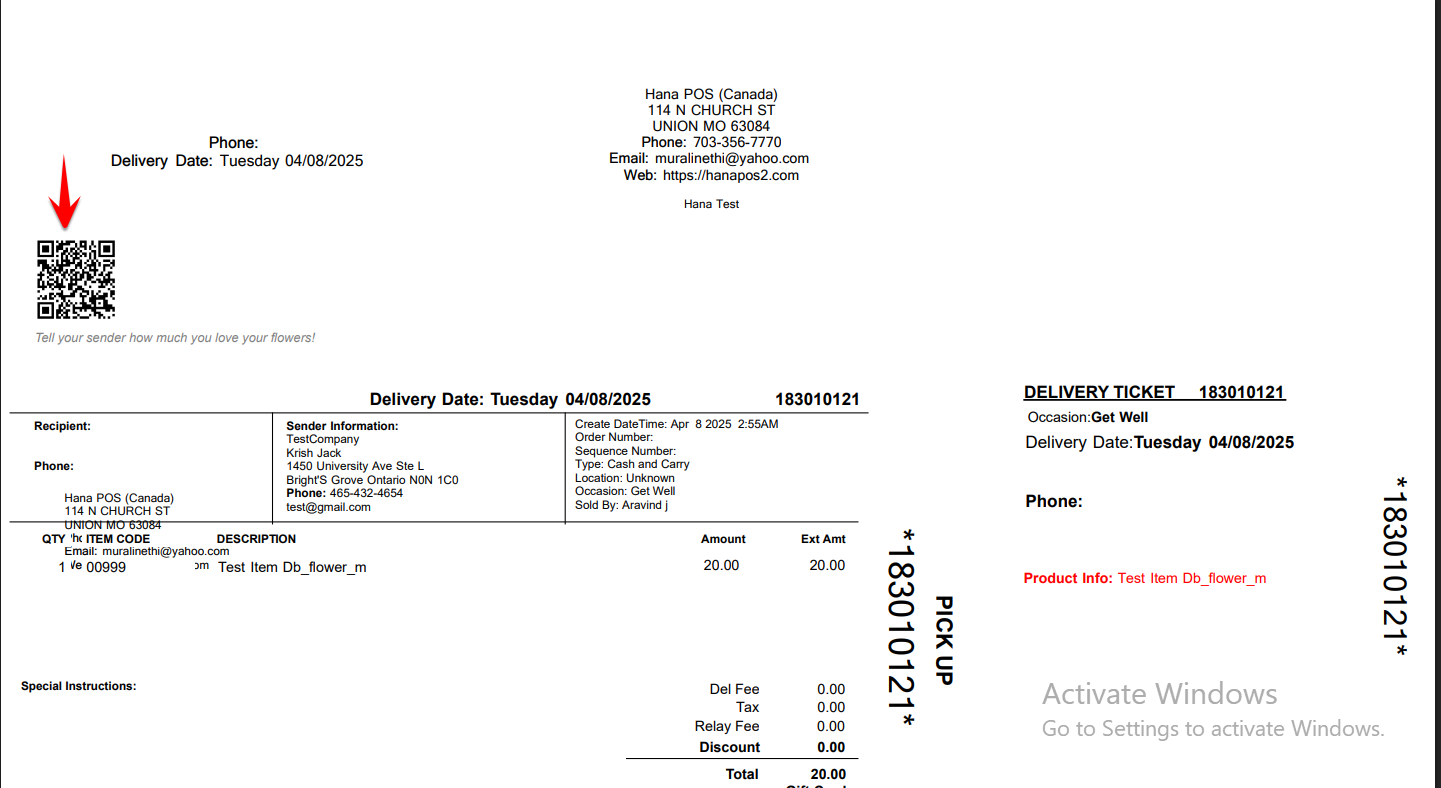
Note:
Please note that this is a new feature, and it is not always possible to customize the position of the QR code to each specific florist.
2. Recipient Scans the QR Code
When recipients scan the QR code, it opens a special thank-you page from your store, just for them.
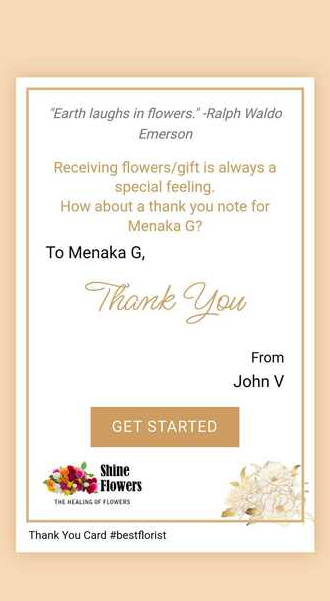
3. Recipient: Say Thank You — Step by Step
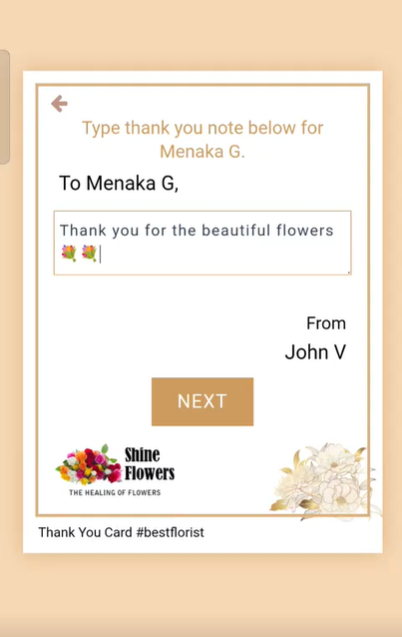
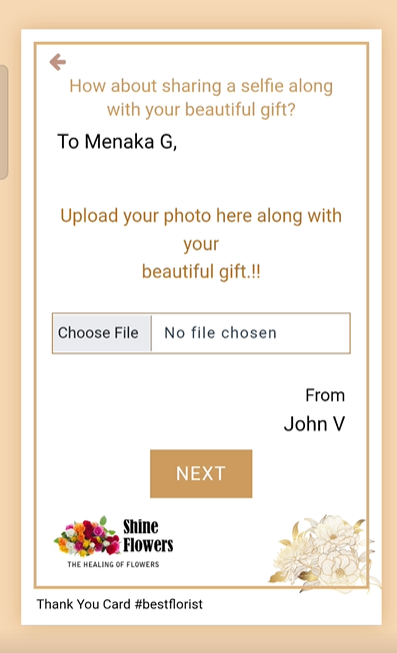
Below is a step-by-step of what your recipient will see
Step 1: Click “GET STARTED”
Step 2: Type Your (Recipient's) Message
Step 3: Upload a Picture
Step 4: Enter your Email ID
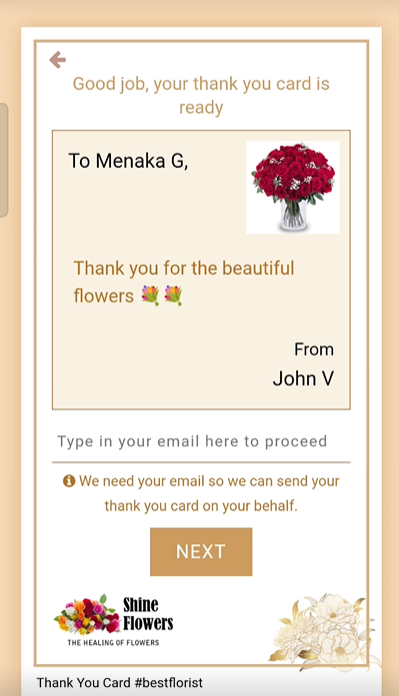
Step 5: Share your Selfie
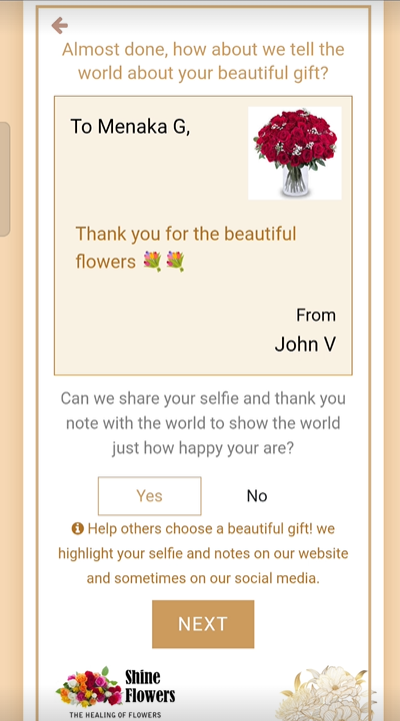
Step 6: We Send the Thank You Card
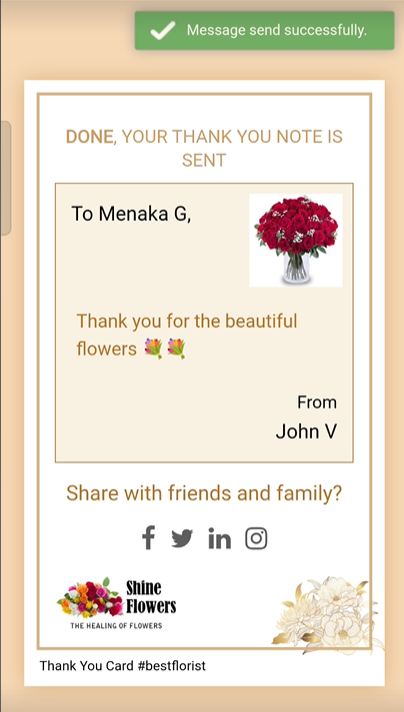
That’s It!
Your customer will receive a lovely thank-you card from the recipient in their email.
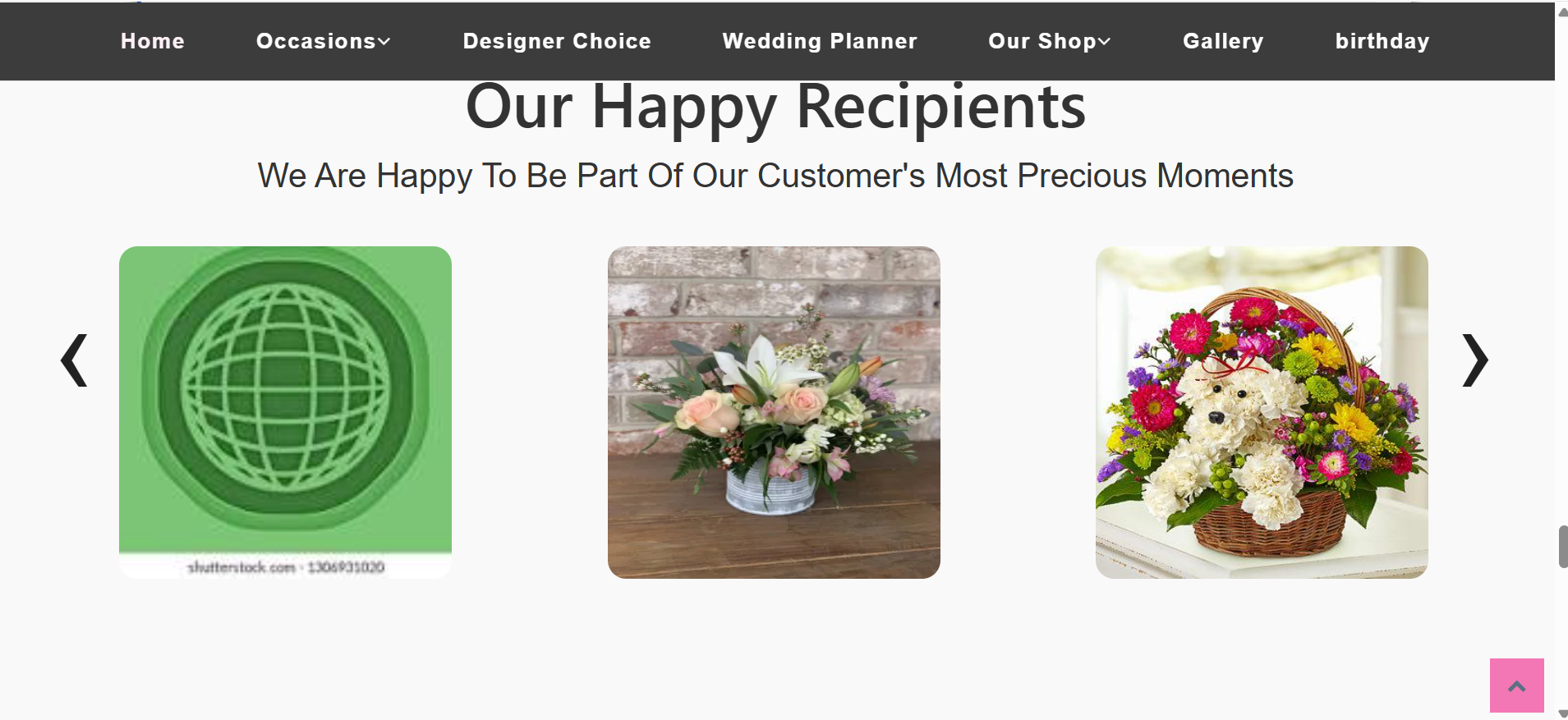
4. Reviews Appear on Your Website
The submitted review is automatically published to your website, in the "Recipient Reviews" section as shown below.
This helps boost trust and gives your future customers a real sense of your quality and service.
Why This is Awesome
Win your customer's happiness and loyalty.
Collect more reviews.
Showcase real-life experiences with pictures and reviews on your website and increase your website's order volume.
Win your website visitors' trust and loyalty and convert them into customers.
Help convert your recipients into customers.
Was this article helpful?
That’s Great!
Thank you for your feedback
Sorry! We couldn't be helpful
Thank you for your feedback
Feedback sent
We appreciate your effort and will try to fix the article