What’s New?
Adding Tax for the Zone Based Delivery in Delivery Fees Setting in order to provide an option for Flower Shops to configure the Nexus taxes for the cities that pay two types of taxes due to sharing of the state border.
Navigation
Configuration > Map Based Delivery Fee
How it Works
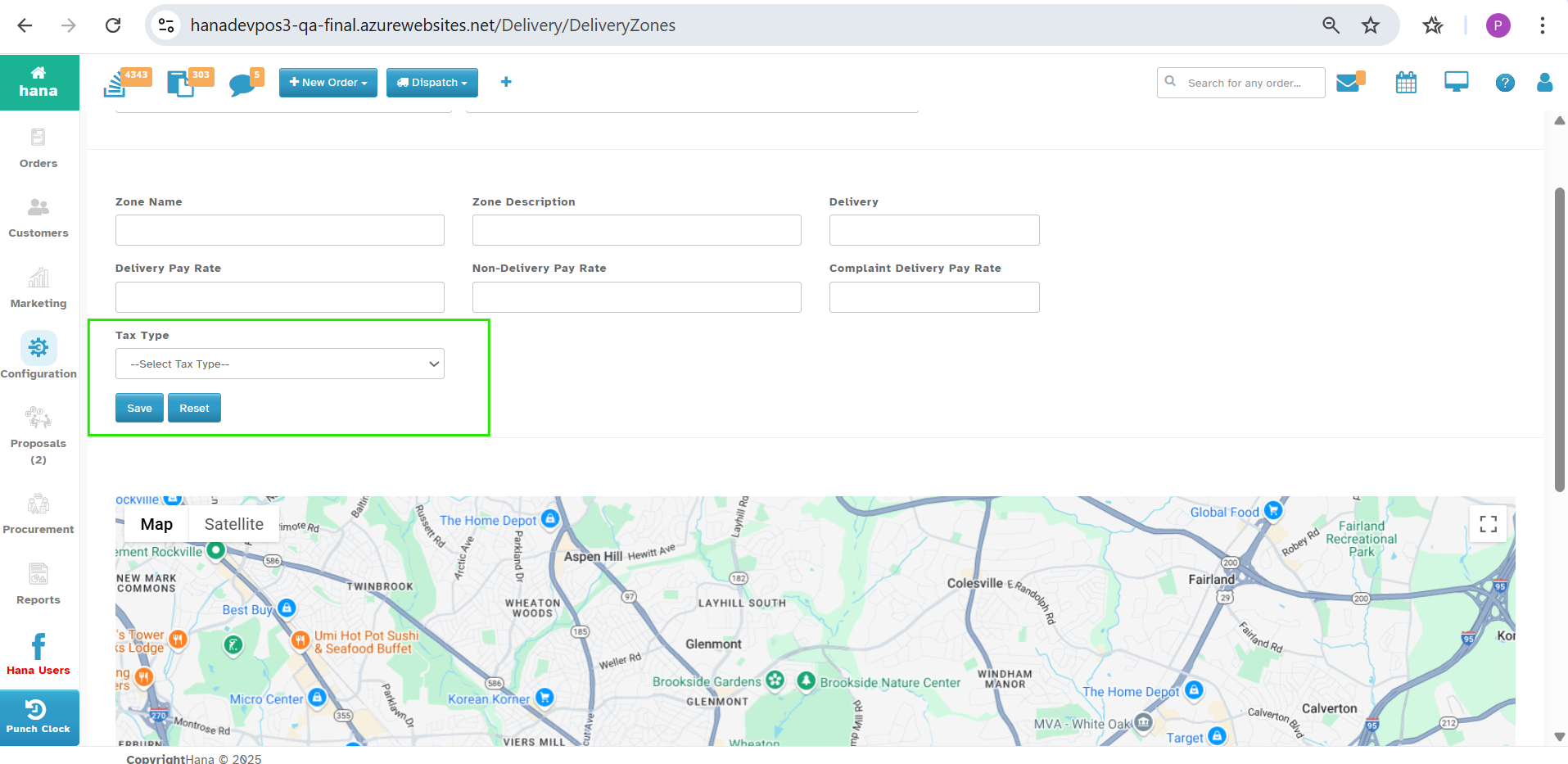
1. Add New Delivery Zone by Click on Create New.
A new optional drop-down with the name Tax Type will be displayed.
When Tax Type is selected for the Zone, the Tax for the Delivery Fees will be added to the Order Total.
Why it Helps
To Collect the Nexus taxes for the cities that pay two types of taxes due to sharing of the state border.
Was this article helpful?
That’s Great!
Thank you for your feedback
Sorry! We couldn't be helpful
Thank you for your feedback
Feedback sent
We appreciate your effort and will try to fix the article