Map-Based Delivery Fees allow you to draw delivery zones directly on a map and assign specific fees to each zone. This method gives you complete visual control over where and how much you charge for deliveries.
When to Use Map-Based Delivery Fees
Use this method when:
Your service area doesn’t follow regular ZIP codes or city boundaries.
You want to customize zones with irregular shapes.
You want precise control over delivery pricing by manually outlining regions on a map.
How to Set Up Map-Based Delivery Fees
Step 1: Go to your Hana Dashboard.
Step 2: Click on Configuration in the left-hand menu.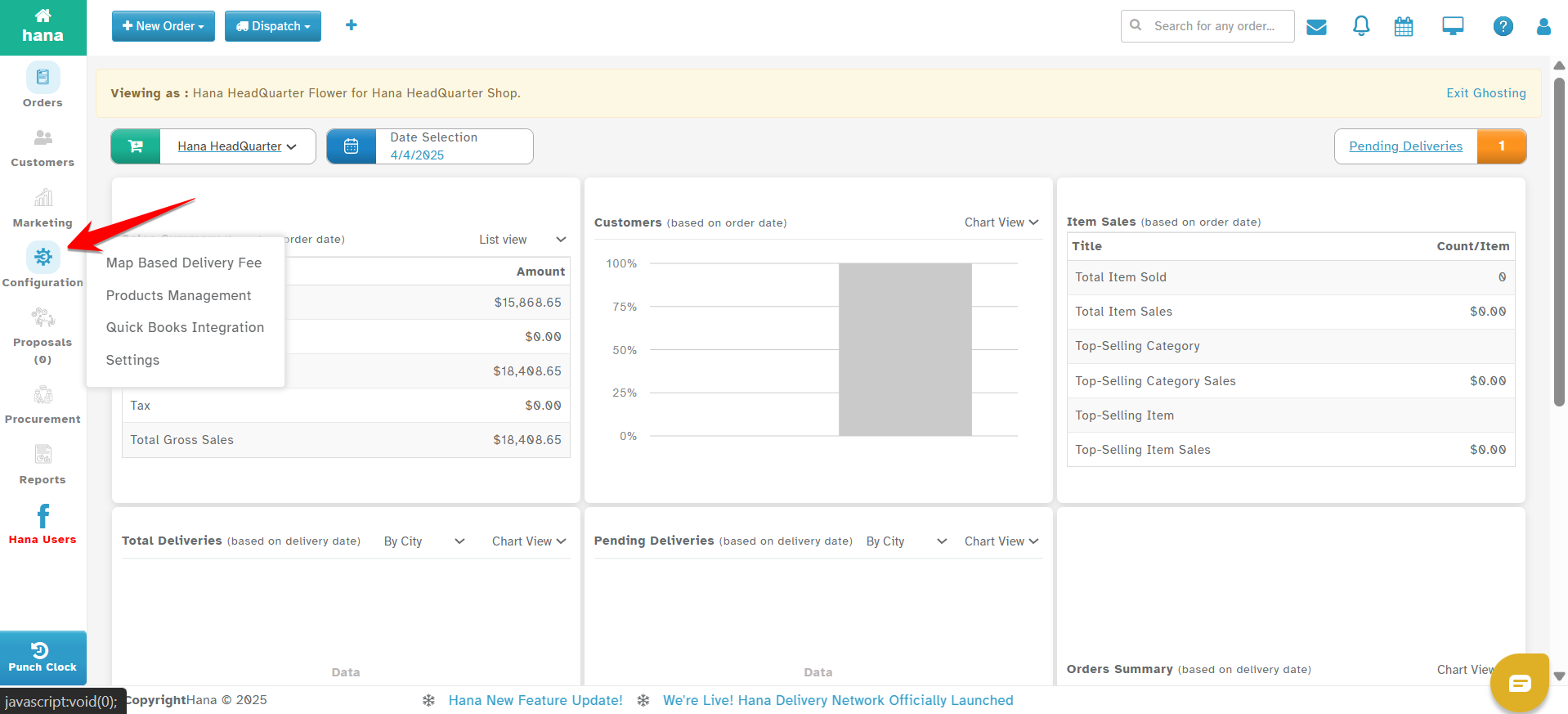
Step 3: Select Map-Based Delivery Fees.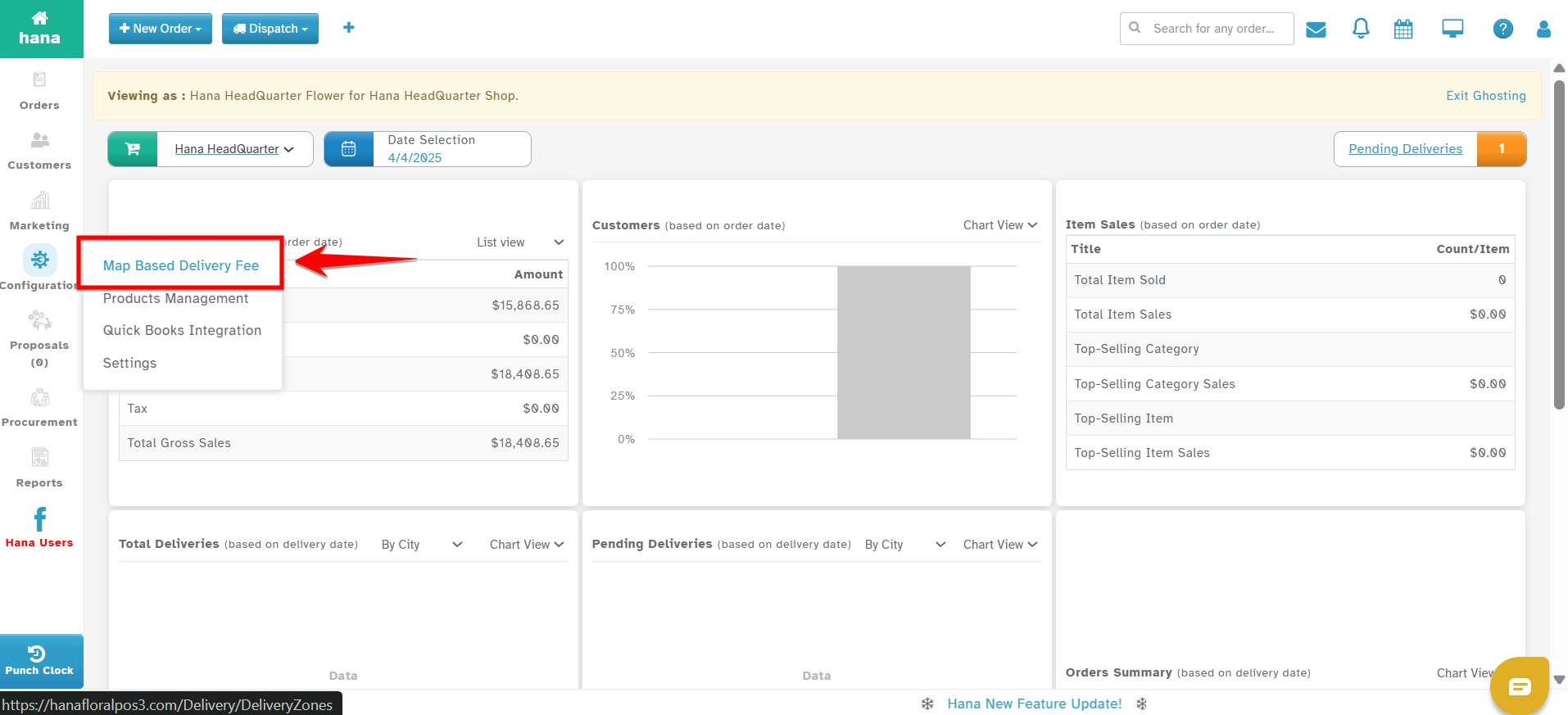
Step-by-Step Instructions to Create Zones
Step 4: Click on Create New to start creating a zone.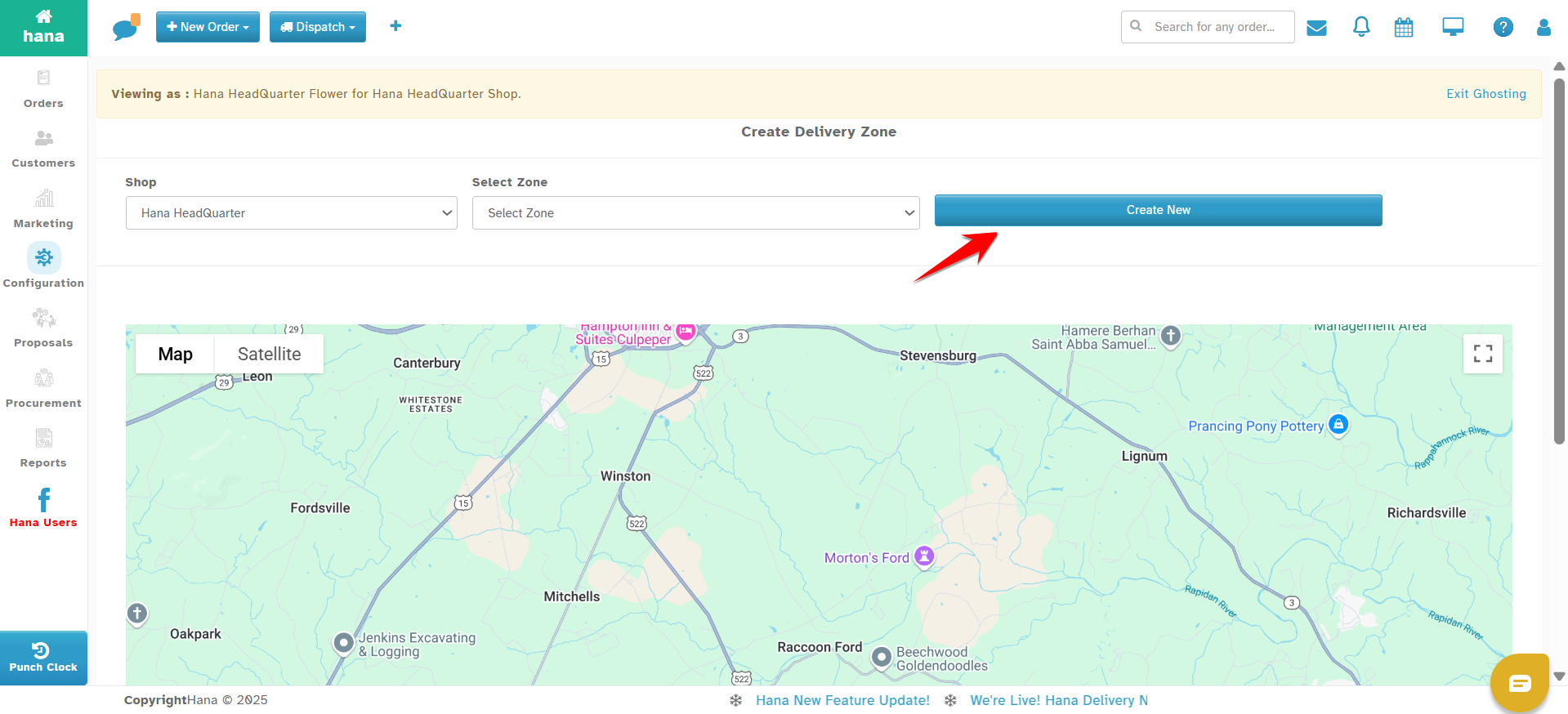
You will see a map and a set of input fields: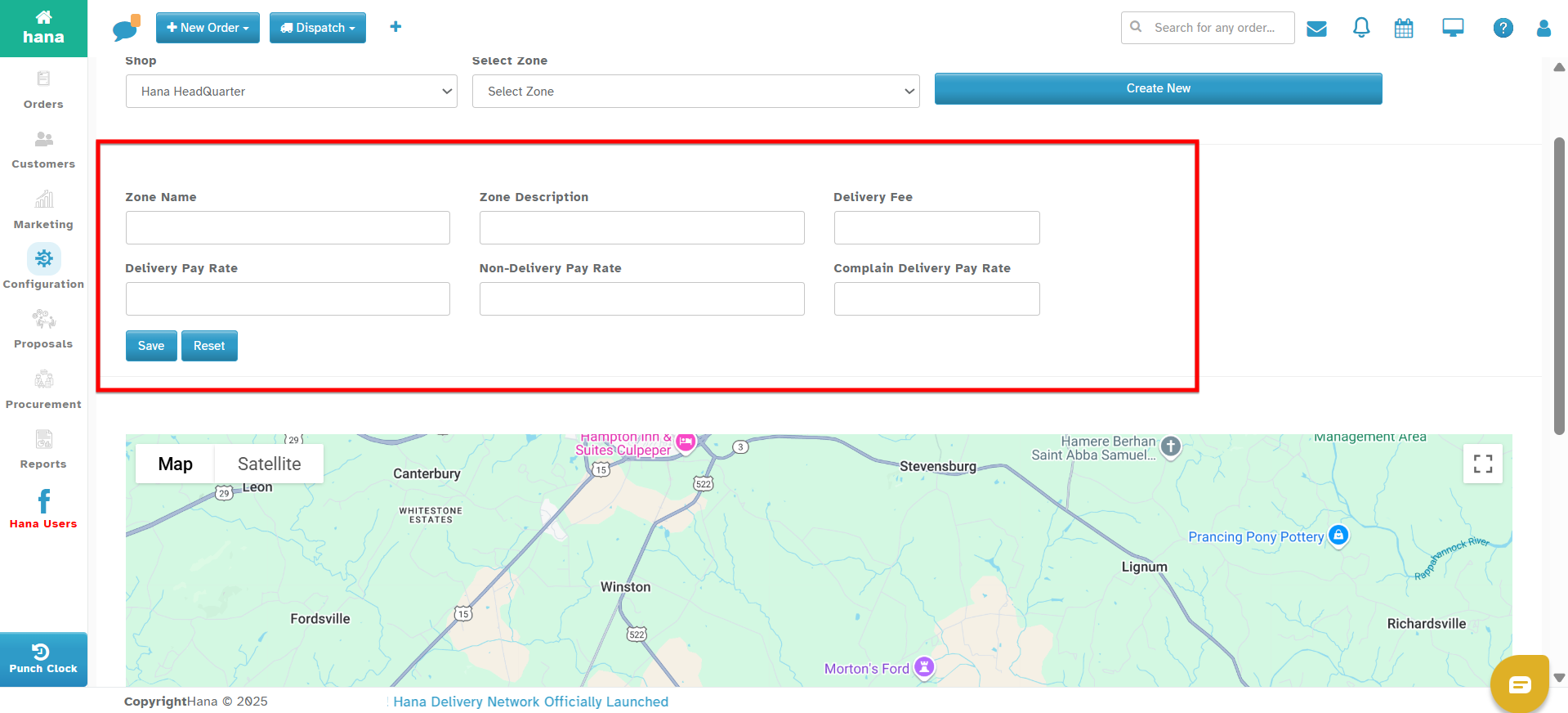
Zone Name – Give a name to the zone (e.g., Downtown Zone, South Area).
Zone Description – Optional field to describe the zone.
Delivery Fee – Enter the fee to be charged for orders falling in this zone.
Delivery Pay Rate – Driver’s payout for deliveries in this zone.
Non-Delivery Pay Rate – Payout for undelivered/failed deliveries.
Compliant Delivery Pay Rate – Payout for deliveries that receive a complaint.
Step 5: Draw the delivery zone on the map:
Click anywhere on the map to start placing points.
Continue clicking to place more points.
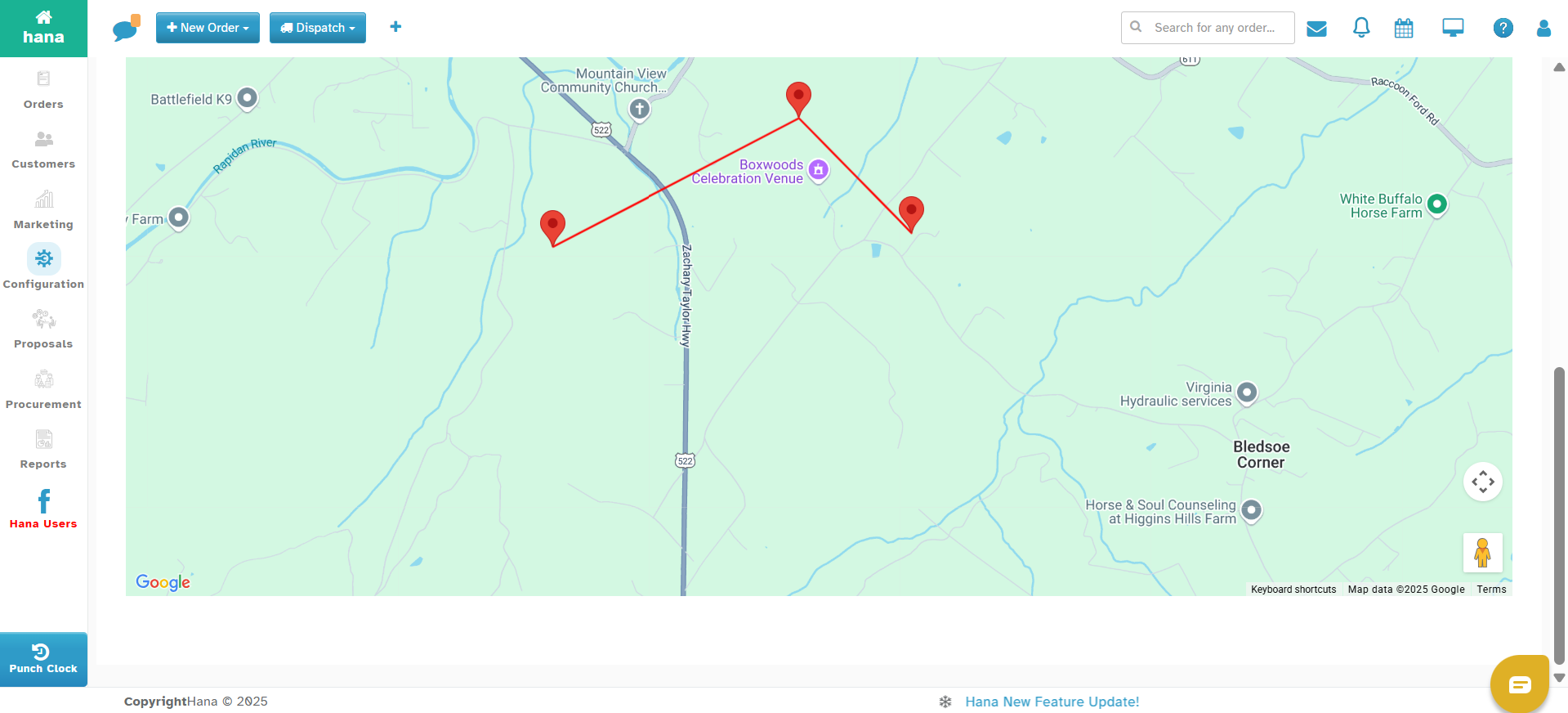
The points will connect to form a polygon.
When the last point connects with the first, the zone is complete.
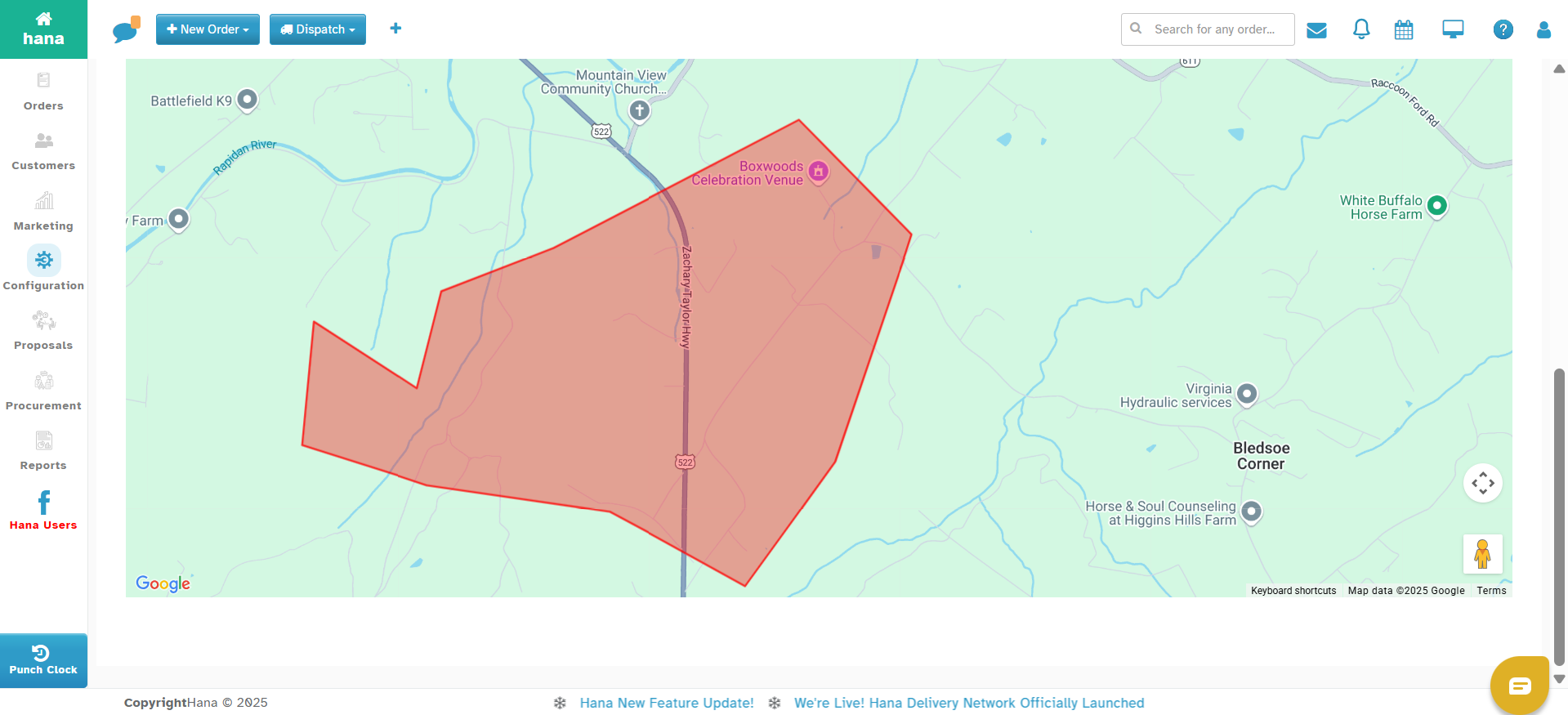
Step 6: Click Save to store the zone and its settings.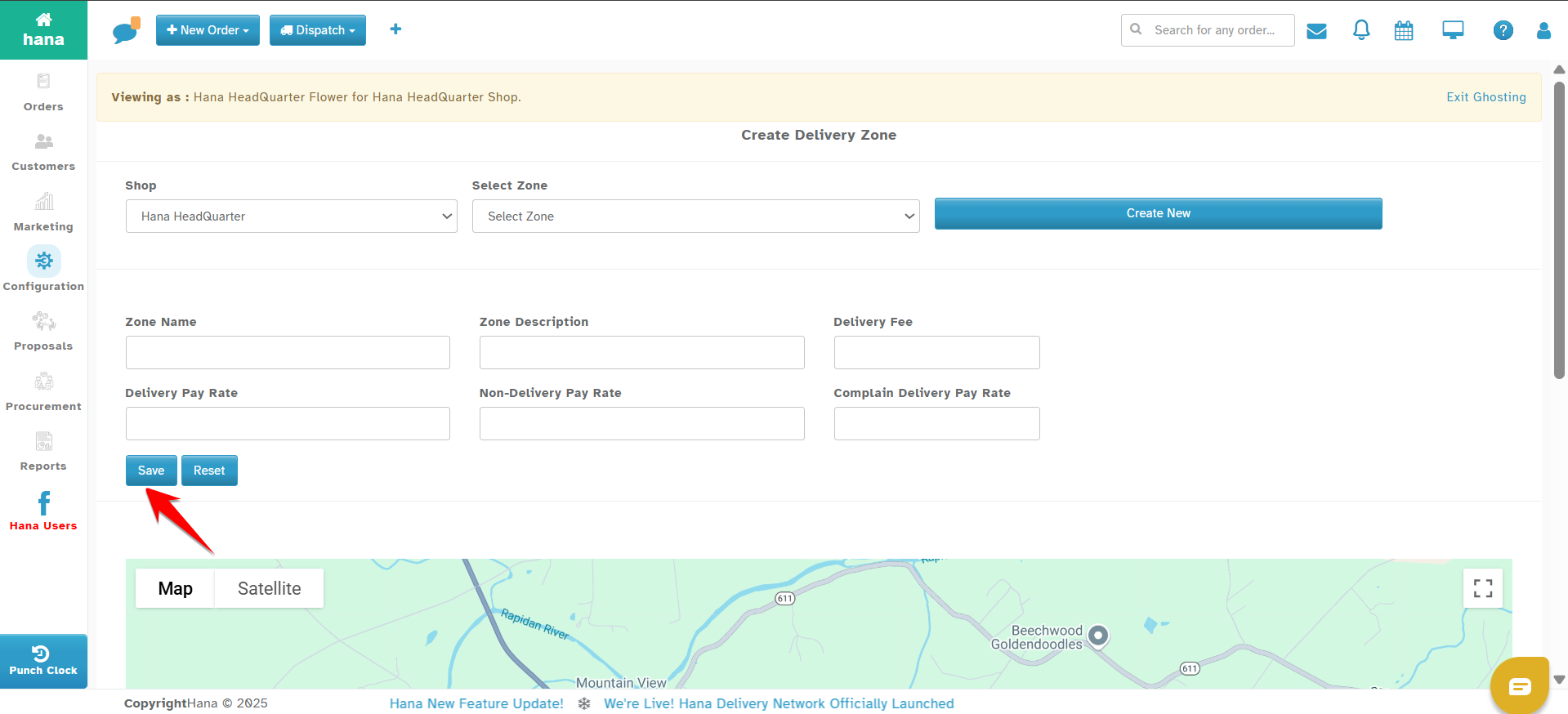
Best Practices
Draw zones to fully cover all serviceable areas. Orders outside of any zone will fall back to Default Delivery Fees.
Make sure zones do not overlap to avoid calculation conflicts.
Use clear names for each zone so they’re easy to manage later.
Was this article helpful?
That’s Great!
Thank you for your feedback
Sorry! We couldn't be helpful
Thank you for your feedback
Feedback sent
We appreciate your effort and will try to fix the article