This setting allows you to define which delivery fee method should be applied when calculating delivery charges on orders—such as default, ZIP code, city, distance, or map (zone) based fees.
Step 1: Go to your HANA Dashboard.
Step 2: From the left-hand menu, click on Configuration.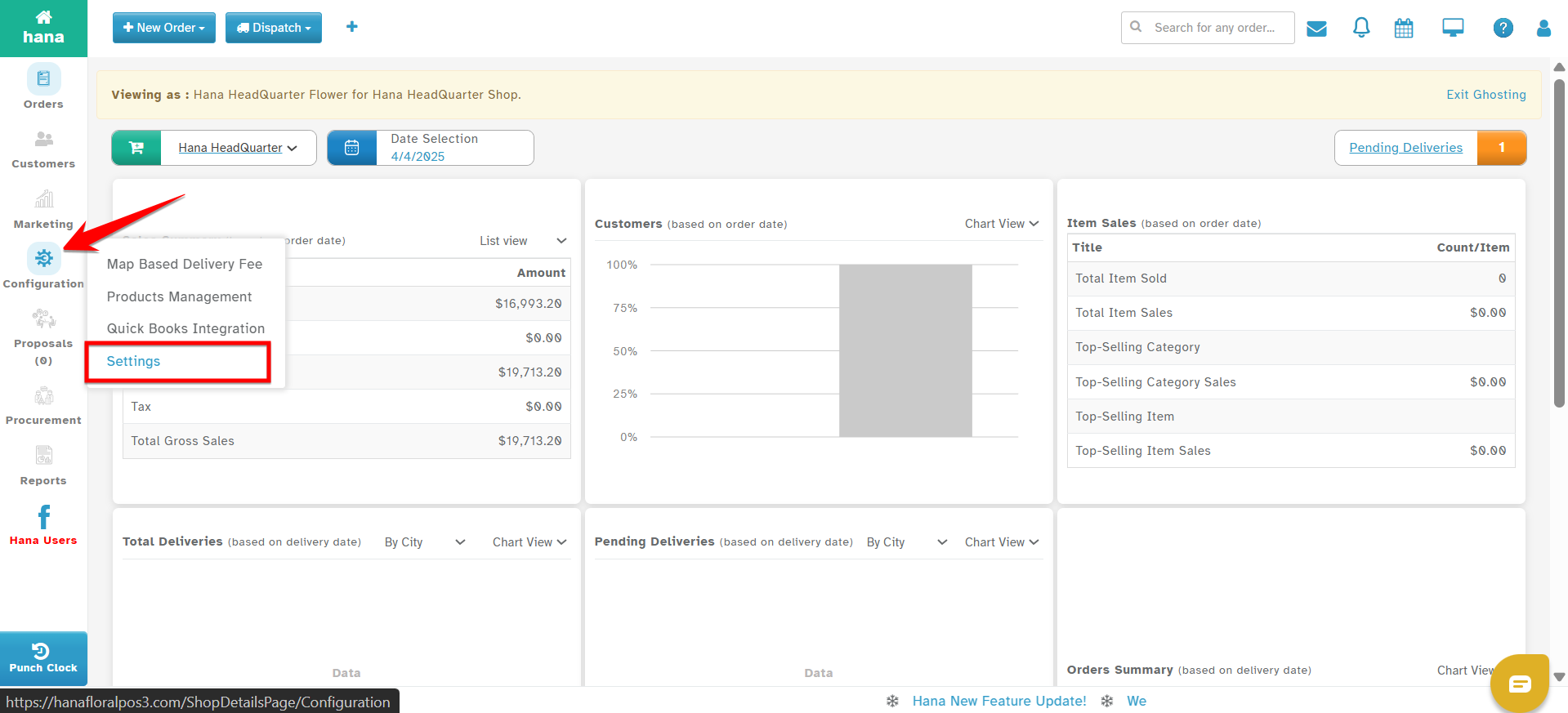
Step 3: Under Configuration, click on Settings.
Step 4: Select Order Entry.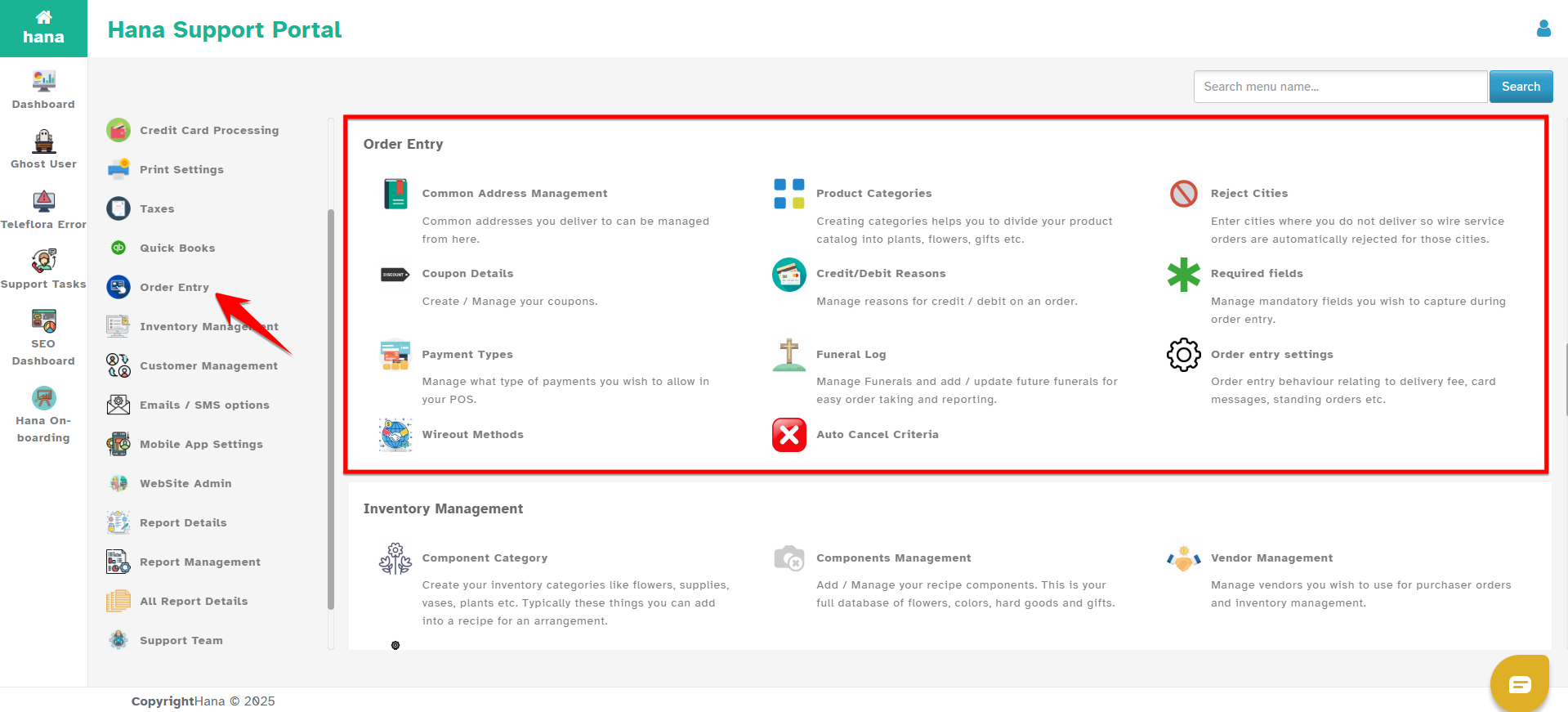
Step 5: Click on Order Entry Settings.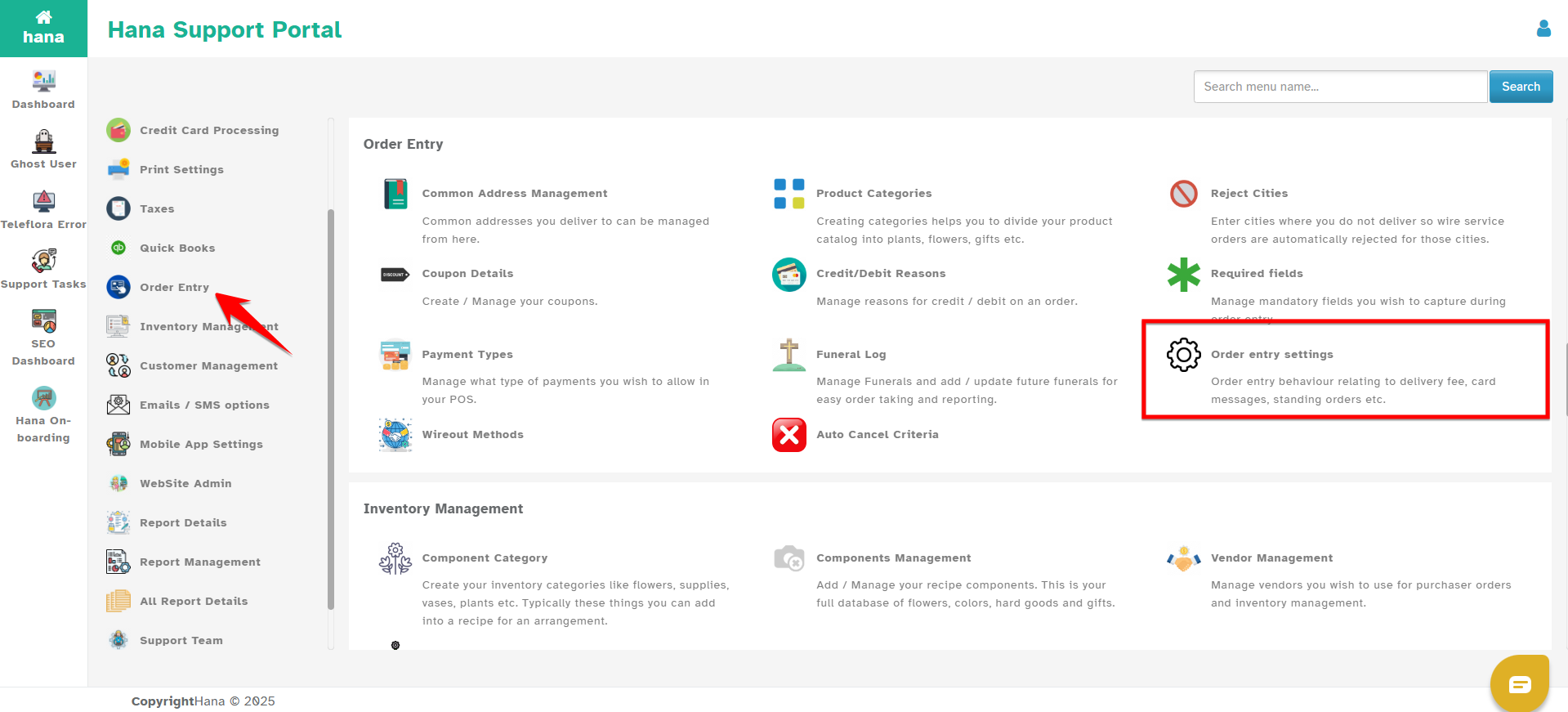
Step 6: Scroll to or locate the section labeled Delivery Fee Type.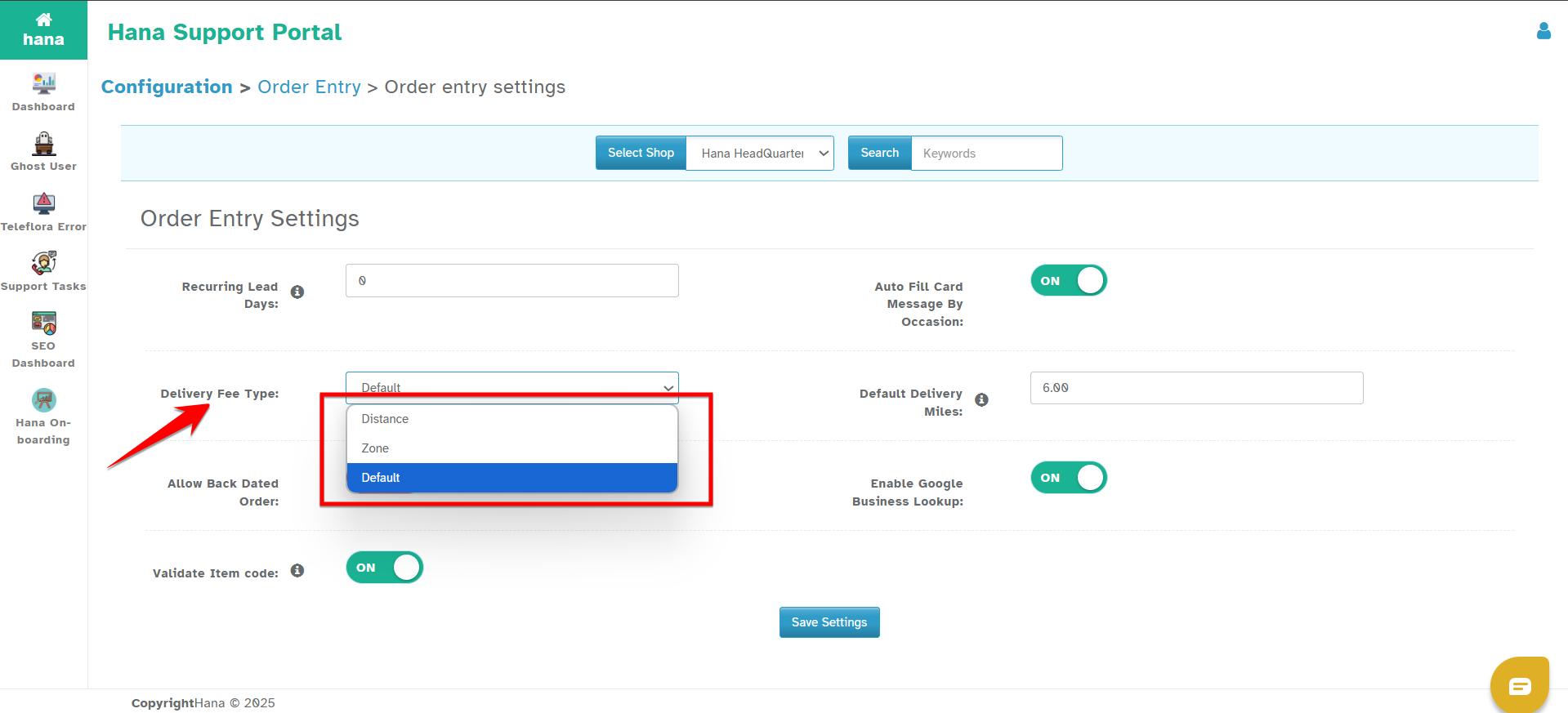
You will see the following options in the dropdown:
Default – Select this option if you are using:
Default delivery fees
ZIP code-based delivery fees
City-based delivery fees
Distance – Select this option if you are using:
Distance-based delivery fees
Zone – Select this option if you are using:
Map (zone)-based delivery fees
Step 7: Choose the appropriate option based on your configured setup.
Step 8: Click on Save to apply your changes.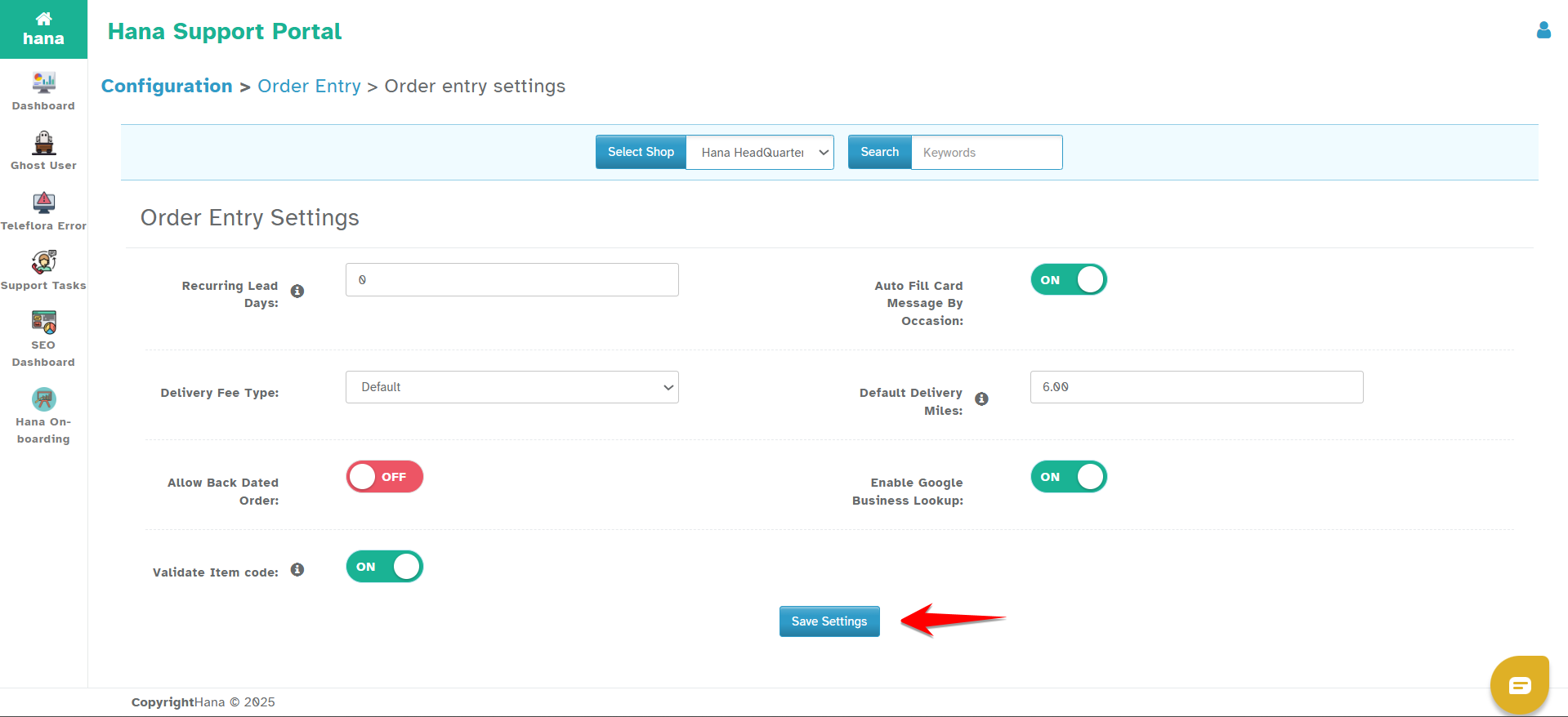
Was this article helpful?
That’s Great!
Thank you for your feedback
Sorry! We couldn't be helpful
Thank you for your feedback
Feedback sent
We appreciate your effort and will try to fix the article