What’s New?
Allow creation of recurring orders with a custom frequency in days (e.g., every 8 or 9 days) based on the customer's specific requirements.
Navigation:
New Order > Order Entry > Recurring Orders
How it Works
After Filling the Order Details, Click on Recurring Orders
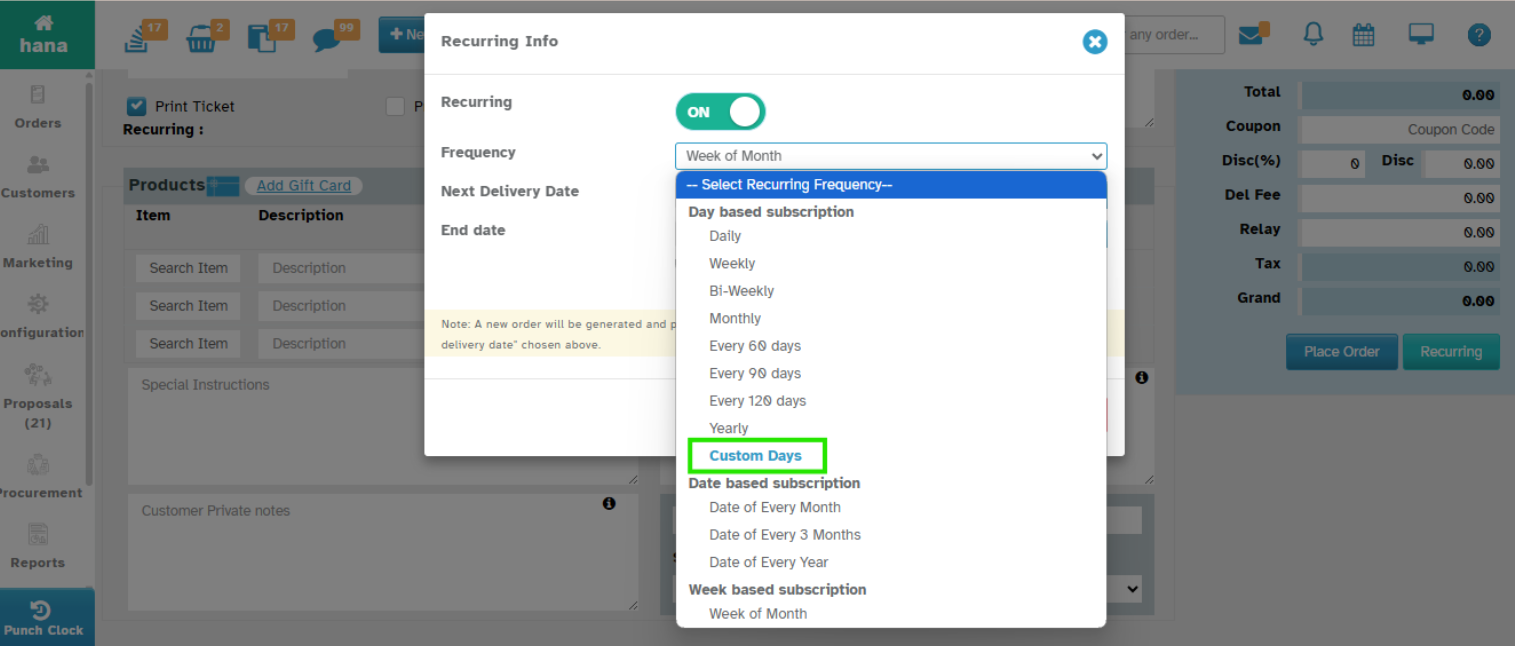
Select Custom Days from Frequency Drop-down
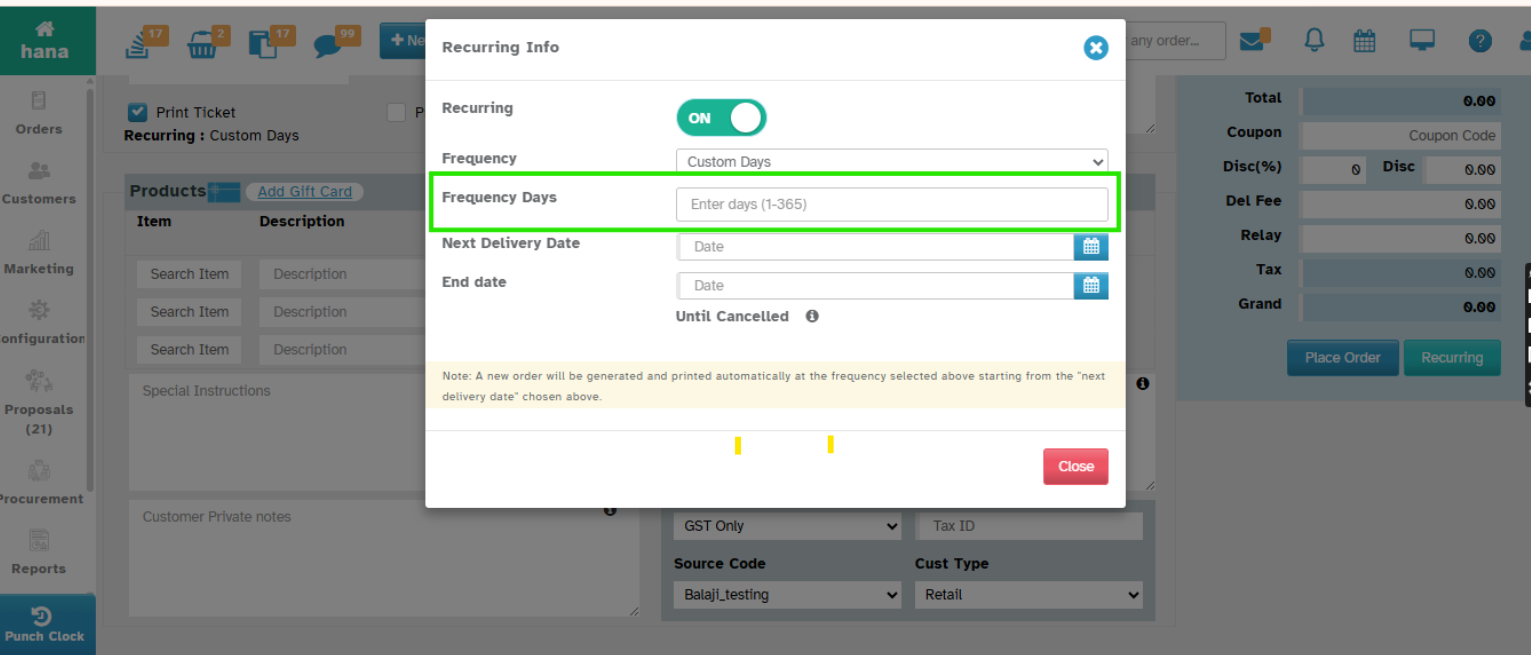
Enter the Frequency Days
Provide the End Date
Based on the Provided Custom Frequency Days and End Dates Order will be generated.
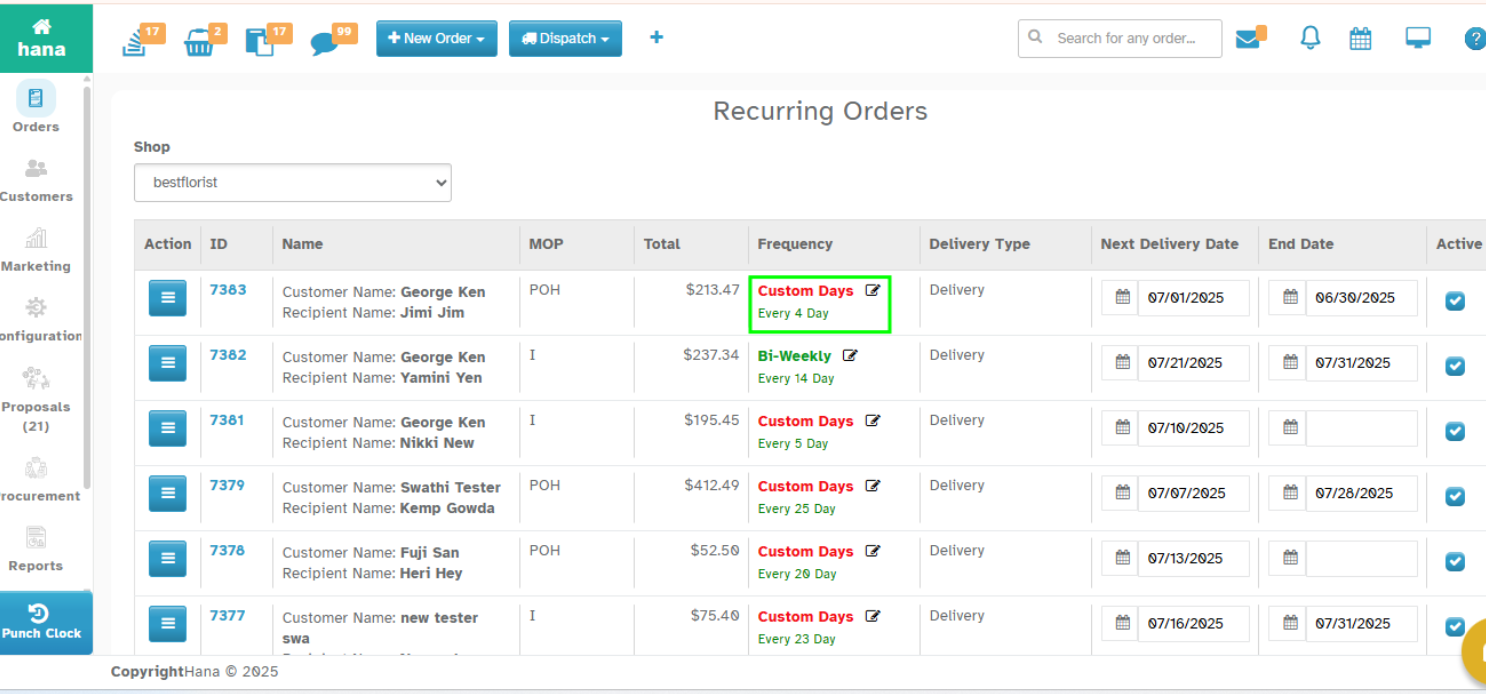
Note: Created Recurring Orders can be edited in the Recurring Orders Page.
Recurring Info Screen:
Recurring Orders Screen
Was this article helpful?
That’s Great!
Thank you for your feedback
Sorry! We couldn't be helpful
Thank you for your feedback
Feedback sent
We appreciate your effort and will try to fix the article