Expedited Delivery Fees allow you to charge customers an additional fee when they request deliveries at specific times. These are typically used for priority deliveries like "Before 10 AM" or "Exactly at 3 PM." This setup helps you manage tighter delivery windows while offsetting the cost of scheduling and staffing.
When to Use Expedited Delivery Fees
This feature is ideal when:
Customers often request time-specific deliveries.
You want to offer premium delivery options like “Before Noon” or “At 5 PM.”
You need to handle logistics more efficiently for special delivery windows.
You want to generate additional revenue for the added effort involved in time-sensitive deliveries.
This fee is applied in addition to the existing delivery fee—whether it's default, ZIP, city, distance, or map-based.
How to Set Up Expedited Delivery Fees
Step 1: From your Hana dashboard, click on Configuration from the left-hand menu.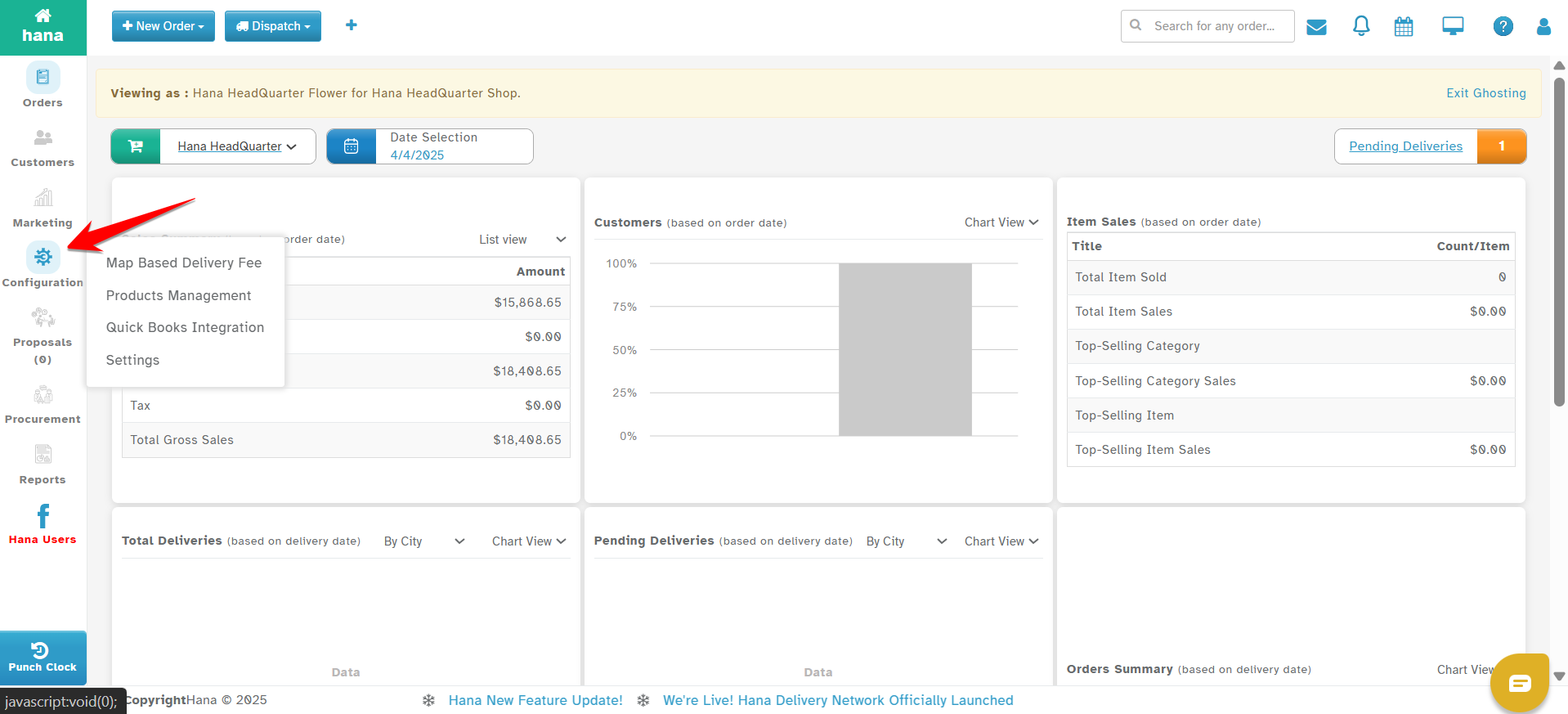
Step 2: Under Configuration, click on Settings.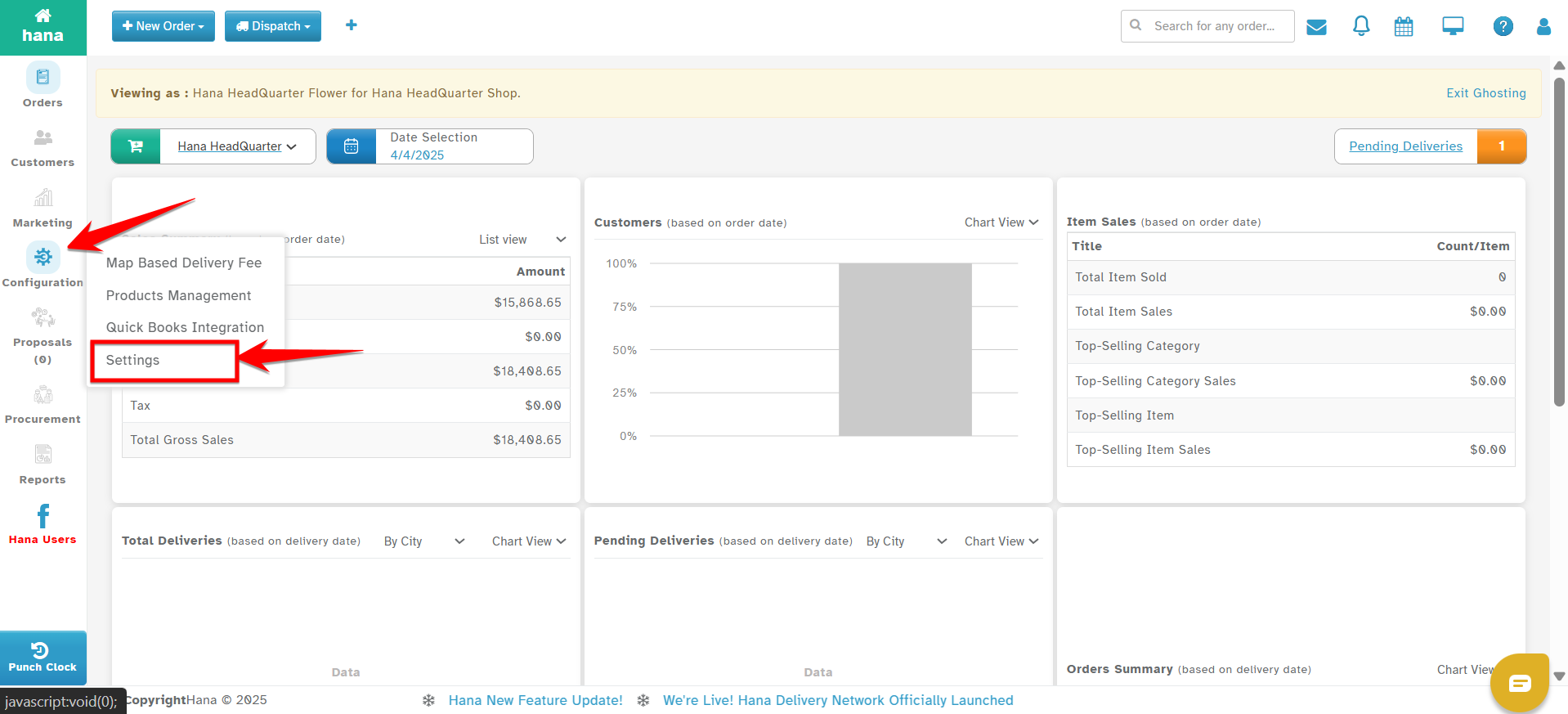
Step 3: In the Settings menu, go to Dispatch.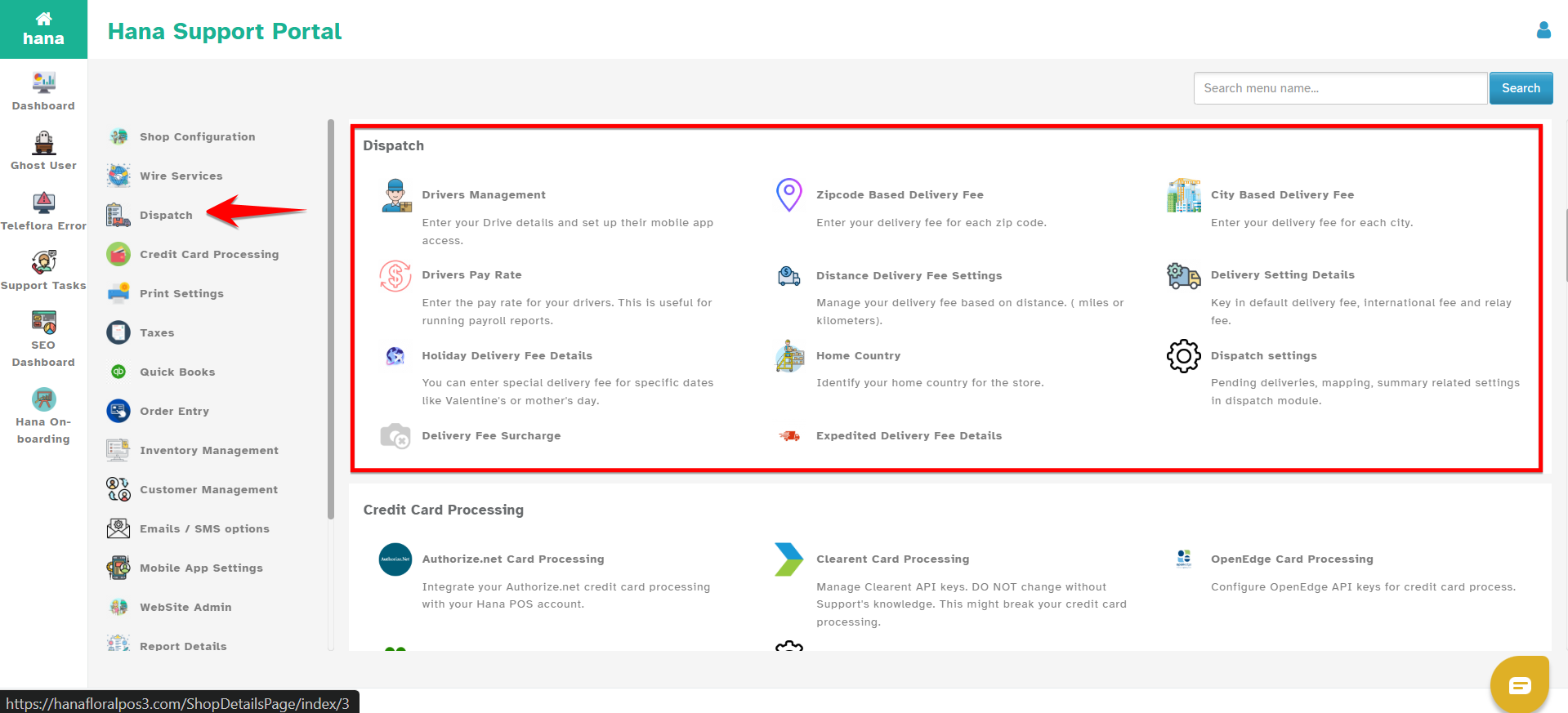
Step 4: Select Expedited Delivery Fees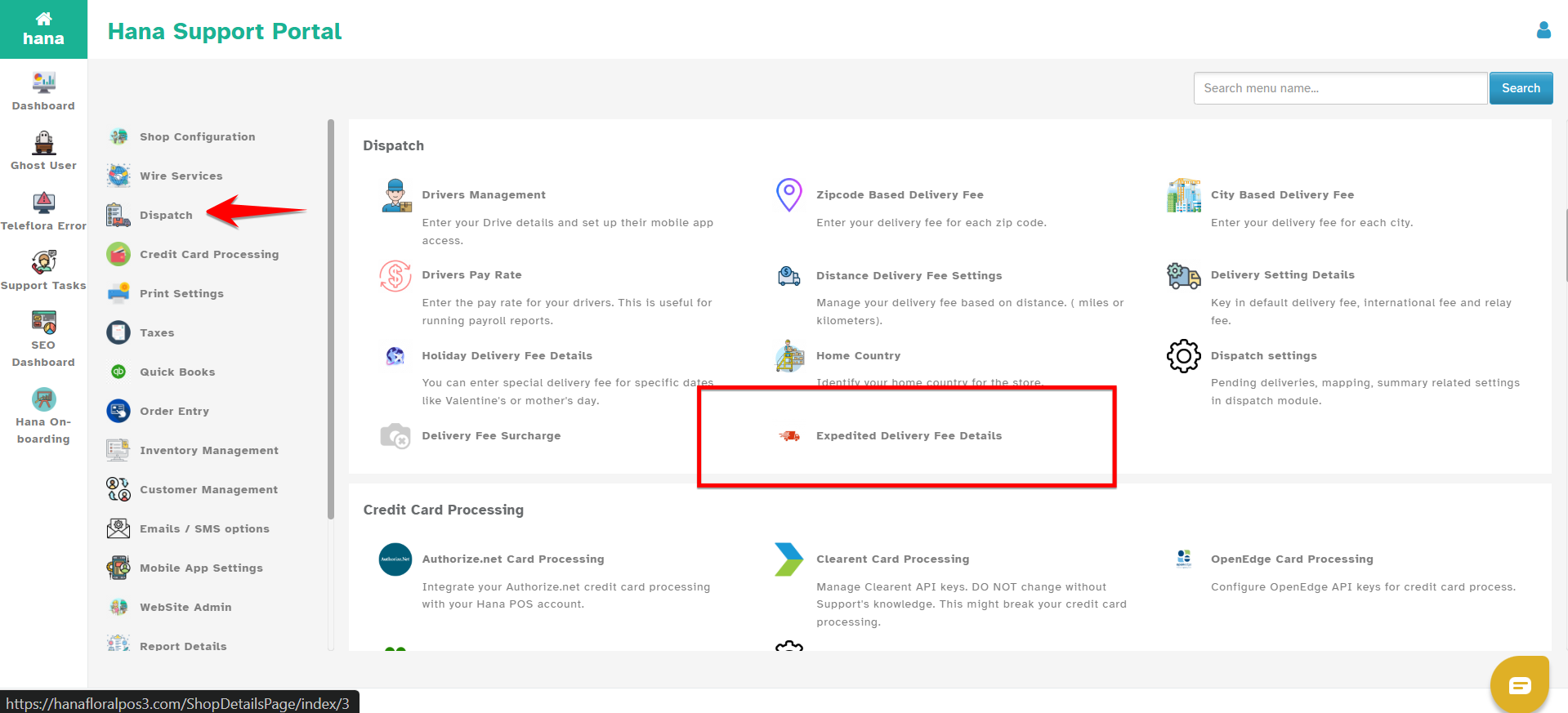
Step 5: Click Add New 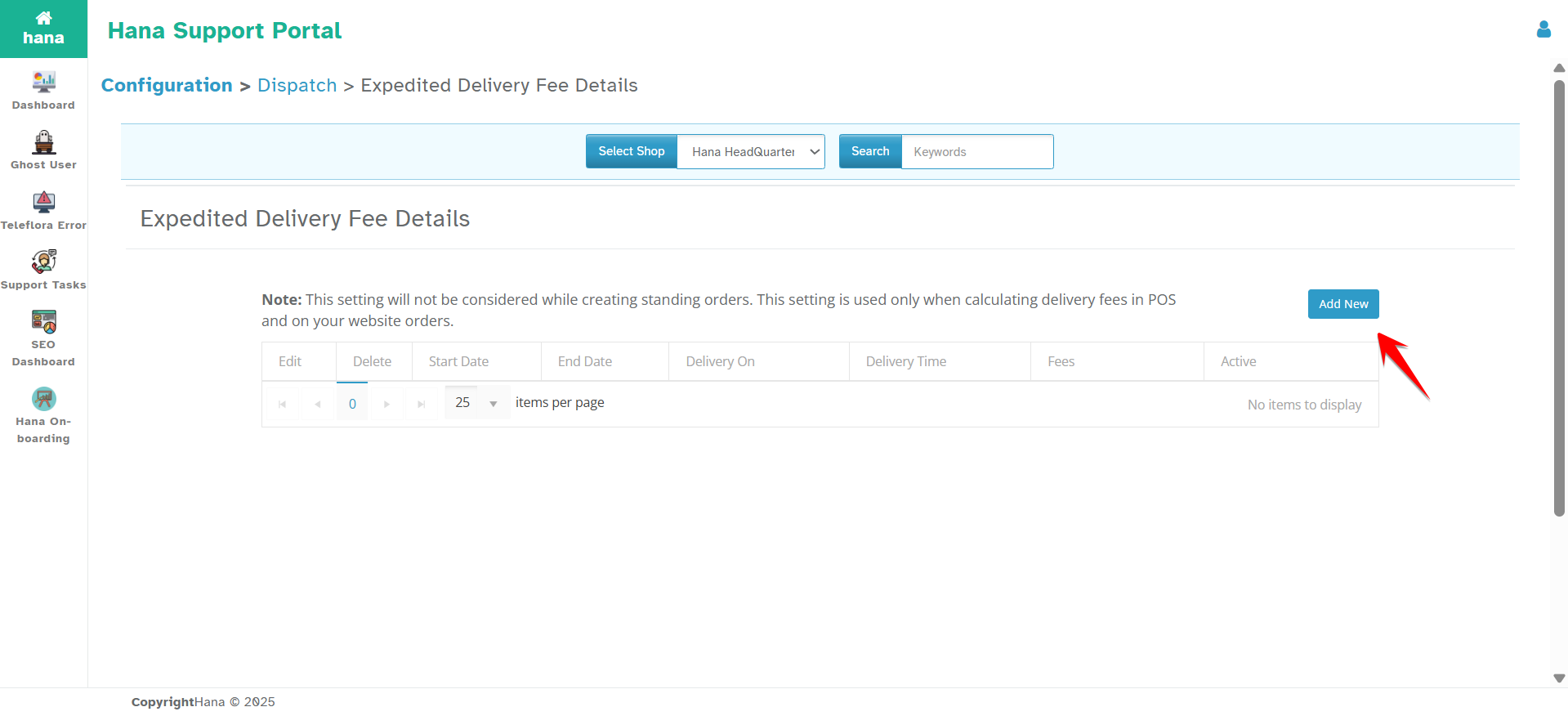
You will see the following fields: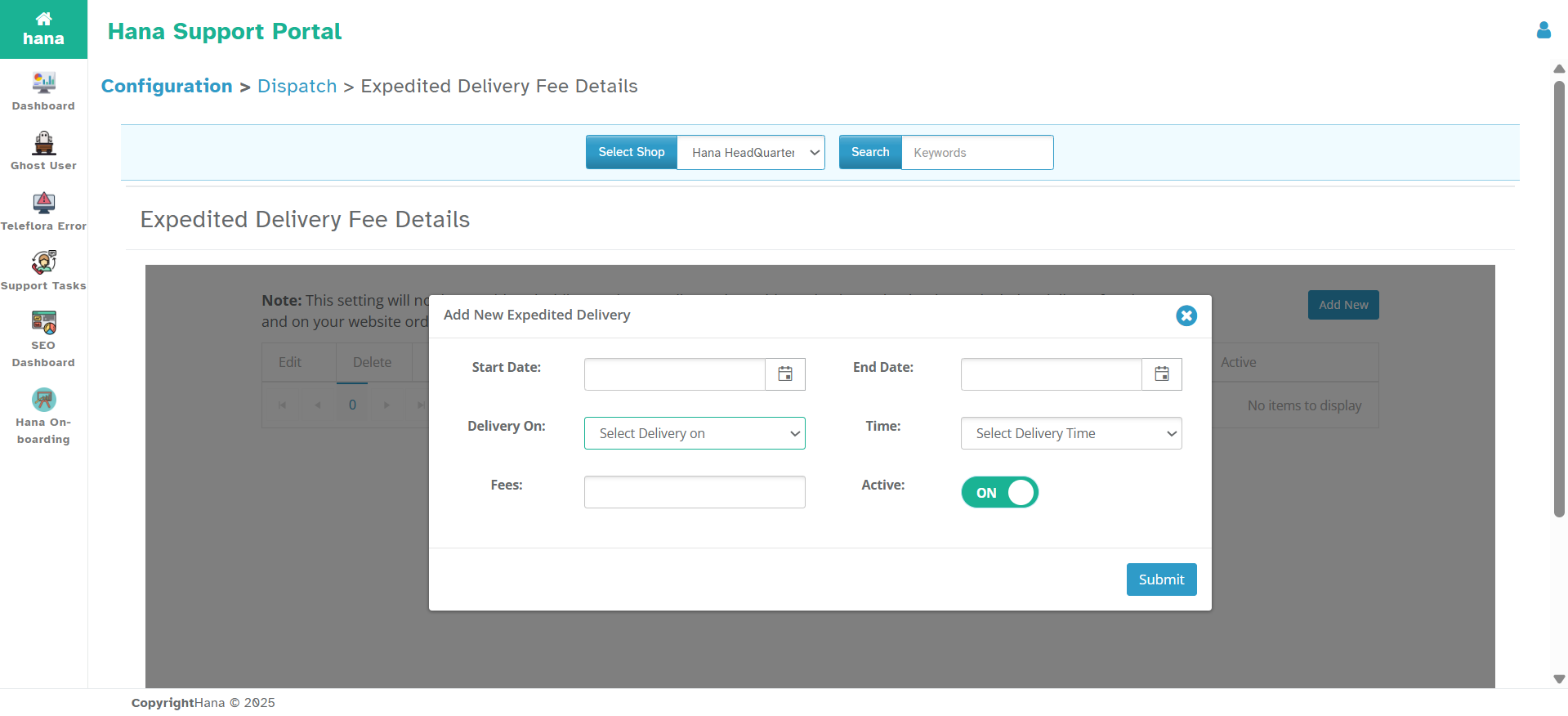
Start Date – Select when the expedited fee rule should begin.
End Date – Select when the rule should stop being applied.
Deliver On – This is a dropdown with options:
Before
After
Exactly At
Around
AM
PM
Any
Choose the appropriate option based on your delivery timing promise.
Time – Select the specific time of day (e.g., 10:00 AM).
Fees – Enter the expedited delivery charge (e.g., $15).
Toggle Switch – Turn the rule ON or OFF.
Step 6: Once all details are entered, click Submit to save the rule.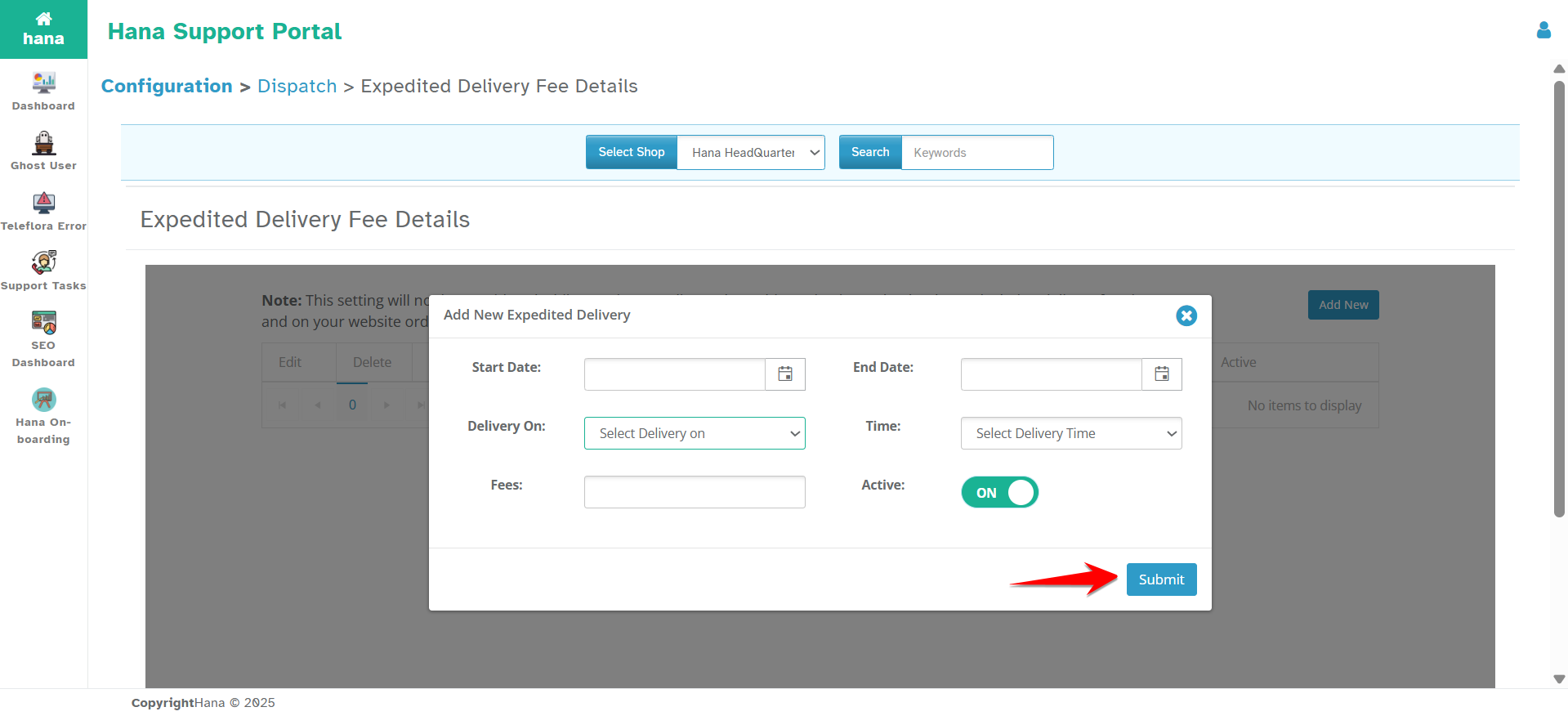
How It Works
Applies to POS and Website Orders only.
This will not apply to recurring or standing orders.Fees are additive.
If a delivery has a base fee of $10 and the expedited fee is $15, the total delivery fee becomes $25.You can create multiple rules to cover different time slots or days.
For example:Valentine’s Week – "Before 12 PM" → $20
Every Saturday – "Exactly at 3 PM" → $15
Was this article helpful?
That’s Great!
Thank you for your feedback
Sorry! We couldn't be helpful
Thank you for your feedback
Feedback sent
We appreciate your effort and will try to fix the article