What’s New?
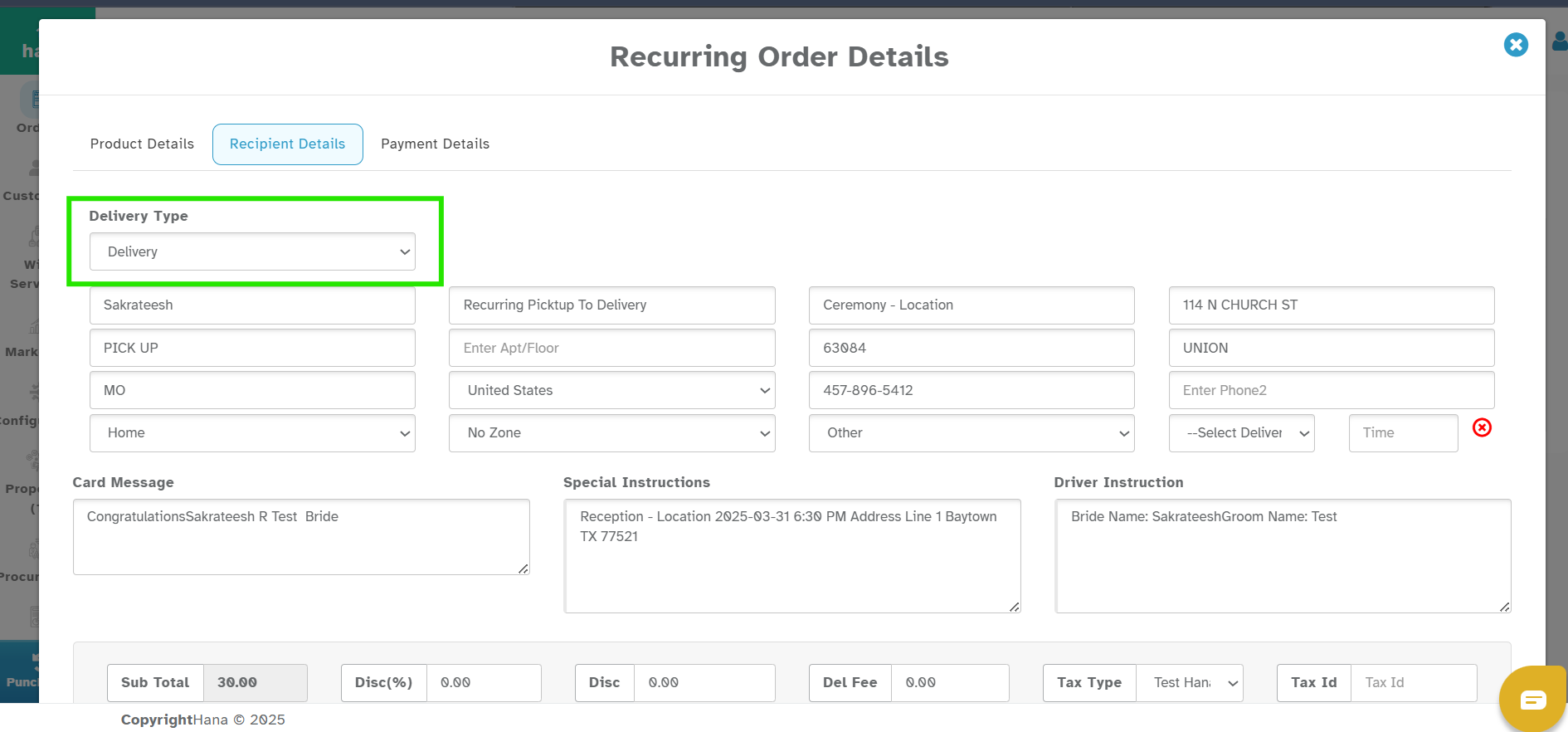
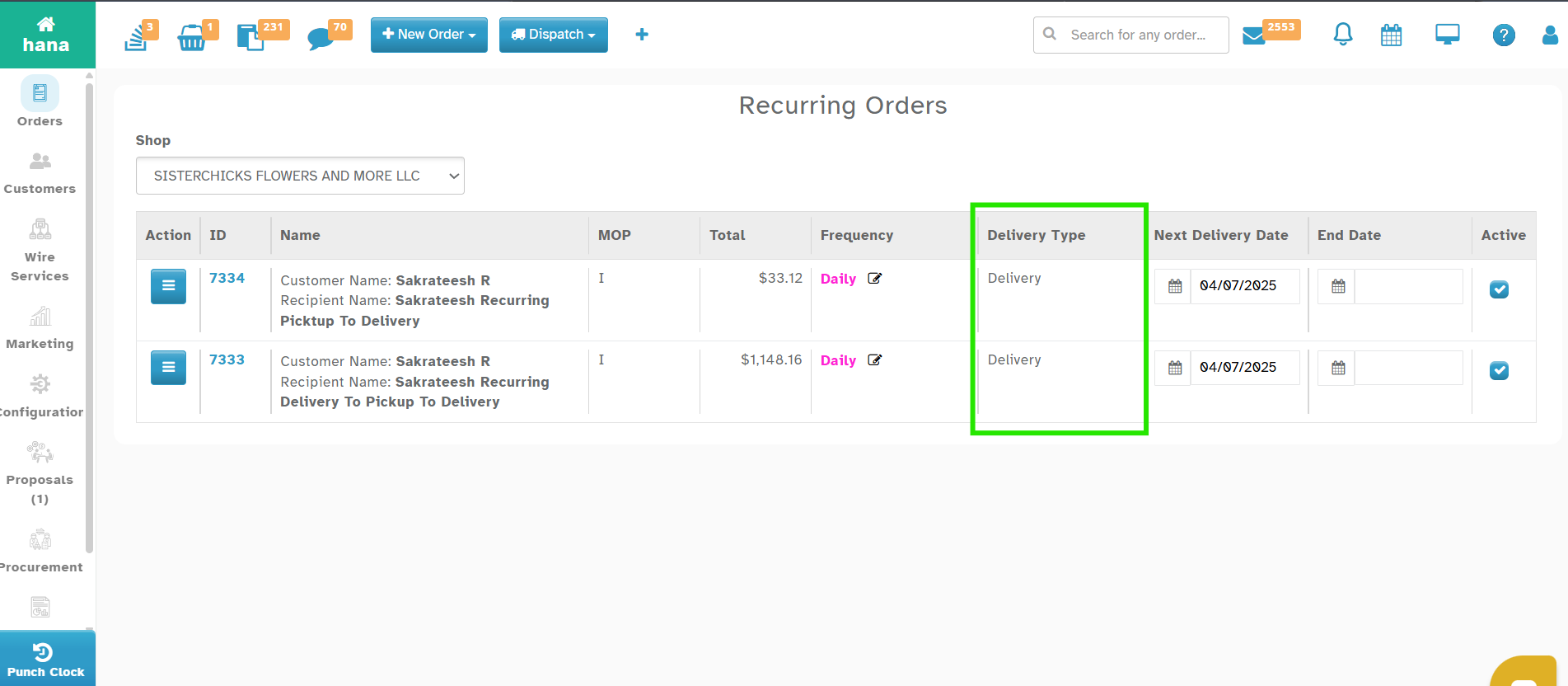
You can now change the Delivery Type (Pick up or Delivery) for recurring orders.
Navigation:
Orders -> Standing / Recurring Orders -> Action -> Order Details -> Recipient Details
How It Works
Find the new Delivery Type field and select Pick up or Delivery.
You can change it anytime and save it!
You will also see the Delivery Type on the Recurring Orders list page – so you don’t need to open each order to check!
Why This Helps
Easily switch delivery types anytime.
Save time managing recurring orders .
Was this article helpful?
That’s Great!
Thank you for your feedback
Sorry! We couldn't be helpful
Thank you for your feedback
Feedback sent
We appreciate your effort and will try to fix the article