What’s New?
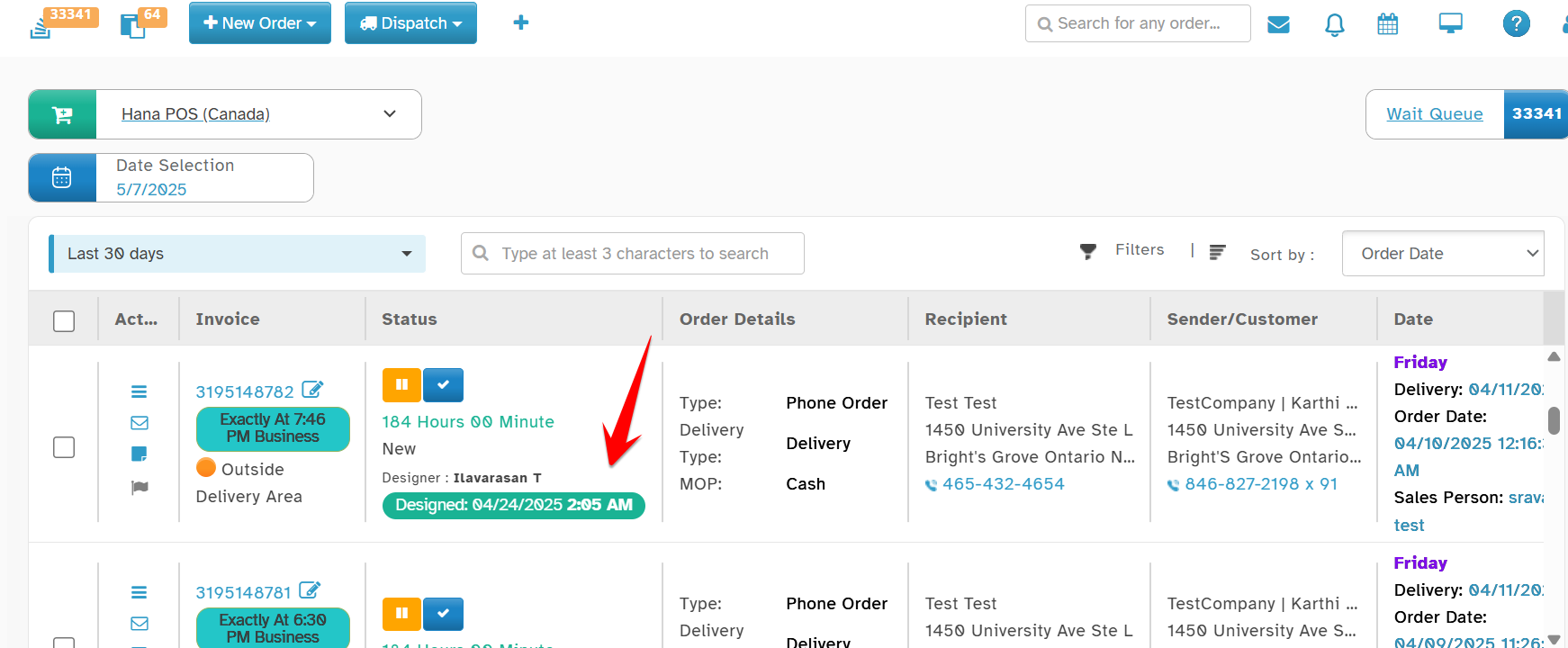
You can now see the exact date and time when an order was marked as Design Completed, directly in the Status column.
Navigation:
Orders -> All Orders
In the Orders List View:
Under the Status column
Below the designer’s name, you’ll see: Designed: [Date] [Time]
Why this Helps
Better visibility for florists.
Accurate tracking of design completion timelines
Was this article helpful?
That’s Great!
Thank you for your feedback
Sorry! We couldn't be helpful
Thank you for your feedback
Feedback sent
We appreciate your effort and will try to fix the article