What’s New?
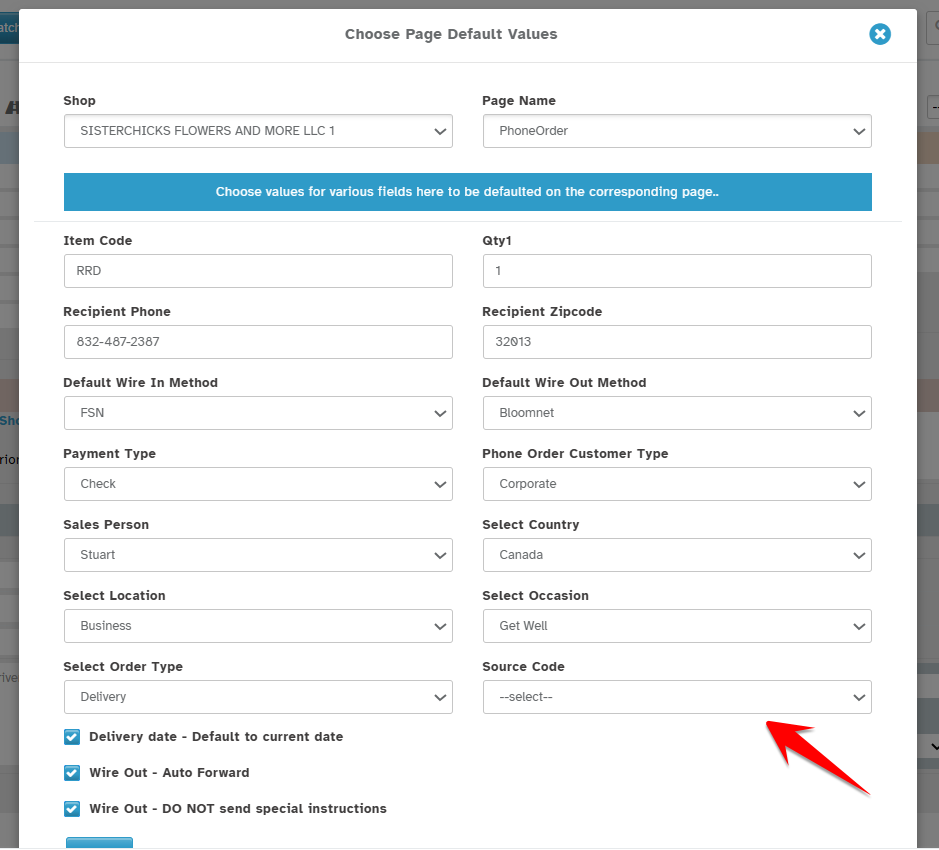
You can now set a default Source Code for the Order Entry screen.
Navigation:
Dashboard -> New Order -> Order Entry -> Default Values
How to Set It:
In Choose Default Values page.
A Source Code dropdown is added.
Select your preferred default Source Code from the dropdown
(Options are based on what's configured under Configuration → Settings → Customer Management → Source Code)
How It Works:
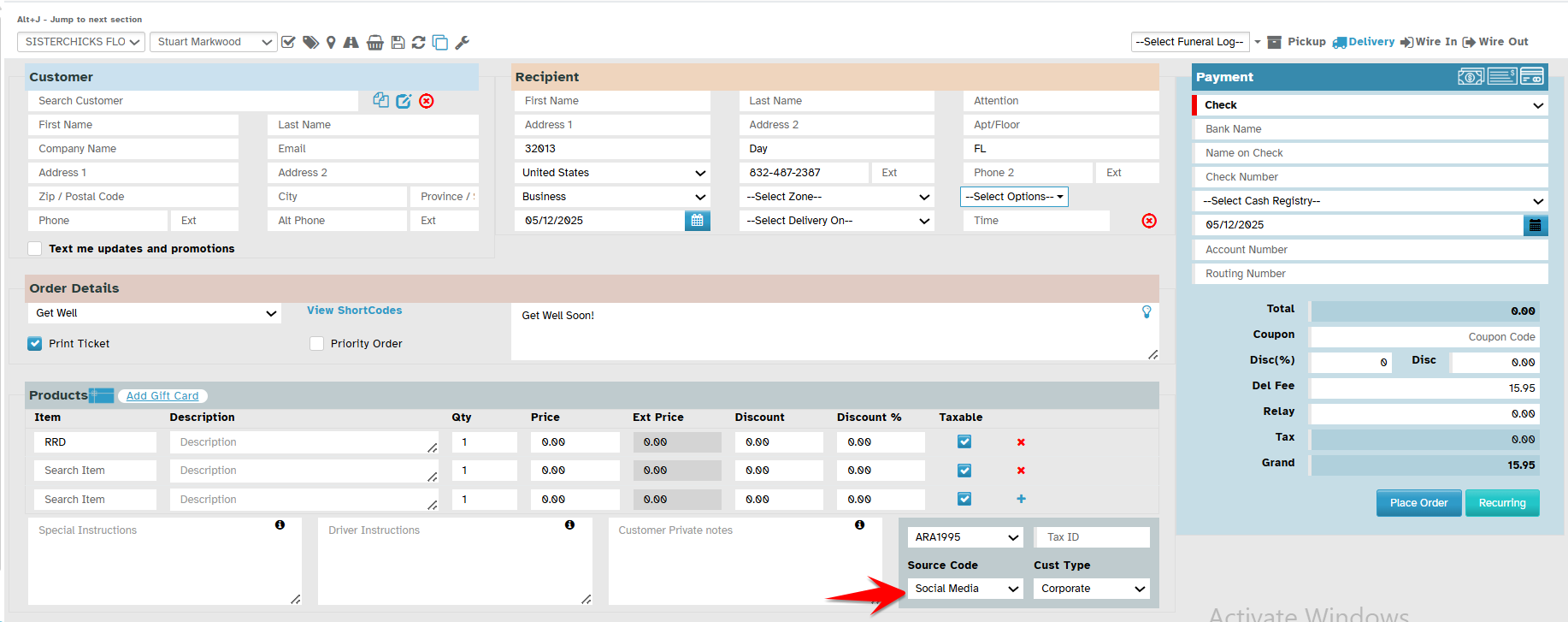
The selected Source Code will automatically appear in the Order Entry screen.
You can change it anytime while placing an order.
Why This Helps
Saves time on every new order.
Easy to update when needed
Was this article helpful?
That’s Great!
Thank you for your feedback
Sorry! We couldn't be helpful
Thank you for your feedback
Feedback sent
We appreciate your effort and will try to fix the article