Overview
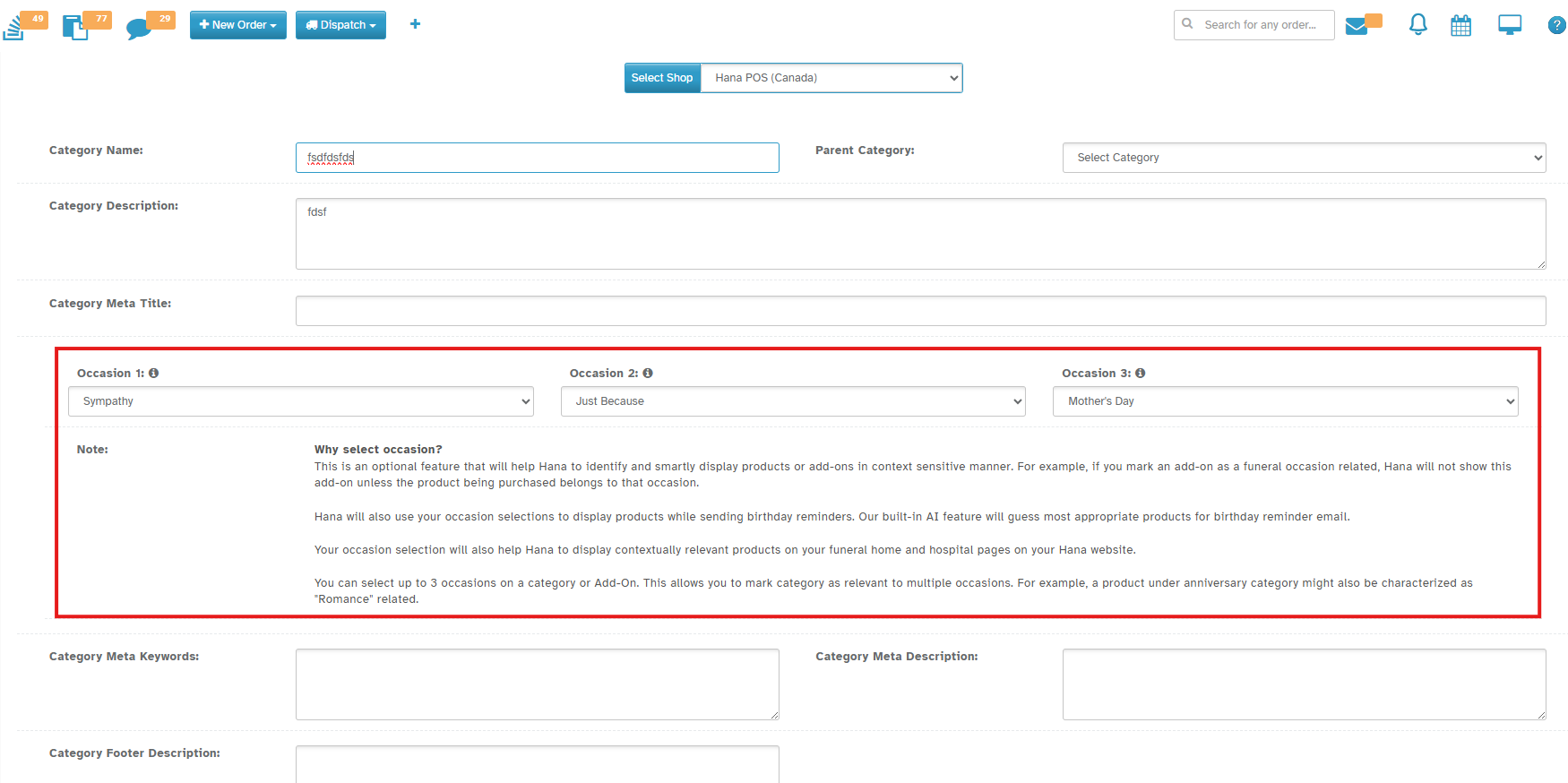
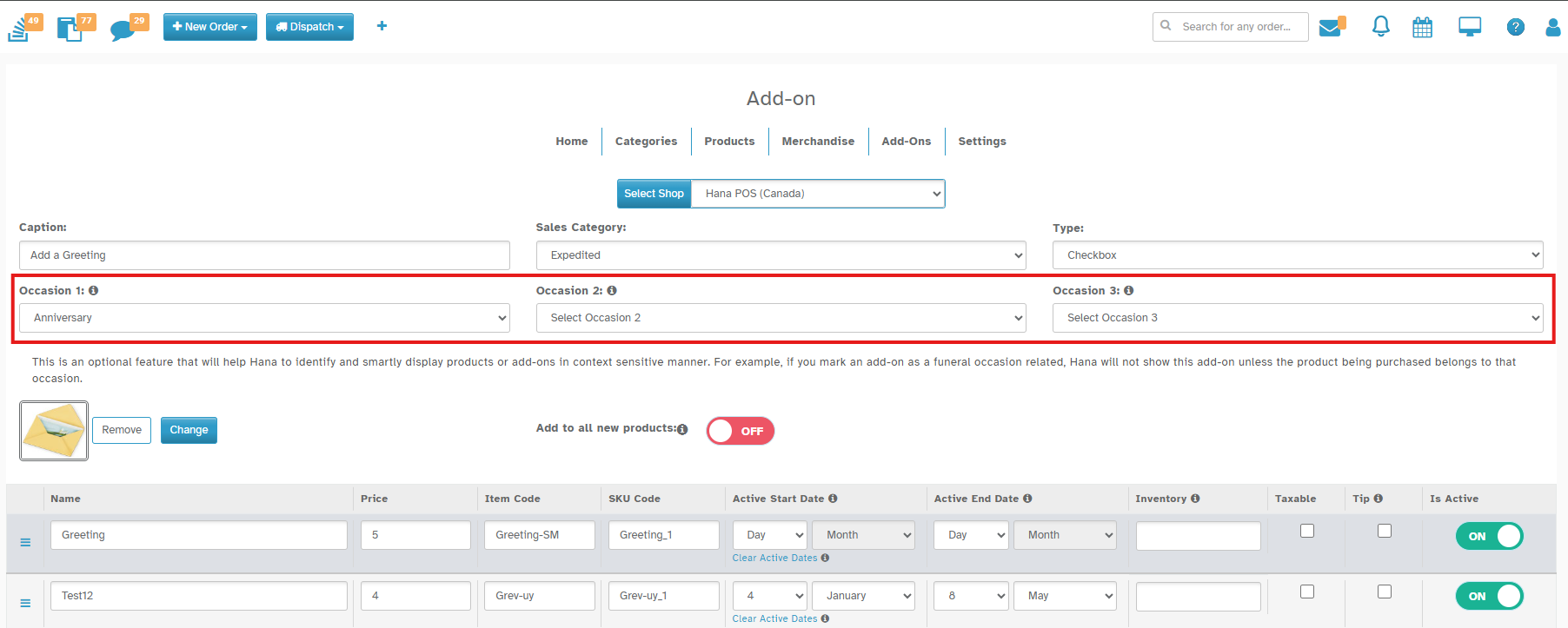
A new feature has been introduced in the Web Admin → Categories & Add-Ons section that allows florists to assign up to three occasions to each Category or Add-On. This enhancement provides better product discoverability, context-aware display, and smarter marketing automation.
This ability to choose occasions for Categories and Add-Ons is for future use and this will help in bringing AI-aware features into Hana POS.
Navigation: Configuration → Web Admin → Categories & Add-Ons
How It Works
1. Under Wedding Category (For Eg), Click on the Occasion 1 dropdown and pick an occasion (eg: Valentine).
2. If needed, choose another occasion in Occasion 2 (eg: Anniversary).
3. You may add a third in Occasion 3 (eg: Love & Romance).
3. Save the Category or Add-On.
Why Use Occasions?
Better product display → Hana shows products in the right context (e.g., Wedding products only on Wedding pages).
Smarter marketing → Helps with birthday reminders and AI product suggestions.
Multi-purpose tagging → One product can be linked to more than one occasion (e.g., Anniversary + Romance + Valentine which is relevant to the category Wedding).
Example
If you mark a product with:
Occasion 1 = Anniversary
Occasion 2 = Romance
Occasion 3 = Valentine
Hana will know this product fits all three situations and will display it accordingly.
That’s it! You’ve now added occasions to your products!
Was this article helpful?
That’s Great!
Thank you for your feedback
Sorry! We couldn't be helpful
Thank you for your feedback
Feedback sent
We appreciate your effort and will try to fix the article