What’s New?
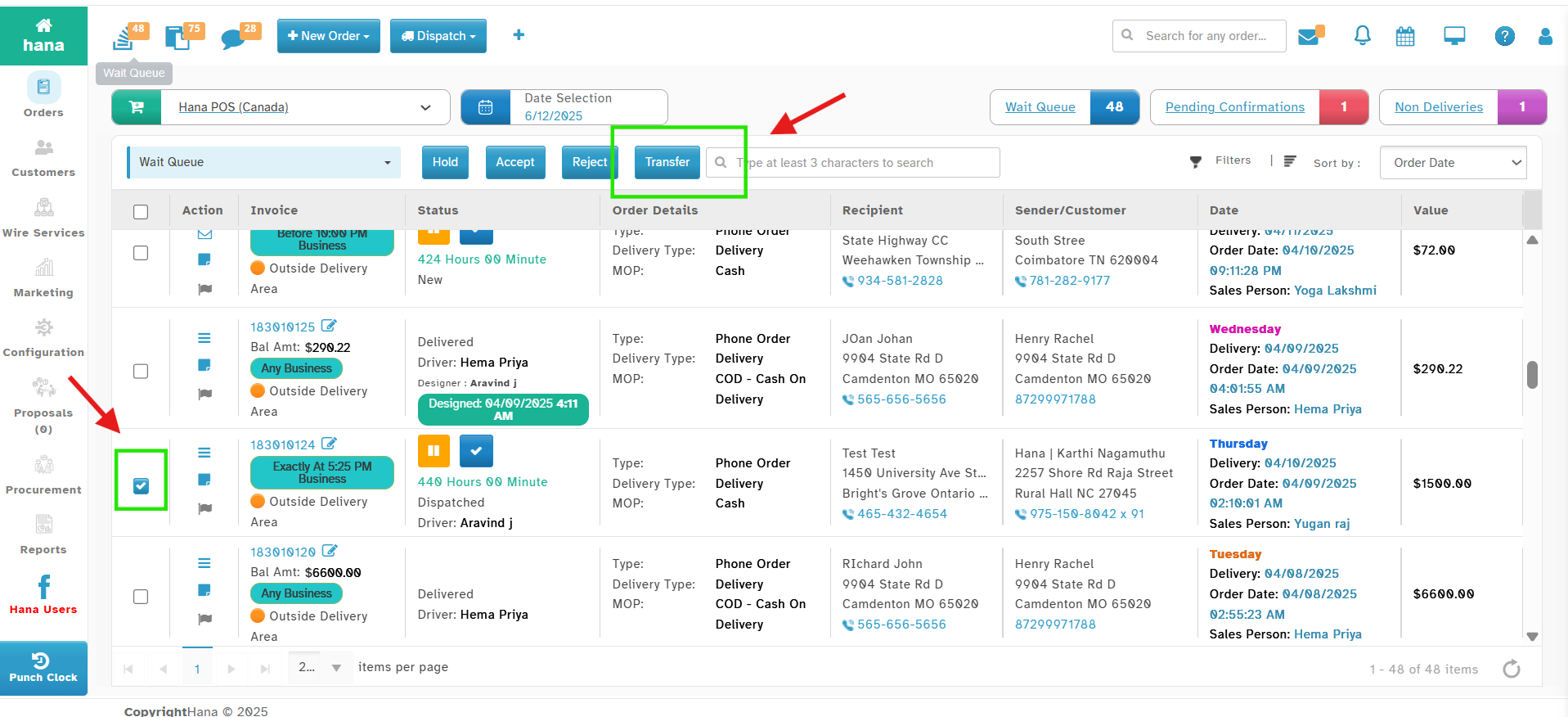
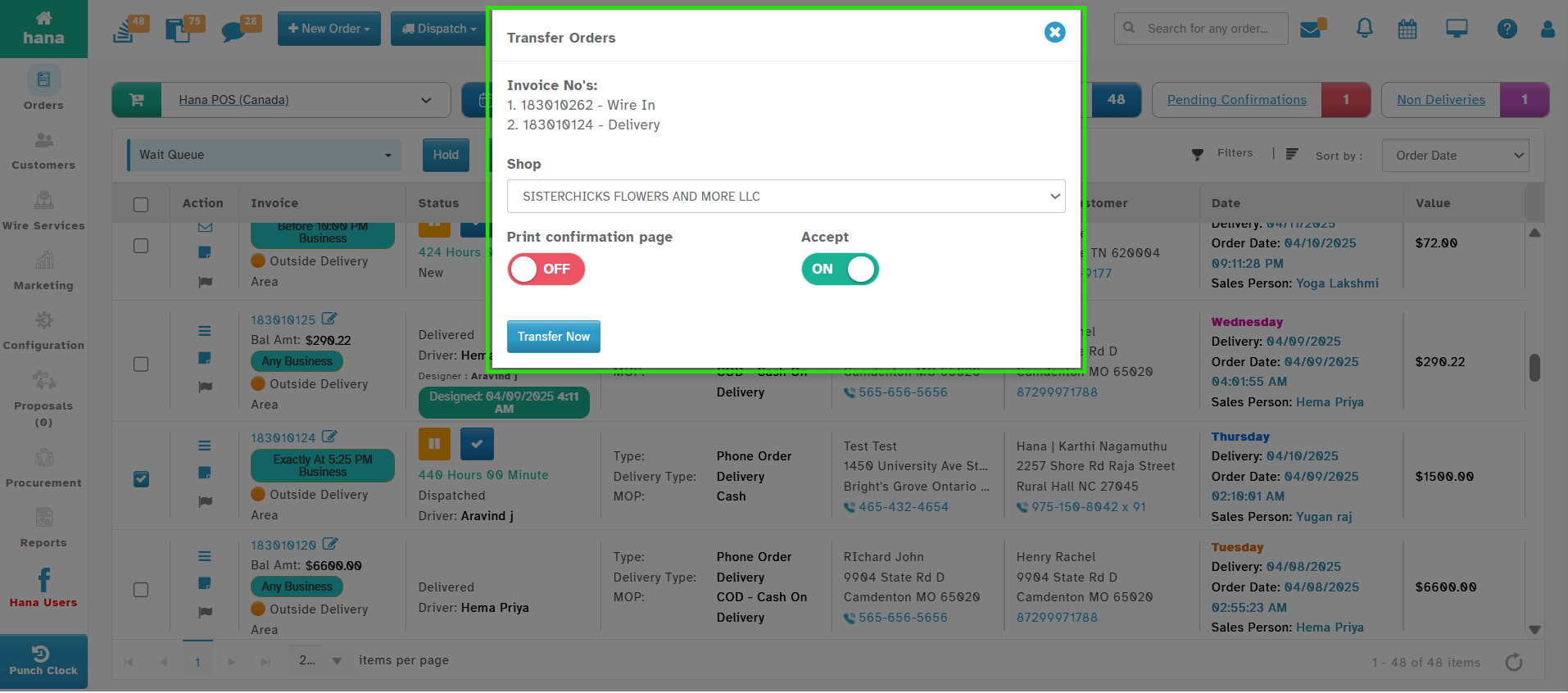
This option enables the florist to select multiple orders from the Wait Queue and transfer them to another shop in a single action.
Navigation
Dashboard -> Wait Queue
Select the Orders that need to be transferred and Click on Transfer Button.
Why it Helps?
Makes it easier and faster to transfer many orders at once.
Saves time for the florist and helps during busy times.
Was this article helpful?
That’s Great!
Thank you for your feedback
Sorry! We couldn't be helpful
Thank you for your feedback
Feedback sent
We appreciate your effort and will try to fix the article