Wait Queue orders are those you manually Accept before they are printed on a super ticket. This feature allows you to save expensive super ticket paper.
For example, you may not want to print every order sent by wire services. You can set up your print settings to send your wire orders into the Wait Queue. This allows you to review your orders in the Wait queue and accept or reject each order. This way, you are not wasting paper on an order you wish to reject.
Please remember to be on top of your Wait Queue. You are still obligated to adhere to the 2-hour rejection window mandated by most wire services.
Hana POS allows you to view orders waiting in the queue from both the Dashboard and the Orders Page. This feature ensures that pending orders are easily accessible for processing.
This guide outlines the steps to view waiting orders from the Orders Page. Similar steps can be followed from the Dashboard.
Steps to View an Order in Queue
Step 1: Access the Wait Queue
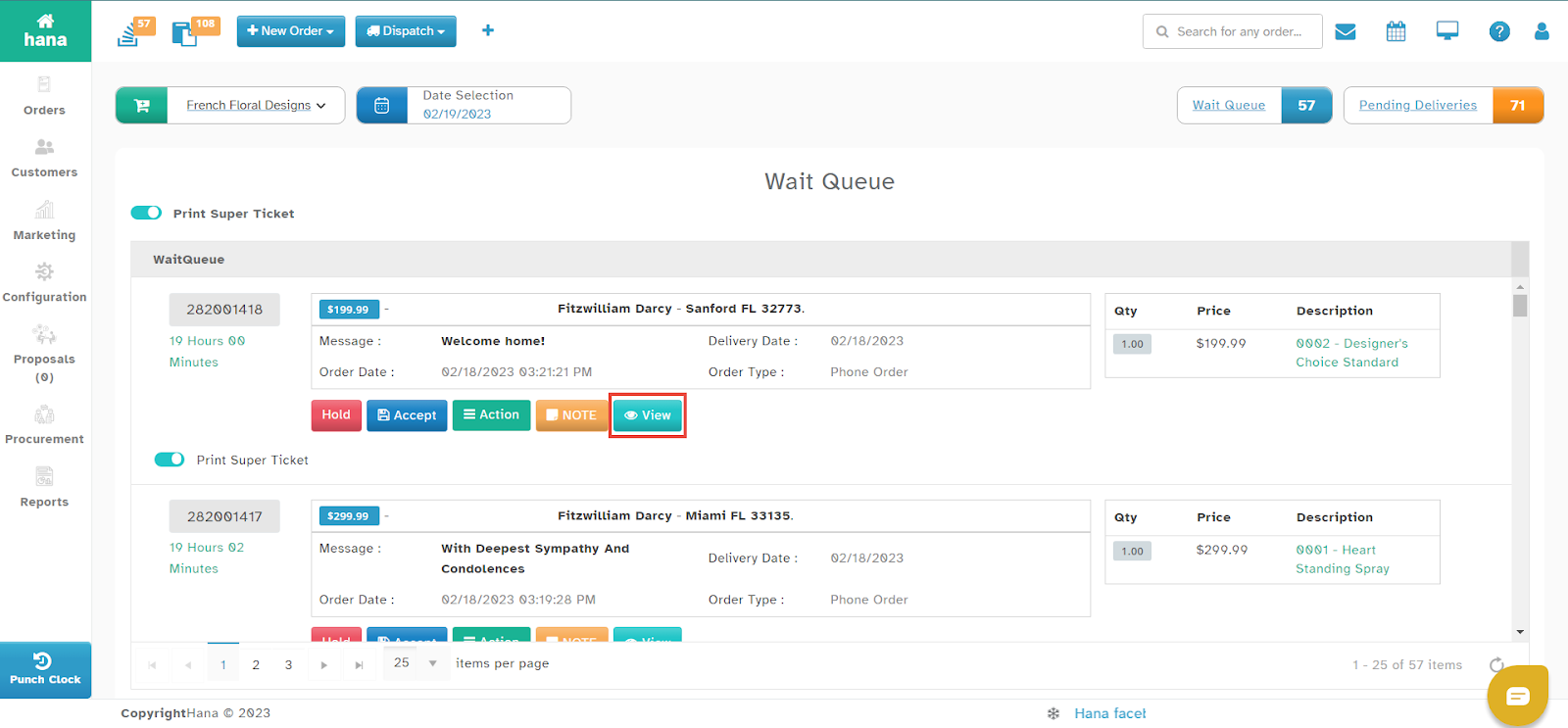
Navigate to Dashboard > Wait Queue.
The Wait Queue Page will be displayed.

Step 2: View Order Details
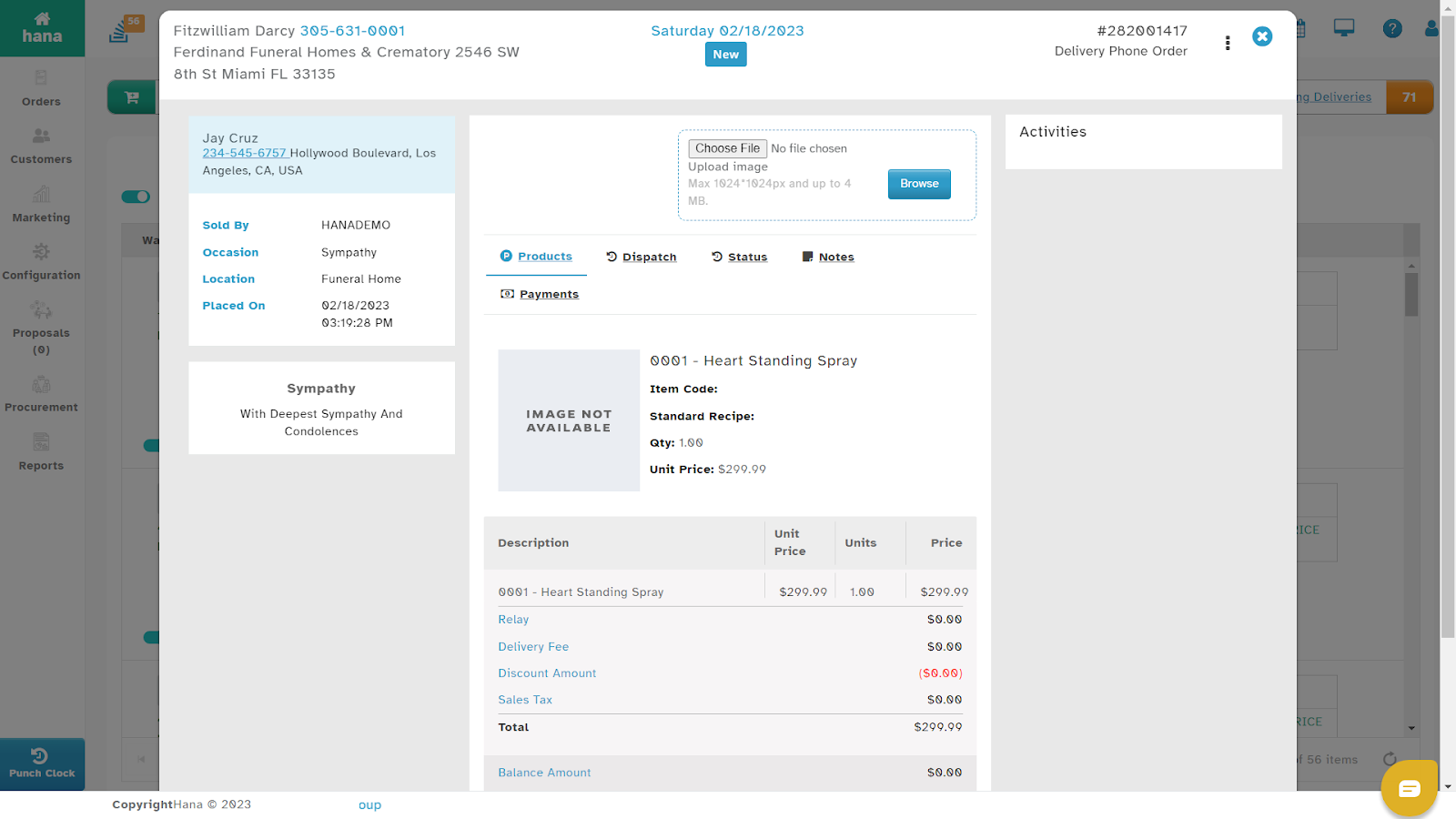
Click View under the order you wish to inspect.
The Order Details Dialog will be displayed, showing full order details.
Was this article helpful?
That’s Great!
Thank you for your feedback
Sorry! We couldn't be helpful
Thank you for your feedback
Feedback sent
We appreciate your effort and will try to fix the article