Hana POS allows you to place an order on hold or remove it from hold in the waiting queue. This feature helps manage order processing efficiently by temporarily pausing or resuming orders as needed.
This guide outlines the steps to hold or remove hold on an order in the wait queue.
Steps to Hold an Order in Queue
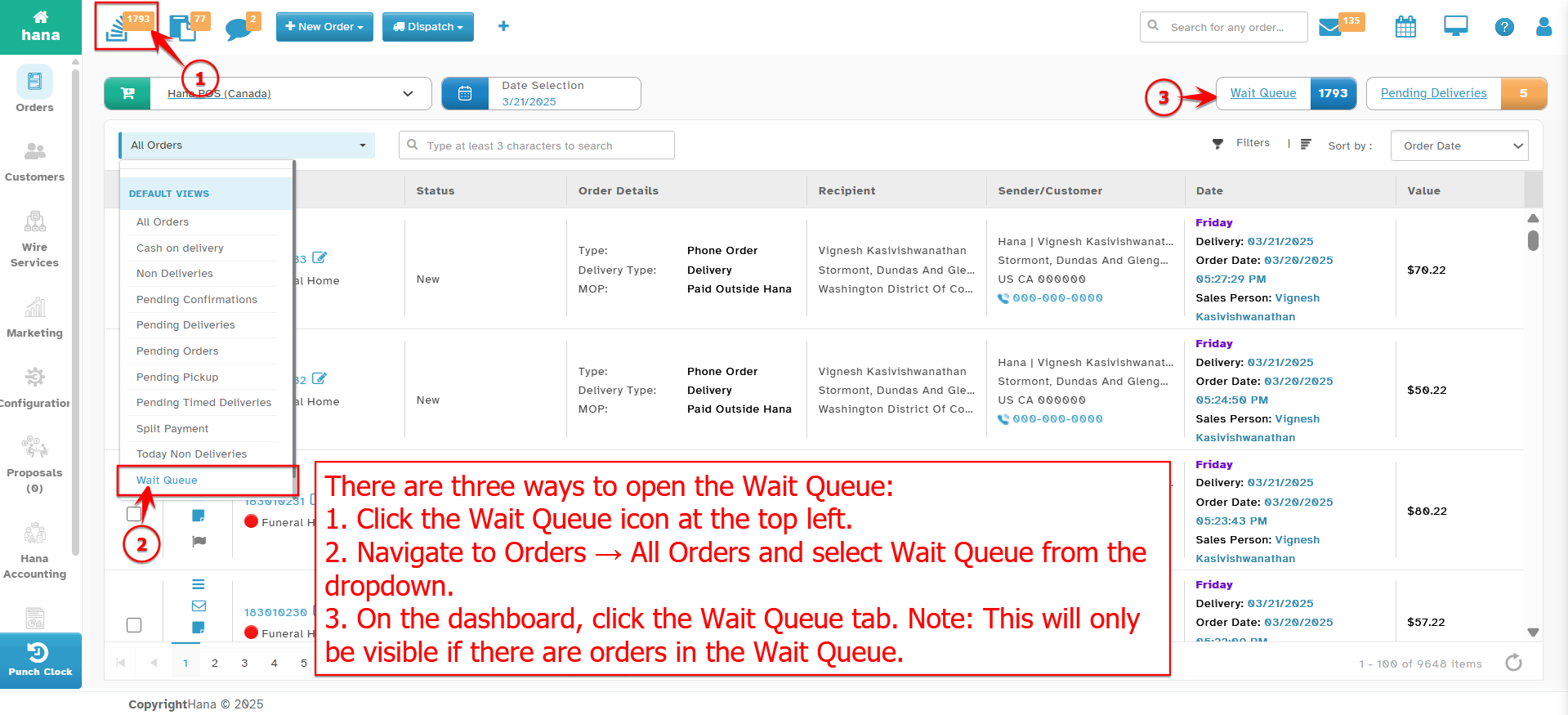
Step 1: Access the Wait Queue
Navigate to Dashboard > Wait Queue.
The Wait Queue Page will be displayed.
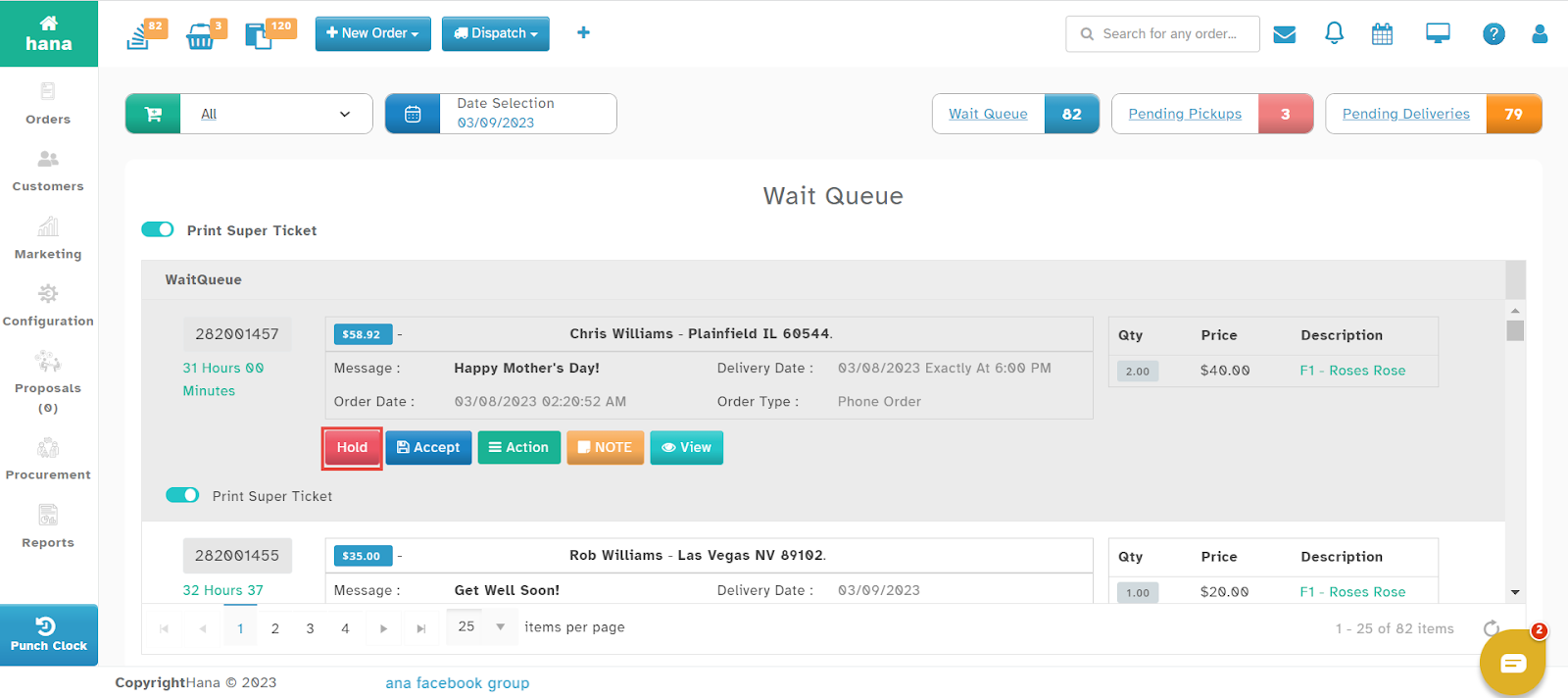
Step 2: Place Order on Hold
Click Hold next to the order you wish to put on hold.
A success notification will confirm that the order has been placed on hold.
The Hold button will change to Remove Hold.
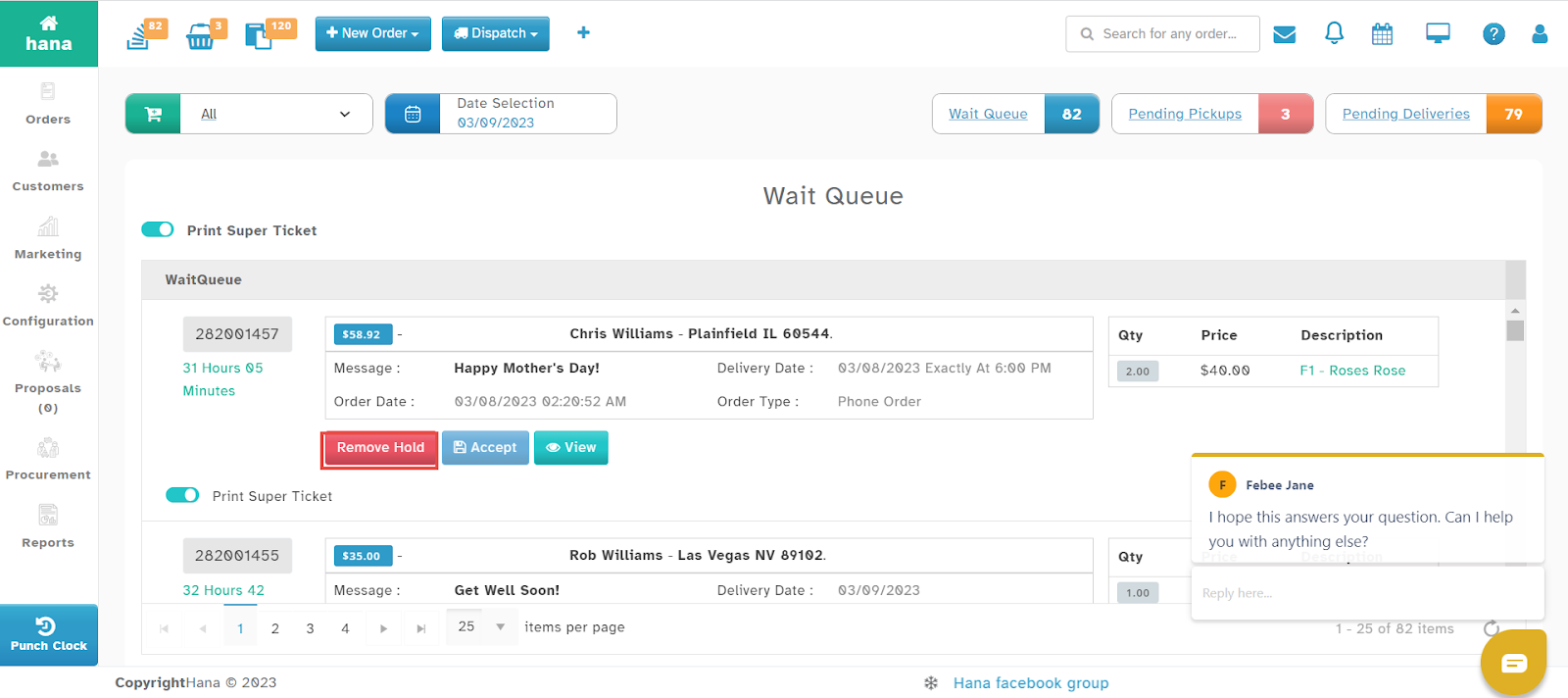
Steps to Remove Hold on an Order
Click Remove Hold next to the order to take it off hold.
By following these steps, you can efficiently manage orders in the wait queue, pausing and resuming them as needed within Hana POS.
Was this article helpful?
That’s Great!
Thank you for your feedback
Sorry! We couldn't be helpful
Thank you for your feedback
Feedback sent
We appreciate your effort and will try to fix the article