What’s New?
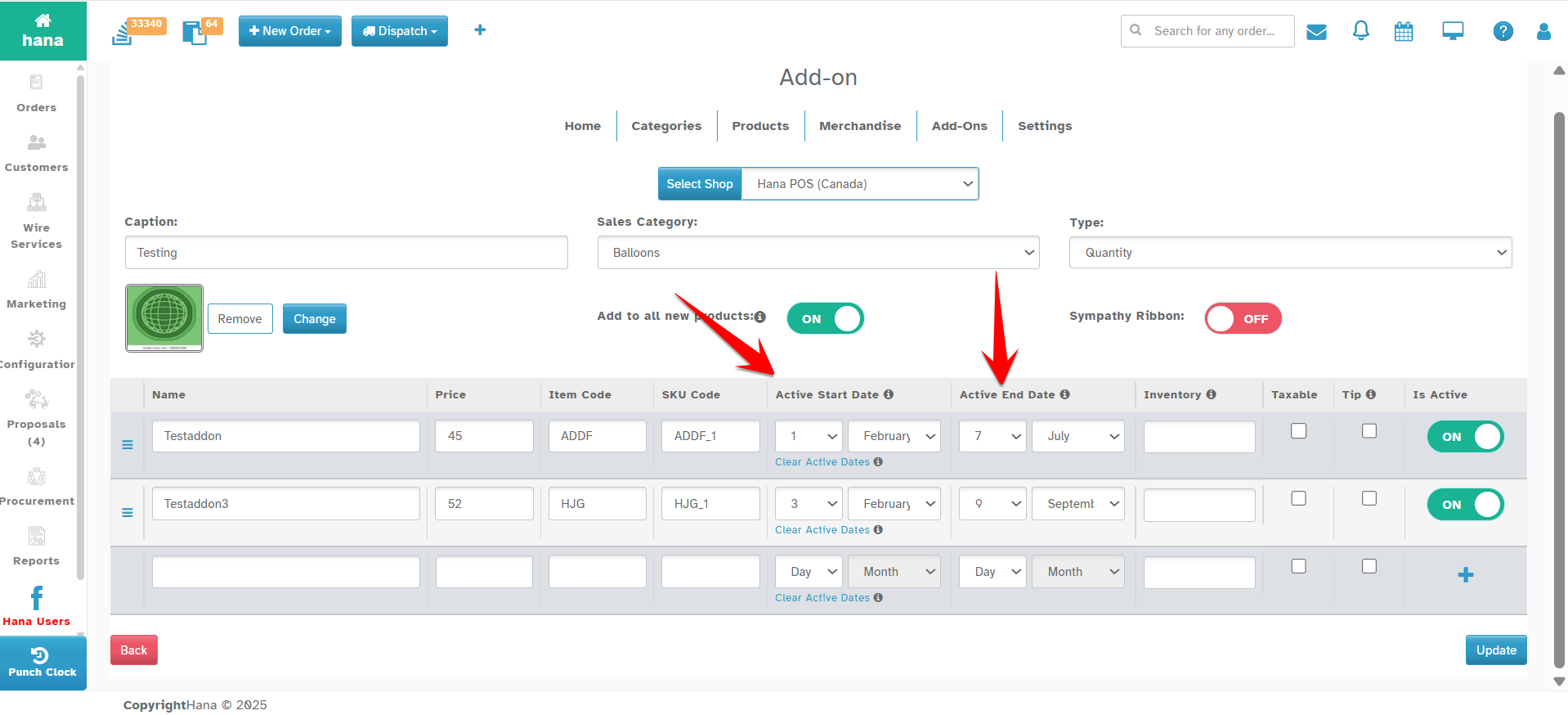
You can now set start and end dates for Add-Ons. In Website, it will automatically show them only during the selected period each year.
Navigation:
Dashboard -> Configuration -> Web Admin -> Add-Ons (Add/Edit)
How it works:
- Select Active Start Date.
- Select Active End Date.
- Add-On will be shown on the website only during this period every year.
Why This Helps
Plan seasonal offerings like Mother’s Day or Valentine’s specials.
Show only relevant options to customers.
Avoid manual updates.
Keep your product list clean and timely for customers.
Was this article helpful?
That’s Great!
Thank you for your feedback
Sorry! We couldn't be helpful
Thank you for your feedback
Feedback sent
We appreciate your effort and will try to fix the article