What’s New?
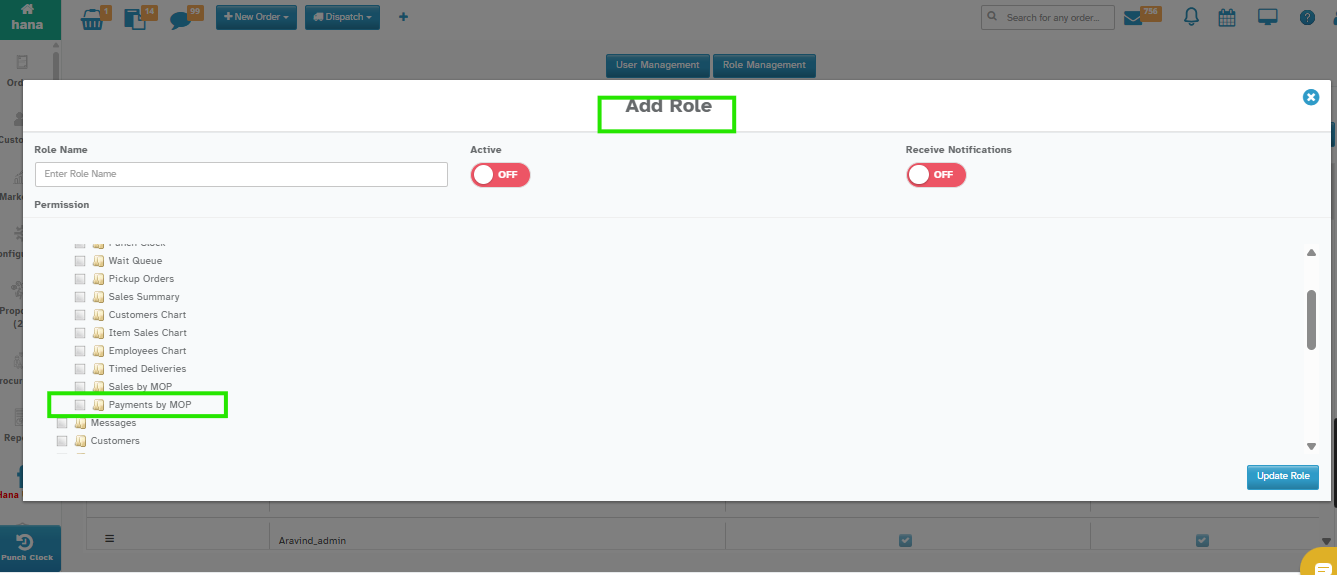
You can now manage who can see the Payments by MOP Chart through Role Management.
Navigation:
User & Access → Role Management → Permissions → Dashboard Management
How it Works:
Edit or create a role.
Under Permissions → Dashboard Management, find: Payments by MOP Chart.
Check to allow access.
Uncheck to hide it.
Why this Helps
Show chart only to specific roles.
Keep dashboards clean and relevant.
Easy access control for admins.
Was this article helpful?
That’s Great!
Thank you for your feedback
Sorry! We couldn't be helpful
Thank you for your feedback
Feedback sent
We appreciate your effort and will try to fix the article