What’s New?
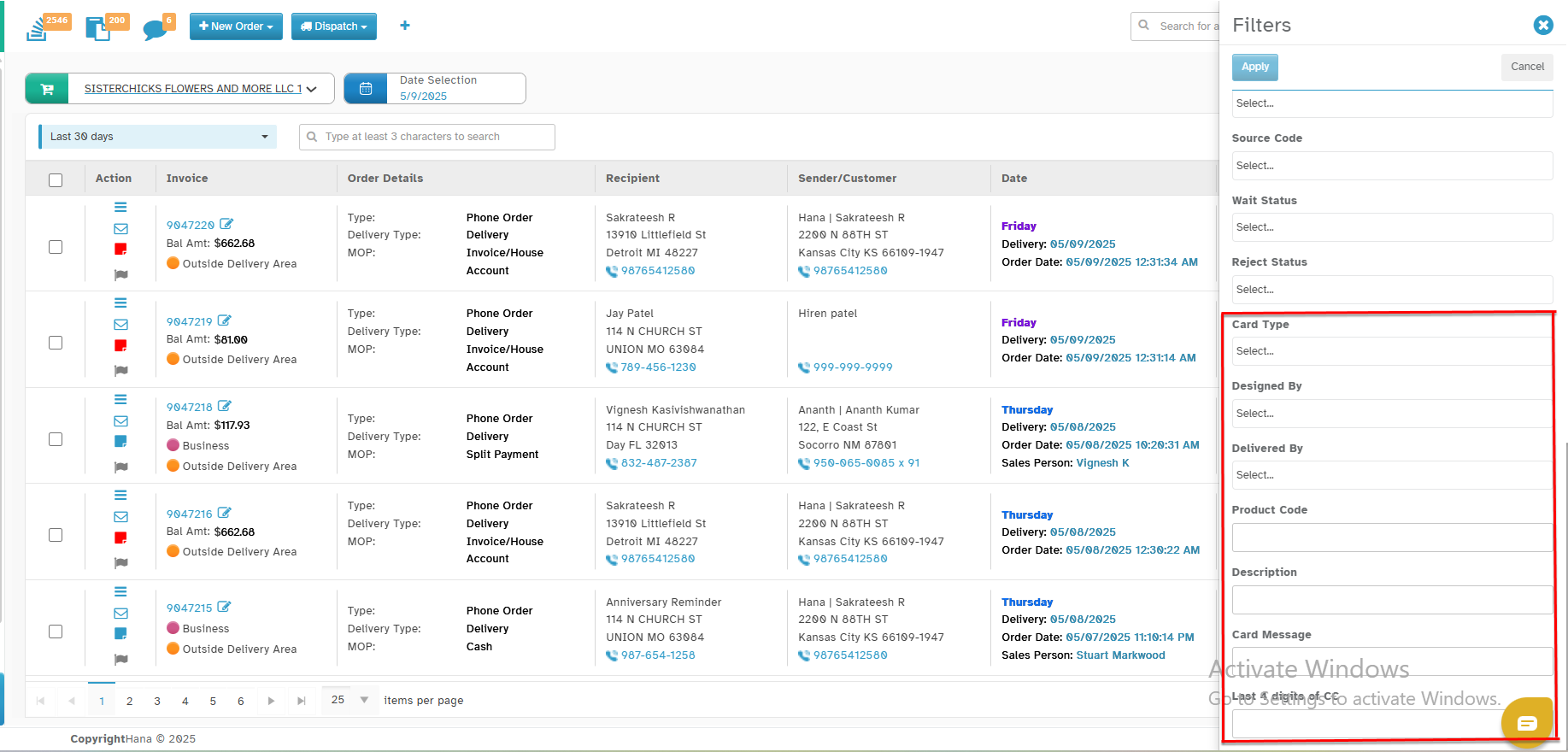
We have added more filter options to help florists quickly find specific orders in the All Orders screen.
Navigation:
Dashboard -> All Orders ->Click Filters -> Apply newly added filters
New Filter Options Available:
You can now filter orders using the following fields:
Product Code – Enter the product code to find the orders contains the respective product code.
Description – Filter by the order description.
Card Message – Search by words used in the card message.
Last 4 Digits of Credit Card – Find orders by typing the last 4 digits of the credit card.
Card Type – Filter by card type like Visa, MasterCard, Amex.
Designed By – Find orders designed by a specific employee.
Delivered By – Filter orders by the name of the delivery driver.
Why This Helps:
These filters save time and help you quickly find the exact orders you are looking for. This is especially helpful for follow-ups, reorders, or checking design and delivery details.
Was this article helpful?
That’s Great!
Thank you for your feedback
Sorry! We couldn't be helpful
Thank you for your feedback
Feedback sent
We appreciate your effort and will try to fix the article