Hana POS allows you to send an SMS to the delivery driver for urgent instructions or messages regarding an order. To use this feature, SMS must be enabled in your settings, and the driver must have successfully sent at least one SMS delivery confirmation before.
This guide outlines the steps to send an SMS to a delivery driver.
Steps to Send an Order SMS
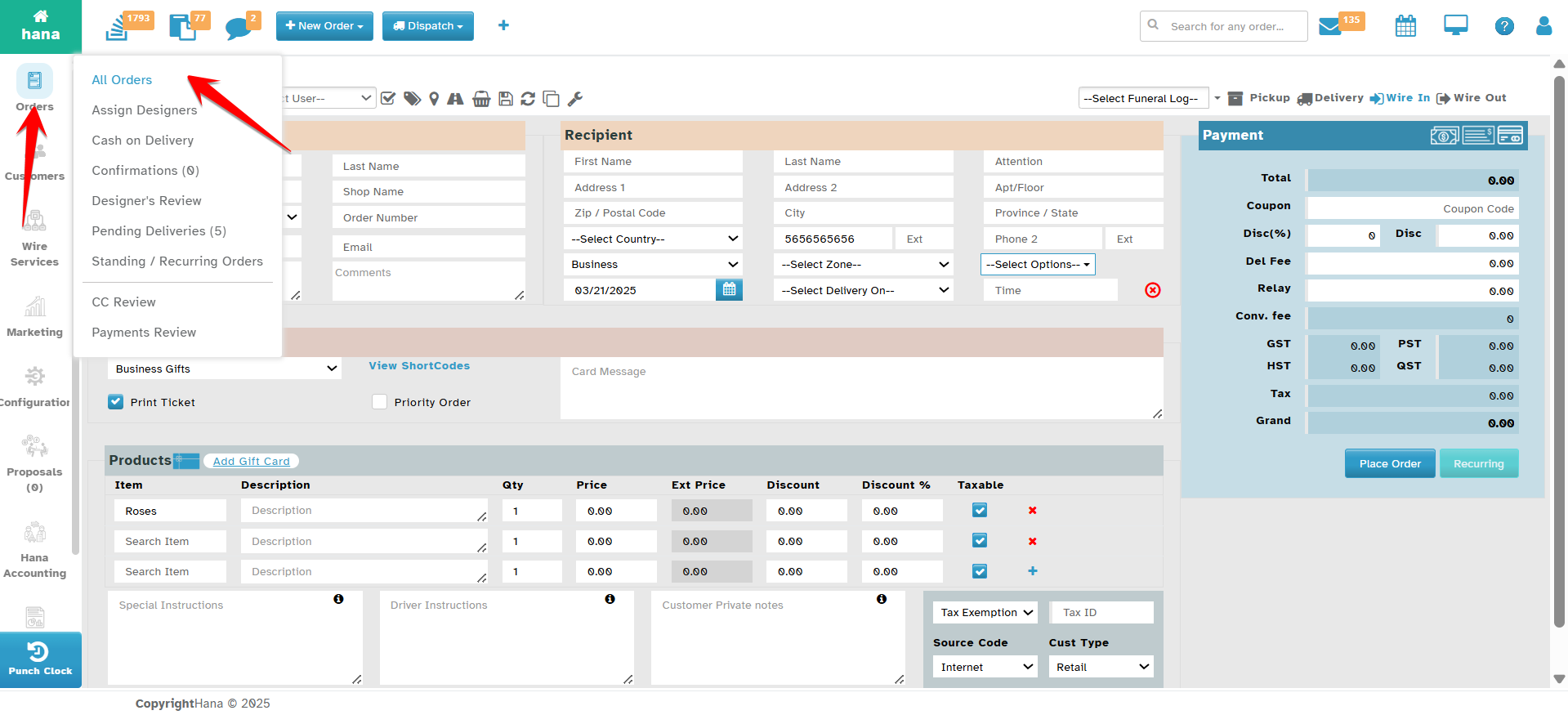
Step 1: Access the Orders Page
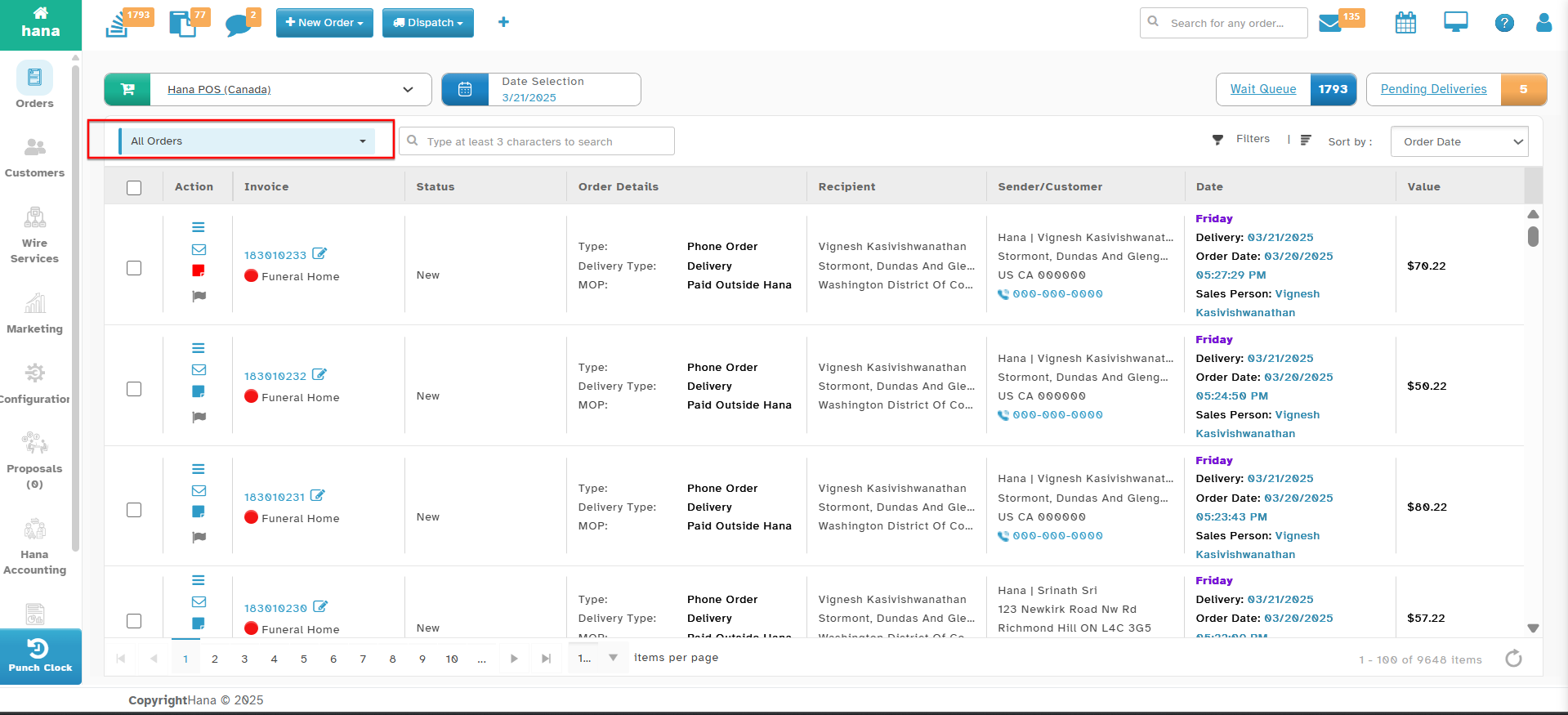
Navigate to Orders.
The Orders Page will be displayed.
Step 2: Open the Send SMS Dialog
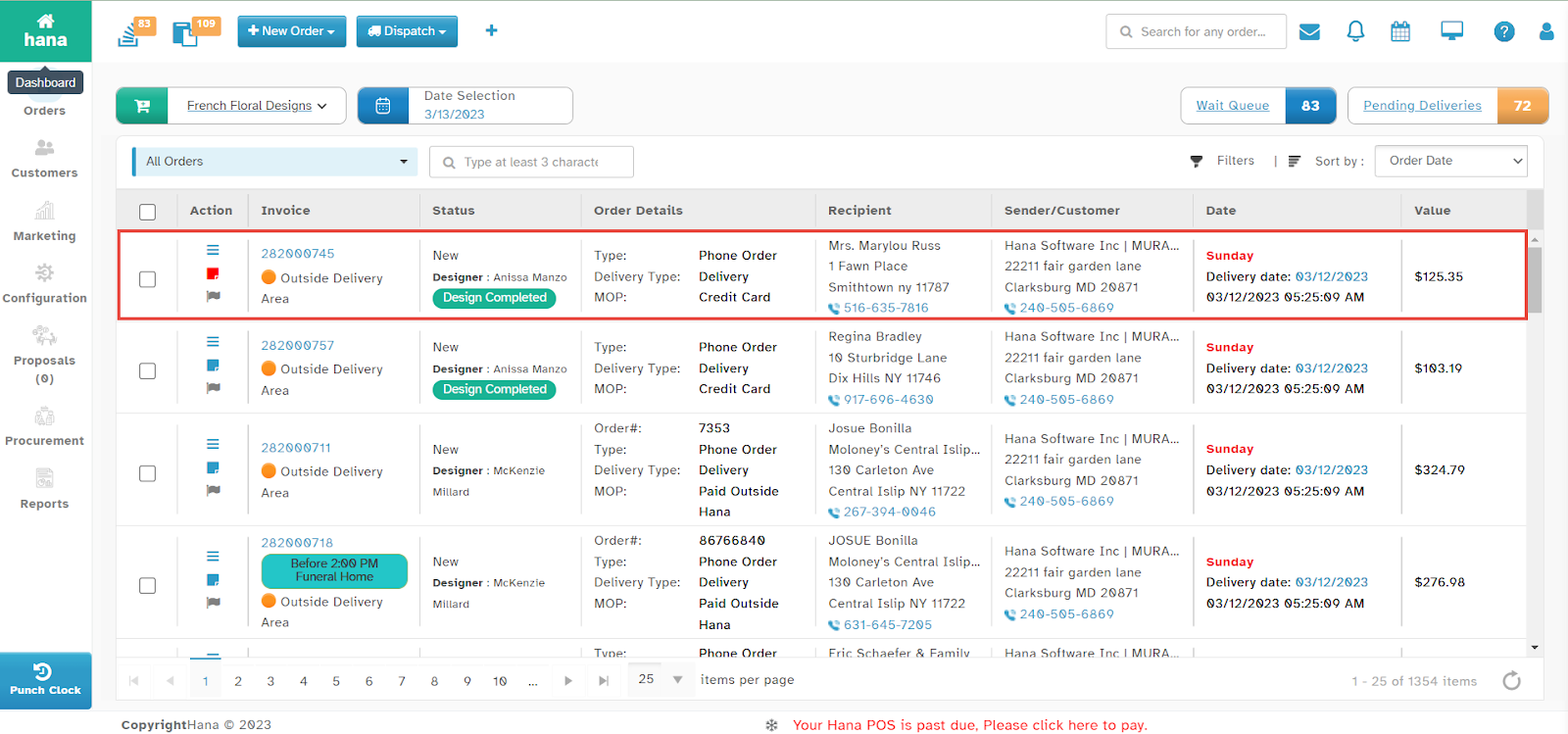
Click anywhere in the order row for which you want to send an SMS.
The Order Details Page will be displayed.
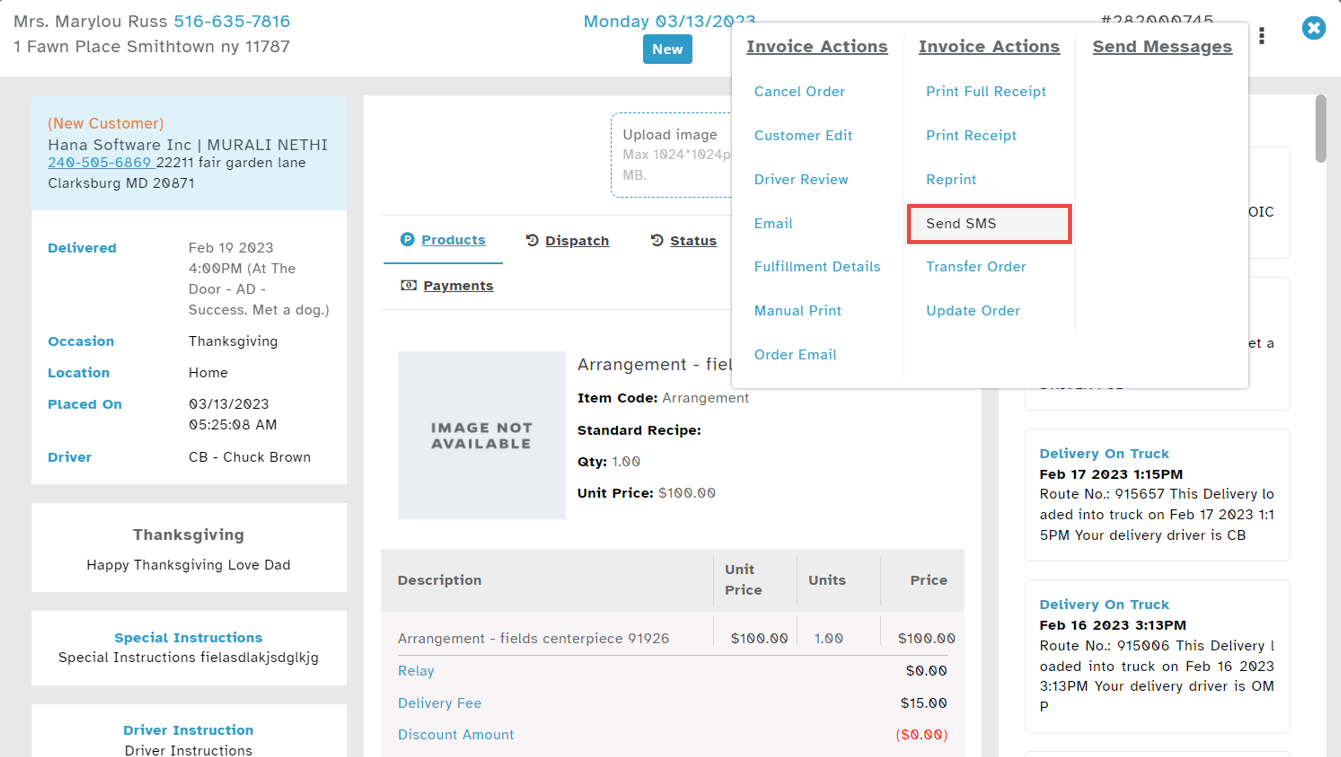
Click the SMS icon > Send SMS.
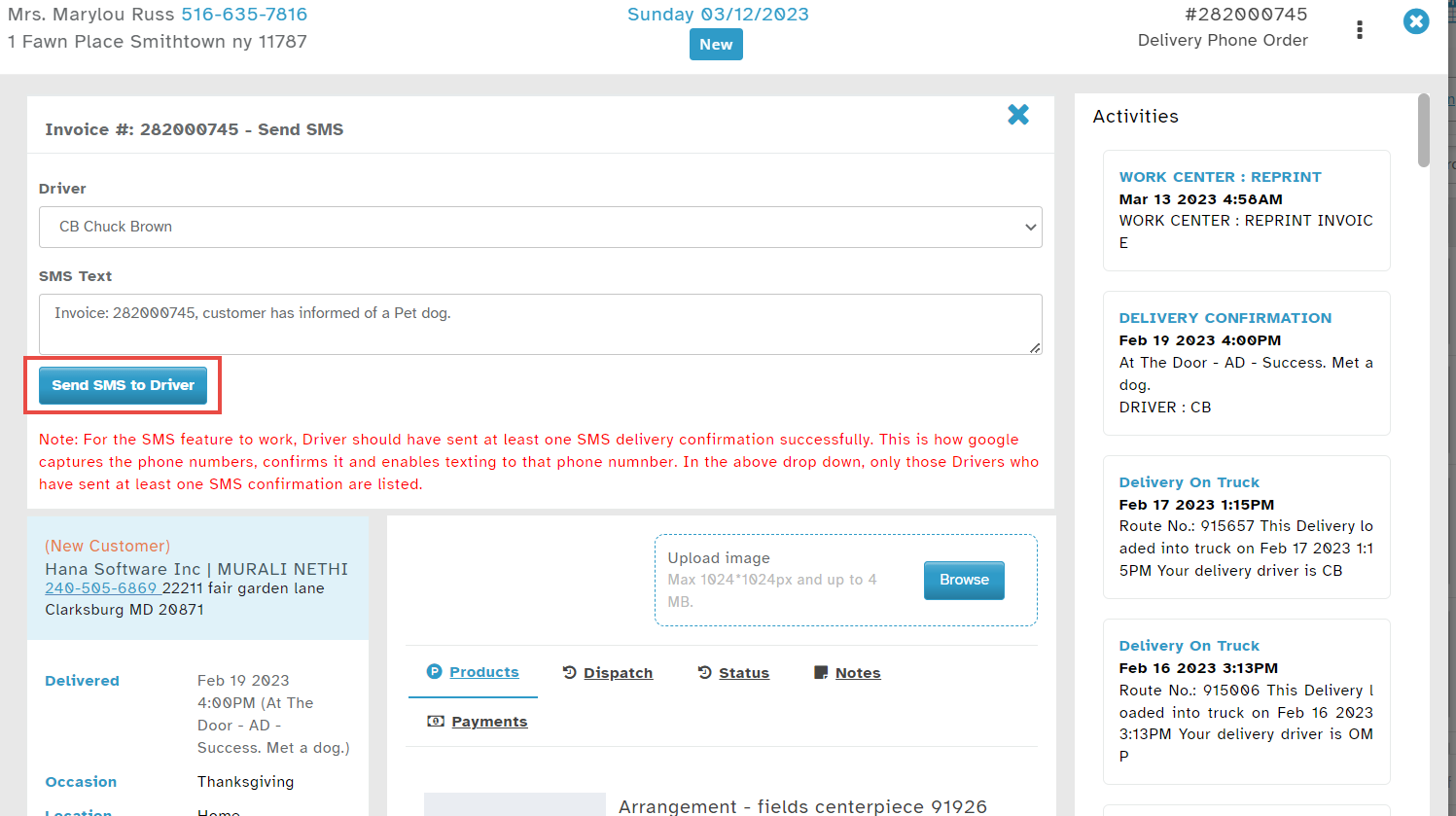
The Send SMS Dialog will appear.
Step 3: Compose and Send SMS
Select the delivery driver from the Driver dropdown list.
Enter the message in the SMS Text field.
Click Send SMS to Driver.
A success notification will confirm that the SMS has been sent.
Was this article helpful?
That’s Great!
Thank you for your feedback
Sorry! We couldn't be helpful
Thank you for your feedback
Feedback sent
We appreciate your effort and will try to fix the article