Hana POS allows you to view all conversations related to an order, including its status and customer interactions. These conversations can be accessed from both the Orders and Customers sections, ensuring clear communication and tracking.
This guide walks you through viewing conversations from the Orders Page, but similar steps can be followed from the Customers Page.
Steps to View Order Conversations
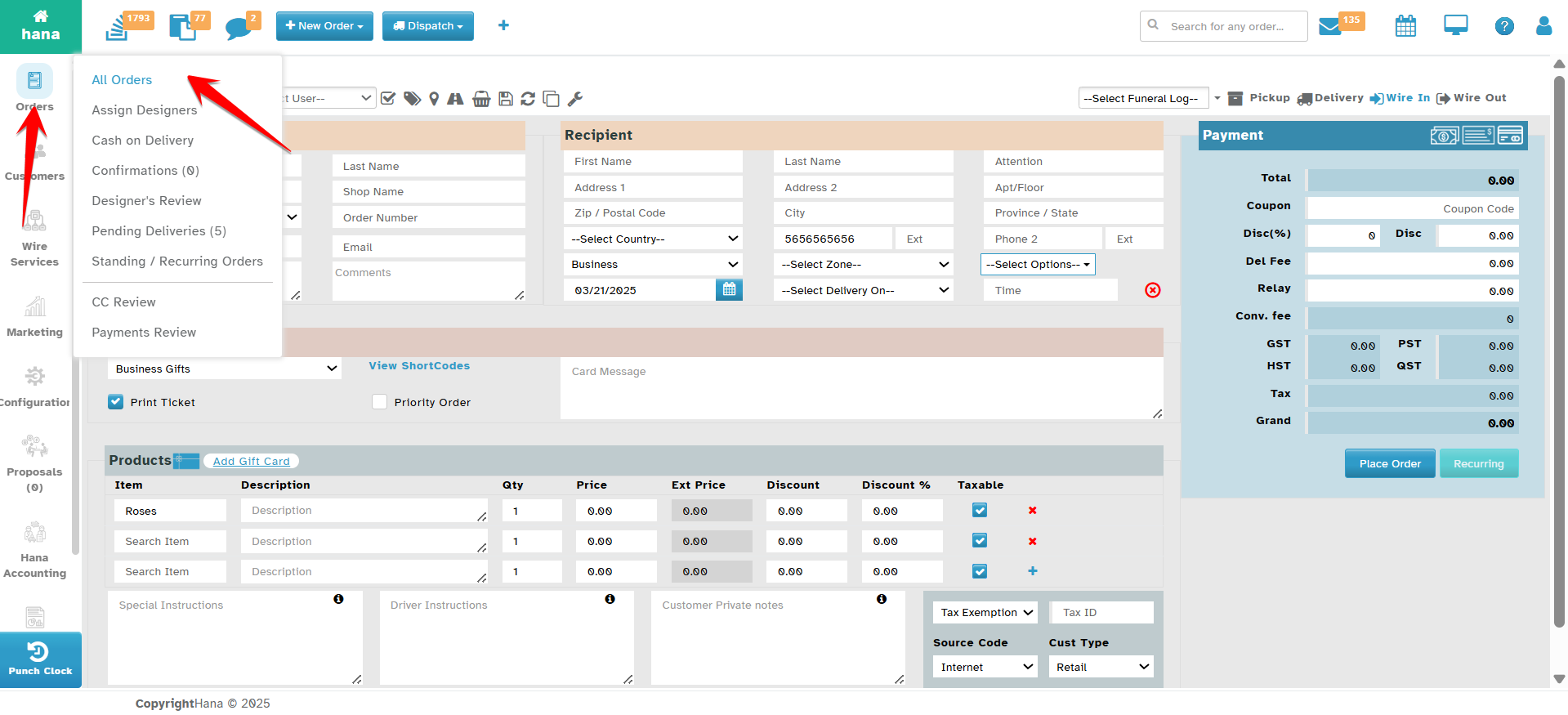
Step 1: Access the Orders Page
Navigate to Orders.
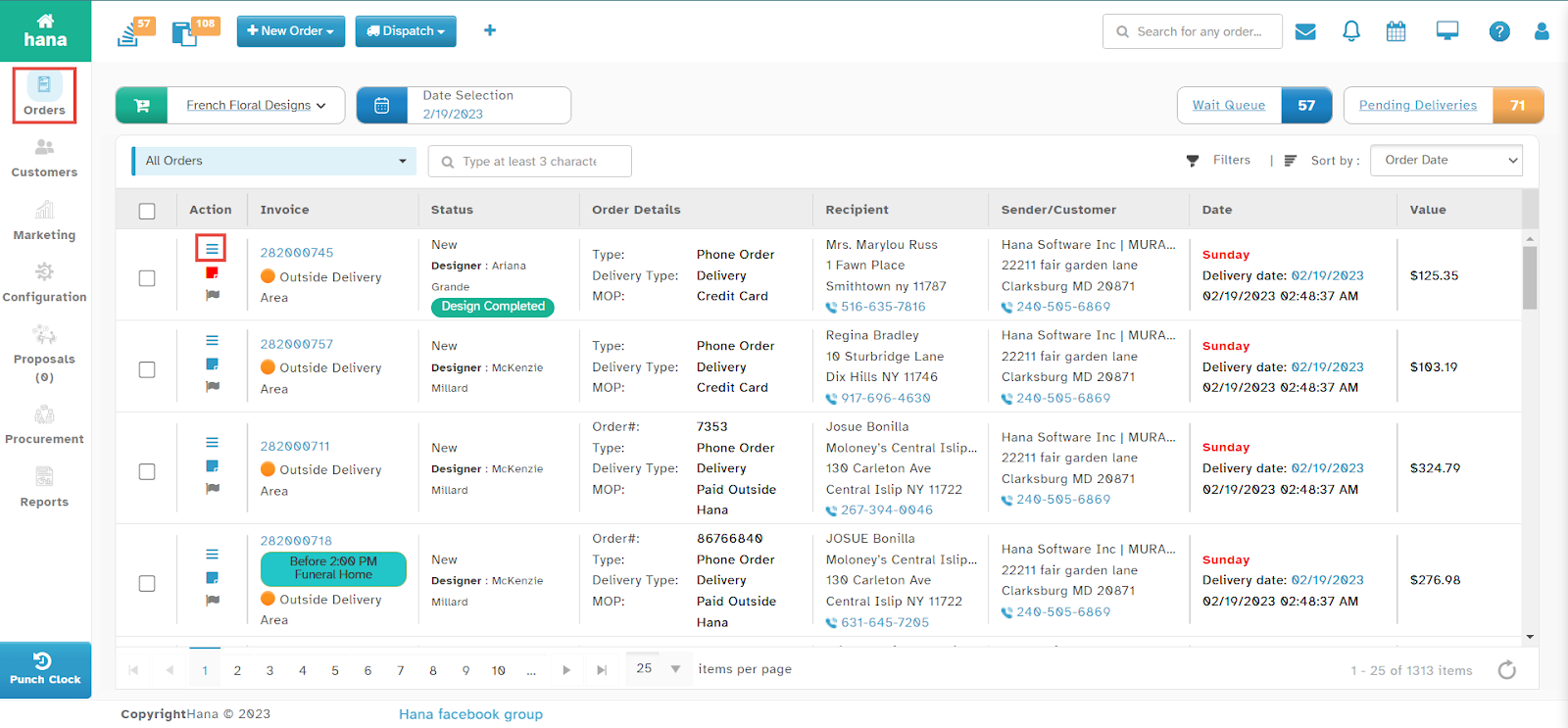
The Orders Page will be displayed.
Step 2: Open the Conversation Dialog
Click the conversation icon in the row of the order you want to view.
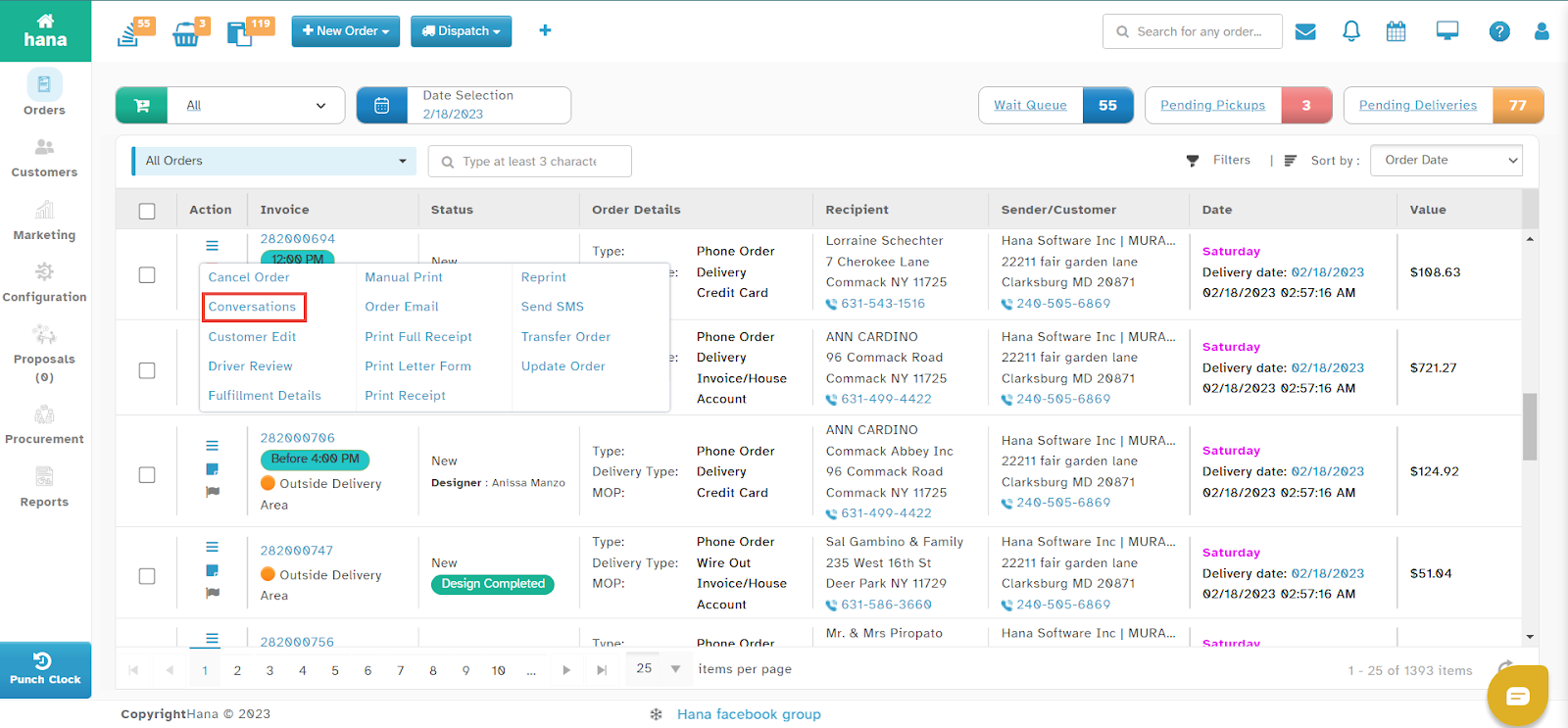
The Actions Menu will be displayed.
Click Conversations.
The Conversation Dialog will appear.
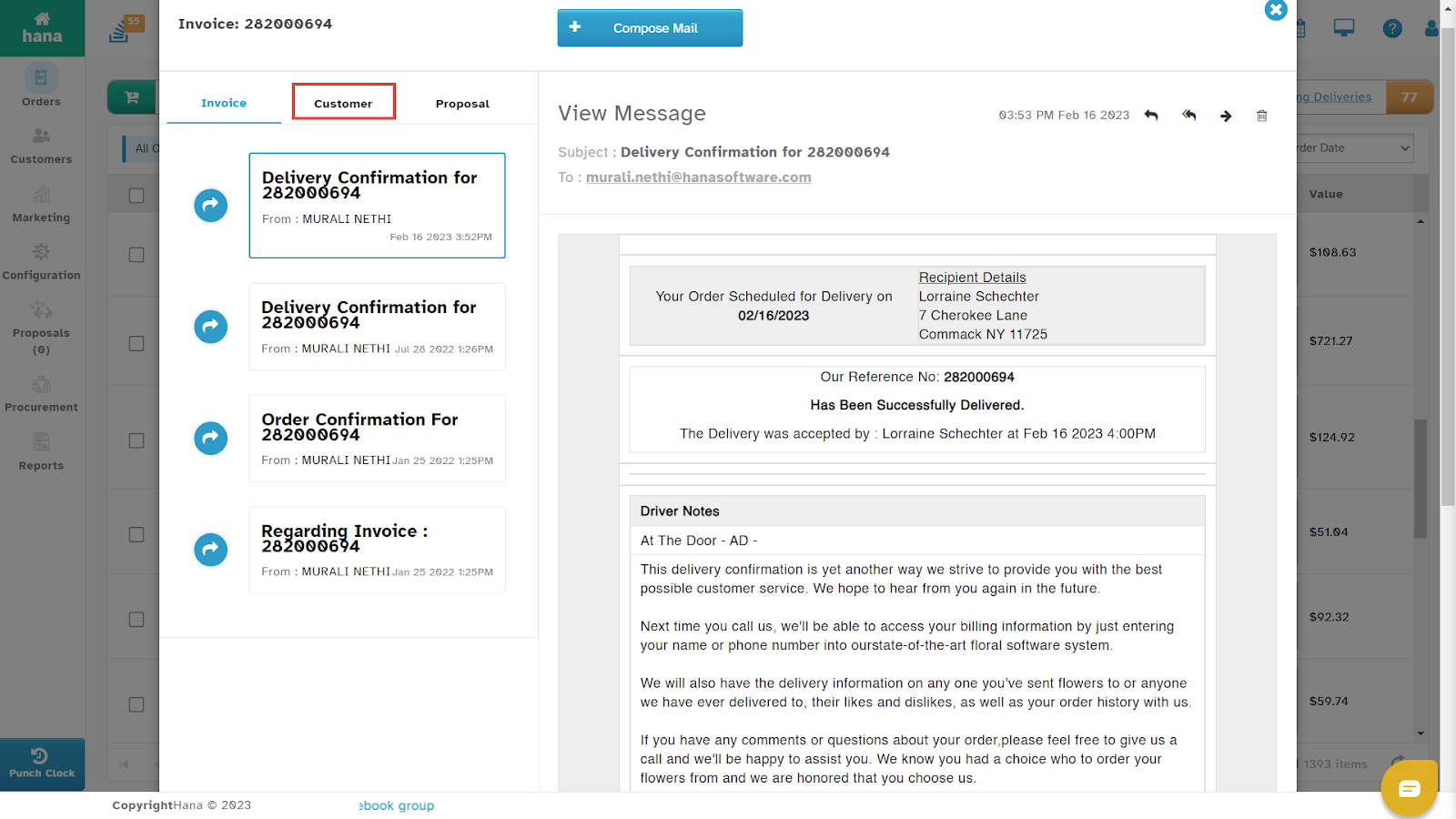
By default, the Invoice tab is enabled, showing all invoice-related conversations.
Step 3: View Customer Conversations
Click the Customer tab to view customer-related conversations.
All customer conversations will be displayed.
Understanding the Conversations Dialog
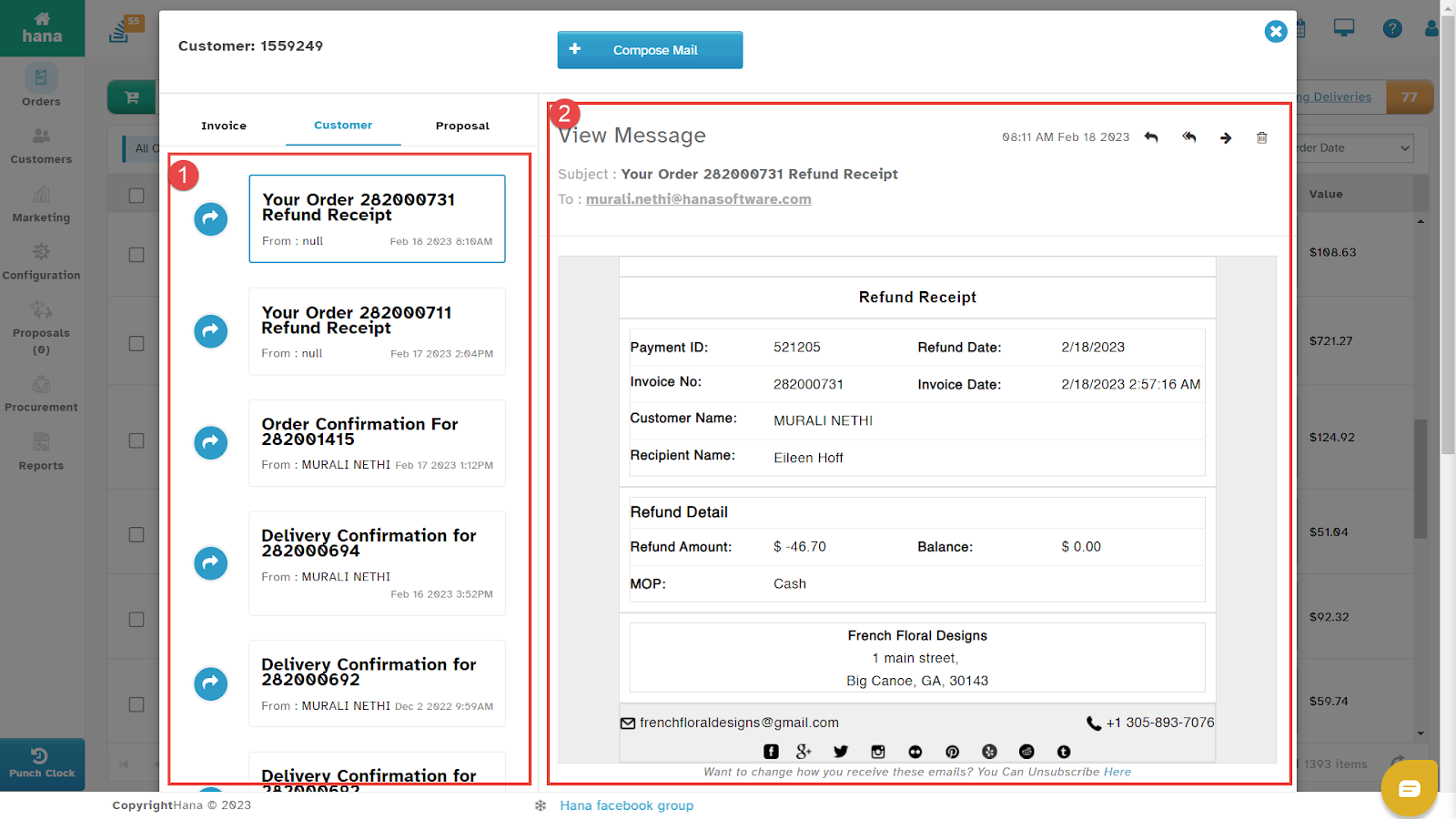
The Conversations Dialog is divided into the following sections:
1. Conversation List
Displays all sent or received conversations for the order.
Shows the sender’s name, along with the date and time of each conversation.
2. View Message
Displays the full conversation thread.
Click on any conversation to view the complete message in this section.
Additional Actions
You can perform the following actions from the Conversations Dialog:
Reply to the sender by clicking the reply icon.
Reply All by clicking the reply all icon.
Forward the message by clicking the forward icon.
Delete a conversation by clicking the delete icon.
Share the conversation on social media by clicking the social media icons.
Send a conversation email for the order. (For more details, refer to How to Send Conversation Mail for an Order.)
By following these steps, you can efficiently track and manage all order-related conversations within Hana POS.
Was this article helpful?
That’s Great!
Thank you for your feedback
Sorry! We couldn't be helpful
Thank you for your feedback
Feedback sent
We appreciate your effort and will try to fix the article