TABLE OF CONTENTS
- Overview
- Navigation
- What the Store Credit History includes
- Transaction Types Details
- Key Points to Remember
Overview
You can now easily view a complete history of customer store credit balance changes directly within Hana POS. This feature introduces a new frontend report as well as a direct history link inside each customer profile.
Navigation
The store credit history is available in two places:
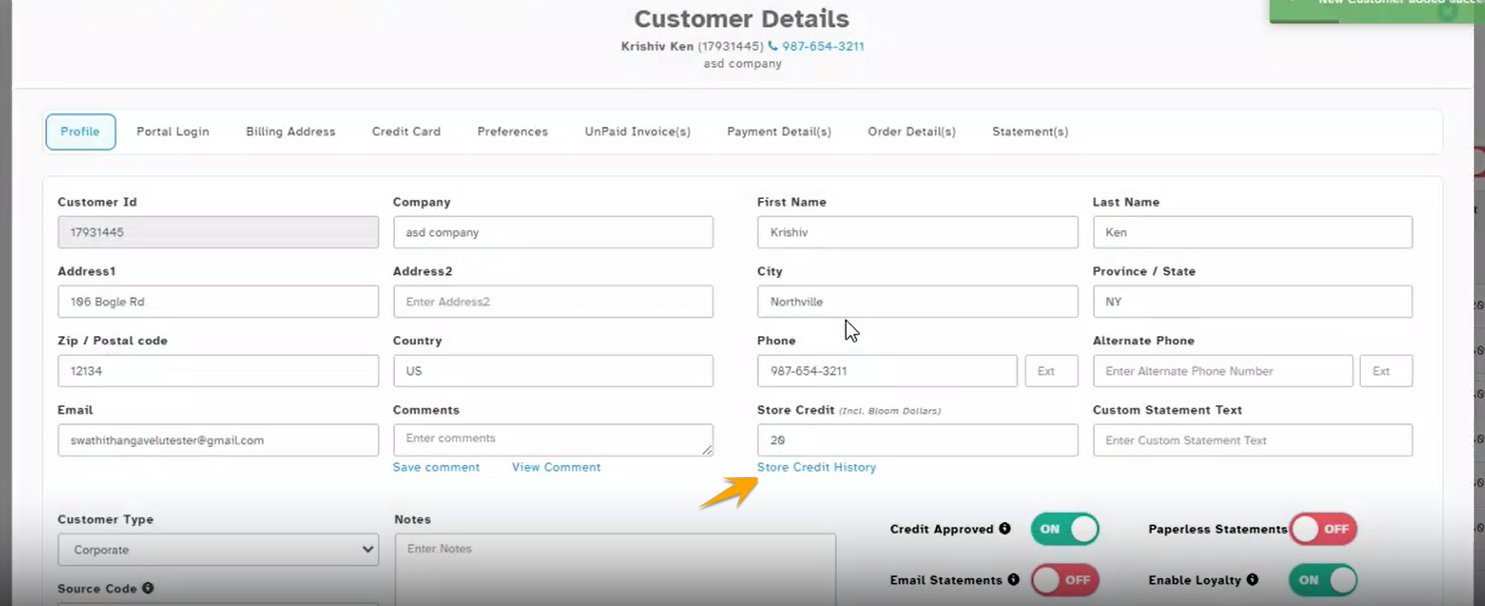
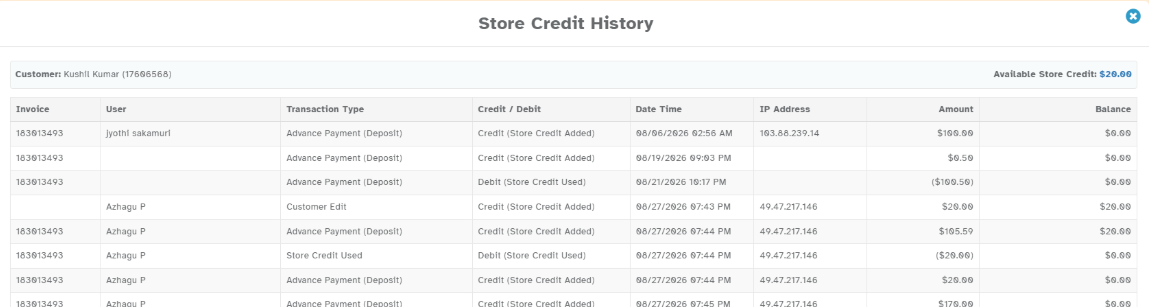
1. Customer > Profile >Store Credit > “Store Credit History” link under the Store Credit field of the customer.
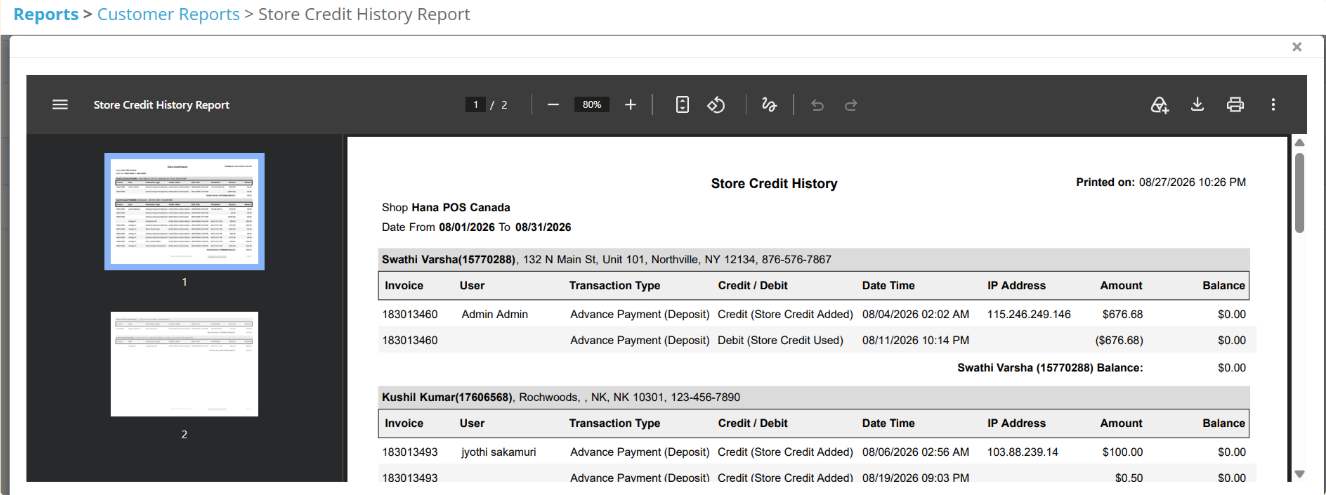
2. Reports > Customer Reports > Store Credit History
What the Store Credit History includes
| Column | Description |
|---|---|
| Invoice | The invoice / proposal number related to the transaction, if applicable. |
| User | The user who made the change. Loyalty credits added by the nightly process show as system. |
| Transaction Type |
|
| Credit/Debit | Whether the entry increased (Credit) or decreased (Debit) the store credit. |
| Date Time | When the transaction happened. |
| IP Address | The IP address from which the transaction was made. |
| Amount | The transaction amount. |
| Balance | Updated store credit balance after each transaction. |
Transaction Types Details
| Transaction Type | When it is recorded | Affects Balance? |
|---|---|---|
| Credit (Store credit added) | Store credit added when creating a customer, or from a refund / cancelled order. | Yes – increases |
| Customer Edit | Store credit changed by editing the customer, or when a merged customer's balance is moved to the primary customer. | Yes |
| Debit (Store credit used) / Store credit used | Store credit applied as payment on an order or proposal. | Yes – decreases |
| Loyalty | Loyalty reward credited. | Yes – increases |
| Advance Payment (Deposit) | A deposit / advance payment received on a proposal. | No – tracking only |
| Cancel Advance Payment | A proposal payment cancelled from Payment Review. | No – tracking only |
Key Points to Remember
Advance Payment (Deposit) and Cancel Advance Payment are shown only for tracking. They do not change the store credit balance. When the proposal becomes revenue, the system automatically adds another entry to balance it, so the final balance does not change.
When two customers are merged, only the secondary customer's balance is moved to the primary customer as a single Customer Edit entry; the secondary customer's individual history is not merged.
Was this article helpful?
That’s Great!
Thank you for your feedback
Sorry! We couldn't be helpful
Thank you for your feedback
Feedback sent
We appreciate your effort and will try to fix the article