Distance-based delivery fees allow you to charge delivery fees based on how far the delivery address is from your store. This setup is ideal for florists who serve a wide radius and want to charge differently for near and far locations.
When to Use Distance-Based Delivery Fees
Use this method when:
You want to set different delivery fees based on mileage.
You serve multiple areas with varying distances.
You prefer a scalable, radius-based pricing system instead of fixed city or ZIP rules.
How to Set Up Distance-Based Delivery Fees
Step 1: From your Hana dashboard, click on Configuration from the left-hand menu.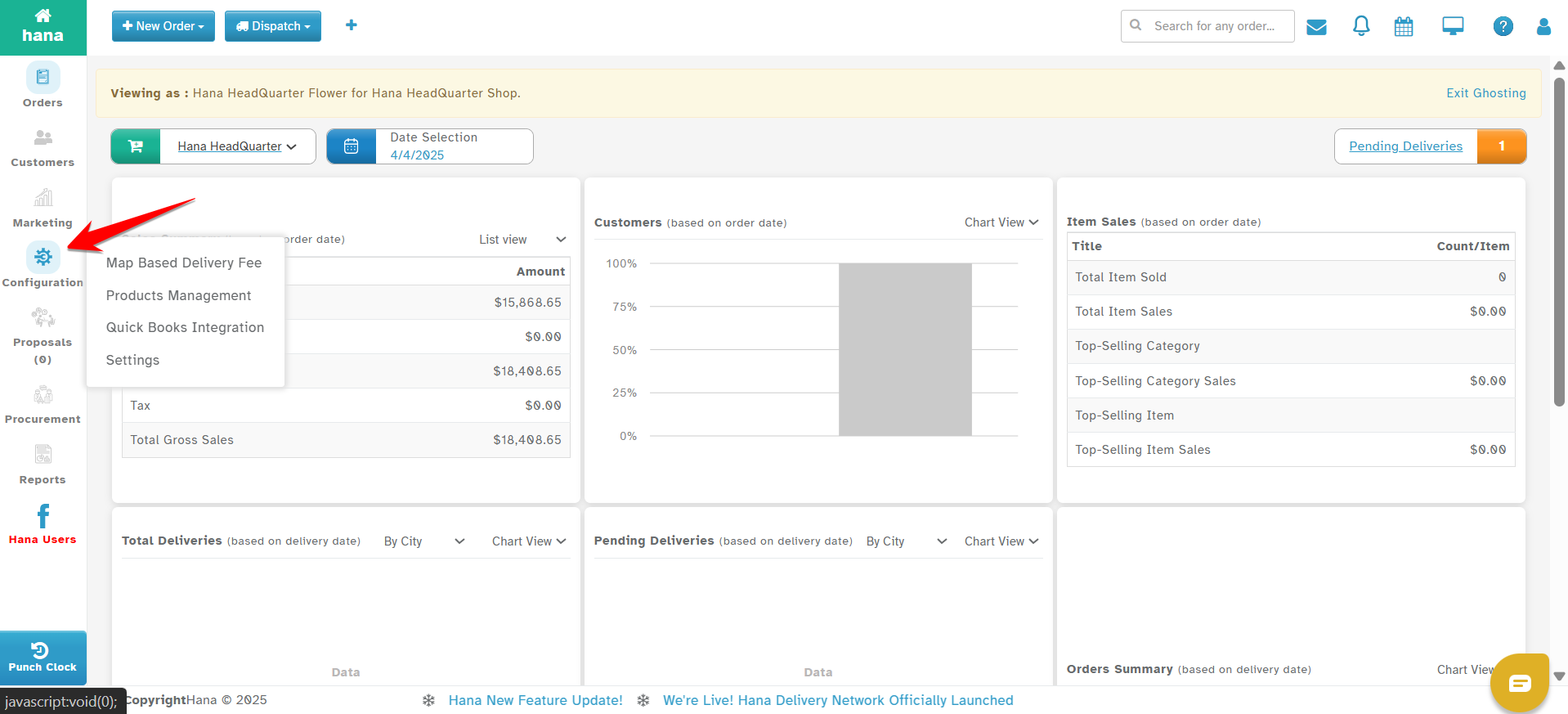
Step 2: Under Configuration, click on Settings.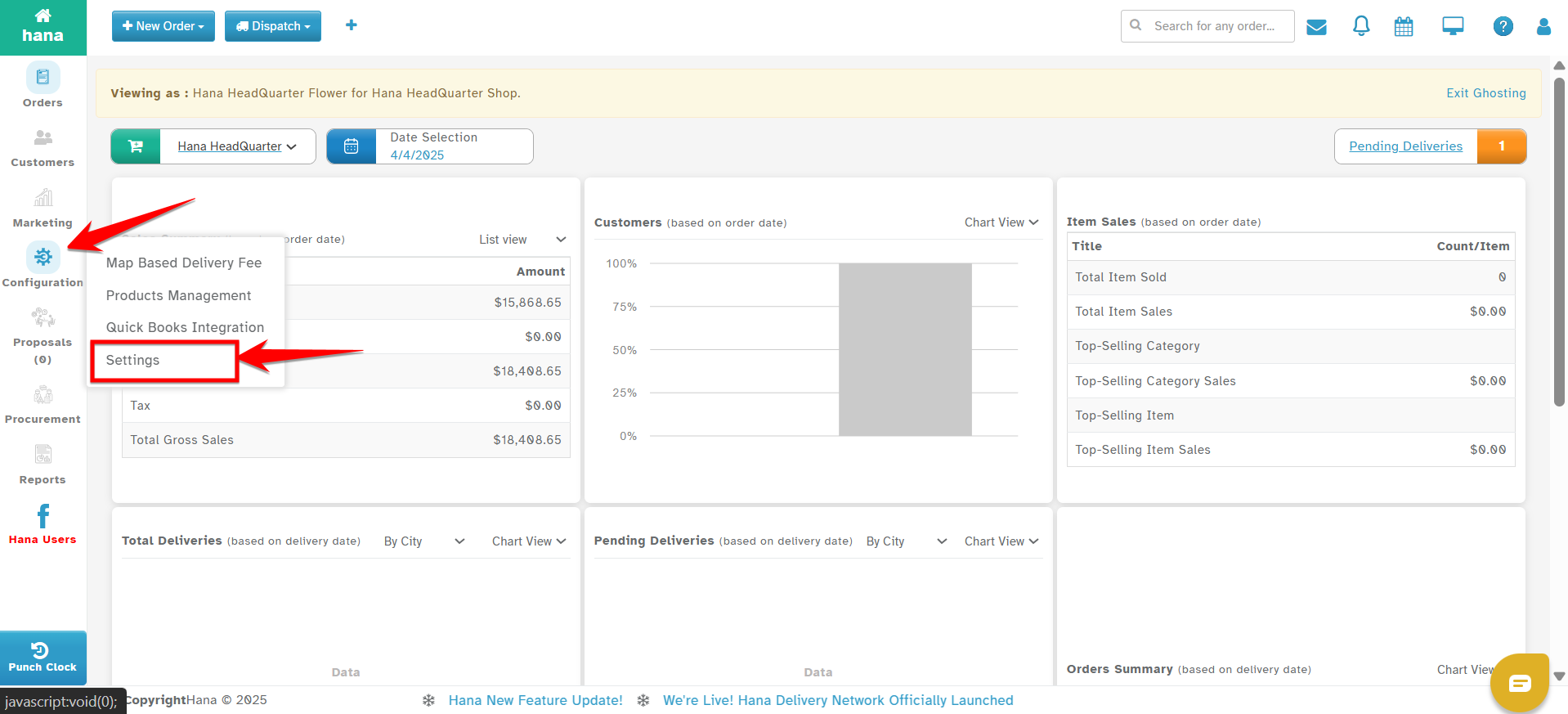
Step 3: In the Settings menu, go to Dispatch.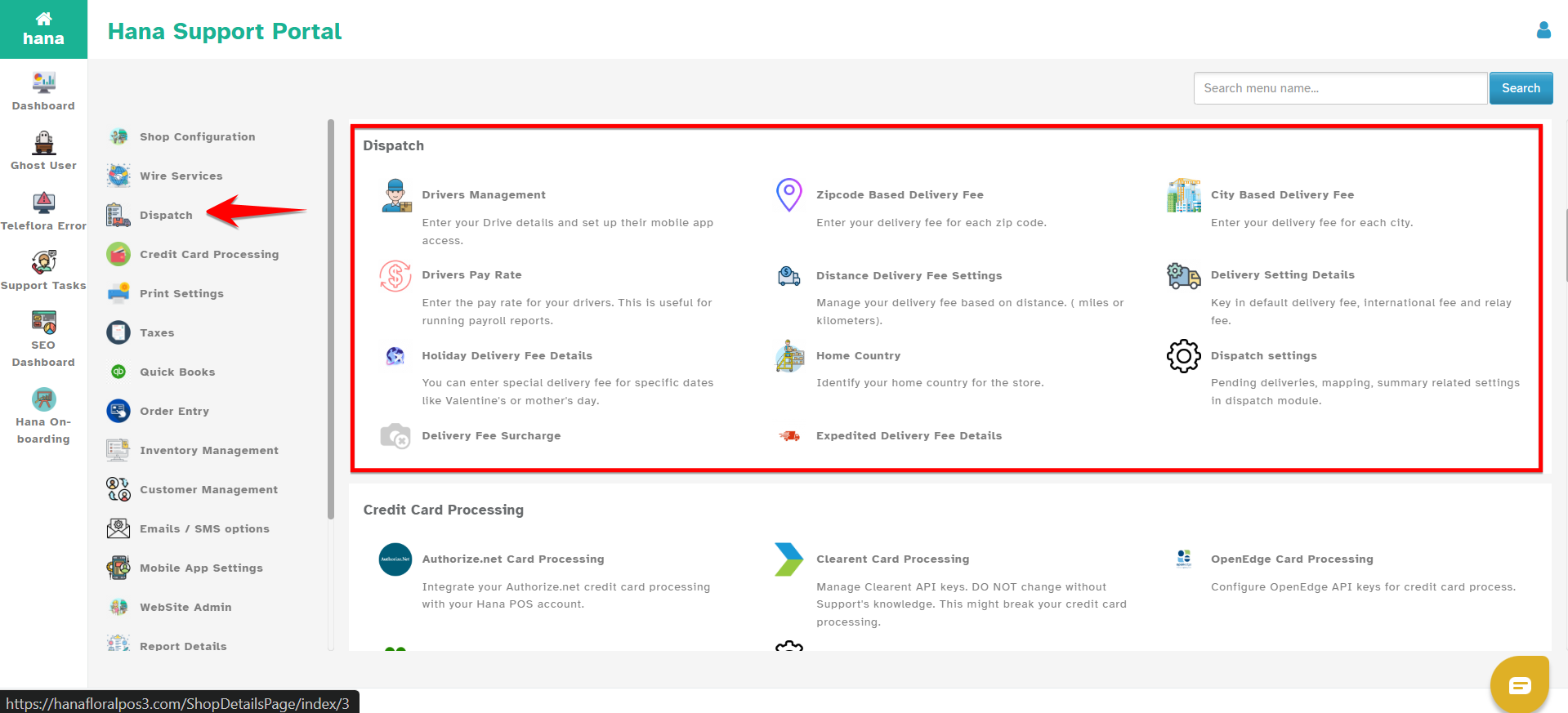
Step 4: Click on Distance Delivery Fees.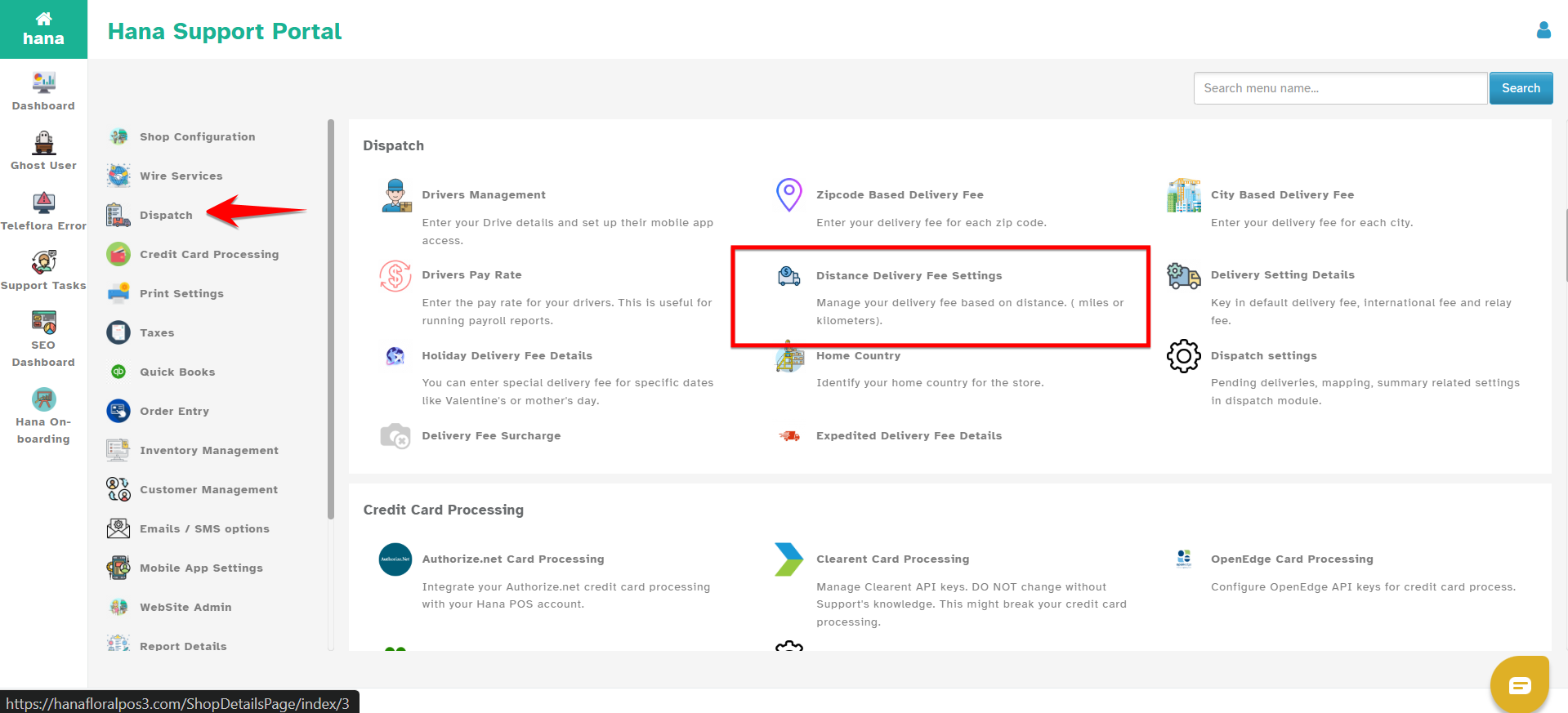
Step 5: Click Add New to create a distance-based rule.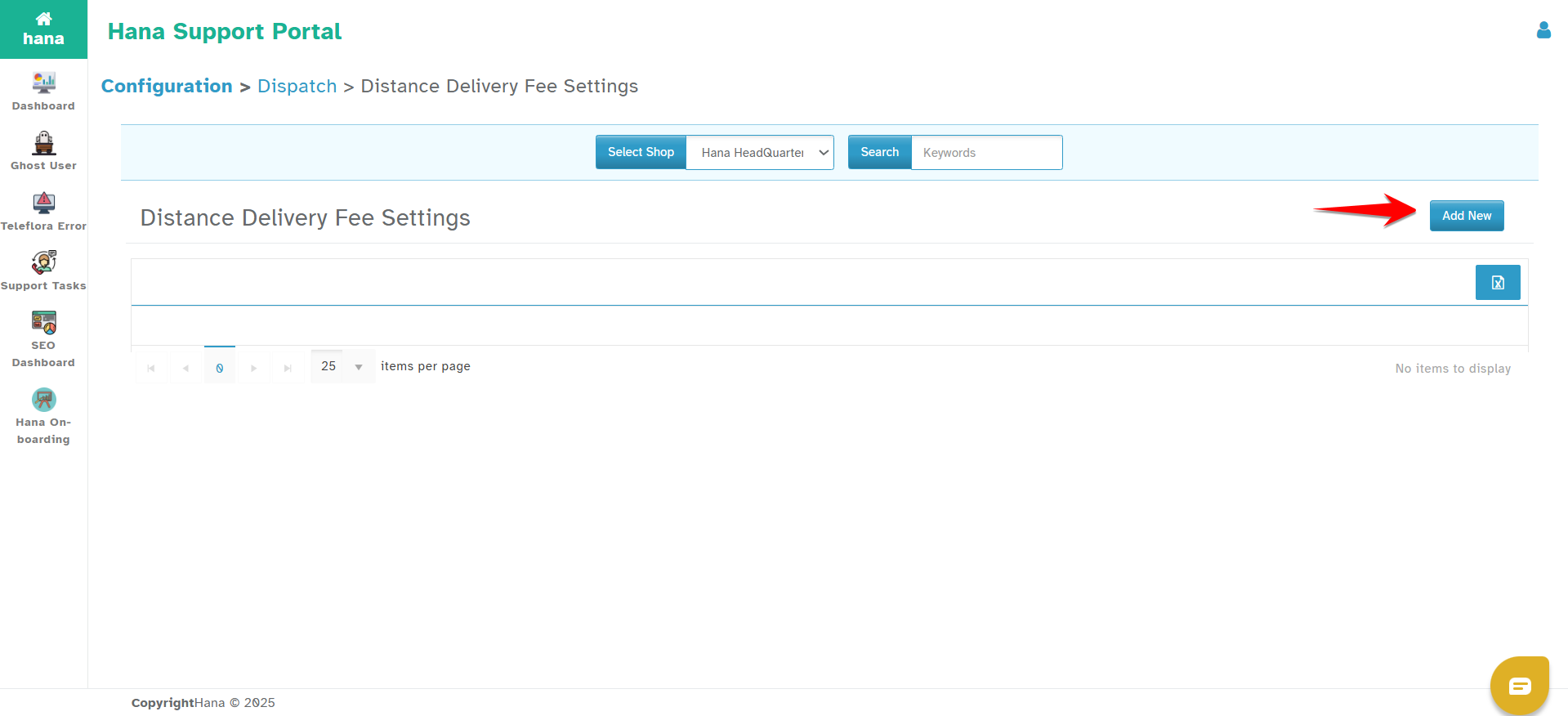
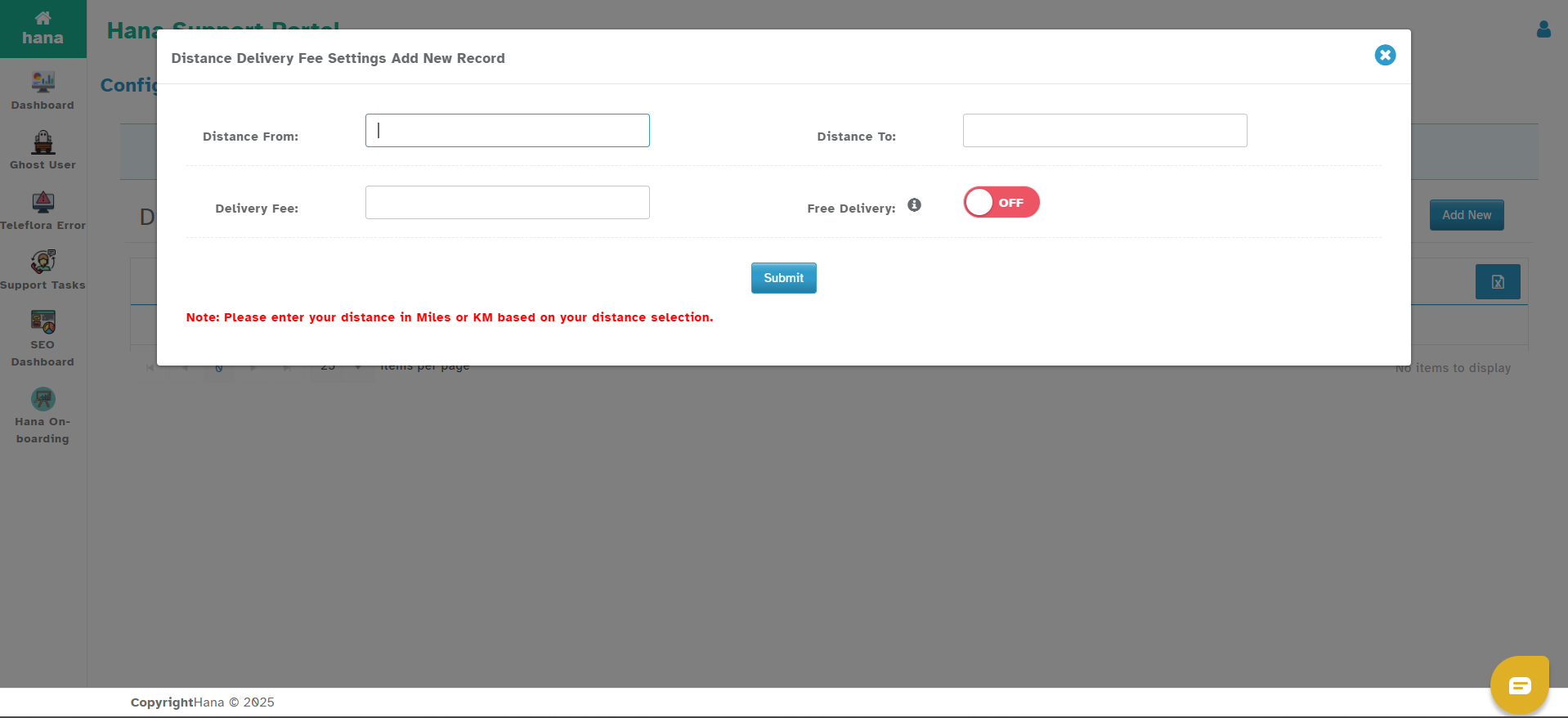
You will see the following fields:
Distance From – Enter the starting point of the distance range (e.g., 0).
Distance To – Enter the end point of the distance range (e.g., 9.99).
Delivery Fee – Enter the delivery fee for this distance range.
Delivery Pay Rate – Amount paid to the driver for deliveries in this range.
Non-Delivery Pay Rate – Amount paid for unsuccessful delivery attempts.
Compliant Delivery Pay Rate – Amount paid if a complaint is logged for the delivery.
Free Delivery – If enabled, website orders within this range will get free delivery, but POS orders will still be charged.
Step 6: Click on Submit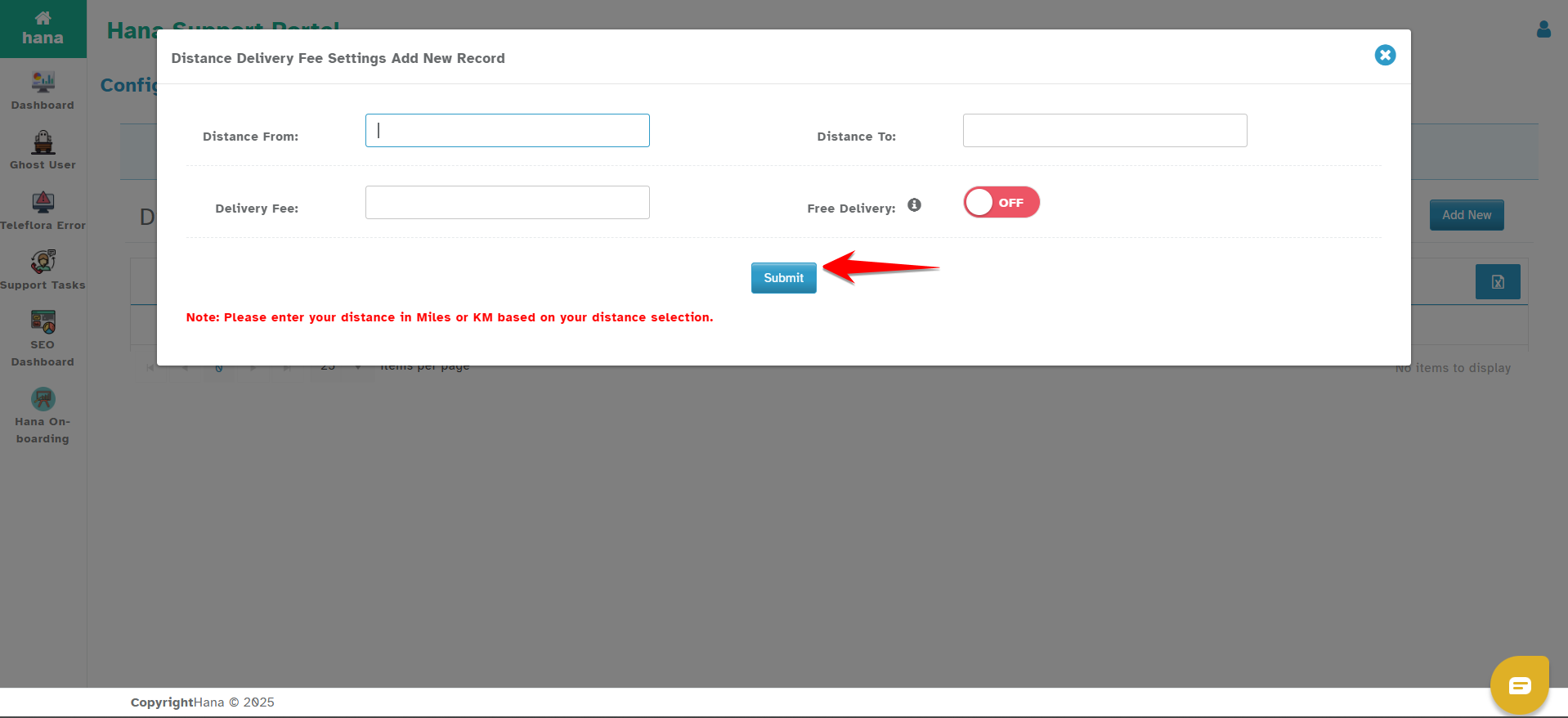
Important Notes for Setting Ranges
Ensure there is no overlap in the distance ranges.
For example:Correct:
0 to 9.99 miles → $10
10 to 19.99 miles → $20
Incorrect:
0 to 10 miles
10 to 20 miles
(10 miles overlaps in both and causes conflict.)
If there is a conflict or the delivery address doesn’t fall into any defined distance range, the system will fall back to Default Delivery Fees.
Was this article helpful?
That’s Great!
Thank you for your feedback
Sorry! We couldn't be helpful
Thank you for your feedback
Feedback sent
We appreciate your effort and will try to fix the article