Default delivery fees in Hana are the most basic form of delivery charge. They are used when none of the other specific delivery fee configurations (like ZIP code, city, distance, or map zone) apply to the delivery address. This setup is ideal for florists who want to apply a simple, flat-rate delivery fee based on whether the order is within their home city or outside of it.
How to Access and Set Default Delivery Fees
Follow the steps below to access and configure the default delivery fees:
Step 1: From your Hana dashboard, click on Configuration from the left-hand menu.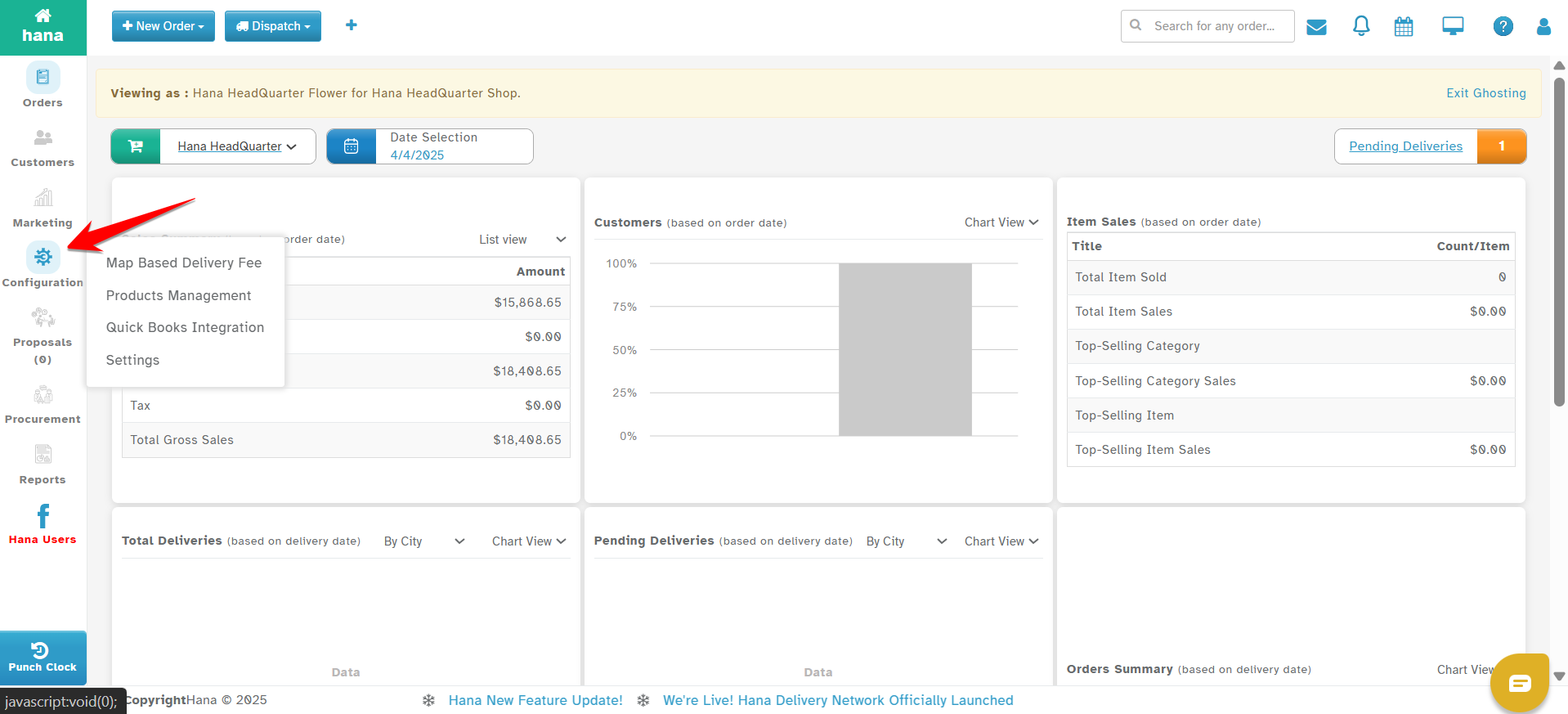
Step 2: Under Configuration, click on Settings.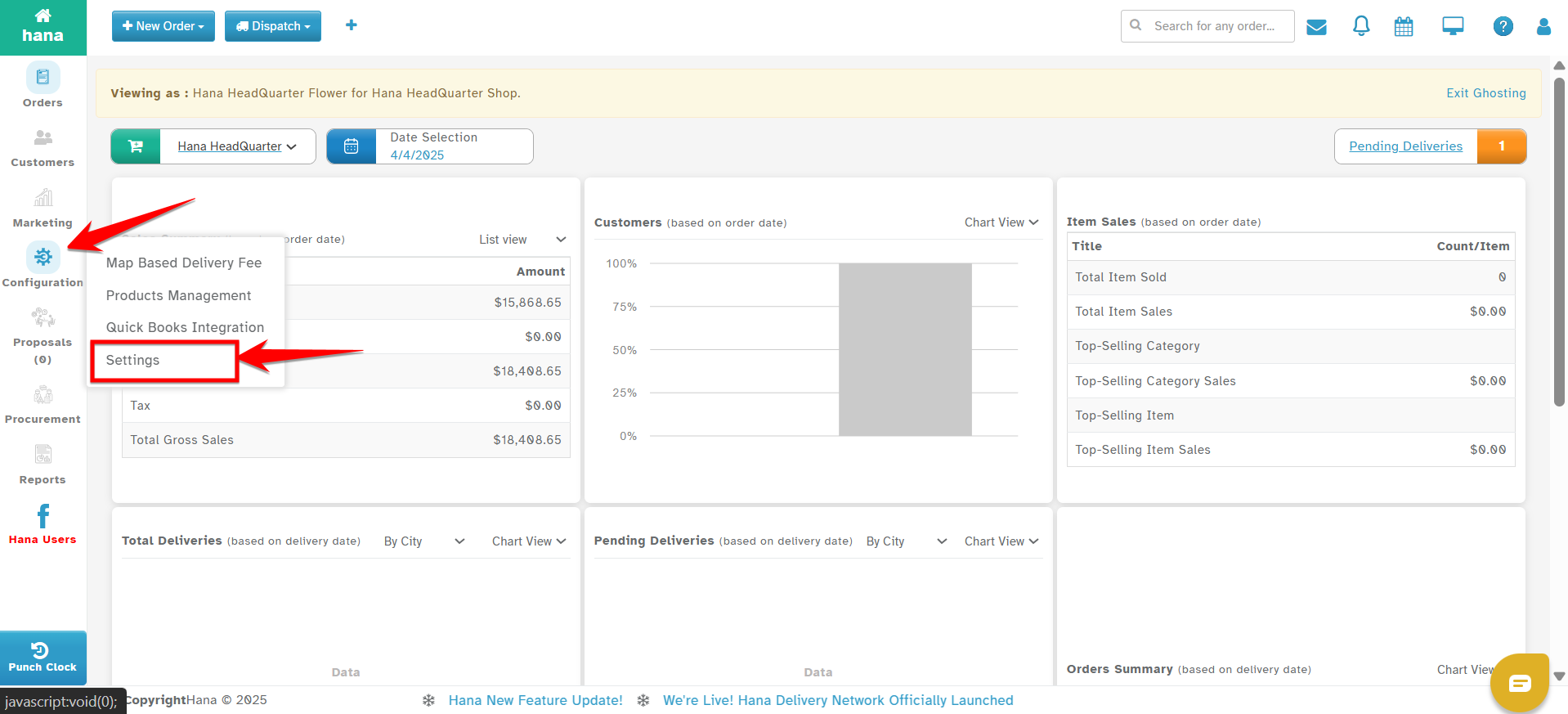
Step 3: In the Settings menu, go to Dispatch.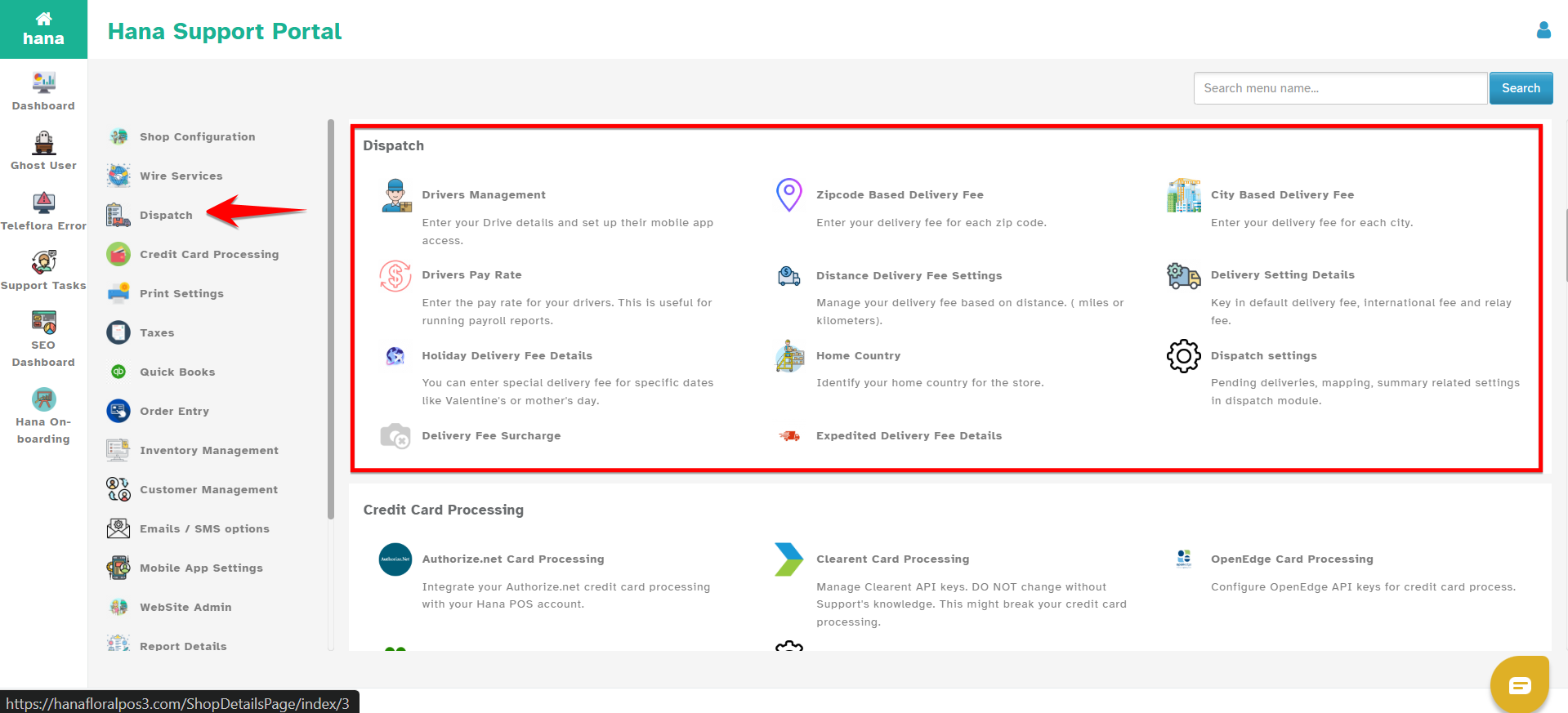
Step 4: Click on Delivery Settings Details.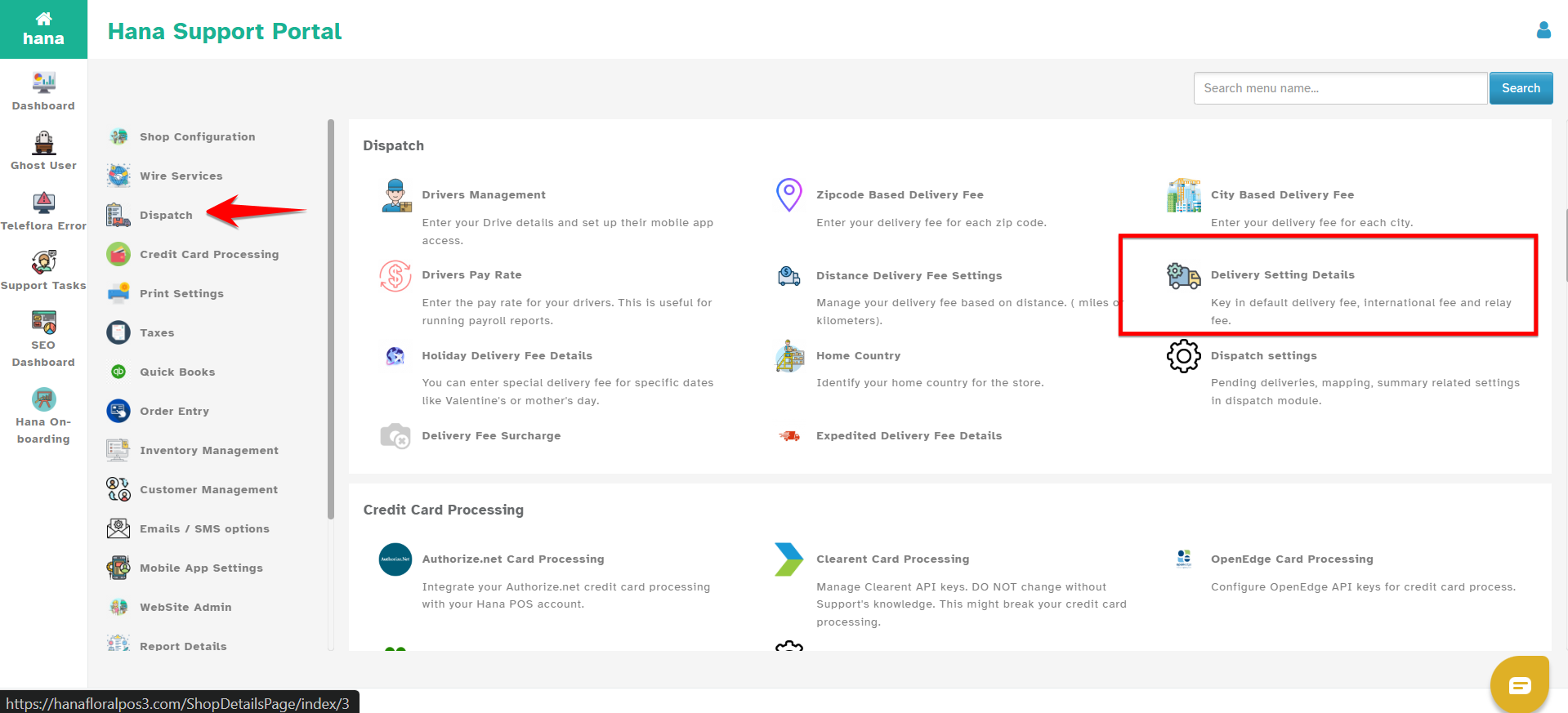
Step 5: You will now see two sections:
Home City Delivery Fee
Outside Home City Delivery Fee
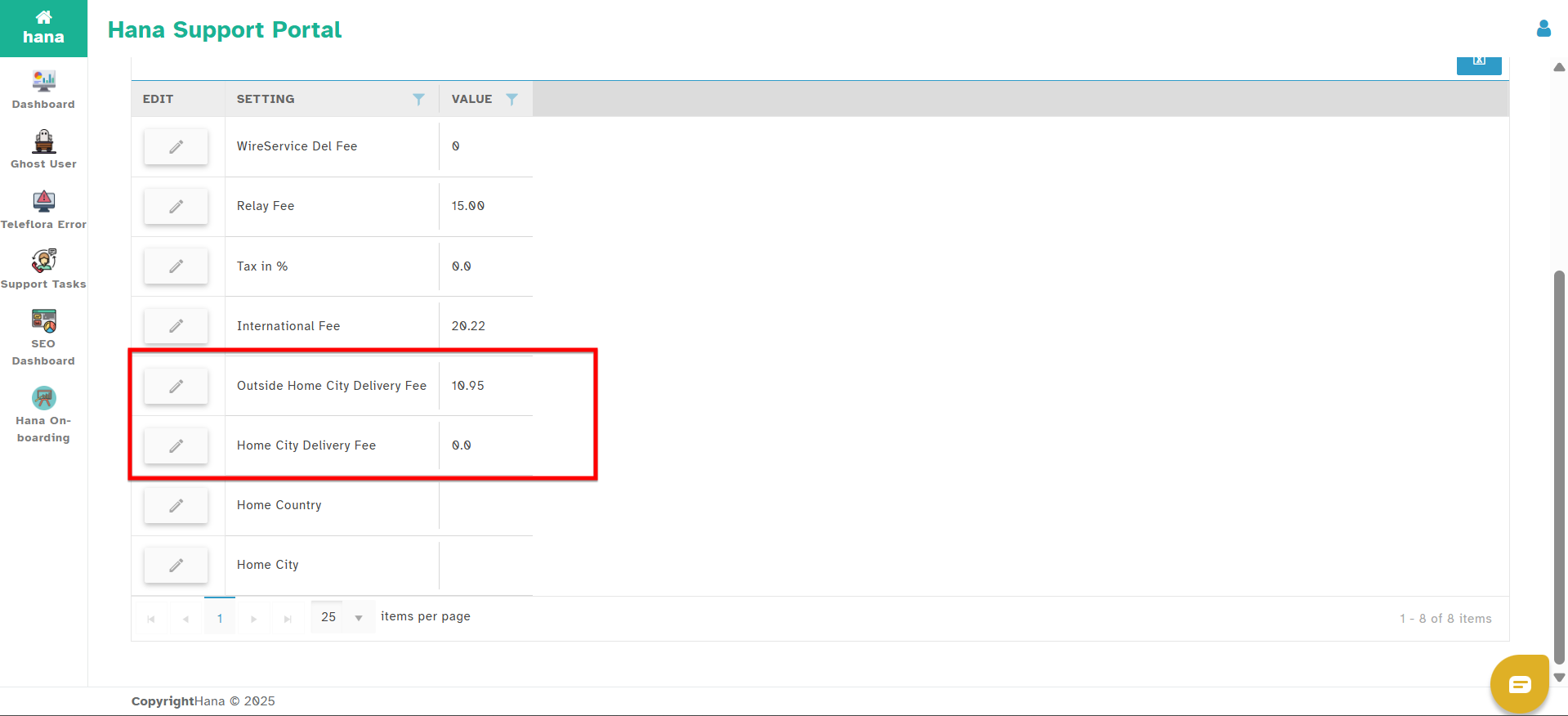
Step 6: Click the Edit icon next to each fee you want to update.
Step 7: In the Value field, enter the delivery fee amount.
Step 8: Click Submit to save your changes.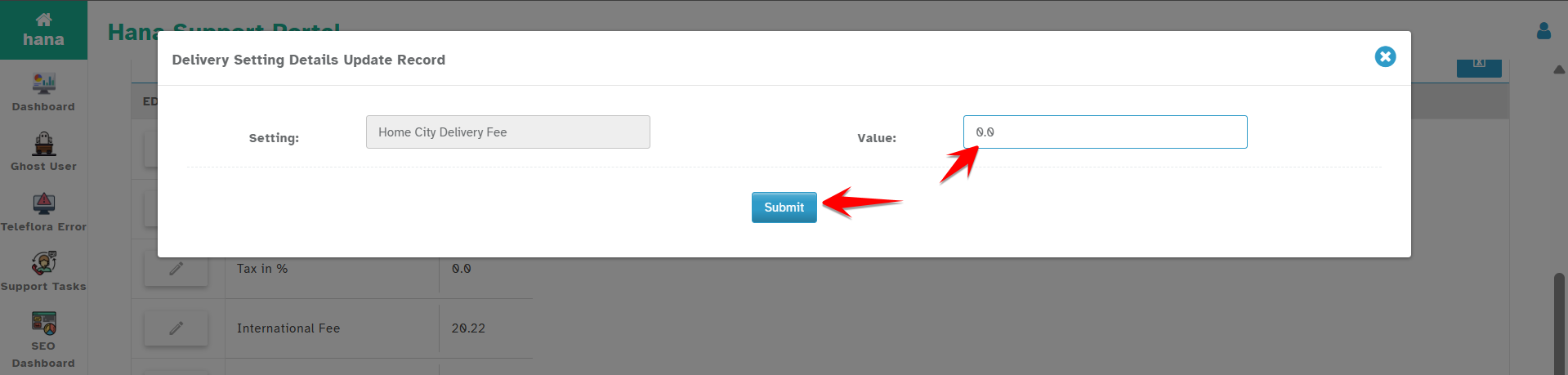
How It Works
Once these fees are set, Hana will automatically apply them to all orders that do not fall under any other delivery fee configuration.
If the delivery address is located within your home city, the Home City Delivery Fee will be used.
If the delivery address is outside your home city, the Outside Home City Delivery Fee will be used.
If a delivery address doesn't match any other delivery settings—such as ZIP code-based, city-based, distance-based, or map-based—the system will fall back to the values defined here.
Was this article helpful?
That’s Great!
Thank you for your feedback
Sorry! We couldn't be helpful
Thank you for your feedback
Feedback sent
We appreciate your effort and will try to fix the article