Hana POS automatically verifies recipient addresses using Google verification when entered during order creation.
However, you can also manually verify an address to ensure accuracy.
This guide outlines how to verify an address while creating a new order.
Steps to Verify an Address
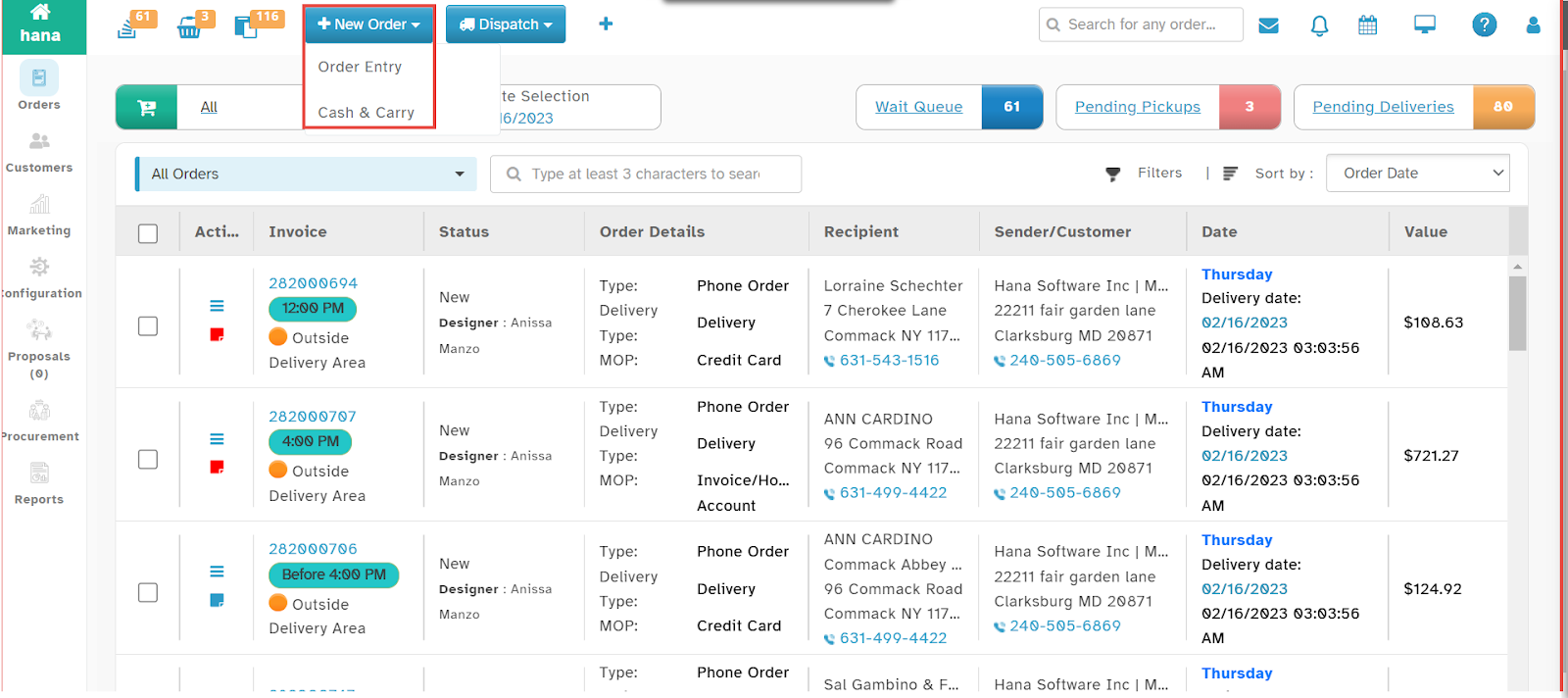
Step 1: Access the Order Entry Page
Navigate to New Order > Order Entry.
The Order Entry Page will be displayed.
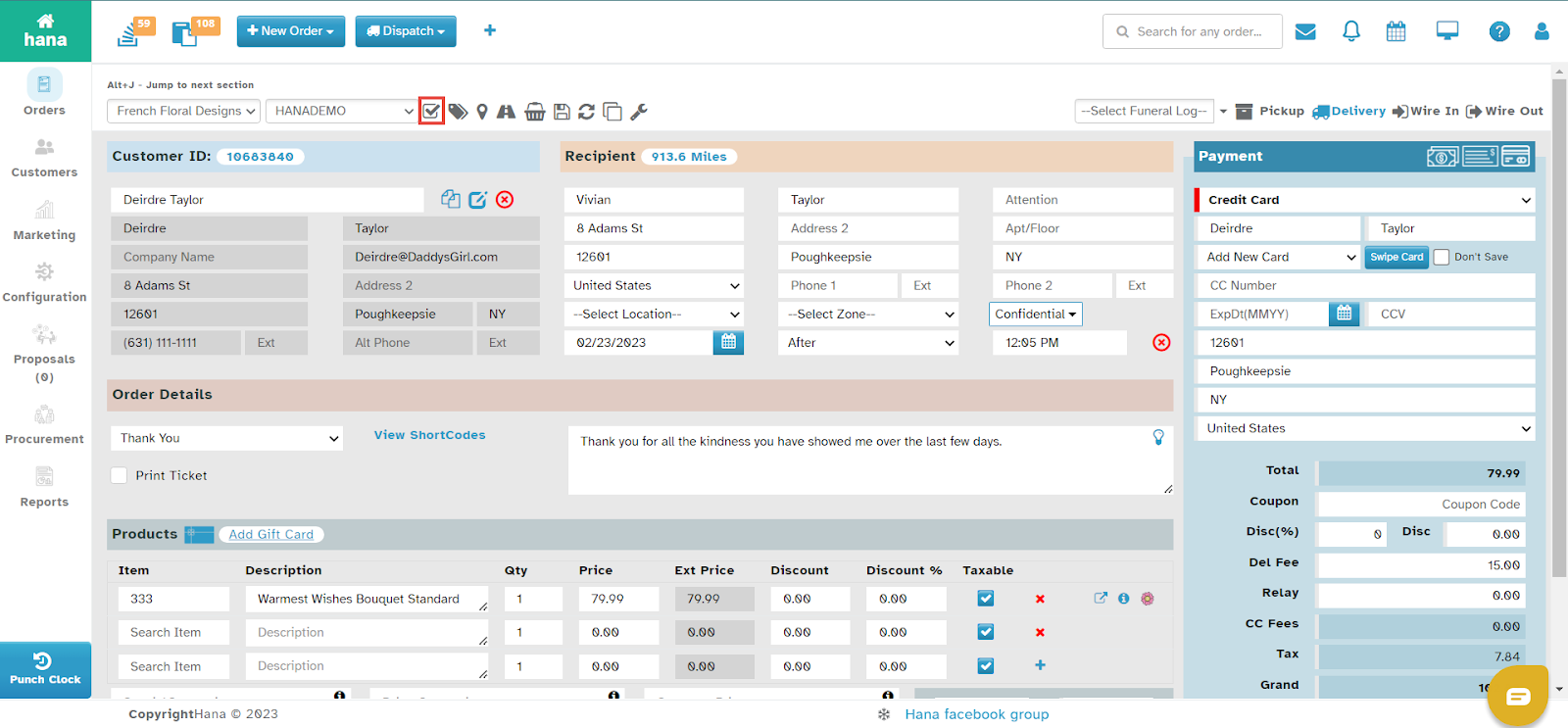
Step 2: Enter Recipient’s Address
Enter the recipient’s address in the designated fields.
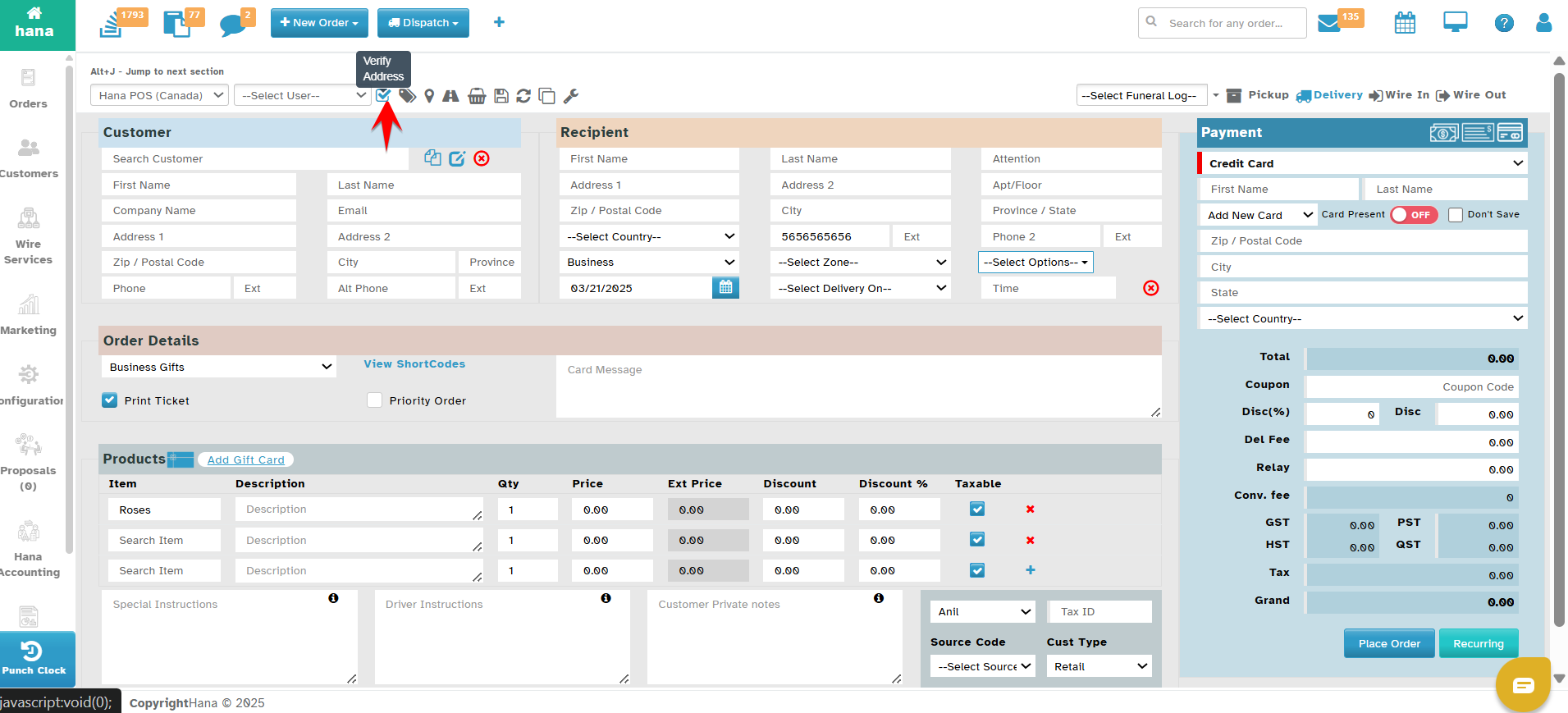
Step 3: Manually Verify the Address
Hana automatically verifies the address using Google Maps API. But if you would like to manually verify the address Click the verify address icon next to the address field.
A success notification will confirm that the address has been verified.
By following these steps, you can ensure accurate address verification, improving delivery efficiency within Hana POS.
Was this article helpful?
That’s Great!
Thank you for your feedback
Sorry! We couldn't be helpful
Thank you for your feedback
Feedback sent
We appreciate your effort and will try to fix the article