Markup settings allow you to define the percentage added to the cost of a product or service to determine its selling price. By configuring markup percentages, florists can ensure appropriate profit margins while accounting for labor costs and material expenses.
This guide provides instructions on how to set labor costs and markup percentages for different recipe components.
Steps to Configure Recipe Markup Settings
Step 1: Open the Markup Settings Dialog
In the Create Recipe dialog, click Settings.
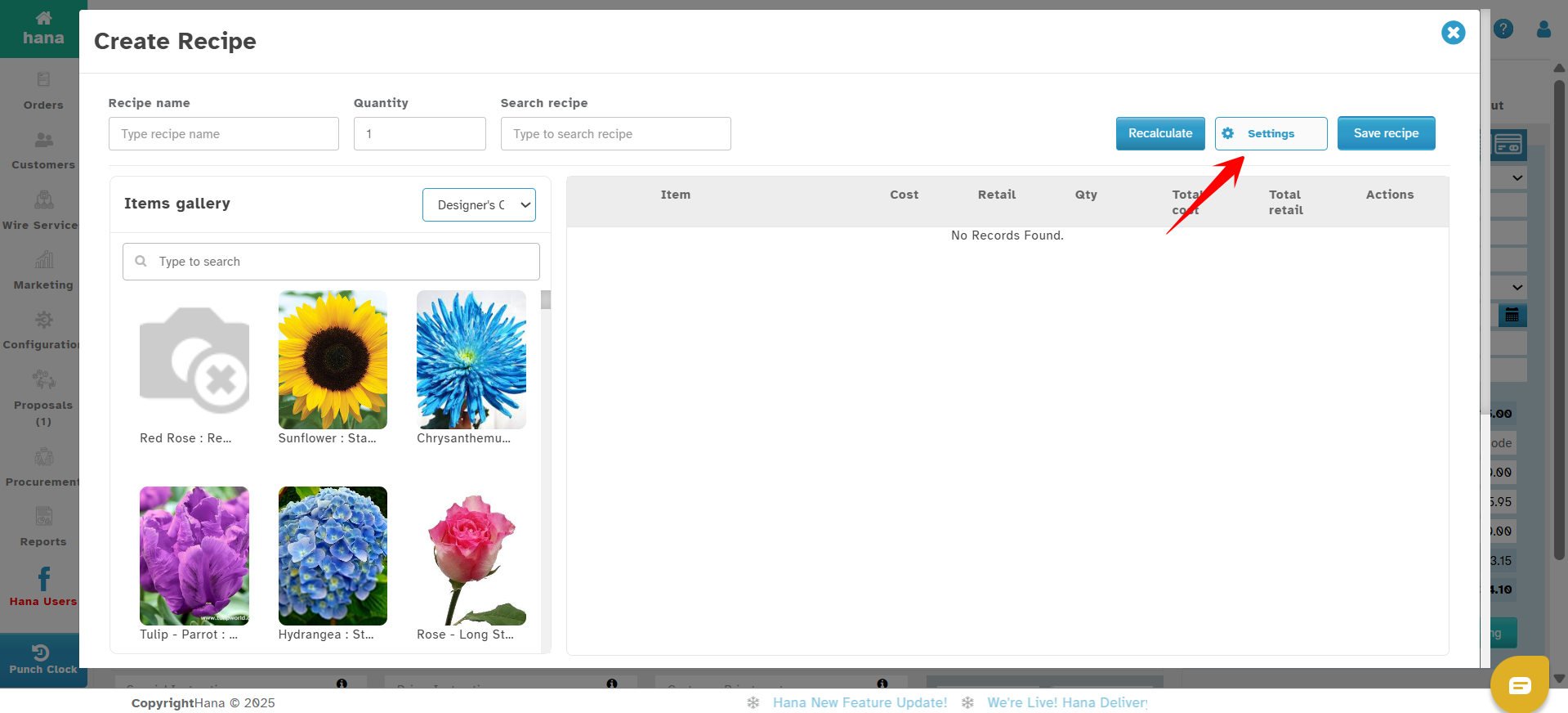
The Markup Settings dialog will be displayed.
Step 2: Define Markup Percentages
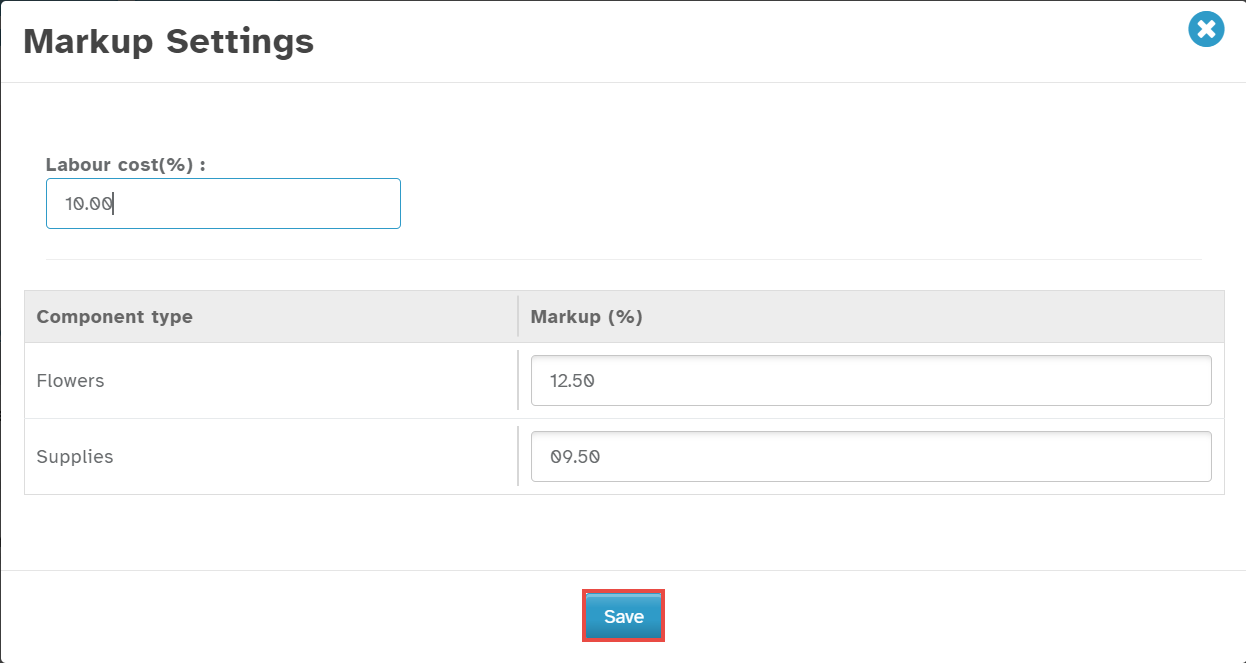
Enter the Labor Cost Percentage in the Labour Cost(%) field.
Under the Markup(%) column, adjust the percentage for each Component Type by clicking the up or down arrows in the respective row or simply type in the percentage as a whole number.
Step 3: Save the Settings
Click Save to apply the changes.
Was this article helpful?
That’s Great!
Thank you for your feedback
Sorry! We couldn't be helpful
Thank you for your feedback
Feedback sent
We appreciate your effort and will try to fix the article