What’s New?
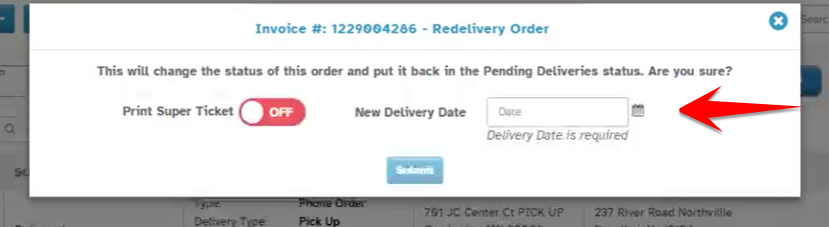
The Redeliver Order flow has been updated to allow florists to choose a new delivery date while setting up Redelivery of a failed delivery.
Navigation
Orders → Action Column → Click Redeliver Button
How It Works
Select "New Delivery Date"
Date is mandatory – You cannot proceed without it.
Why It Helps
Improves visibility – Logs the redelivery with clear date in the Order.
Was this article helpful?
That’s Great!
Thank you for your feedback
Sorry! We couldn't be helpful
Thank you for your feedback
Feedback sent
We appreciate your effort and will try to fix the article