HANA POS provides a secure and controlled way to open the cash drawer through the system interface manually.
This function is helpful for situations where staff need to access the drawer without processing a transaction, such as:
Making a change for a customer.
Confirming cash on hand.
Handling a manual payout.
Preparing for end-of-day reconciliation.
This guide explains how to access and use the Open Drawer option safely and efficiently.
When to Use the Open Drawer Option?
You need to verify or count cash before closing.
You're preparing the register for the day and initiating a cash draw with a new balance.
You’re issuing a manual payout (before logging it).
You need to make a change without ringing up an order.
Important: The system records each instance the drawer is manually opened for audit and accountability.
Steps to Open the Cash Drawer
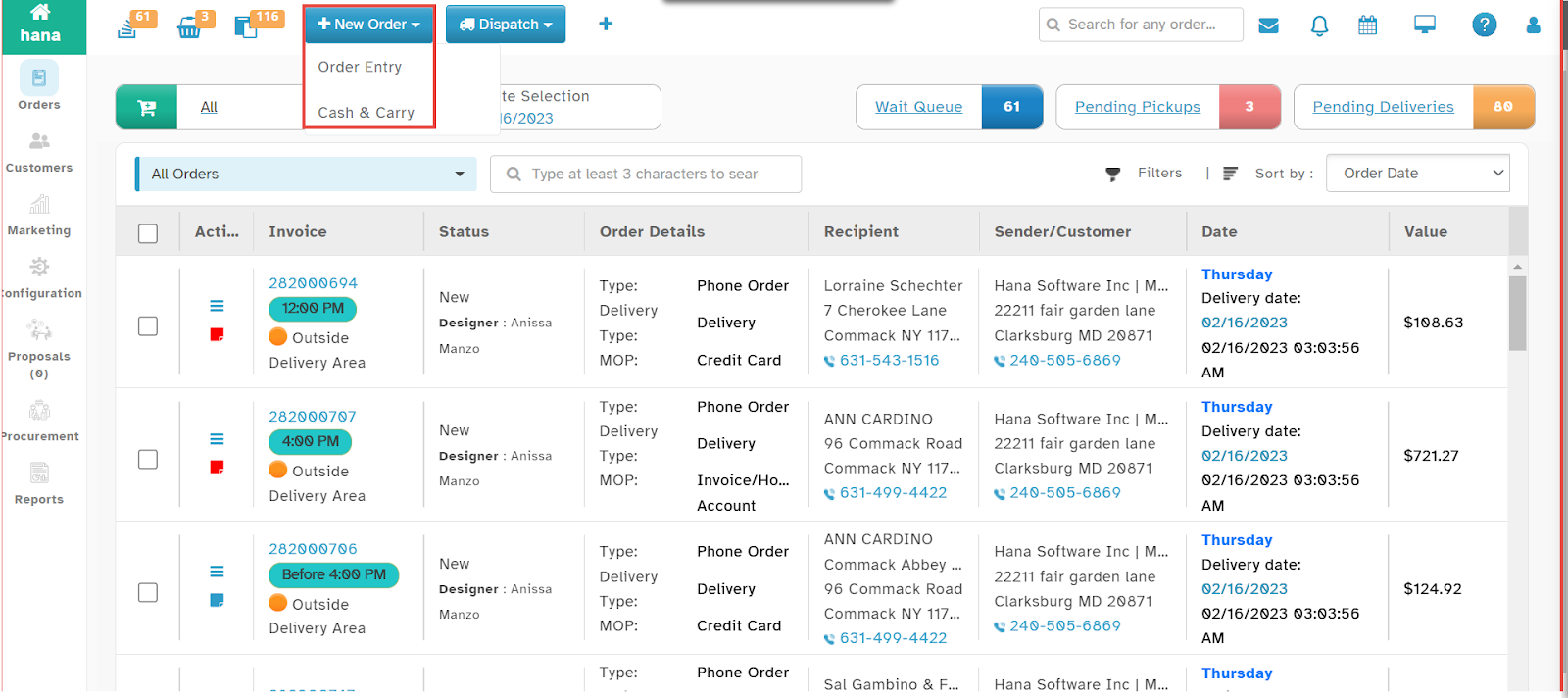
Step 1: Navigate to the Cash & Carry Page
Go to New Entry > Cash & Carry from the main POS navigation menu.
The Cash & Carry screen will be displayed, listing all available cash management options.
Step 2: Select the Shop and Register
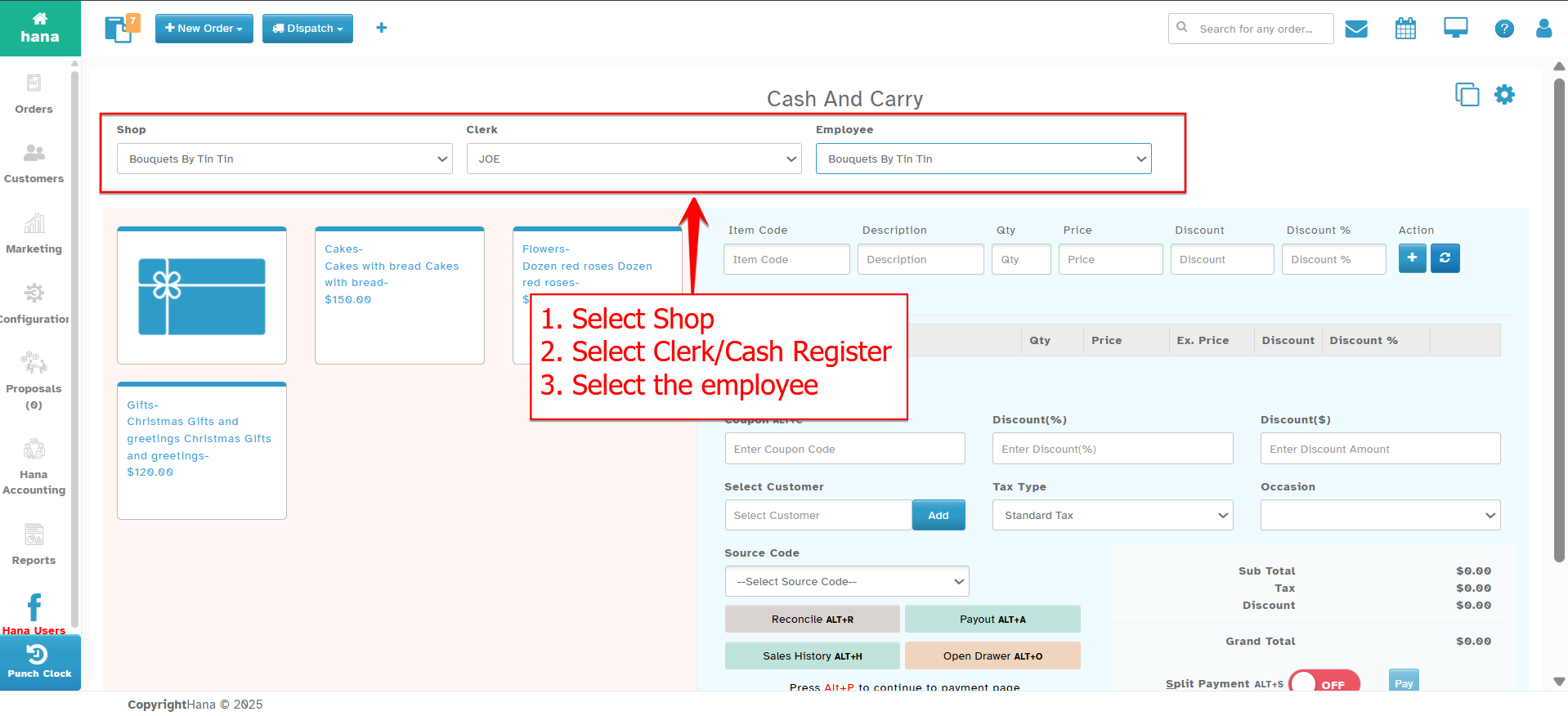
In the Shop Dropdown, select the shop location you are currently operating from.
In the Cash Register Dropdown, choose the register associated with your workstation.
- Ensuring the correct shop and register are selected is important for accurate tracking and security.
Step 3: Click the Open Drawer Button
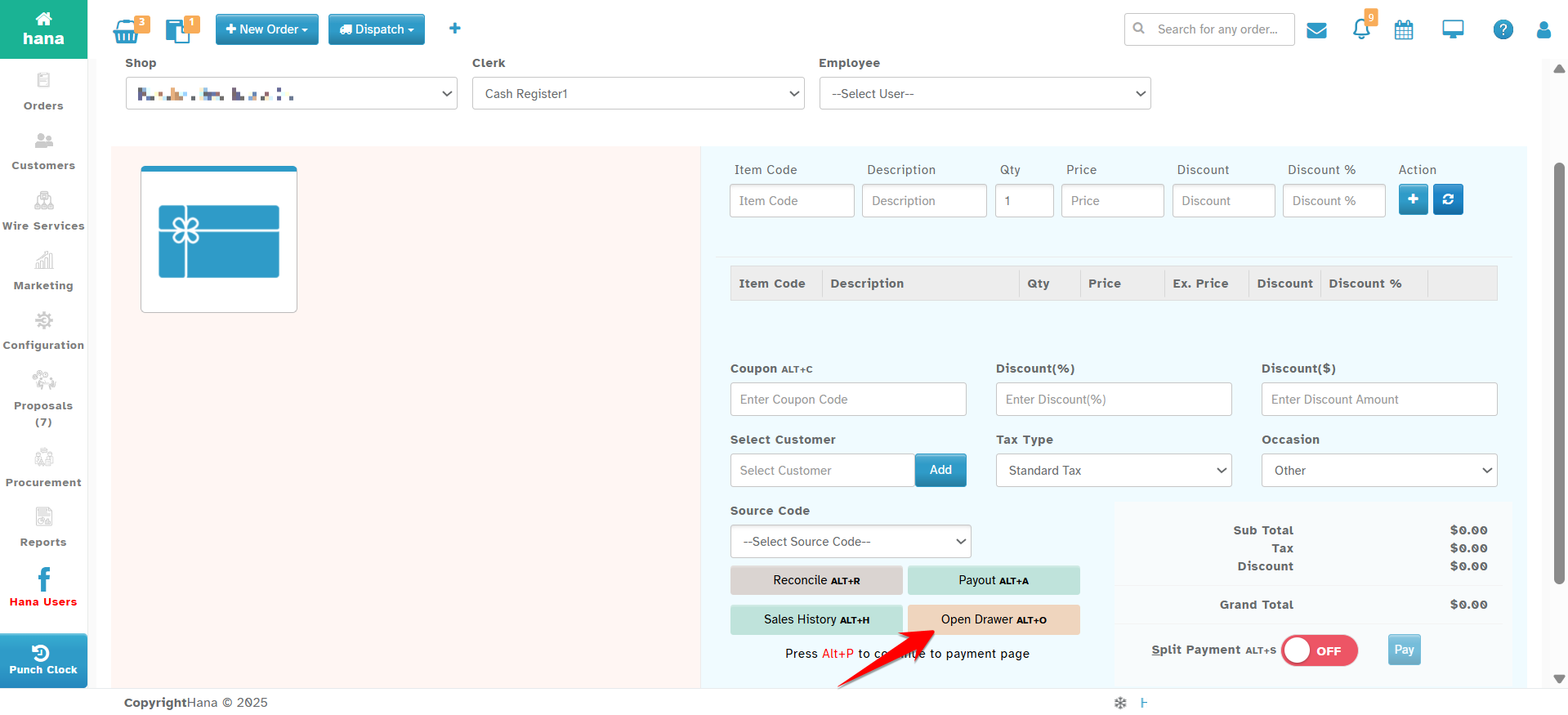
On the right bottom side of the Cash & Carry screen, locate and click the Open Drawer button or press ALT+O.
- There is no need to process a sale to use this function.
The cash drawer connected to your register will pop open immediately.
What to Expect
The system logs the drawer opening event, including the user ID, time, and register location.
If the drawer doesn’t open, verify that:
The POS device is properly connected to the cash drawer
You have the correct hardware settings enabled
The user has permission to open the drawer
Security & Best Practices
Only authorized staff should use the Open Drawer function
Avoid excessive use—every drawer open is logged
Do not use this function to bypass transaction recording
Always verify cash before and after drawer access to avoid discrepancies
Conclusion
The Open Drawer feature in HANA POS provides flexibility in managing cash operations outside of regular transactions. Used responsibly, it ensures that your business maintains operational efficiency and financial accountability.
Was this article helpful?
That’s Great!
Thank you for your feedback
Sorry! We couldn't be helpful
Thank you for your feedback
Feedback sent
We appreciate your effort and will try to fix the article