Hana POS allows you to review driver deliveries anytime, providing insights into the driver's performance.
This includes the status of loading, transportation, and delivery confirmation.
You can also filter driver reviews based on shop name, date range, delivery code, driver name, and paid invoices.
This guide outlines the steps to access and filter driver delivery reviews efficiently.
Steps to View Driver Deliveries Review Details
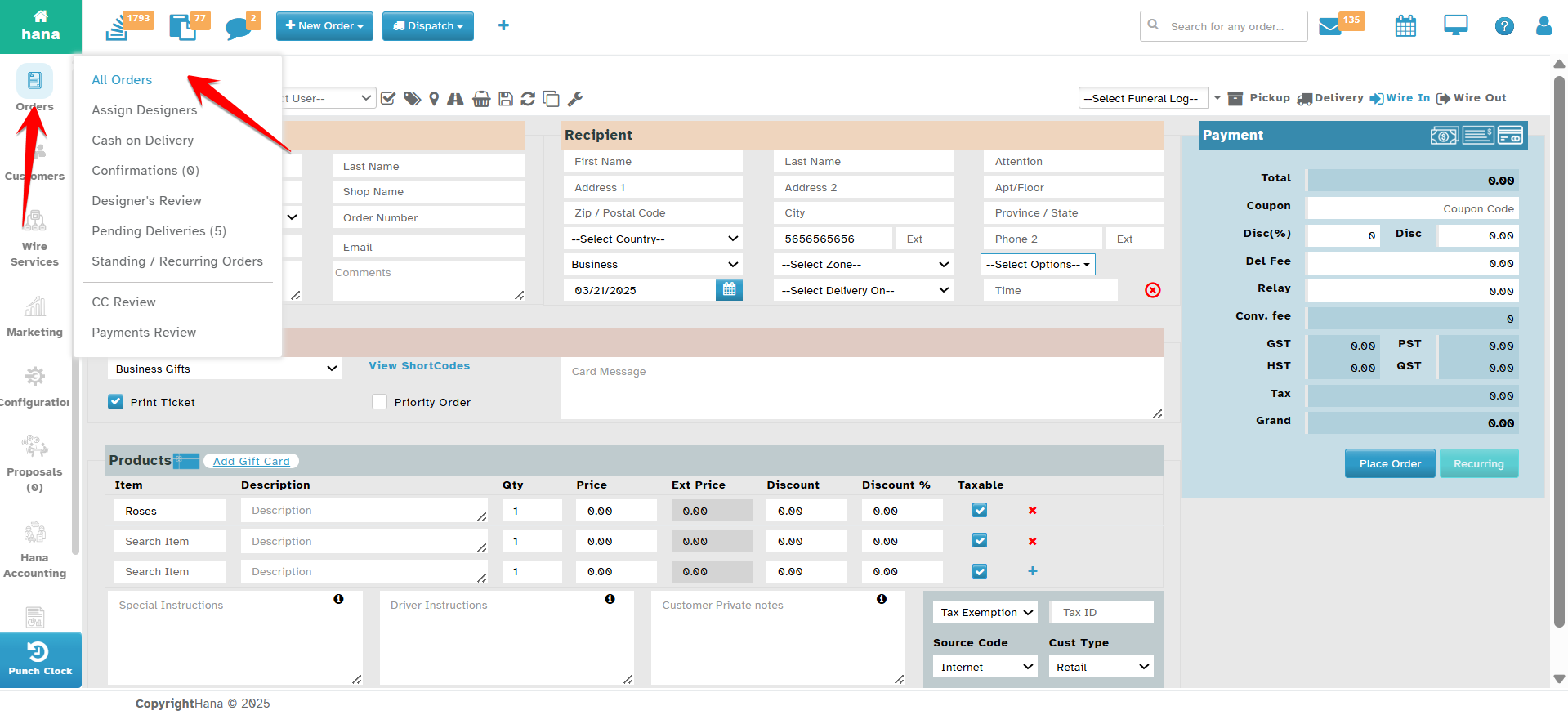
Step 1: Access the Orders Page
Navigate to Orders.
The Orders Page will be displayed.
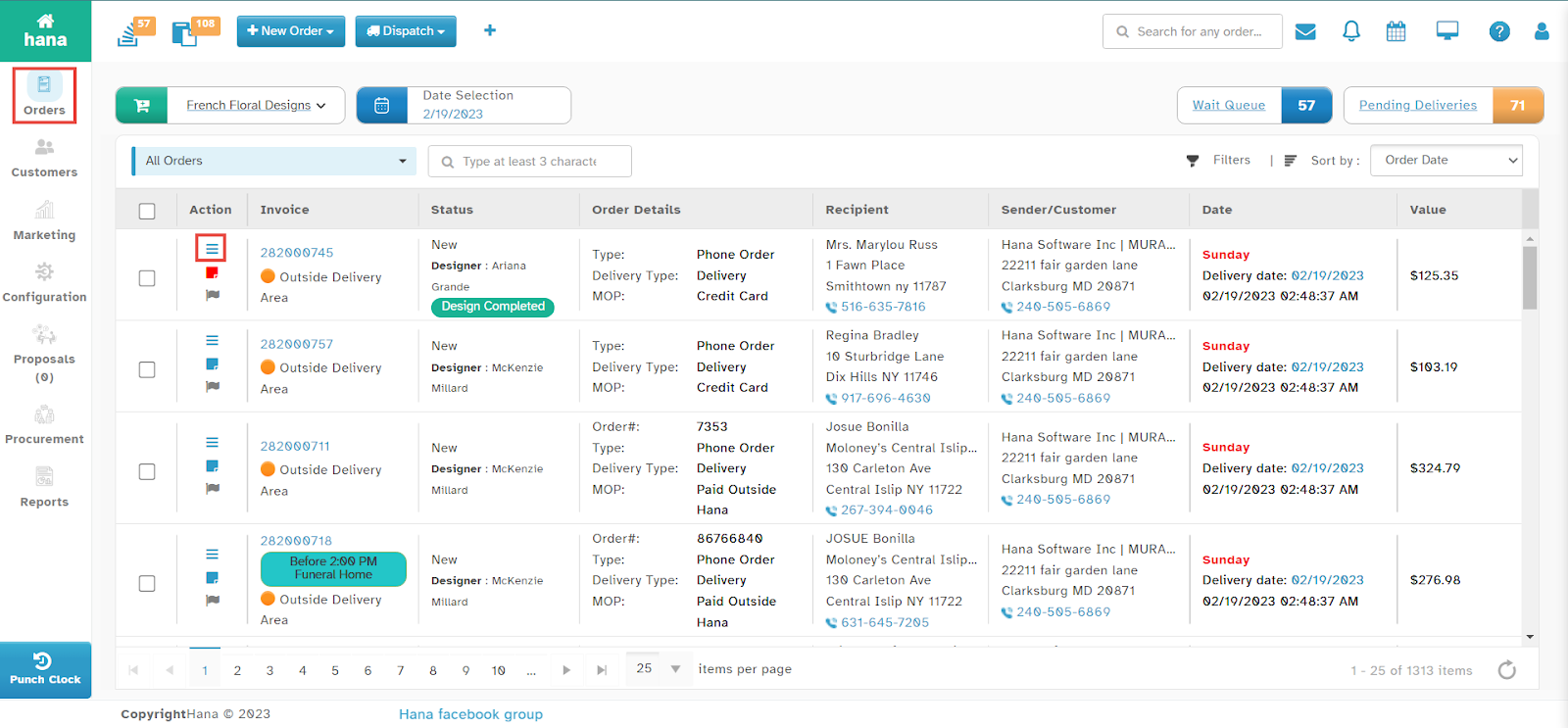
Step 2: Open the Driver Review Page
Click the driver review icon in the row of the order you wish to review.
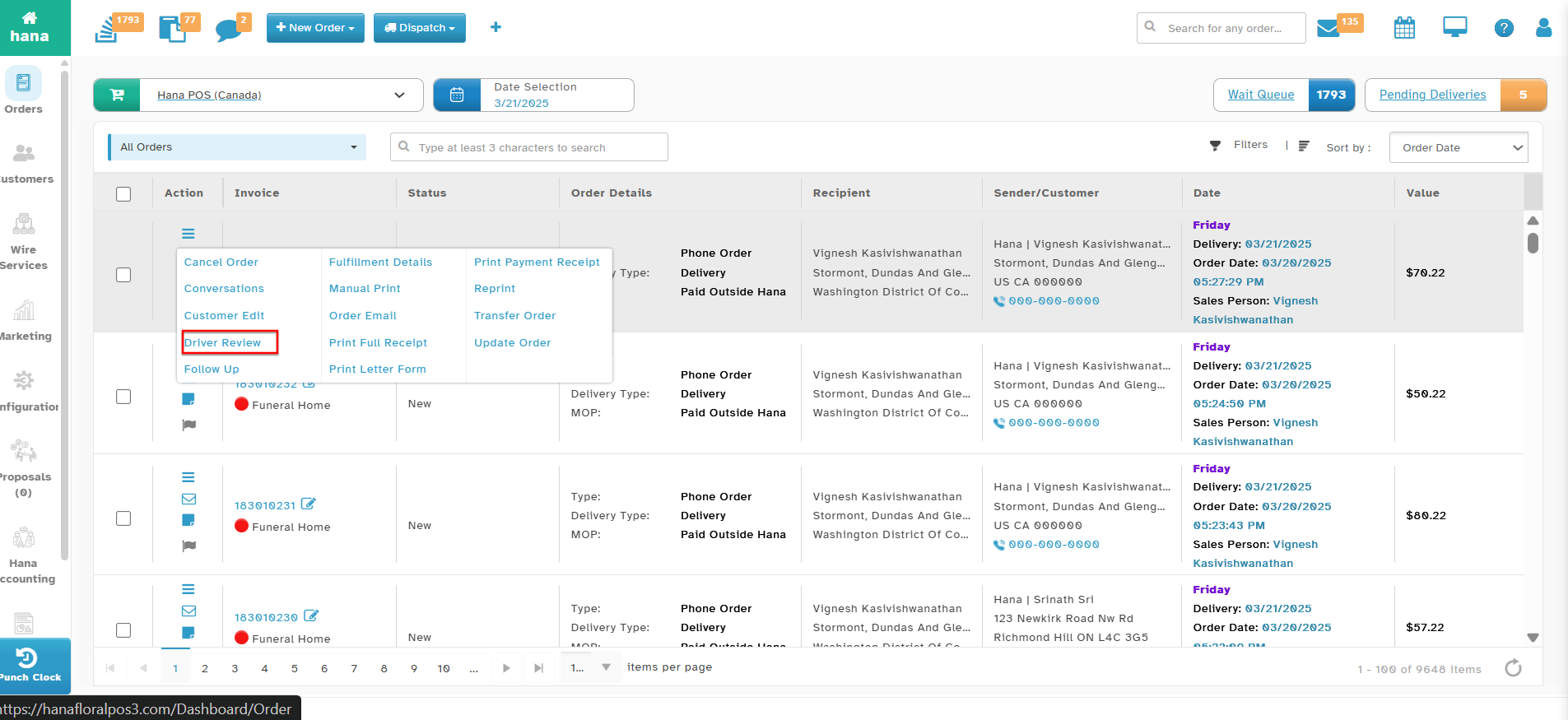
The Actions Menu will be displayed.
Click Driver Review.
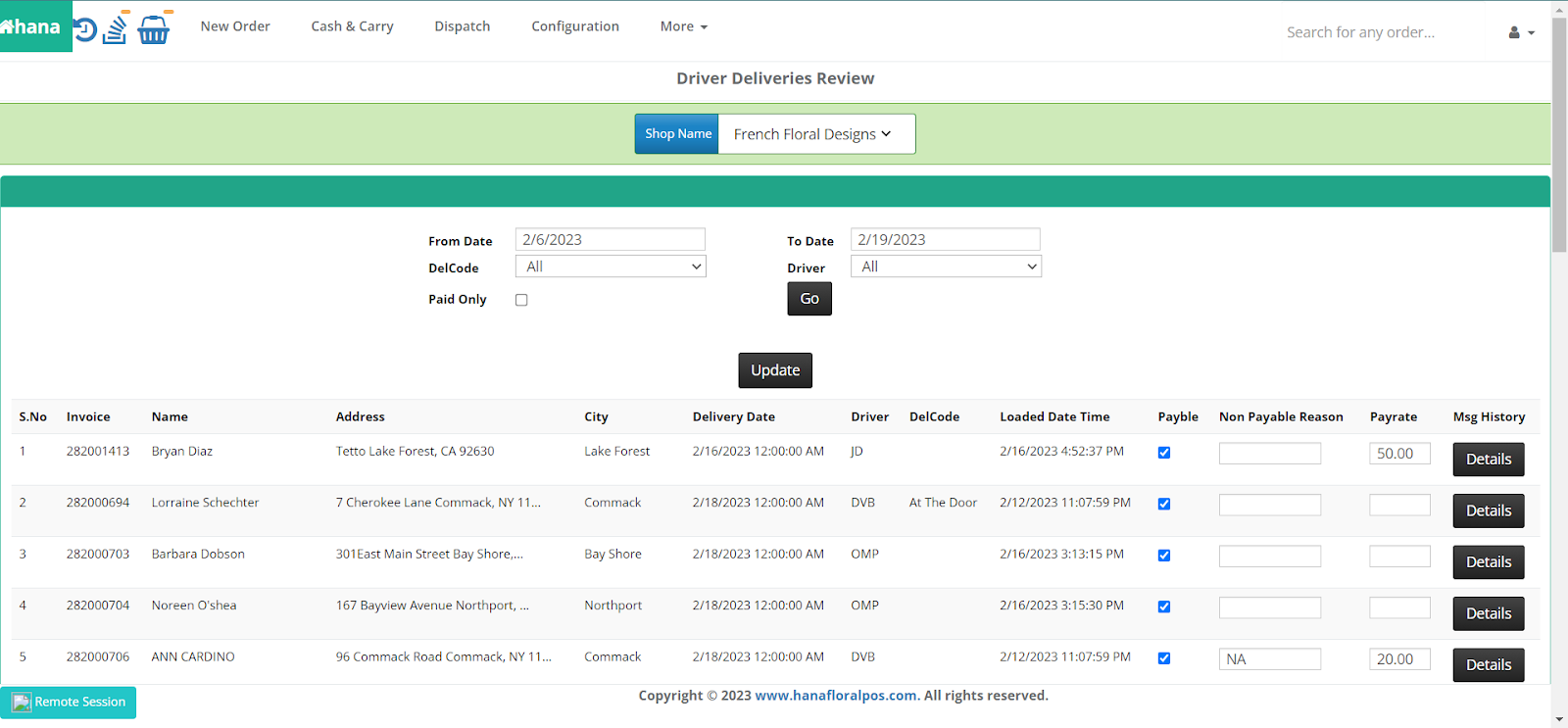
The Driver Deliveries Review Page will appear.
Step 3: Apply Filters (Optional)
You can filter driver reviews based on the following criteria:
Shop Name
Specific Date Range
Delivery Code
Driver Name
Paid Invoices Only
Alternative Method: You can also view the Driver Deliveries Review Summary by clicking anywhere on the order row to open the Order Details Dialog, then clicking the driver review icon > Driver Review.
By following these steps, you can efficiently monitor driver performance and delivery statuses within Hana POS.
Was this article helpful?
That’s Great!
Thank you for your feedback
Sorry! We couldn't be helpful
Thank you for your feedback
Feedback sent
We appreciate your effort and will try to fix the article