This guide outlines the steps to view and mark pickup orders as "Picked Up" once the customer receives the bouquet.
Steps to View / Confirm Pickup Orders
Step 1: Access the Dashboard
Navigate to Dashboard.
The Dashboard Page will be displayed.
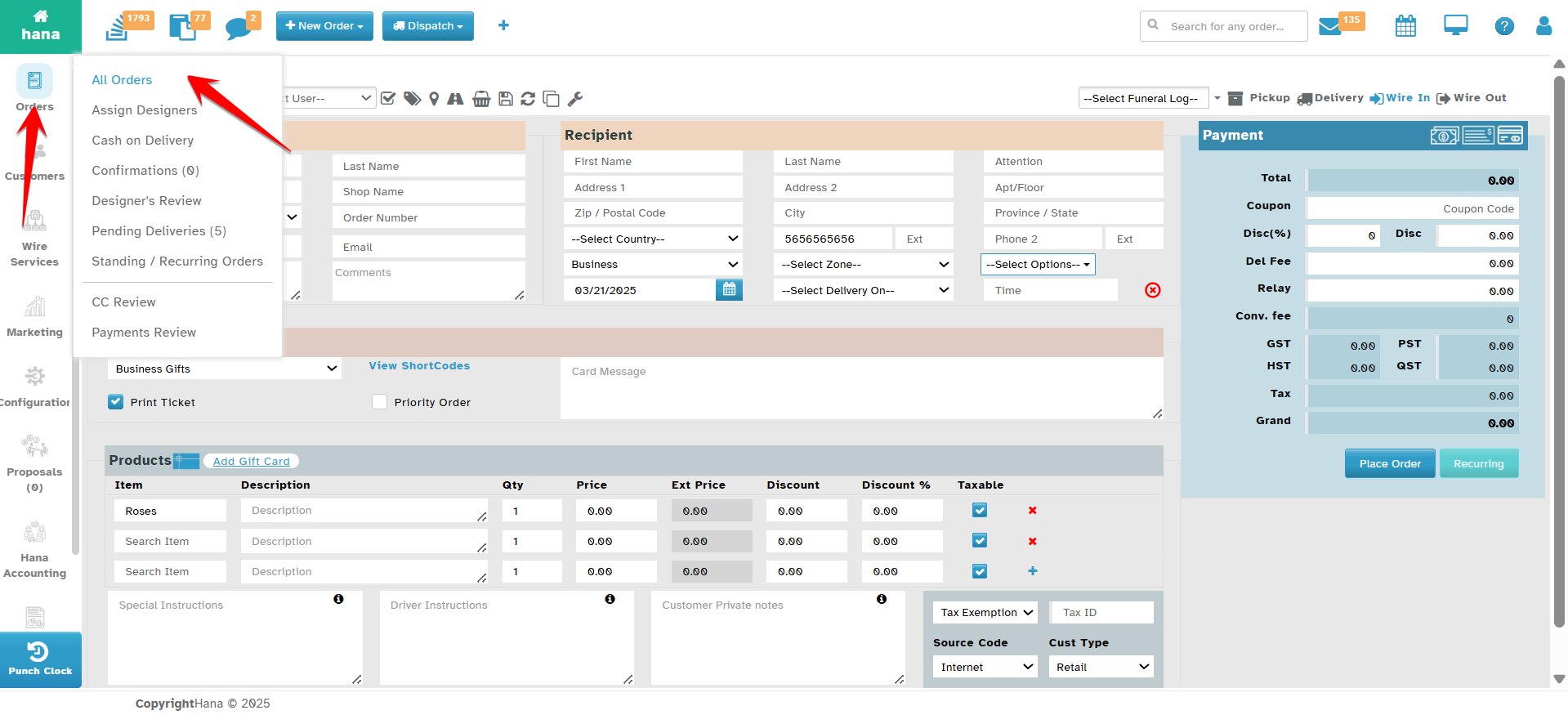
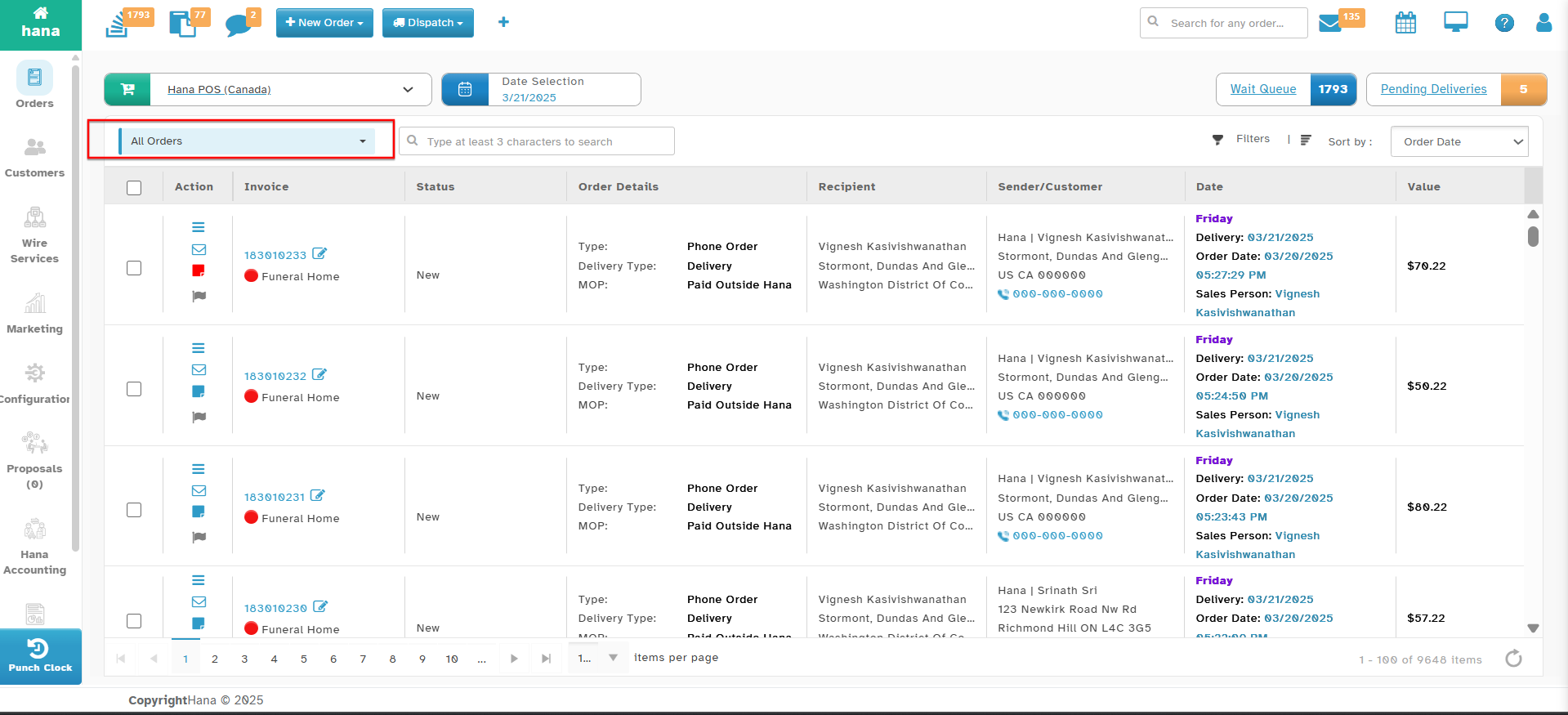
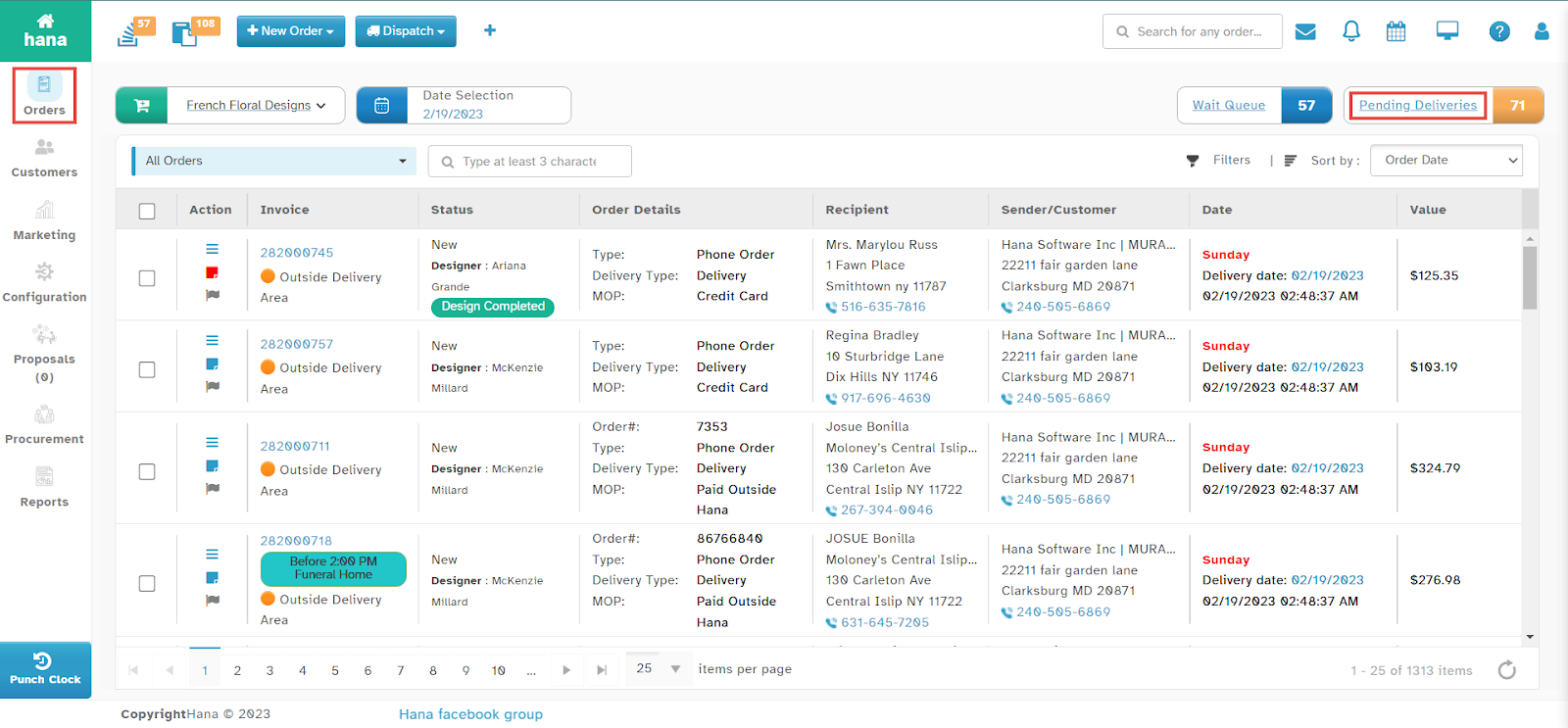
Step 2: Open the Pending Pickup Orders List
Click the Pending Pickup icon.
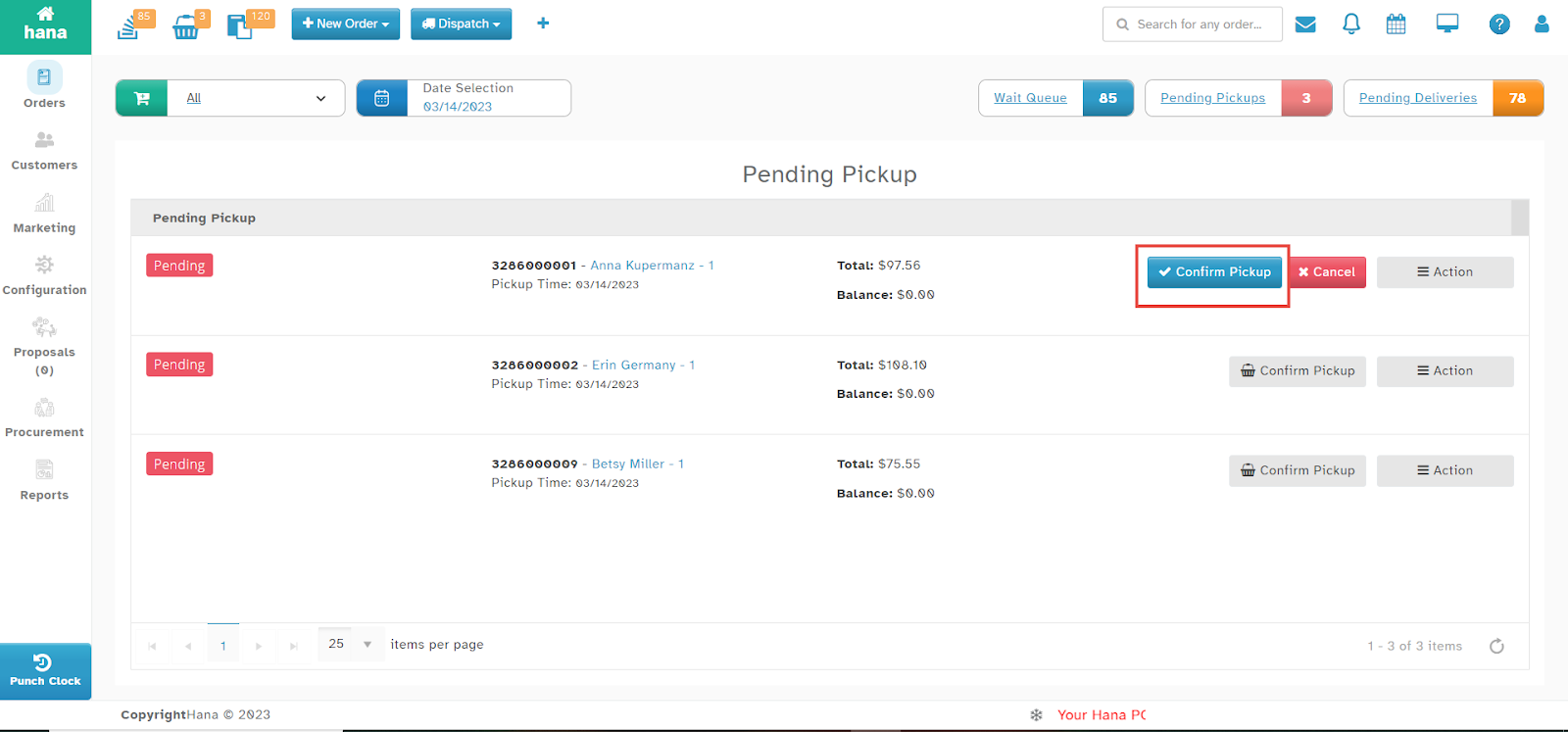
The Order List for Pending Pickup will be displayed.
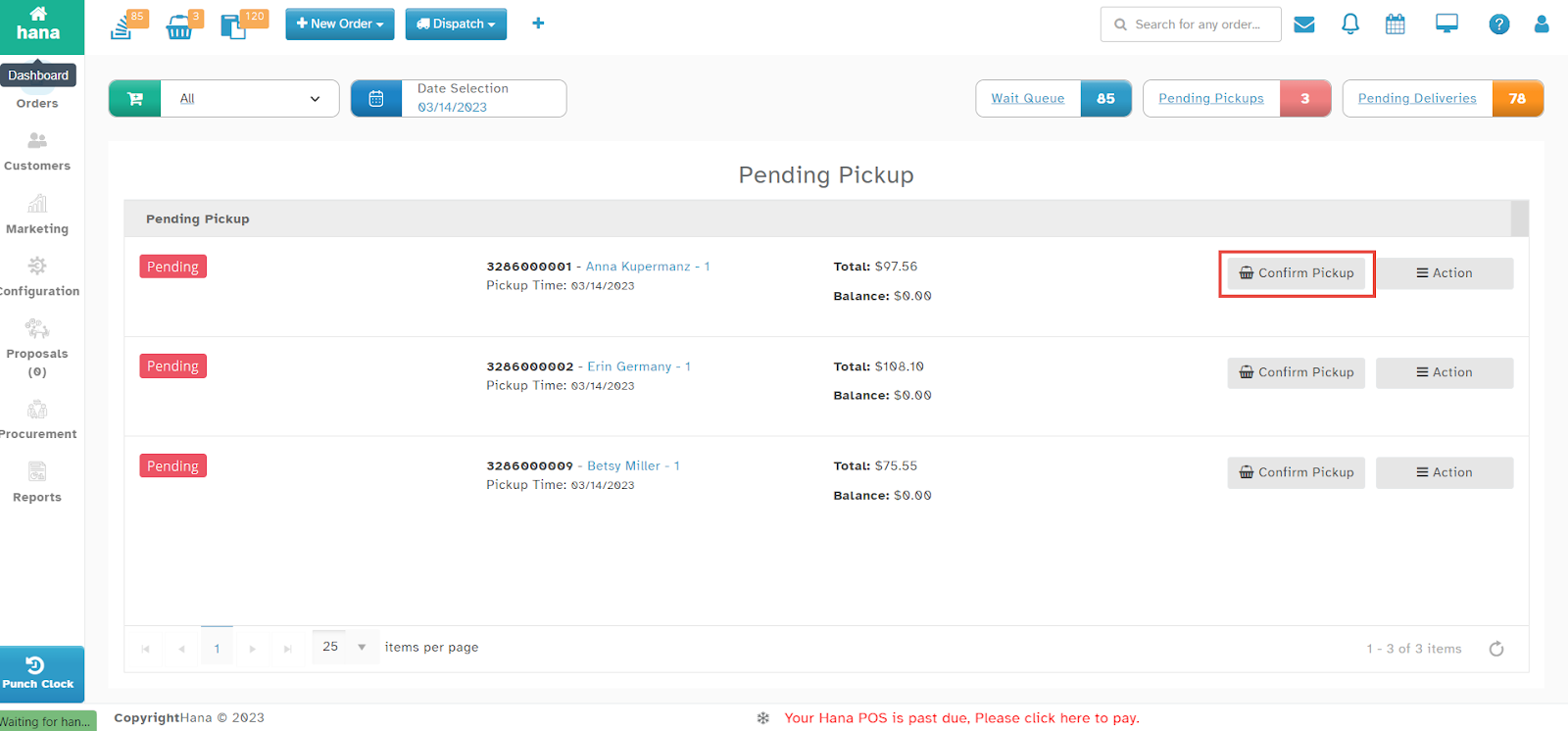
Step 3: Confirm the Pickup Order
Click Confirm Pickup in the row of the order you wish to confirm.
The Confirm Pickup and Cancel buttons will be enabled.
Click Confirm Pickup to finalize the order collection.
A success notification will confirm that the pickup has been recorded.
By following these steps, you can efficiently track and confirm pickup orders, ensuring smooth order management within Hana POS.
Was this article helpful?
That’s Great!
Thank you for your feedback
Sorry! We couldn't be helpful
Thank you for your feedback
Feedback sent
We appreciate your effort and will try to fix the article